
Quensus LeakNet Manuel utilisateur
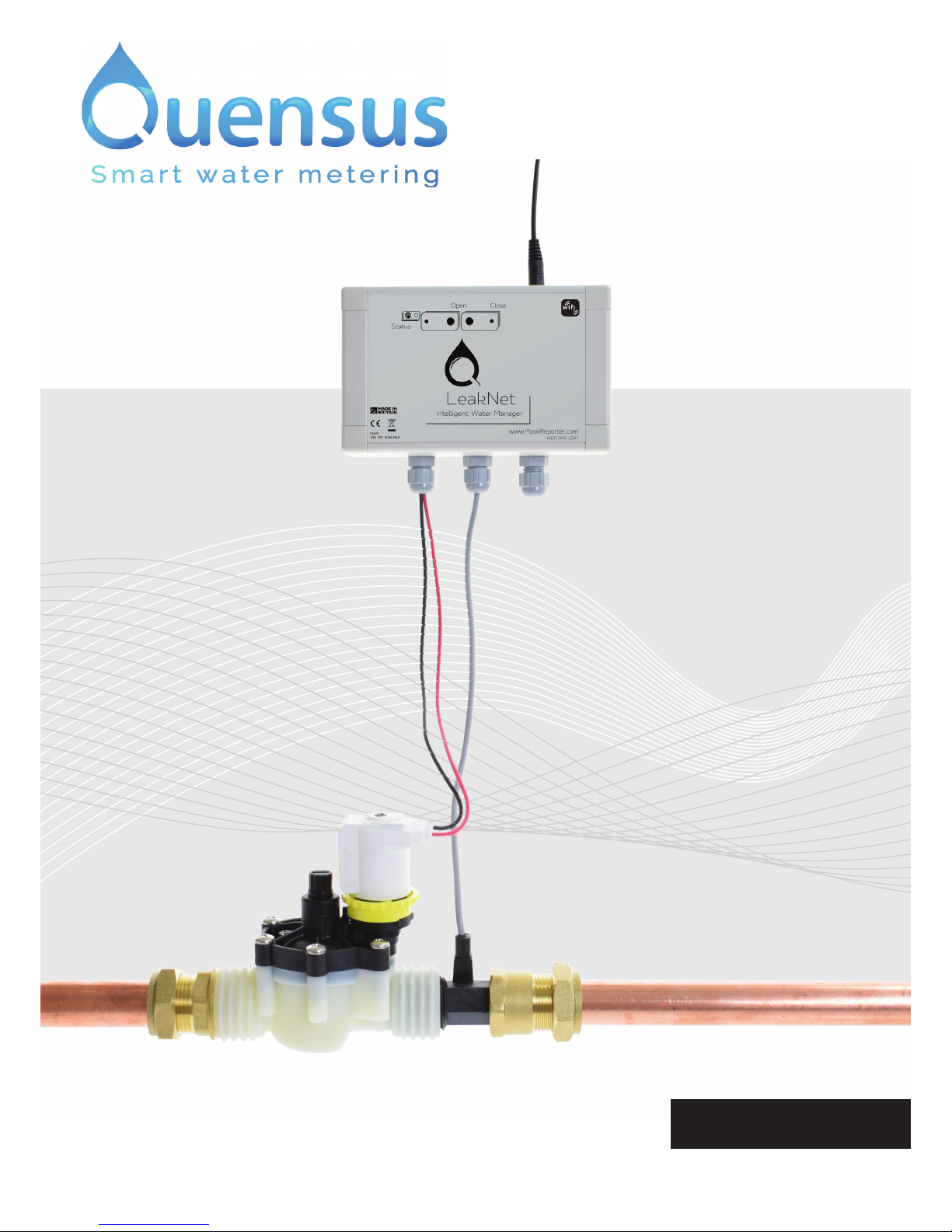
LeakNet
© Quensus 2018
User Manual
English
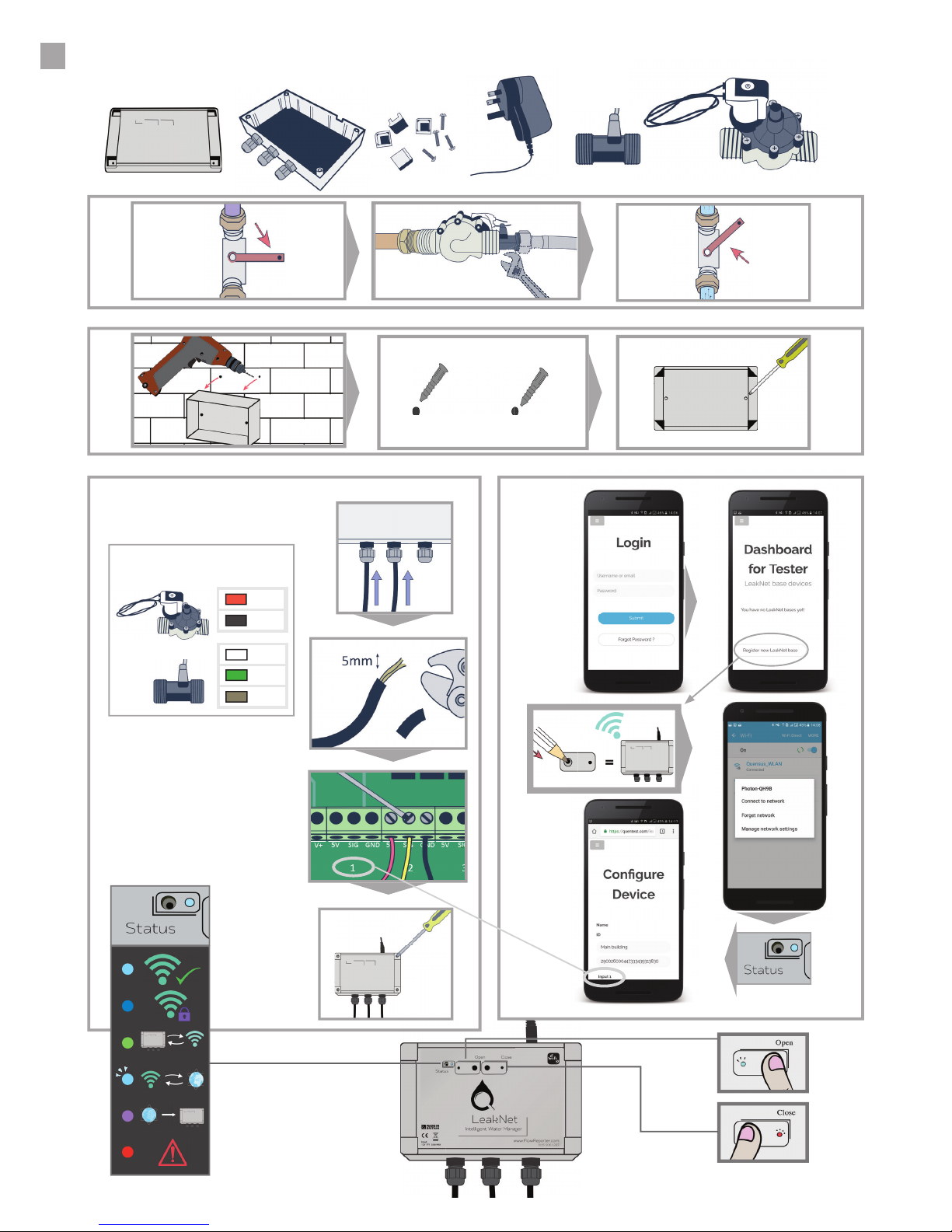
QUICK START GUIDE
2
1
2
4
3
KEY
+
-
5V
SIG
GND
www.FlowReporter.com

CONTENTS
3
4Introduction
5Installation guide
Overview .....................................................................................................................5
Item checklist.............................................................................................................6
Before you begin ........................................................................................................7
Plumbing instructions................................................................................................8
Wall-mounting instructions .....................................................................................10
Wiring instructions...................................................................................................11
Connecting to the internet.......................................................................................14
17 User manual
LeakNet Base ...........................................................................................................17
Using the buttons and LEDs....................................................................................18
Overview of software...............................................................................................19
Dashboard ................................................................................................................20
Base device con guration .......................................................................................21
Graphs.......................................................................................................................22
Device settings.........................................................................................................23
Thresholds and alerts..............................................................................................24
Sharing access.........................................................................................................25
26 Speci cations
27 Maintenance
28 Technical support

4
INTRODUCTION
Online capability
WARNING
LeakNet is the complete online water management product provided by Quensus.
Using LeakNet, water consumption can be visualised anytime from anywhere in the world. If a leak
is detected, an alert is immediately sent to the user via email. If desired, LeakNet can automatically
shut off the water supply, so no water damage is caused in the event of a leak.
The LeakNet Base (pictured) can connect up to 4 meters, so it has the potential to measure the
water ow through 4 different pipes, but most applications will involve just one. A valve can also be
connected, but can be omitted if there is no wish to turn off the water supply. Almost any pipe size is
accepted, and meters/valves supplied by Quensus come in standard sizes.
The LeakNet Base contains the connection to the Internet via WiFi, and is mains supplied.
You will manage and monitor your LeakNet online using a
service called FlowReporter.
Register for your account at www.FlowReporter.com.
If equipment is installed or used in a manner not speci ed in this document,
the product may not work as expected, and the leak protection capabilities
may be impaired. Please contact us if you have any problems or are unsure.

Find the stopcock
Decide where the LeakNet will be placed - this will normally
be just after the stopcock, where the water enters the
building. This will usually be coming up from the ground.
1.
Install the Base
Choose a location to mount the Base and check WiFi
connectivity. Wire the cables from the meter(s) and valve
to the Base, making sure to use the cable glands. Screw
on the front of the Base, clip in the inserts which hide the
screws, and then connect the power adaptor.
3.
Test online
Run a nearby tap. Online, select the name of your new Base,
and then click “Close valve”. A few seconds later, the water
will stop owing. Click the sensor name, then “View” then
“Real time” then “Open valve”. You will see the graph change
as the water is turned on.
5.
Install valve and meter
Make sure the valve (optional) and meter are facing the
correct way (arrow pointing in the direction of ow) and
install in the proposed location. Up to 3 more meters, or up
to 20 temperature sensors can also be installed.
2.
Connect to WiFi
With the “Status” light ashing blue, use your smartphone
or computer to access www.FlowReporter.com online.
Login and select “Register new Base”. Follow the on-screen
instructions. Con gure the Base online by selecting the
ttings used in the above step.
4.
5
INSTALLATION GUIDE
Overview
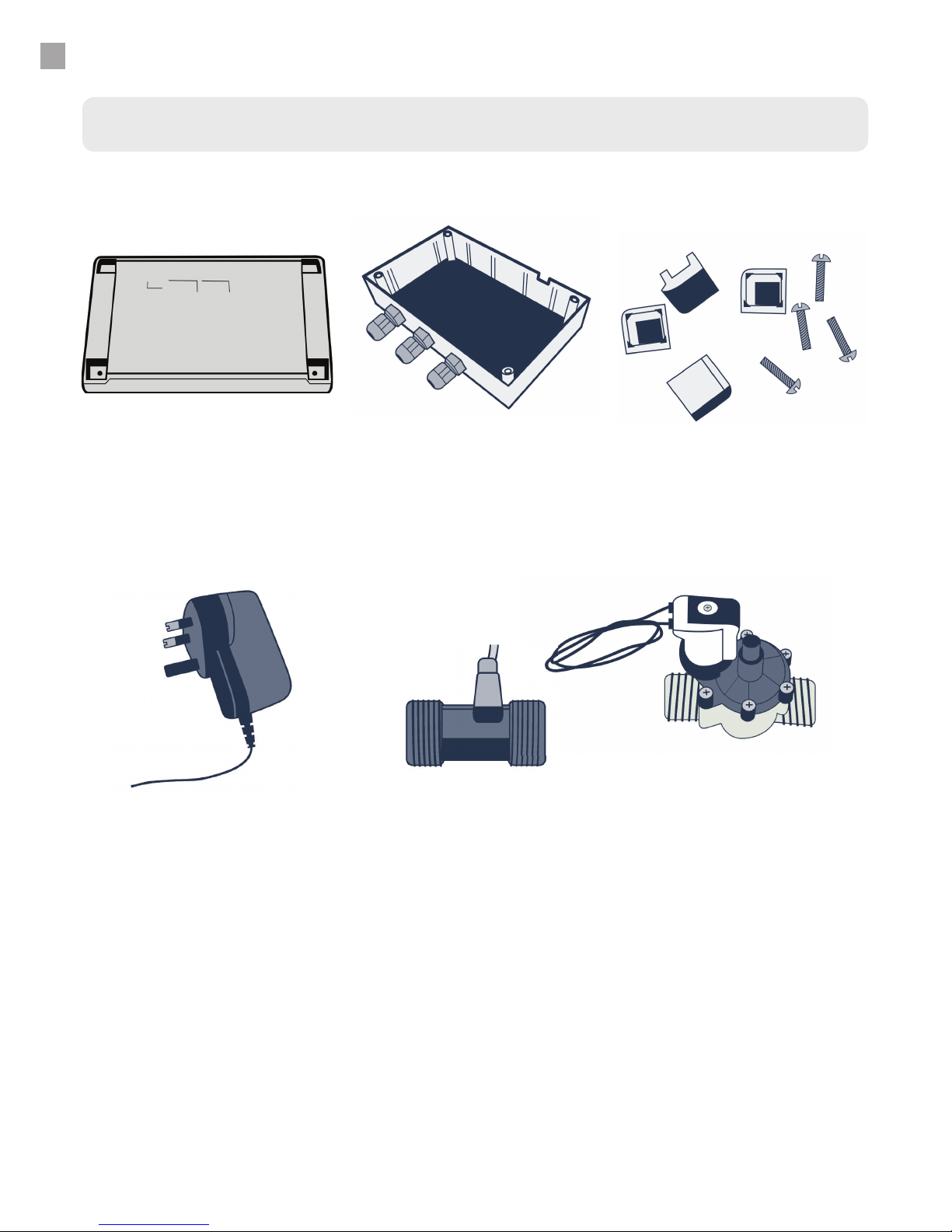
You may also have:
●A DC extension cable (to extend the reach to the plug socket)
●A length of RG59+2 cable (to extend the reach of the water meter and/or valve)
LeakNet Base front
Power adaptor
LeakNet Base rear
Water meter
Base screws and inserts
Valve
With integrated circuit board.
12V DC power adaptor.
Wall mountable.
To measure water ow.
Different sizes are speci ed on
page 26.
To fasten the front of the Base
to the rear of the Base.
To turn off water ow.
Different sizes are speci ed on
page 26.
Item checklist
6
INSTALLATION GUIDE
7
INSTALLATION GUIDE
Before you begin
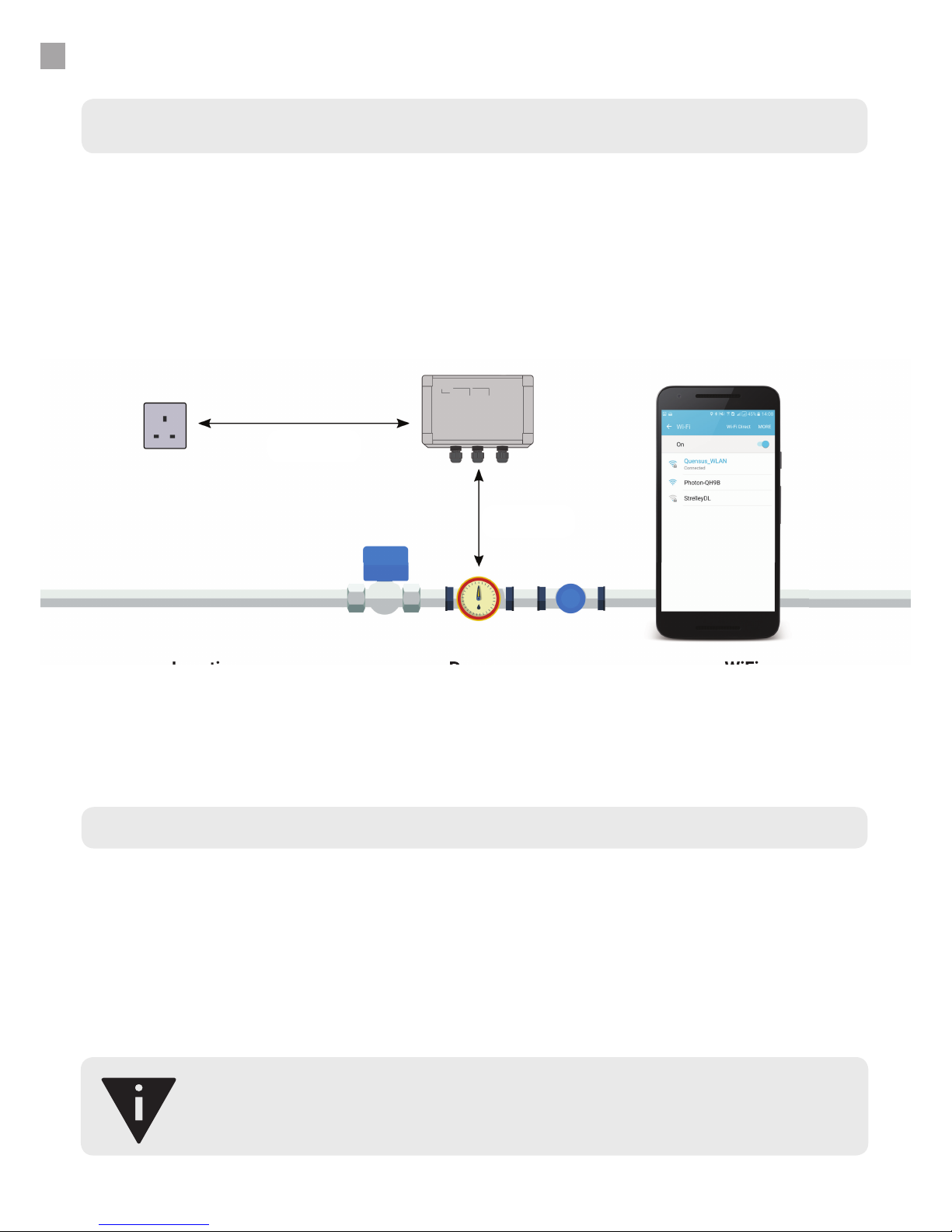
The Base uses WiFi to communicate over the internet, and requires mains power.
Before installing, decide where the LeakNet Base will be located:
●Within 10 meters of plumbed ttings,
●Within 10 metres of a 100-240V 50/60 Hz mains socket,
●Within range of WiFi (use your mobile phone to check for WiFi signal). Also ensure you have
access to the name of the WiFi connection and password.
If WiFi is not available, a standard 3G router can be supplied to provide the wireless connection. Data
rates are 4MB per day as a maximum.
Location Power WiFi
The Base should be wall-
mounted and located no more
than 10 meters aways from
plumbed ttings.
The Base should be located
no more than 10 meters aways
from a mains plug socket.
The Base should be located
within range of WiFi. Use a
smartphone to check the
connection is at least 2 bars.
Location
Power
WiFi
<10m
< 10m
Tools required
●Phillips head screwdriver
●2mm at head screwdriver
●Pipe cutter (suitable for your pipe size)
●Adjustable wrench/spanner (suitable for your plumbing ttings)
●PTFE tape
●Drill (if wall mounting)

INSTALLATION GUIDE
8
Plumbing instructions
1. Assemble all ttings.
With push t ttings, make sure the rubber washer is
clean, and hand tighten.
With compression ttings, use about 25 turns of
PTFE tape around the thread, and then use a wrench
to tighten.
Watertight connections between the valve and
meter can easily be achieved, in most cases, with 3
rubber (or bre) washers. Be sure to place the valve
before the sensor (as far upstream as possible).
For 15mm and 22mm connections, a exible hose
(with tap connector) can also be used for ease of
tting. However, exible hoses can restrict ow
so are not recommended for areas with low water
pressure.
If you are in any doubt, we recommend professional installation by a quali ed
plumber.

INSTALLATION GUIDE
Plumbing instructions (continued)
9
2. Turn the water supply off and drain the system (or up until the next stopcock
downstream).
3. Remove any dried paint on the pipes where the connections will be tted.
4. Plumb in the ttings, making sure the arrows on the ttings match the direction of
water ow.
5. Make sure the pipes and ttings are assembled securely, and turn the water supply
on.
6. Check for leaks and tighten any ttings.
7.
Optional: Earth bond either side of the installation together if necessary. Ask a
quali ed electrician if you are unsure.
8.
Optional: Re-lag the pipework for insulation against freezing.
INSTALLATION GUIDE
10
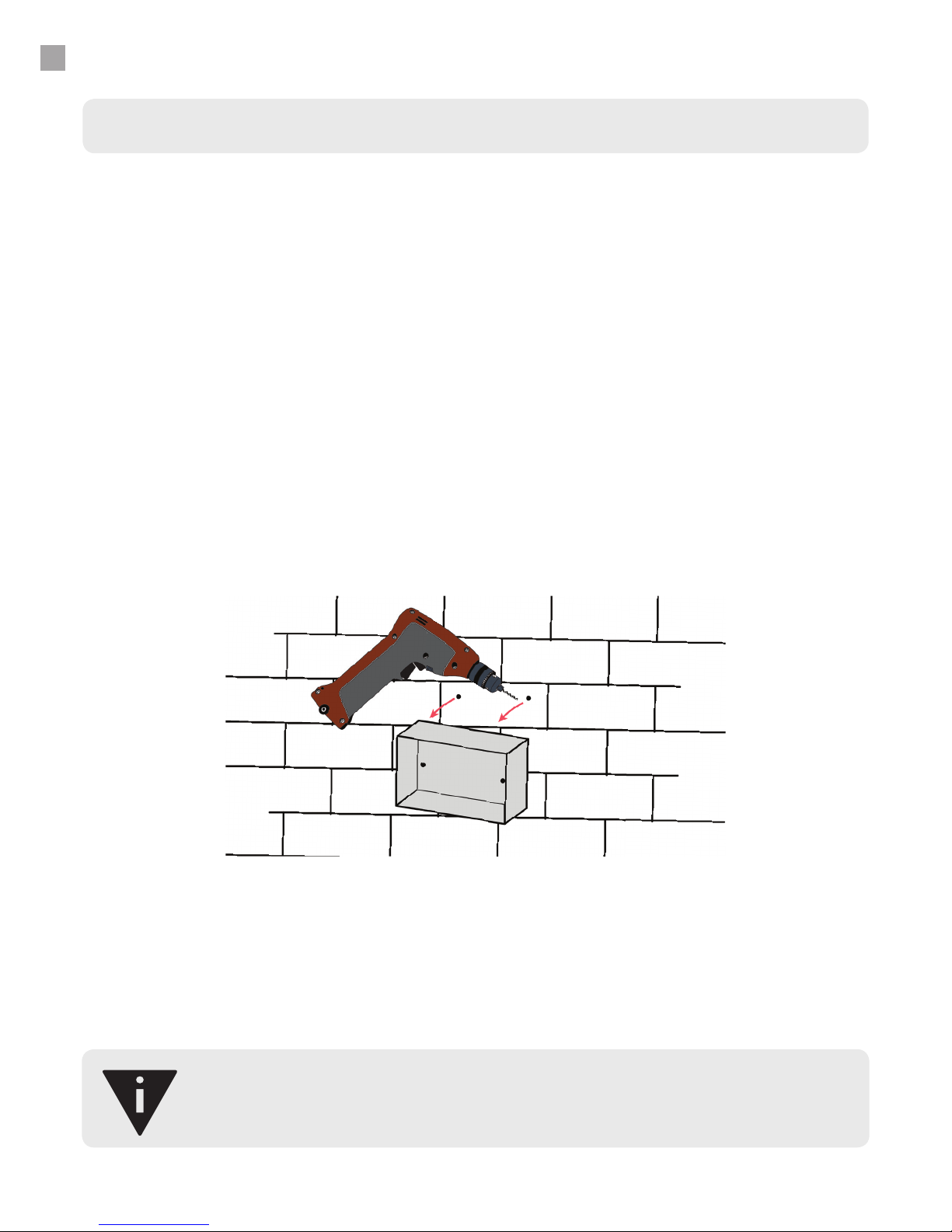
Wall-mounting instructions
LeakNet should be wall mounted with 5mm screws at a minimum. Make sure the
appropriate wall plugs are used and that the length of the screws are not long enough
to protrude the other side of the wall.
1. Position the LeakNet Base rear on the wall. To ensure maximum WiFi exposure,
position the Base at least 30cm away from metal objects, including pipes, and other
electronics.
2. Using the appropriate drill bit, drill through the plastic enclosure and wall.
3. Remove the LeakNet Base rear and insert wall plugs.
4. Replace the LeakNet Base rear and screw into the wall plugs.
The LeakNet Base and its power supply are not waterproof and should be installed in an appropriately
safe place. The plug socket should remain accessible after installation in case of emergency.
Table des matières
Manuels Instrument de mesure populaires d'autres marques


Endress+Hauser
Endress+Hauser Proline Promag 50 Caractéristiques techniques

Siemens
Siemens SITRANS F Coriolis FCT030 Manuel de la liste des pièces

KLINGER
KLINGER CMF V Series Manuel utilisateur

EXFO
EXFO FTB-2 Manuel d'exploitation et d'entretien

Keysight
Keysight M8290A Manuel utilisateur

ADTEK
ADTEK MW-5 Manuel utilisateur