
Qeedji SMA300 Manuel utilisateur
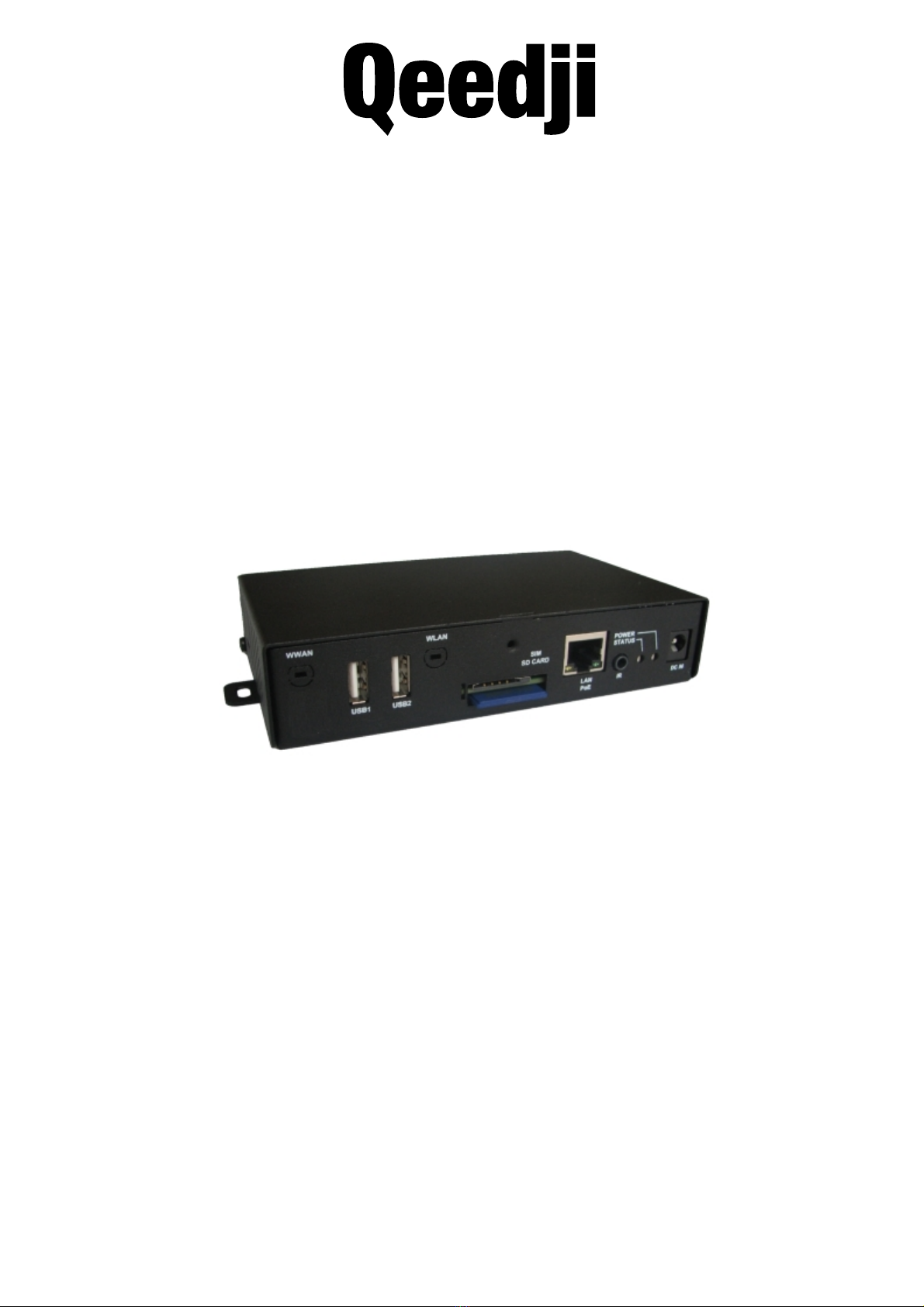
User manual 001B
SMA300
4.13.11
2
Legal noce
SMA300 4.13.11 (001B_en)
© 2020 Qeedji
Rights and Responsibilies
All rights reserved. No part of this manual may be reproduced in any form or by any means whatsoever. or by any means whatsoever without the wrien permission of the
publisher. The products and services menoned herein may be trademarks and/or service marks of the publisher. or trademarks of their respecve owners. The publisher and the
author do not claim any rights to these Marks.
Although every precauon has been taken in the preparaon of this document, the publisher and the author assume no liability for errors or omissions, or for damages resulng
from the use of the informaon contained in this document or the use of programs and source code that can go with it. Under no circumstances can the publisher and the author
be held responsible for any loss of profits or any other commercial prejudice caused or alleged to have been caused directly or indirectly by this document.
Product informaon
Product design and specificaons are subject to change at any me and `Qeedji` reserves the right to modify them without noce. This includes the hardware, the embedded
soware and this manual, which should be considered as a general guide to the product. The accessories supplied with the product may differ slightly from those described in this
manual, depending on the developments of the various suppliers.
Precauons for use
Please read and heed the following warnings before turning on the power: - installaon and maintenance must be carried out by professionals. - do not use the device near water.
- do not place anything on top of the device, including liquids (beverages) or flammable materials (fabrics, paper). - do not expose the device to direct sunlight, near a heat source,
or in a place suscepble to dust, vibraon or shock.
Warranty clauses
The `Qeedji` device is guaranteed against material and manufacturing defects for a certain duraon. Check the device warranty duraon value at the end of the document. These
warranty condions do not apply if the failure is the result of improper use of the device, inappropriate maintenance, unauthorized modificaon, operaon in an unspecified
environment (see operang precauons at the beginning of the manual) or if the device has been damaged by shock or fall, incorrect operaon, improper connecon, lightning,
insufficient protecon against heat, humidity or frost.
WEEE Direcve
This symbol means that your appliance at the end of its service life must not be disposed of with household waste, but must be taken to a collecon point for waste electrical and
electronic equipment or returned to your dealer. Your acon will protect the environment. In this context, a collecon and recycling system has been set up by the European Union

3
1.1
1.2
1.2.1
1.2.2
1.2.3
1.2.4
1.2.5
1.3
1.4
2.1
2.1.1
2.1.2
2.1.3
2.1.4
2.1.5
2.1.6
2.1.7
2.1.8
2.1.9
2.1.10
2.1.11
2.1.12
2.1.13
2.1.14
2.1.15
2.1.16
2.1.17
2.1.18
2.1.19
2.1.20
2.2
2.3
3.1
3.2
4.1
Table of contents
1 - Descripon and installaon
Introducon
Geng started with the device
Device fixture
Device dimensions
Labelling
Device start-up step
Testcard
LEDs behaviour
Connectors pin-out
2 - Configuraon
Configuraon Web interface
Configuraon > Administrator
Configuraon > LAN
Configuraon > WLAN
Configuraon > Output
Configuraon > App
Configuraon > Servers
Configuraon > License
Configuraon > Date and me
Configuraon > Regionality
Configuraon > Tasks
Configuraon > Variables
Configuraon > AV commands
Maintenance > Testcard
Maintenance > Middleware
Maintenance > Logs
Maintenance > Preferences
Maintenance > Tools
Informaon > Device
Informaon > Network
Informaon > Screens
Configuraon by script
Appendix
3 - Technical informaon
Technical specificaons
Conformies
4 - Contacts
Contacts
4
1.1 Introducon
This manual explains how to install and configure your device SMA300.
Recommendaons and warnings
This device is designed to be used indoor.
This device is intended to work with the power supply unit. This power supply unit must be connected to a mains socket conforming to standard NF C 15-100. If the AC power cable
is damaged, it must be replaced. It is possible to order a power supply unit replacement by sending a request to the email address sales@qeedji.tech.
This device is a Class A device. In a residenal environment, this device may cause radio interference. In this case, the user is asked to take appropriate measures.
When powering the device from a PoE source, this PoE source must be "Limited Power Source" as defined in EN60950-1: 2006.
Content of the package
Items Descripon
Device SMA300 with Gekkota embedded.
One power supply unit 12V power supply unit with cable of 1.2m.
Labels One on the cardboard packaging and one at the back of the product. Addional label can be present in case build-in opons.
One WLAN antenna To be screwed on the dedicated WLAN locaons (provided with the device when it is supporng the WLAN opon).
One WWAN antenna To be screwed on the dedicated WWAN locaons (provided with the device when it is supporng the WWAN opon).
5
1.2 Geng started with the device
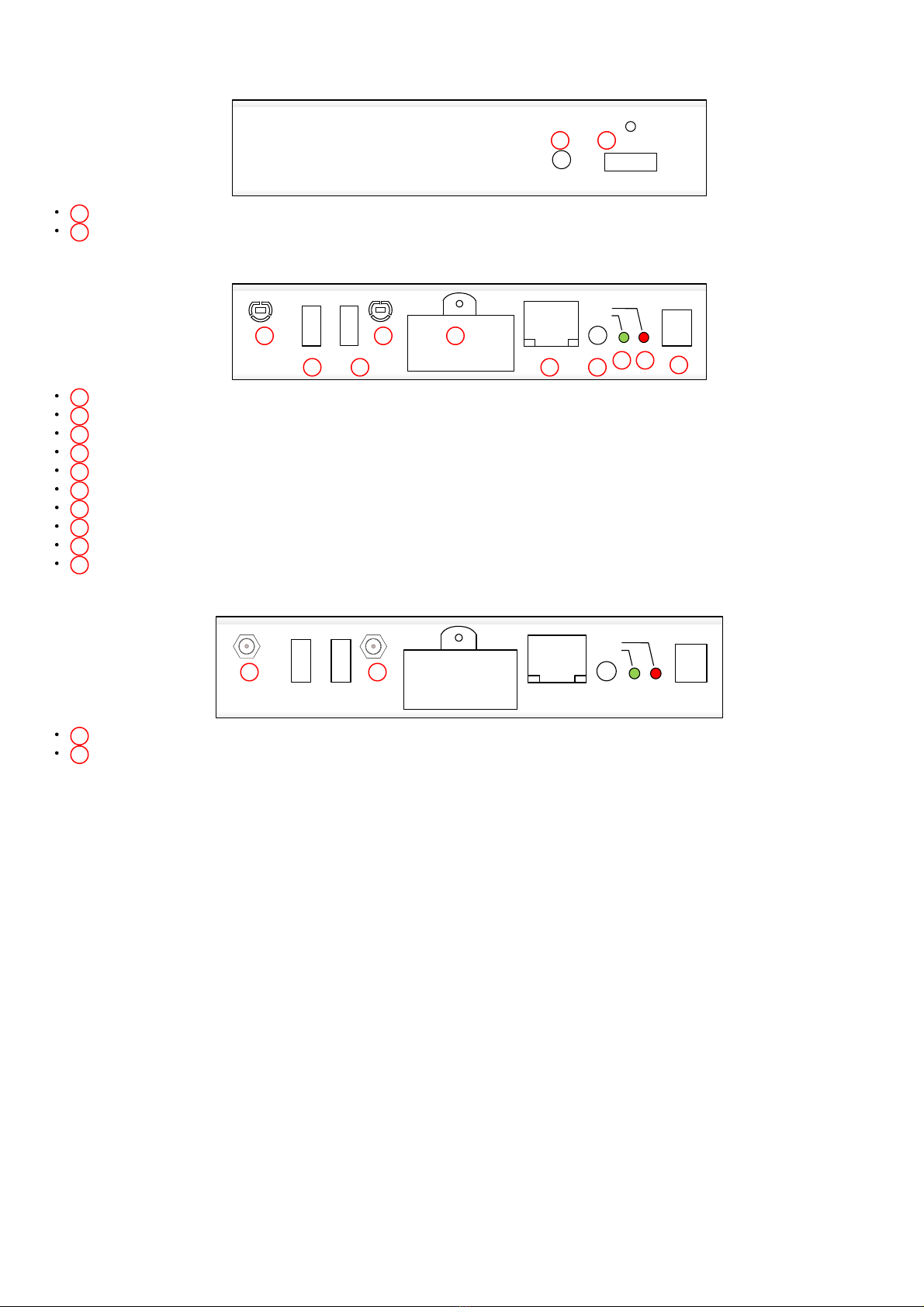
Device front face
1 HDMI output connector,
2 Audio connector.
Device rear face
3 WWAN antenna slot,
4 USB1 2.0 Host connector,
5 USB2 2.0 Host connector,
6 WLAN antenna slot,
7 SIM & SD Card connector,
8 LAN PoE RJ45 connector,
9 GPIO1/IR connector,
10 Status green LED,
11 Power supply red LED,
12 Power supply connector.
Device rear face having the WLAN and WWAN opons
3 WWAN antenna screwing locaon,
6 WLAN antenna screwing locaon.
SMA300
HDMI OUTAUDIO OUT
1
2
STATUS
POWER
DC IN
USB1 USB2 LAN P oE IR
WLAN
WWAN
SIM/ SD CARD
3
4
5
6
7
8
9
10
11
12
STATUS
POWER
DC IN
USB1 USB2 LAN P oE IR
WLAN
WWAN
SIM/ SD CARD
3
6
6
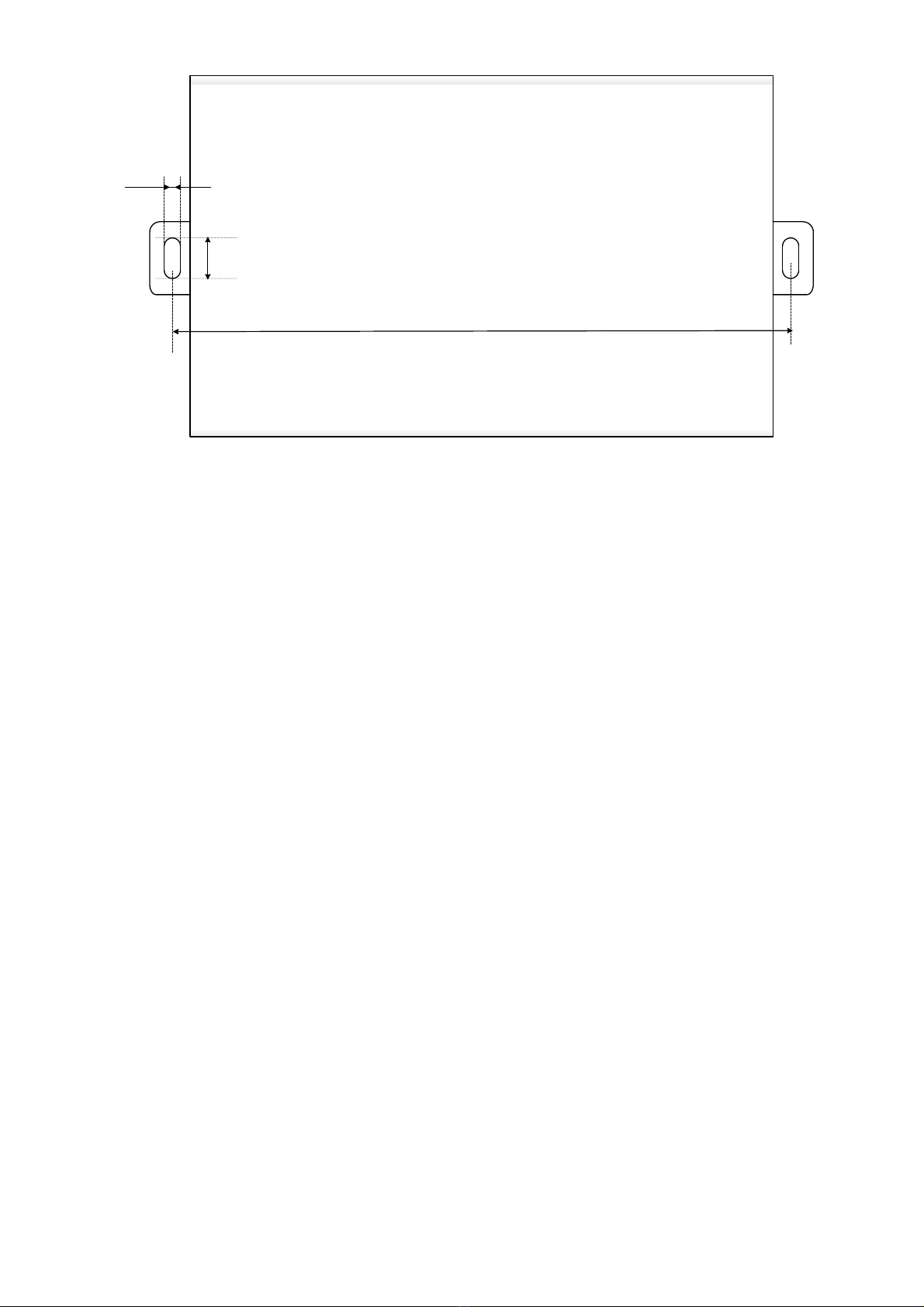
1.2.1 Device fixture
4mm
10 mm
159 mm

7
1.2.2 Device dimensions
31mm
89.5mm
146 mm
164mm
99.5mm
8
1.2.3 Labelling
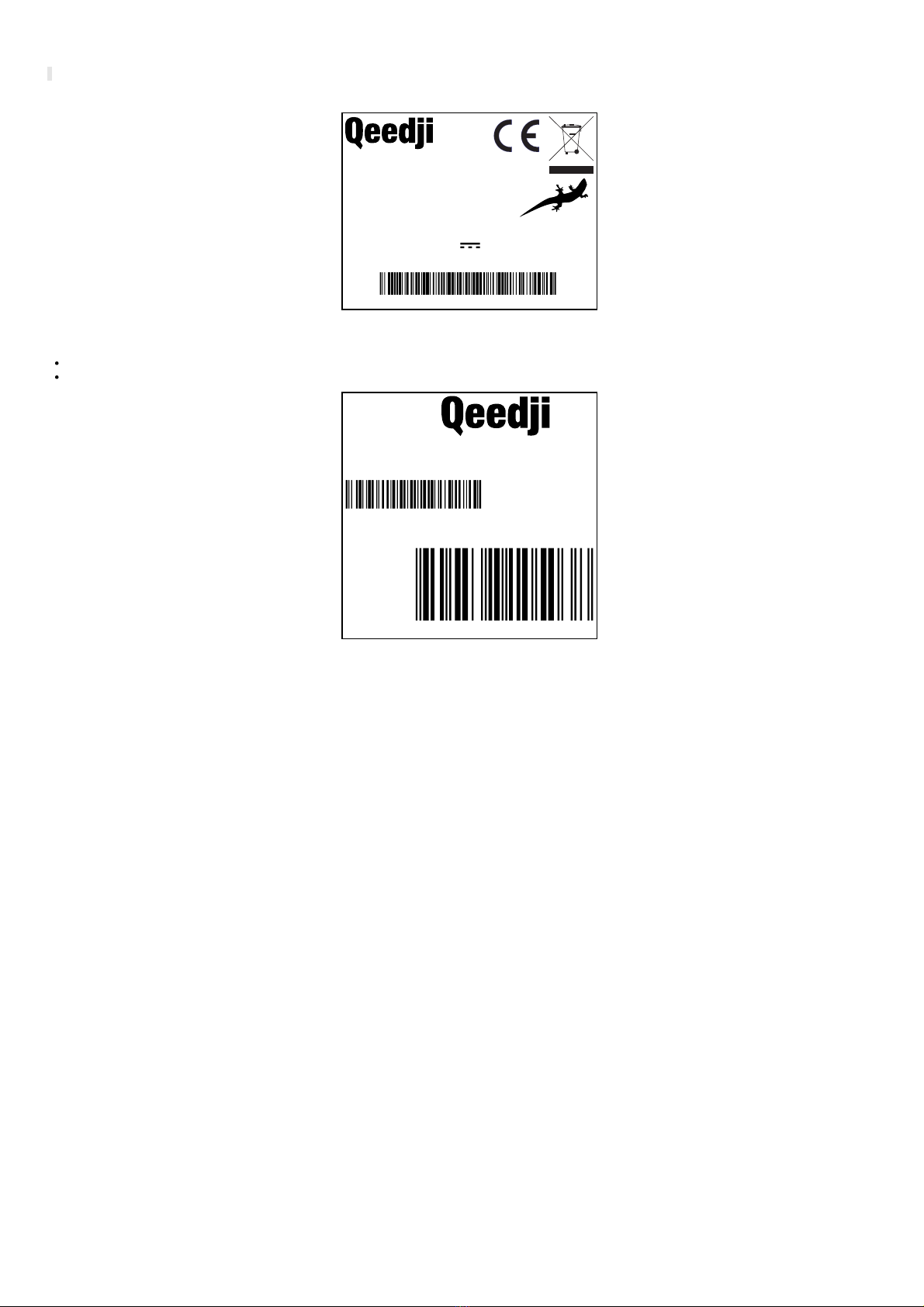
☛ The serial number of the device can be requested in case of technical support.
The model of the device, the power supply characteriscs, the serial number (PSN) and the MAC address are wrien on labels which are stuck on the case.
Model:
00:1C:E6:02:40:BE
5A rue Pierre Joseph Colin
35000 RENNES
12V DC
MAC:
600mA
www.qeedji.tech
Input:
SMA300-SD8
FRANCE
PSN00801-02903 CD3
This is the label stuck also on the cardbox. They are showing informaon on:
the device model,
the serial number (PSN).
www.qeedji.tech
3 7 0 0 5 6 8 1 0 5 0 3 8
EAN
MODEL
SMA300-SD8
Some addional labels may be present in case of built-in opons.
9
1.2.4 Device start-up step
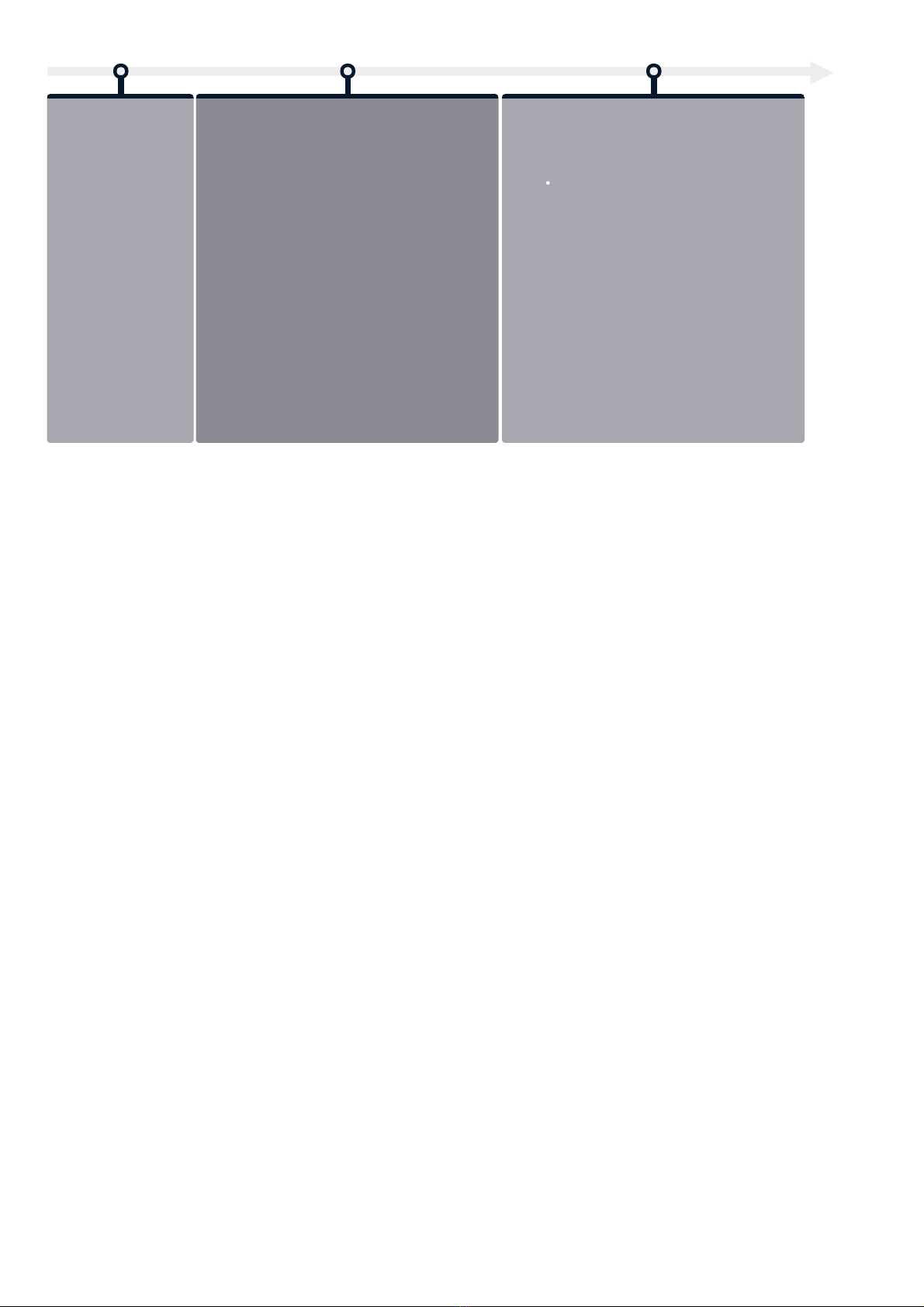
Step 1 (T0=0s)
Device start-up inialisaon
Step 2 (T~11s)
Device start-up finalisaon
This phase duraon is depending on some variable values
(like NTP), some network access duraon or some data
checking (check-disk)
Step 3 (T~38s)
Nominal mode
During this step, the device has to play the App content.
When firmware upgrade process occured, in case
DNS valid & NTP server inacve, it takes ~4 min 30 s.
10
1.2.5 Testcard
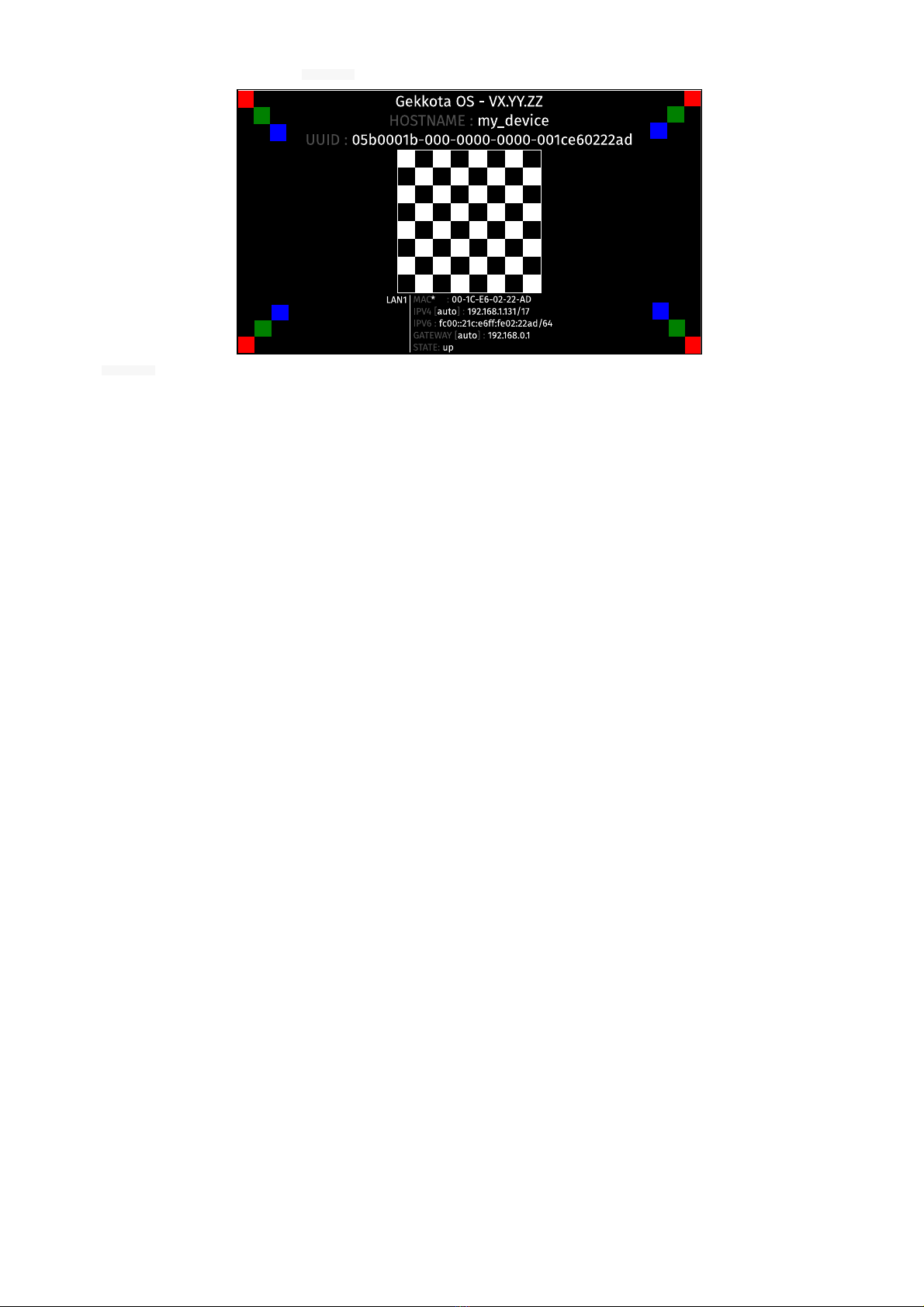
At the factory, the device content set by default is the Test Card . The chart displays important informaon to assist in the device configuraon:
Disable the Test Card by using the WebUI.
If your monitor does support the CEC with its pass-through feature, the test card can be acvated or inacvated thanks to the monitor remote control with the key combinaon
[le, right, le, right] pressed in less than 10 seconds.
Autres manuels pour SMA300
2
Table des matières
Autres manuels Qeedji Lecteur multimédia


