PPI ODPM-48 Manuel utilisateur

ODPM-48
Optical DWDM Power Meter
Operating Manual

CONTENTS
1. Introduction ····························································································· 4
1-1. Special Features ·········································································· 4
1-2. Accessories ···················································································· 5
1-3. Optical Standards ········································································ 6
1-4. Specifications ················································································ 7
1-5. Charge Method ············································································· 8
1-6. Safety information ········································································ 9
2. Getting Started ···················································································· 10
2-1. Explanation of user interface and operating keys ·········· 10
2-2. Screen Information ···································································· 11
2-3. Menu ······························································································ 19

PPI Inc. http://www.ppitek.com. TEL : +82-62-972-0116, FAX : +82-62-972-0117
958-10, Daechon-dong, Buk-Gu, Gwangju, 500-470, Korea Rev. 1.2
PPI Inc. Proprietary
Print date : March. 12. 2013
4
1. Introduction
1.1 Special Features
- Automatic wavelength & Power detection
- Compact size and light weight for portable
- Easy for hand operating
- Storage of large data
- Auto shut off function
- Fast response
- High-quality graphics
- CE approved

PPI Inc. http://www.ppitek.com. TEL : +82-62-972-0116, FAX : +82-62-972-0117
958-10, Daechon-dong, Buk-Gu, Gwangju, 500-470, Korea Rev. 1.2
PPI Inc. Proprietary
Print date : March. 12. 2013
5
1.2 Accessories
Description Quantity
Body 1 EA
Body Rubber Case 1 EA
USB Data cable 1 EA
Typical 5pin charger 1 EA
User’s Manual 1 EA

PPI Inc. http://www.ppitek.com. TEL : +82-62-972-0116, FAX : +82-62-972-0117
958-10, Daechon-dong, Buk-Gu, Gwangju, 500-470, Korea Rev. 1.2
PPI Inc. Proprietary
Print date : March. 12. 2013
6
1.3 Optical Standards
- Wavelength
- Optical Power
- Optical Connector
Optical connector interchangeable adapter.
FC, ST, SC, LC
Parameter Unit Specification
Number of Channels 48
Channel Spacing GHz 100
Channel Frequencies THz fc 196.4 ~ 191.7
(1526.43 ~ 1563.86 nm)
Parameter Unit Specification
Range of display dBm +10 ~ -40
Accuracy dB ±1.0@ -30
Resolution dB 0.01
Measuring unit dB / dBm

PPI Inc. http://www.ppitek.com. TEL : +82-62-972-0116, FAX : +82-62-972-0117
958-10, Daechon-dong, Buk-Gu, Gwangju, 500-470, Korea Rev. 1.2
PPI Inc. Proprietary
Print date : March. 12. 2013
7
1.4 Specifications
- Input voltage : 1800mAh 3.7v
- Current consumption : MAX 0.25A
- Electric consumption : MAX 0.925W
- Weight : 300g
- Width : 77.9mm
- Length : 154.9mm
- Display size : 2.8 inch
- Operating Temperature
: -20 ~ +55℃ ℃
- Guaranteed time of operating
: 420 mins when fully charged
- Relative Humidity
: ~90% RH from 0 ~ 40℃

PPI Inc. http://www.ppitek.com. TEL : +82-62-972-0116, FAX : +82-62-972-0117
958-10, Daechon-dong, Buk-Gu, Gwangju, 500-470, Korea Rev. 1.2
PPI Inc. Proprietary
Print date : March. 12. 2013
8
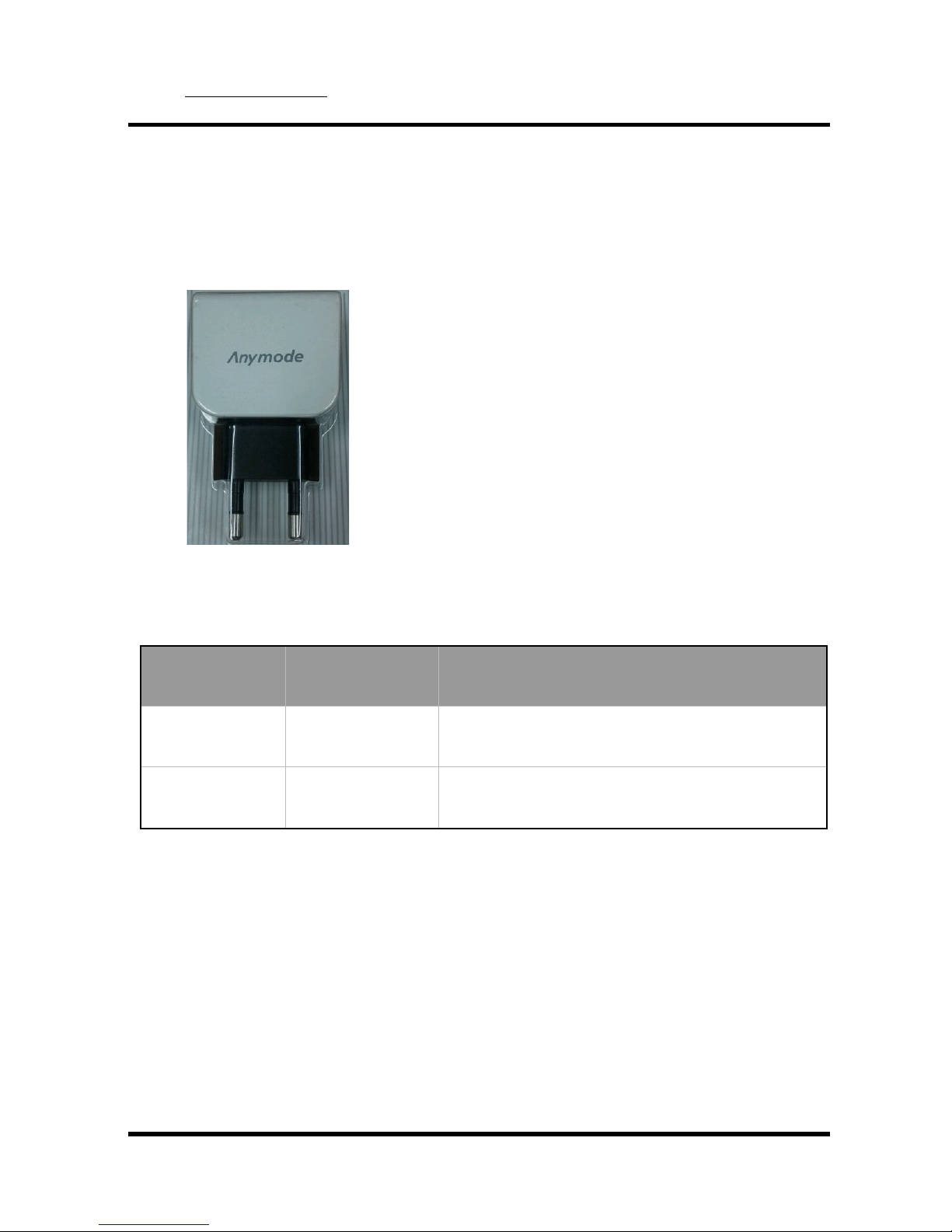
1.5 About the charger
A rechargeable battery is installed inside the measuring instrument, and this
charger module has the MOI (Ministry of Information) and Communication
standard 5 pin charger phot. Connect the connecting point to the top of the
ODPM-48 after the included cable is connected to the charger.
Standard 5pin charger
This charger is subject to change※
- Charging conditions :
LED Color Action of LED Conditions for battery charge
Red ON Charging
Green ON Fully charged

PPI Inc. http://www.ppitek.com. TEL : +82-62-972-0116, FAX : +82-62-972-0117
958-10, Daechon-dong, Buk-Gu, Gwangju, 500-470, Korea Rev. 1.2
PPI Inc. Proprietary
Print date : March. 12. 2013
9
1.6 Safety information
Be sure to read this manual, and please use your equipment. The safety of the
equipment is directly affected the life and performance.
Please confirm the following safety precautions. If you didn’t follow the safety
precautions, you may not receive free A/S.
- Do not subject its body to strong impact or immerse in water.
- Do not disassemble or remove the equipment at random.
- Before inserting the optical connector into the equipment, be clean the
connector. (with Isopropyl alcohol)
- After using the equipment, Put on the Dust Cap for dust protection.
- Be careful not to go in the water equipment.
- After using the equipment, please be sure the switch off.

PPI Inc. http://www.ppitek.com. TEL : +82-62-972-0116, FAX : +82-62-972-0117
958-10, Daechon-dong, Buk-Gu, Gwangju, 500-470, Korea Rev. 1.2
PPI Inc. Proprietary
Print date : March. 12. 2013
10
2. Getting Started
2.1 Explanation of user interface and operating buttons
Buttons Function
Backlight Power ON/OFF
PM Power Display
DWDM Scanned dBm value of the wavelength is represented
as a data.
SCAN Wavelength is scanned and dBm value is represented.
dB/dBm Each time you press the key, dB and dBm are
repeated.
▲ Up arrow
Graph Scanned dBm value of the wavelength is represented
as a graph.
Recall Recall data
ENTER Enter
Save Data Save
ESC Cancel
▼ Down arrow
MENU Set up and Data delete

PPI Inc. http://www.ppitek.com. TEL : +82-62-972-0116, FAX : +82-62-972-0117
958-10, Daechon-dong, Buk-Gu, Gwangju, 500-470, Korea Rev. 1.2
PPI Inc. Proprietary
Print date : March. 12. 2013
11
2.2 Screen Information
1) Power ON / OFF
- To turn on and off.
- If you press the (Backlight) button more than 2 seconds, the logo shown
below appears and it moves to ‘Power Meter’ page.
- Press the (Backlight) button more than 2 seconds to turn the power off.
Autres manuels pour ODPM-48
2
Table des matières
Autres manuels PPI Instrument de mesure
Manuels Instrument de mesure populaires d'autres marques

Endress+Hauser
Endress+Hauser Proline Promag 50 Caractéristiques techniques

Siemens
Siemens SITRANS F Coriolis FCT030 Manuel de la liste des pièces

KLINGER
KLINGER CMF V Series Manuel utilisateur

EXFO
EXFO FTB-2 Manuel d'exploitation et d'entretien

Keysight
Keysight M8290A Manuel utilisateur

ADTEK
ADTEK MW-5 Manuel utilisateur