Powerfix Z22855 Manuel utilisateur

Z22855
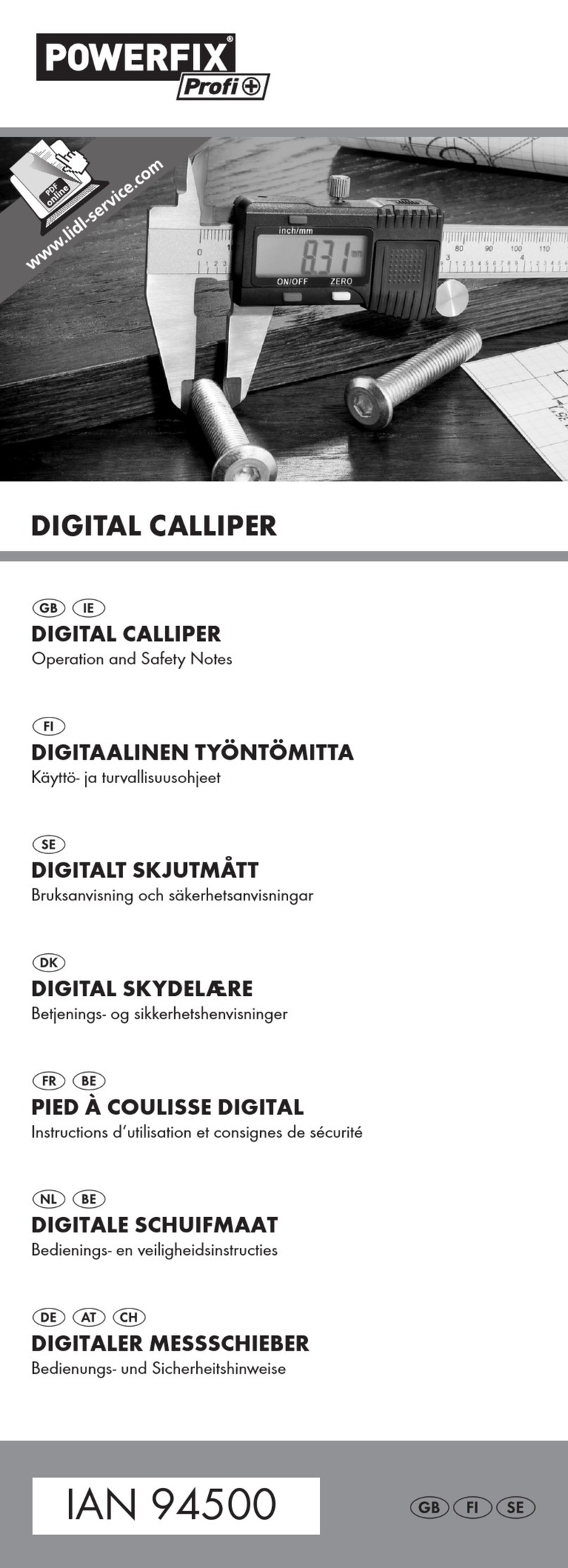
DIGITAL CALLIPER
Operation and Safety Notes
DIGITALER MESSSCHIEBER
Bedienungs- und Sicherheitshinweise
DIGITALNO POMIČNO MJERILO
Upute za posluživanje i za Vašu sigurnost
ΨΗΦΙΑΚΌ ΠΑΧΎΜΕΤΡΌ
Υποδείξεις χειρισμού και ασφαλείας
ŞUBLER DIGITAL
Instrucţiuni de utilizare şi de siguranţă
ДИГИТАЛЕН ШУБЛЕР
Инструкции за обслужване и безопасност
7
79033_HR-BG-GR_Cover.indd 2 14/09/2012 12:01:02

GB/CY Operation and Safety Notes Page 5
HR Upute za posluživanje i za Vašu sigurnost Stranica 13
RO Instrucţiuni de utilizare şi de siguranţă Pagina 21
BG Инструкции за обслужване и безопасност страница 29
GR/CY Υποδείξεις χειρισμού και ασφαλείας Σελίδα 37
DE/AT / CH Bedienungs- und Sicherheitshinweise Seite 45
79033_HR-BG-GR_Cover.indd 3 14/09/2012 12:01:02

3
B
A
2
6
5
41
11 10 9 8
3
7
79033_HR-BG-GR_Content.indd 3 20/09/2012 10:22:29

4
C
D
E
F
79033_HR-BG-GR_Content.indd 4 20/09/2012 10:22:29

GB/CY 5
Introduction
Intended use................................................................Page 6
Scope of delivery .......................................................Page 6
Description of parts....................................................Page 6
Technical data.............................................................Page 6
Safety instructions
Safety instructions for batteries .................................Page 7
Before start of operation
Insert/replace battery...............................................Page 8
Preparing the calliper.................................................Page 8
Starting up the device
Using the calliper........................................................Page 8
Examples of use..........................................................Page 9
Troubleshooting ..........................................................Page 10
Cleaning and maintenance.....................Pa g e 11
Disposal....................................................................Pa g e 11
79033_HR-BG-GR_Content.indd 5 20/09/2012 10:22:29

GB/CY
6
Digital Calliper
QIntroduction
Q Intended use
Only for private use.
Not for commercial use.
Q Scope of delivery
1x digital calliper
1x battery
1x storage box
1x instruction for use
Q Description of parts
1measuring surfaces
2internal measuring jaws
3Inch/mm key
4locking screw
5LCD display
6depth-measuring blade
7handwheel for measuring jaws
8battery compartment lid
9key for zero setting (ZERO)
10 ON/OFF key (ON/OFF)
11 external measuring jaws
Q Technical data
Measurement unit: mm
Measuring range: 0-150 mm / 0-6”
Resolution: 0.01 mm / 0.0005”
Accuracy: 0-100 mm ± 0.02 mm / 0.001”
100-150 mm ± 0.03 mm /
0.001”
Maximum measuring speed: 1.5 m/s, 60”/s
Measuring system: Liner capacitive measuring system
Display: LCD display
Operating temperature: +5°C - +40°C
Influence of humidity: within a range from 0% to 80%
relative humidity irrelevant
Battery: 3V CR2032 (included)
79033_HR-BG-GR_Content.indd 6 20/09/2012 10:22:29

GB/CY 7
Safety instructions
BEFORE USING THIS DEVICE, PLEASE READ THE DIREC-
TIONS FOR USE! PLEASE KEEP THE DIRECTIONS FOR USE
IN A SAFE PLACE!
CAUTION! RISK OF INJURY!
JKEEP THE PRODUCT OUT OF THE REACH
OF CHILDREN. THIS PRODUCT IS NOT A
TOY! This product should never be used by
children unsupervised.
DANGER TO LIFE AND RISK OF ACCIDENT FOR
TODDLERS AND CHILDREN! Never leave children
alone and unsupervised with the packaging material.
JThere is a risk of suffocation from the packaging material.
Children often underestimate risks. Always keep children
away from the product.
DANGER TO LIFE! Batteries could be swallowed and
pose a lethal hazard. Consult a doctor immediately if any-
one swallows a battery.
JThis device is not intended to be used by people (including
children) with limited physical, sensory or mental abilities or
by people with a lack of experience and /or knowledge
unless they are supervised by a person responsible for their
safety or have received instruction as to how to use the
product from such a person.
JNever expose the product to high temperatures, water or
moisture as this may damage the product.
JDo not put the calliper under any strain. This may damage
the chip in the calliper.
JKeep the calliper clean and dry. Fluids could damage the
calliper.
Safety instructions for batteries
JCAUTION! RISK OF EXPLOSION!
Never recharge the batteries!
JBatteries must not be short-circuited. This could result in
over-heating and risk of fire or explosion.
JRemove a depleted battery from the product immediately;
otherwise there is an increased risk of leakage!
JKeep batteries out of the reach of children; do not throw
them into fire; do not short-circuit them; and do not take
them apart.
JEnsure polarity is correct (+ and -).
JOnly use the recommended battery.
JIf these instructions are not complied with, the battery may
be discharged beyond its cut-off voltage. There is then a risk
of leakage. If the battery has leaked into your device,
please remove it immediately in order to prevent any dam-
age to the product!
79033_HR-BG-GR_Content.indd 7 20/09/2012 10:22:29

GB/CY
8
JWear protective gloves! If they come into contact
with skin, leaked or damaged batteries could cause chemi-
cal burns; you should therefore wear suitable protective
gloves at all times if such an event occurs.
JAvoid contact with skin, eyes, and mucous membranes. If
you come into contact with battery acid, rinse the affected
spot with plenty of water and/or consult a doctor immedi-
ately!
J
WARNING!
Switch the product OFF before inserting
the battery (LCD display 5is off.)
JRemove the battery from the device if it is not in use for a
long period of time.
JDo not, on any account, short-circuit the terminals.
QBefore start of operation
Q Insert/replace battery
Tip: Flashing numbers indicate a discharged/flat battery.
Tip: When changing the battery, the LCD display 5may
experience faults. Remove the battery and insert it again after
waiting more then 30 seconds.
jPush open the lid to the battery compartment 8(see Fig. B).
jRemove the old battery.
j
Insert the new battery into the battery compartment and
ensure correct polarity (+ and -). Make sure that the plus
terminal points outwards.
j
Push the lid to the battery compartment 8shut again
(see Fig. B).
Q Preparing the calliper
j
Loosen the locking screw 4so that you can move the
calliper.
j
Clean all measuring surfaces and the calliper rod. Otherwise,
faulty measuring results may occur due to, for example,
humidity.
j
Check that all keys, switches and the LCD display 5work
correctly.
QStarting up the device
Q Using the calliper
jLoosen the locking screw 4by turning it anti-clockwise.
j
Push the external measuring jaws 11 and the internal meas-
uring jaws 2together.
j
Switch the LCD display
5
on by pressing the ON/OFF key
10
.
79033_HR-BG-GR_Content.indd 8 20/09/2012 10:22:29

GB/CY 9
j
Press the inch/ mm key 3to set the unit of measurement
(inch or mm) you wish to use. Either “mm” or “inch” will
appear to the right of the figures in the LCD display 5.
j
Press the key to obtain the zero setting (ZERO) 9in order
to reset the LCD display 5to zero.
Measuring an object from the outside:
j
Move the external measuring jaws 11 apart by turning the
handwheel 7outwards anti-clockwise.
Place the external measuring jaws 11 against the object to
be measured.
j
Turn the handwheel 7inwards clockwise.
Move the external measuring jaws 11 together until they
touch both sides of the object you want to measure. Please
ensure that you do not damage the object you want to
measure by subjecting it to too much pressure.
Measuring an object from the inside:
j
Place the internal measuring jaws 2against the object
you want to measure.
j
Turn the handwheel 7outwards anti-clockwise. Move the
internal measuring jaws 2apart until they touch the object
on both its inner sides. Please ensure that you do not dam-
age the object you want to measure by subjecting it to too
much pressure.
Measuring the depth of an object:
j
Move the depth-measuring blade 6out of the calliper.
j
Put the depth-measuring blade 6in position until it touches
the surface (e.g. inside a hole).
j
Slide the body of the calliper downward until you feel
resistance.
j
Ensure that you do not damage the depth-measuring blade
6or the object you want to measure by exerting too much
pressure on them.
jThe LCD display 5now displays the dimensions.
j
After carrying out the measurement, move the external
measuring jaws 11 /internal measuring jaws 2together
again by turning the handwheel 7inwards clockwise.
j
Switch the LCD display 5off again by pressing the
ON/OFF key 10 .
Tip: The LCD display 5automatically switches itself off
after approx. 3 minutes.
j
Tighten the locking screw 4again by turning it clockwise
until you feel some resistance.
Q Examples of use
Tip: When measuring, always proceed as described in the
chapter on using the calliper.
79033_HR-BG-GR_Content.indd 9 20/09/2012 10:22:29

GB/CY
10
Comparison of plug and socket (see fig. C):
jFirst measure the dimensions of the plug.
jYou may wish to make a note of the measurement.
jThen measure the socket.
Deviation from a reference value (see fig. D):
jMeasure a reference object (in this case A).
j
Leave the measuring jaws 2/ 11 in this position
and press the key to obtain the zero setting (ZERO) 9.
j
Then measure the second object.
The LCD display 5now shows the deviation of the measure-
ment of the second object to that of the reference object (A).
Measuring the thickness of the floor of an object
(see fig. E):
jFirst measure the depth of the object.
j
Leave the depth blade 6in this position and press the key
to obtain the zero position (ZERO) 9.
j
Now measure the entire object.
The LCD display 5now shows the thickness of the floor of
the object.
Measuring the distance between two identical
holes (see fig. F):
jFirst measure one of the two, equally sized holes.
j
Leave the measuring jaws 2/ 11 in this position and press
the key to obtain the zero position (ZERO) 9.
j
Now measure the total dimension.
The LCD display 5now shows the average distance.
Characteristics of metric ISO screw threads:
Nominal diameter:
[mm]
Increase:
[mm -1]
Core diameter:
[mm]
Drill
diameter:
[mm]
3 0.5 2.46 2.5
4 0.7 3.24 3.3
5 0.8 4.13 4.2
6 1 4.92 5
8 1.25 6.65 6.8
10 1.5 8.38 8.5
12 1.75 10.11 10.2
16 2 13.84 14
20 2.5 17.29 17.5
Q Troubleshooting
The device contains sensitive electronic components. That is why
it experiences interference when in close proximity to radio trans-
mission devices. If any indication errors appear in the display,
remove such devices out of the proximity of the calliper.
79033_HR-BG-GR_Content.indd 10 20/09/2012 10:22:29
Autres manuels pour Z22855
1
Table des matières
Langues :
Autres manuels Powerfix Instrument de mesure
Manuels Instrument de mesure populaires d'autres marques

Endress+Hauser
Endress+Hauser Proline Promag 50 Caractéristiques techniques

Siemens
Siemens SITRANS F Coriolis FCT030 Manuel de la liste des pièces

KLINGER
KLINGER CMF V Series Manuel utilisateur

EXFO
EXFO FTB-2 Manuel d'exploitation et d'entretien

Keysight
Keysight M8290A Manuel utilisateur

ADTEK
ADTEK MW-5 Manuel utilisateur