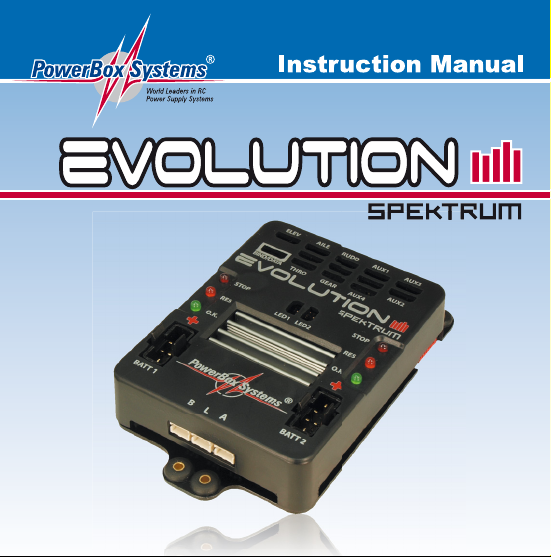
PowerBox Evolution Spektrum Manuel utilisateur


-04-
Features:
- Integral 9 Channel Spektrum™ DSMX® Empfänger
- 2048 bit resolution
- Double regulated output voltage
- Two integral electronic switches, controlled by the SensorSwitch
- Signal amplification for a total of 9 channels and 12 servos
- Connector for Flight Log to check RF-quality
- Selectable servo voltage of 5.9V or 7.4V
- Independent voltage monitors in 4 steps
- Regulator monitoring
- Minimum voltage memory for both batteries
- For LiPo, 5-cell NiCd/NiMH or LiFePo batteries
- Two external ultra-bright warning LEDs
- Large heatsink for extreme loads
- Elemination of reverse voltages from servos
This range of functions makes the PowerBox Spektrum Evolution the ideal dual
power supply for large model aircraft with wingspans in the range 2.0 m to 2.6 m,
as well as helicopters and gliders.


-06-
3. First steps, the unit in use
a) Connections
- First connect the three satellite receivers. All three receivers must be connected,
otherwise the system will not start. The purpose of this requirement is safety, as
it reveals sources of errors such as faulty connecting leads in good time. Any
faults which develop in flight have no effect, as reception is always adequate with
at least one satellite receiver.
- Connect the servos to the appropriate sockets; the function assignment is printed
on the PowerBox itself.
- Now connect the SensorSwitch to the appropriate socket on the unit, ensuring
that the ribbon cable faces up as shown. In models subject to severe vibration we
recommend that you secure the ribbon lead by at least one additional point to
avoid the connector working loose. If the connector were to fall out, it would have
no effect on the switched state of the PowerBox, but would prevent you switching
the system off.
- The optional ultra-bright external LEDs can now be connected to the unit. We
urge you to connect them and mount them in the fuselage side, as they enable
you to detect battery problems when the model is flying.
- The final step is to connect the batteries to the PowerBox’s integral MPX
connectors. We recommend the use of batteries or 1500mAh or 2800mAh
capacity from PowerBox Systems. If you prefer to use other makes of battery, or
wish to make up your own packs, it is absolutely essential to maintain correct
polarity. Check twice rather than make a mistake! Connecting a battery with
reversed polarity will instantly ruin the voltage regulators. In order to minimise
power losses, the Evolution Spektrum does not feature reverse polarity
protection. The +(positive) indicator can be seen on the case cover.

-07-
b) The procedure for switching on and off
Switching the unit on and off is very simple, and the process effectively prevents
accidentally changing the PowerBox’s status. This is the procedure:
Locate the SET button on the SensorSwitch and hold it pressed in until the central
LED glows red. Now press buttons I and II in turn; the PowerBox is now switched
on.
Repeat the procedure to switch off: hold the SET button pressed in, wait until the
central LED glows red, then confirm by pressing buttons I and II in turn.
Once switched on, the PowerBox can only be turned off again using the switch
unit. Intermittent contacts or interruptions in the power supply cannot cause the
PowerBox to be switched off permanently.
c) Setting the battery type
The default battery type setting is Lithium Polymer. If you wish to use two-cell LiPo
packs, you therefore need to make no changes at this point. For all other battery
types adopt this procedure:
- Switch both batteries on.
- Hold the SET button pressed in, and watch the central LED on the
SensorSwitch.
- The LED will light up, and then go out again after a brief period.
- After a few seconds the LED emits one brief red flash. If you now release the
button, you have selected the battery type LiPo.
- If you allow the LED to flash twice before releasing the button, you have selected
five-cell NiCd / NiMH as the battery type.
- If you hold the button pressed in until the LED has flashed three times, the voltage
indicator is prepared for LiFe (A123) packs.

-08-
This process only takes a few seconds, and is designed to eliminate the danger of
accidental changes to the setting. In any case it only has to be carried out once, as
your selected battery type is permanently stored in the PowerBox’s EEPROM.
d) Reading out the minimum value memory
The minimum value memory shows you the extent to which the battery voltage
collapsed during the last flight. Control surfaces with a tendency to jam, stiff
linkages, or simply batteries which fade under load may be the cause of any
problem in this respect. Please make it part of your routine to read out this minimum
value memory after every flight, as this enables you to detect any weakness in the
system before the next flight.
The method of calling up the memory is simple:
After the flight, press both switch buttons I and II simultaneously, and hold them
pressed in as long as you like. The LED which now lights up indicates the lowest
voltage value which occurred during the flight. The memory does not record voltage
collapses which were of very short duration; only those lasting longer than one
second.

-09-
e) Binding the receiver to the transmitter
The receiver must be programmed to the transmitter’s GUID to ensure that it only
processes the signals from its own transmitter. This procedure causes the receiver
to store a code which is unique in the world. During the binding process the servos’
fail-safe positions are also stored. The PowerBox Evolution Spektrum offers two
types of “fail-safe”. The methods are the same for all Spektrum receivers:
a. Binding using the SmartSafe system
In this case all control surfaces remain in Hold mode in a fail-safe event, while the
throttle channel runs to Idle or the Off position:
- Check that the PowerBox is off, then insert the Bind plug into it.
- Switch the PowerBox Evolution Spektrum on: all three satellites should now
flash at a high rate.
- Hold the transmitter’s Bind button pressed in while you switch the transmitter on.
- Continue to hold the button pressed in until the LEDs on all the satellites glow
constantly.
- Disconnect the Bind plug.

-10-
b. Binding using the PreSet Fail-Safe system
In this variant the positions set during the binding procedure are passed to the
receiver and subsequently passed on to the servos if a fail-safe event should occur:
- Check that the PowerBox Evolution Spektrum is switched off, then insert the
Bind plug into it.
- Switch the PowerBox Evolution Spektrum on: all three satellites should now
flash at a high rate.
- Disconnect the Bind plug.
- Move all the transmitter sticks and switches to your preferred fail-safe positions.
- Hold the transmitter’s Bind button pressed in while you switch the transmitter on.
- Continue to hold the button pressed in until the LEDs on all the satellites glow
constantly.
Check all the fail-safe servo positions by switching the transmitter off: all the servos
should now run to the previously programmed positions.
f) Range-checking
We recommend carrying out a range-check before every day’s flying session, and
before flying any new model. When 35 MHz systems were in use it was easy to
detect a broken aerial or similar damage, but this is not always obvious with 2.4
GHz equipment. The range-check is carried out by holding the Bind button of your
Spektrum transmitter pressed in while you walk away from the model holding the
transmitter. All the control surfaces must operate correctly at a range of at least
25m.
NOTE: if you find after a flight that the LEDs on one or more satellites are flashing,
this indicates either low voltage or the brief failure of a cable connection. If this
should happen, read out the FlightLog data and check the lead to the satellite
concerned
Table des matières


