
Plasmon LD 8100 Manuel utilisateur
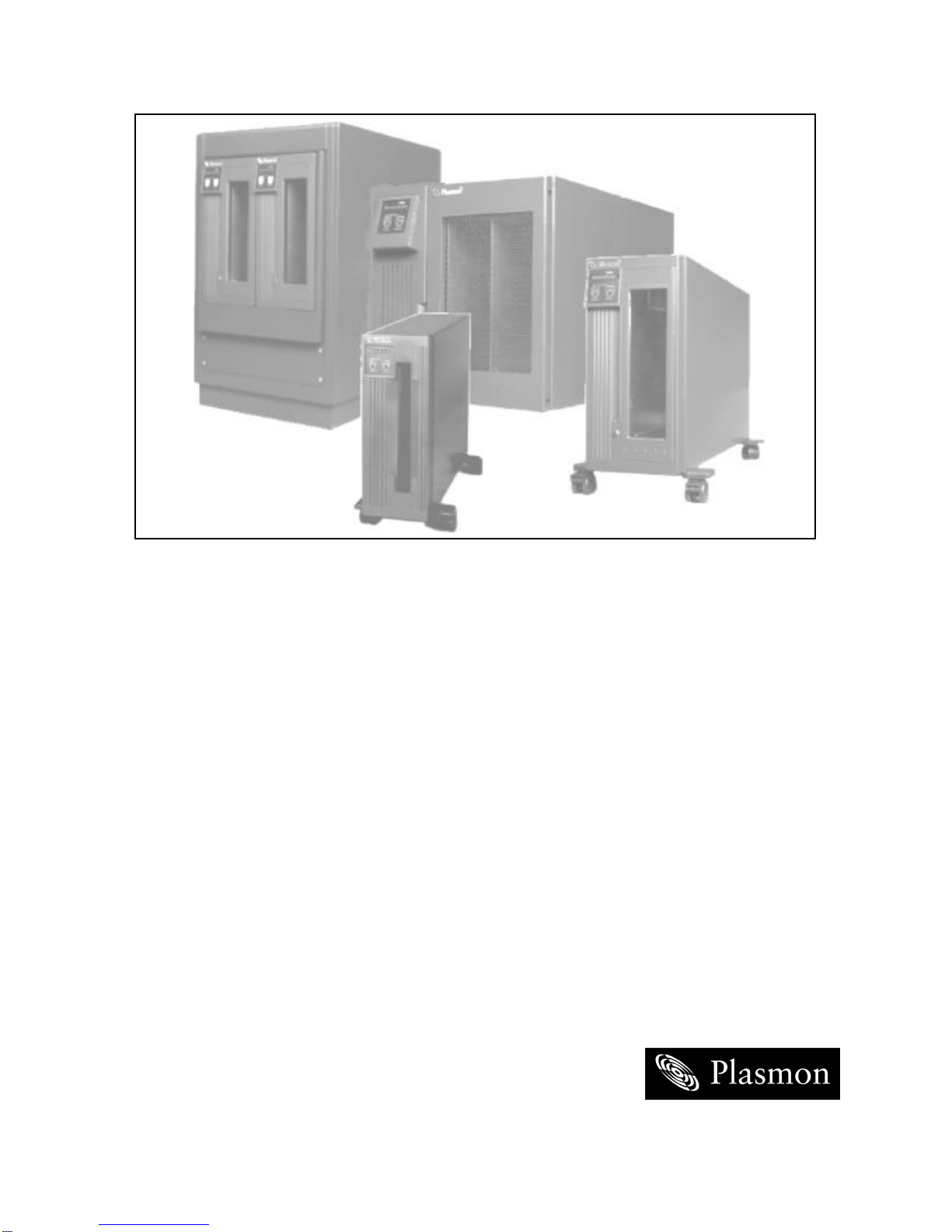
THE PLASMON 8000 SERIES
LD 8100
OPTICAL DISK DRIVE
P/N 9662915 B
USER MANUAL

Reproduction of this manual, or any portion of this manual, is prohibited without the express permission of
Plasmon Laser Magnetic Storage (LMS). Plasmon LMS reserves the right to make changes in this
document and the product referred to herein without prior notice.
©2000 Plasmon Laser Magnetic Storage

WARNING
Always observe the following when installing, operating or maintaining
this product:
•This unit must be connected to a power distribution system that has a
direct connection to earth ground (Terminated Terra [TT] network/
ground connected). This unit is not suitable for use on a floating
ground (Interrupted Terra [IT]) network.
•The AC input power cord must be shielded and must have a minimum
current rating of 10 A with a nominal cross-section area of 0.75 sq mm
(reference: AWG #18) per conductor, 2 wires plus ground and product
safety approvals as required for use in the country in which the unit is
installed.
•When the unit is mounted in an equipment rack or cabinet, be certain
that the internal temperature within the rack or cabinet does not
exceed the limits defined in the Product Specification or this
document.
•To ensure the integrity of safety features of this unit, maintenance must
be performed only by qualified service personnel using designated
Plasmon LMS parts.
•In case of fire or other emergency, isolate the units from the main
power by disconnecting the power plugs from their site power
receptacles. In situations where disconnecting the plugs is not
possible or practical, use the system main power disconnect to isolate
the units from the main power.
•To prevent fire or shock hazard, do not expose this unit to rain or
moisture. Refer servicing to qualified technicians.

(German Translation) WARNUNG
Bei der Installation, Bedienung und Wartung dieses Produkts, bitte
immer die folgenden Vorsichtsmaßnahmen treffen:
•Dieses Gerät mußan ein Stromversorgungssystem angeschlossen
werden, das direkt mit einem Erdungsanschlußverbunden ist
(Terminated- Terra-Netz [TT]/mit Erdanschluß). Dieses Gerät kann
nicht an ein ungeerdetes Netz (Interrupted Terra [IT]) angeschlossen
werden.
•Die Verbindungsschnur des Wechselstromeingangs mußentstört sein
und ihr Minimalstrom unter folgenden Bedingungen bei 10 A liegen:
Der Nennquerschnitt beträgt 0,75 mm je Leiter (Referenz: American
Wire Gauge Nr. 18), es bestehen 2 Drähte plus ein Erdanschlußund
das Produkt entspricht den im Land, in dem es aufgestellt wird,
geltenden Sicherheitsvorschriften.
•Wird das Gerät in ein Gerätegestell oder einen Geräteschrank
eingebaut, ist darauf zu achten, daßdie interne Temperatur im Gestell
oder Schrank nicht über die in den Produktspezifikationen oder
diesem Dokument angegebenen Grenzwerte hinausgeht.
•Um ein ordnungsgemäßes Funktionieren der Sicherheitsmerkmale
dieses Gerätes zu gewährleisten, dürfen Wartungsarbeiten nur von
qualifiziertem Fachpersonal ausgeführt werden. Es sind darüber
hinaus nur Ersatzteile zu verwenden, die von der Firma Plasmon LMS
angegeben werden.
•Im Falle eines Feuers oder in einem anderen Notfall sind die Geräte
vom Hauptnetz zu trennen, indem die Netzstecker aus den
Steckdosen am Einbauort gezogen werden. Ist ein Herausziehen der
Stecker nicht möglich oder zu umständlich, trennen Sie die Geräte mit
Hilfe des System- Hauptnetzabschalters vom Hauptnetz.
•Um Feuer- oder Stromschlaggefahr zu vermeiden, ist dieses Gerät
niemals Regen oder Feuchtigkeit auszusetzen. Wartungsarbeiten
sind qualifiziertem technischen Personal zu überlassen.

RADIO/TV INTERFERENCE (USA)
The information in this section applies only to units in use within the United States:
This equipment generates and uses radio frequency energy and, if not installed and used properly, that is,
in strict accordance with the manufacturer's instruction, may cause interference to radio and television
reception. It has been type tested and found to comply with the limits for a Class A computing device in
accordance with the specifications of Part 15 of FCC Rules, which are designed to provide reasonable
protection against such interference in a residential installation. However, there is no guarantee that
interference will not occur in a particular installation. If this equipment does cause interference to radio or
television reception, which can be determined by turning the equipment off and on, the user is encouraged
to try to correct the interference by one or more of the following measures:
•reorient the receiving antenna
•relocate the equipment away from the receiver
•plug the equipment into a different outlet so that equipment and receiver are on different branch
circuits.
If necessary, the user should consult the dealer or an experienced radio/television technician for additional
suggestions. A pamphlet by the FCC ‘How to Identify and Resolve Radio-TV Interference Problems' is
available from the US Government Printing Office, Washington, D.C., 20402, Stock No. 044-000-00345-4.
CDRH COMPLIANCE
LD 8100 contains a Class 1 Laser Product. This product complies with 21CFR Chapter 1, Subchapter J,
applicable at date of manufacture.
CANADIAN EMI COMPLIANCE
Canadian Department of Communications standards require that the following statement appear in
operating manuals for any digital apparatus imported into Canada:
This digital apparatus does not exceed the Class A limits for radio noise for digital apparatus set out in the
Radio Interference Regulations of the Canadian Department of Communications.
FRENCH TRANSLATION
Cet équipement digital ne dépasse pas les limites de la Classe A pour les interférences radioélectriques
des systémes digitaux fixées par les Réglements concernant les Interférences Radioélectriques établis par
le Ministére des Communications du Canada.
All Plasmon LMS products comply with the requirements of this standard.
Agency Compliance and Approval
For details on Agency Compliance and Approval refer to the LD 8100/LF 8120/LF 8600LF 8602 Product
Specification Manual (P/N 97663035).


TABLE OF CONTENTS
SCOPE 9
RELATED PUBLICATIONS 9
NOTICES 9
GENERAL DESCRIPTION 11
DRIVE CHARACTERISTICS 13
RACK MOUNT AND DESKTOP CONFIGURATIONS 13
TOWER CONFIGURATION 15
FILENET LIBRARY CONFIGURATION 17
PLASMON 1800 LIBRARY CONFIGURATION 19
DIMENSIONS AND WEIGHTS 21
TEMPERATURE, HUMIDITY AND ALTITUDE 22
MEDIA ENVIRONMENTAL CHARACTERISTICS 23
SHOCK AND VIBRATION 23
AC POWER REQUIREMENTS 24
AC GROUND 24
AC POWER CORD 24
POWER SUPPLY OUT-OF-RANGE PROTECTION FEATURES 24
HEAT DISSIPATION 24
TILT RANGE 24
PARTICULATE LIMITS 25
WARNING LABELS 25
UNPACKING AND REPACKING INSTRUCTIONS 27
UNPACKING THE LD 8100 27
DESKTOP, RACK MOUNT AND LIBRARY CONFIGURATIONS 27
TOWER CONFIGURATION 29
INSPECTING THE LD 8100 31
REPACKING THE LD 8100 31
DESKTOP, RACK MOUNT AND LIBRARY CONFIGURATIONS 32
TOWER CONFIGURATION 34
INSTALLATION AND DE-INSTALLATION 35
INSTALLATION REQUIREMENTS 35
QUICK RELEASE RACK MOUNT KIT INSTALLATION 36
QUICK RELEASE RACK MOUNT DE-INSTALLATION 47
SCSI BUS CONSIDERATIONS 48
CONNECTING POWER AND SCSI CABLES 50
CONNECTING THE POWER CORD 50
CONNECTING MULTIPLE DEVICES 50
CONNECTING A SINGLE DEVICE 51
CONNECTOR VERIFICATION 52

OPERATING INSTRUCTIONS 53
CONTROLS AND INDICATORS 53
POWER-ON PROCEDURE 54
MODES OF OPERATION 55
OPERATING MODE 55
CONFIGURATION MODE 58
VIEWING THE CONFIGURATION ("VIEW CONFIG") 61
SETTING THE CONFIGURATION ("SET CONFIG") 63
SET DEFAULTS 66
SETTING THE SCSI ID 66
SETTING THE BUS PARITY CHECKING 67
SETTING THE LANGUAGE 67
SETTING THE WRITE PROTECT OPTION 68
SETTING THE MEDIA AUTOSPIN OPTION 68
SETTING THE LOAD SWITCH OPTION 69
SETTING THE READ AHEAD OPTION 69
SETTING THE CDE CURS OPTION 70
SETTING THE BUSY OPTION 70
SETTING THE MODSEL RA OPTION 71
SETTING THE MM SPINUP OPTION 71
SELECT TARGET NEGOTIATION 72
VIEWING DIAGNOSTIC RESULTS OR PERFORMING
DIAGNOSTICOPERATIONS ("DIAGNOSTICS") 73
SET THE INTERNAL DRIVE SERIAL NUMBER ("SET SERIAL #") 78
TEST MODE 80
MEDIA CARTRIDGE HANDLING 81
SETTING THE WRITE PROTECTION SWITCH 83
AFFIXING LABELS TO THE MEDIA CARTRIDGE 84
MANUAL RELEASE MECHANISM 85
OPERATOR MAINTENANCE 87
INSPECTING AND CLEANING FAN AND BLOWER FILTERS 87
REPLACING FUSES 88
MEDIA CLEANING 90
MEDIA CLEANING USING CLEANING KIT P/N 97662550 90
APPENDIX A 91
GERMAN TRANSLATIONS/ÜBERSETZUNGEN INS DEUTSCHE 91

97662915 B
Page 9
SCOPE
This User Manual describes unpacking, installing, operating, and maintaining the LaserDrive LD 8100
High-Performance Optical Disk Drive.
RELATED PUBLICATIONS
NOTICES
Three levels of notices are used throughout this document.
WARNING
A WARNING is used to alert the reader of situations or conditions that
could potentially result in personal injury, fire hazard or equipment
damage.
CAUTION
A CAUTION is used to warn of undesirable procedures or of
situations in which equipment damage could potentially result.
NOTE
A NOTE is used to emphasize an area of text or to provide additional
information.
PUBLICATION PART NUMBER
LD 8100/LF 8120/LF 8600/LF 8602 Product Specification 97663035
LD 8100/LF 8120/LF 8600/LF 8602 SCSI Interface Specification 97662164
LD 8100 Hardware Maintenance Manual 97663081

PLASMON LMS - LD 8100 USER MANUAL
Page 10
WARRANTY STATEMENT
The LD 8100 is warranted as stated in the purchase agreement between Plasmon and it’s customer,
or the Plasmon sales order acknowledgment, whichever is applicable.
The Plasmon LMS quality system is in compliance and registered to ISO 9001. The LD 8100 is
manufactured from new parts, or remanufactured parts.
LD 8100 warranty does not cover defects or damage caused by the use of unauthorized parts or
repairs or improper use or maintenance. Repairs or replacements not covered by the warranty will
be invoiced at Plasmon’ then current prices.
The warranty is void when installation, service or repairs are performed by un-certified personnel;
when the product is affected by unauthorized alterations, modifications or other tampering or
misuse; when the product is incorporated into a system which causes or involves any changes in
the physical, mechanical or electrical arrangement of the product; or when the product is not used
in accordance with its applicable specifications.
The term, authorized personnel, is defined as those persons who have been trained by Plasmon
LMS Technical Services.
Table des matières
Autres manuels Plasmon Stockage

Plasmon
Plasmon MOD 910 Manuel utilisateur

Plasmon
Plasmon Mod520 Manuel utilisateur

Plasmon
Plasmon Raidtec CS3102 Manuel utilisateur

Plasmon
Plasmon LIBRARIES D2175 Manuel utilisateur

Plasmon
Plasmon V15 Manuel utilisateur

Plasmon
Plasmon G-Series Manuel utilisateur

Plasmon
Plasmon Raidtec FS3102 Manuel utilisateur
Manuels Stockage populaires d'autres marques


Spectra Logic
Spectra Logic T-Series Spectra T50e Manuel utilisateur

Panasonic
Panasonic LKM-F931-1 Manuel utilisateur

Tabernus
Tabernus Enterprise Erase E2400 Manuel utilisateur

Rocstor
Rocstor COMMANDER 3F series Manuel utilisateur

HP
HP P9000 Manuel utilisateur

Western Digital
Western Digital Ultrastar Data60 Manuel utilisateur