NOTE: AutoNeg should only be turned off if fixed settings
are required by the Ethernet copper link partner.
Ethernet AutoNeg On: When enabled, the Ethernet Extender
will negotiate with its link partner to determine the most optimal
parameters for the Ethernet connection(s). The Ethernet
Extender will advertise capabilities of 10,100 (for eX-S110
models) and 10,100,1000 Mbps (for eX-S1110 models), full and
half duplex as well as pause, and remote fault capabilities to the
link partner.
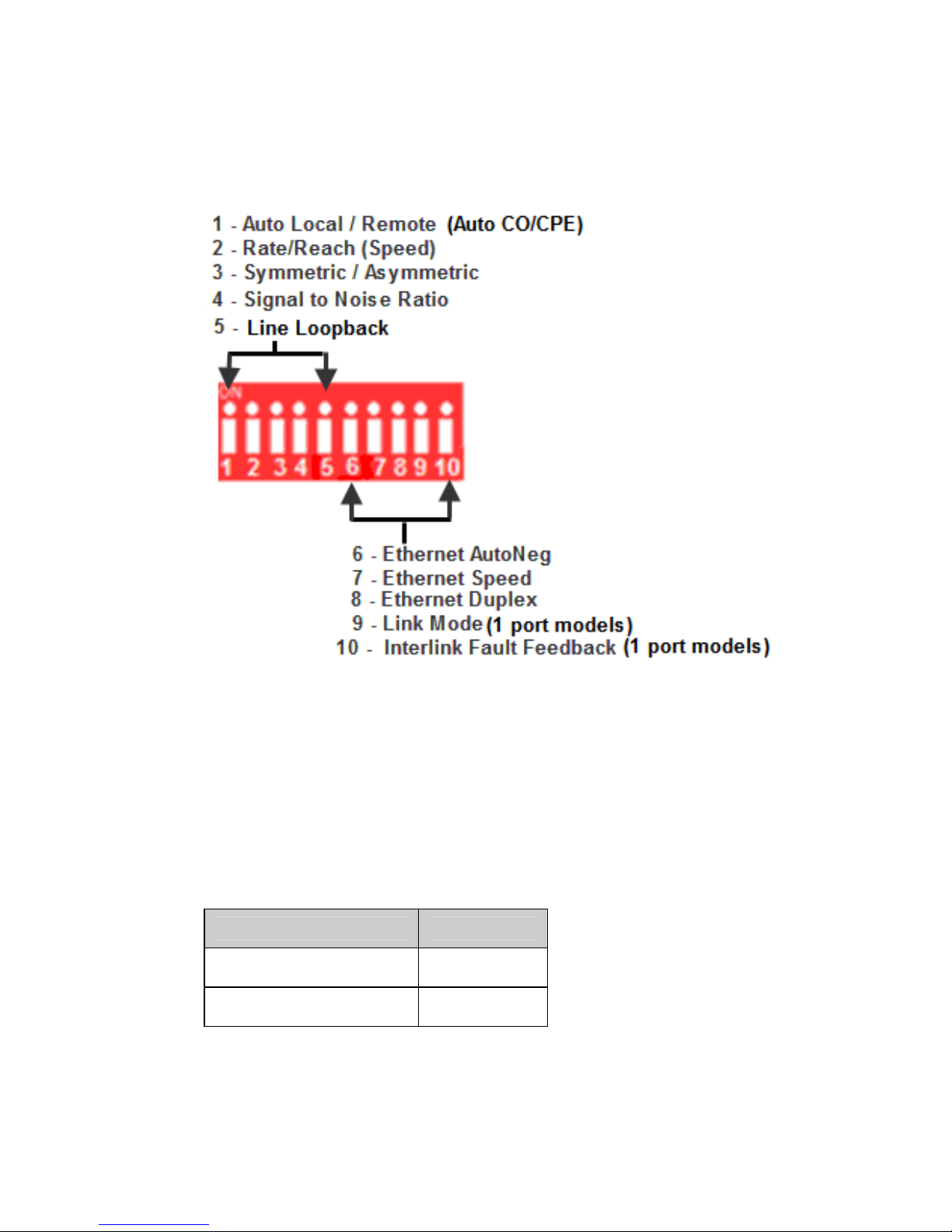
Ethernet AutoNeg Off: When the Auto Negotiation switch is set
to the OFF position, the Ethernet Extender will not negotiate the
Ethernet parameters with the Ethernet link partner. The
parameters used by the Ethernet Extender Module will be
determined by the Ethernet Speed (Switch 7) and Ethernet
Duplex (Switch 8) Dip switch settings.
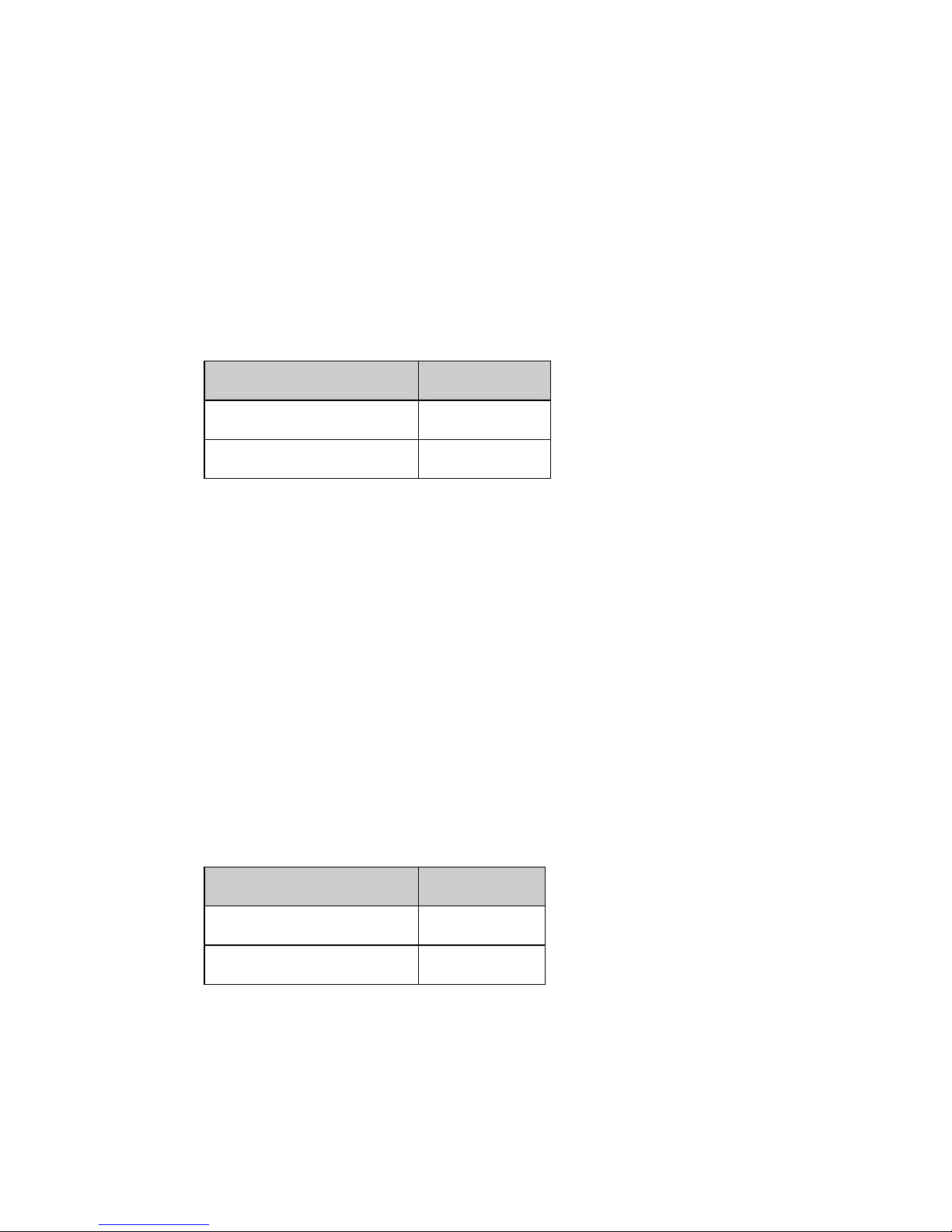
Ethernet Speed (Switch 7)
Switch Position Mode
Up (default) 100 Mb
Down 10 Mb
Ethernet Speed Up: 100 Mb for all models
Ethernet Speed Down: 10 Mb for all models
Note: When AutoNeg (SW6) is set to Off, the Ethernet
Extender will use this Speed setting for its Ethernet
connection.
Ethernet Duplex (Switch 8)
Switch Position Mode
Up (default) Full Duplex
Down Half Duplex