Revision 01 Section 350-231-134
HLU-231 List 3D 7
Using the Craft port
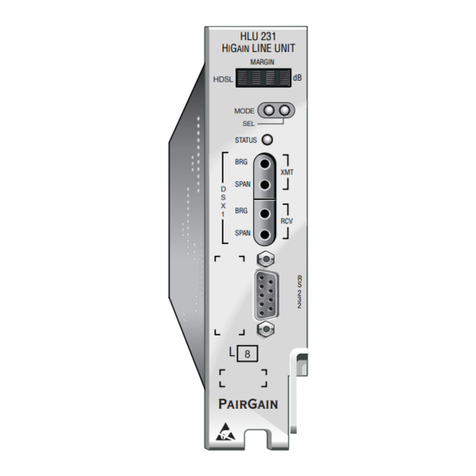
The Craft port, a 9-pin RS-232 connector, on the HLU-231 front panel allows
youto use a standard RS-232cableto connectyoursystemto a dumbterminal
or PC running aterminal emulation program. Once connected youcan access
the maintenance, provisioning, and performance screens.
Toprovision the HLU-231 through the Craft port:
1Configure the dumb terminal to the following communication settings:
•1200 to 9600 baud (9600 baud is recommended)
•Parity: NONE
•8 data bits
•1stopbit
•Hardware Flow Control set to NONE
•VT Terminal Emulation
2Use a serial cable to connect the RS-232 COMporton the dumbterminal
to the HLU-231 front panel Craft port.
3On each screen, enter the key represented by the letterin parenthesis for
the parameter to be changed.
•Each entry of this letter scrolls the parameter to its next value.
•After all selections have been made, press to exit and to con-
firm the changes. This activates the new choices and returns control
to the Main Menu screen.
The following four user options must be set via the dumb terminal interface:
Circuit ID, Time and Date, DS0 Blocking, and Margin Alarm Threshold.
If usingtheMicrosoft Windows terminal emulation program,
from the Settings, Terminal Preference menu, deselect
ShowScroll Bars
and
UseFunction
,
Arrow
,and
CtrlKeysfor
Windows
.
E C