Oumex MOD-IO2 Manuel utilisateur

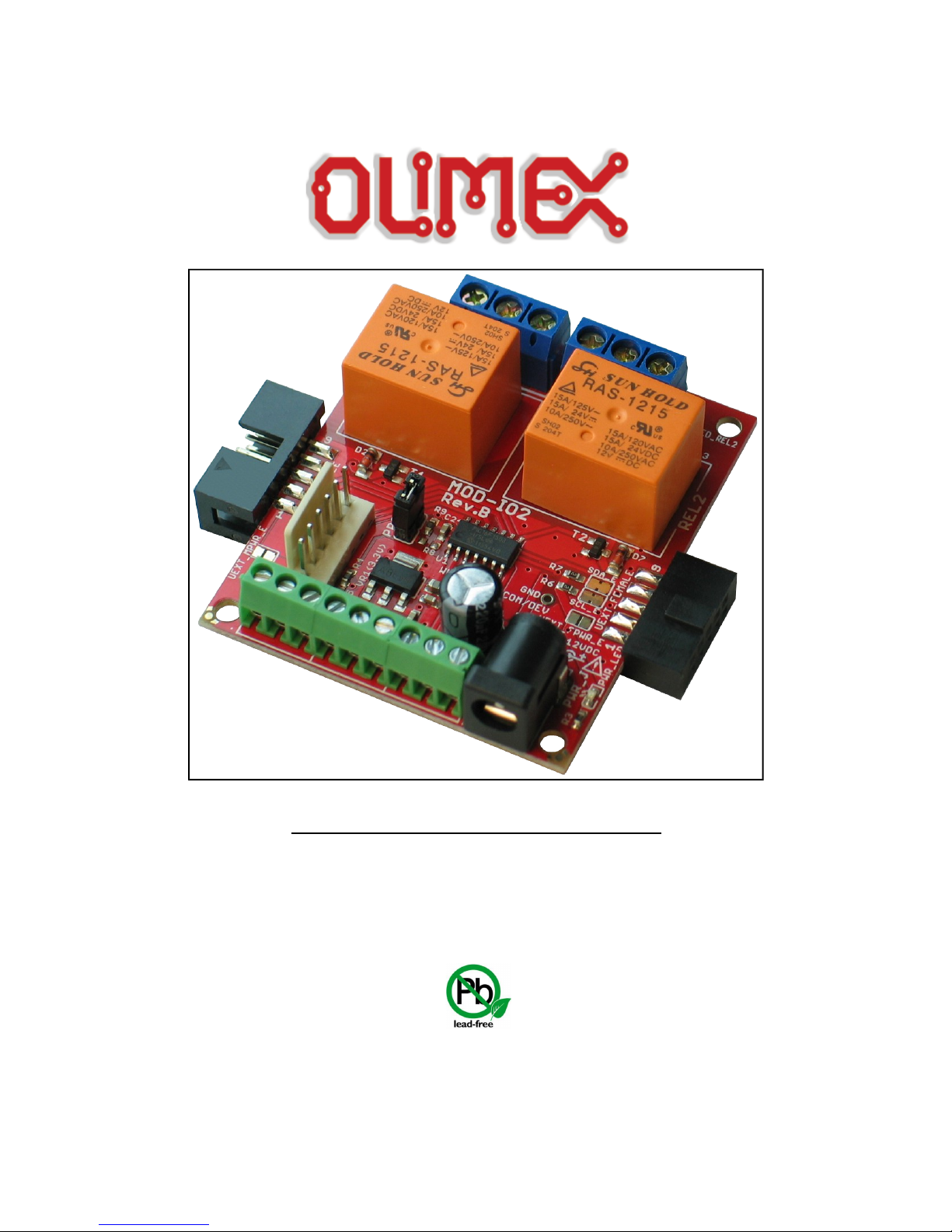
MOD-IO2 extension board
USER’S MANUAL
Revision D, May 2015
Designed by OLIMEX Ltd, 2012
All boards produced by Olimex LTD are ROHS compliant

OLIMEX© 015 MOD-IO user's manual
DISCLAIMER
© 015 Olimex Ltd. Olimex®, logo and combinations thereof, are registered trademarks of Olimex Ltd. Other product
names may be trademarks of others and the rights belong to their respective owners.
The information in this do ument is provided in onne tion with Olimex produ ts. No li ense, express or implied
or otherwise, to any intelle tual property right is granted by this do ument or in onne tion with the sale of
Olimex produ ts.
This work is licensed under the Creative Commons Attribution-ShareAlike 3.0 Unported License. To view a copy of
this license, visit http://www.creativecommons.org/licenses/by-sa/3.0/.
This hardware design by Olimex LTD is licensed under a Creative Commons Attribution-ShareAlike 3.0 Unported
License.
The software is released under GPL.
It is possible that the pictures in this manual differ from the latest revision of the board.
The product described in this document is subject to continuous development and improvements. All particulars of the
product and its use contained in this document are given by OLIMEX in good faith. However all warranties implied or
expressed including but not limited to implied warranties of merchantability or fitness for purpose are excluded. This
document is intended only to assist the reader in the use of the product. OLIMEX Ltd. shall not be liable for any loss or
damage arising from the use of any information in this document or any error or omission in such information or any
incorrect use of the product.
This evaluation board/kit is intended for use for engineering development, demonstration, or evaluation purposes only
and is not considered by OLIMEX to be a finished end-product fit for general consumer use. Persons handling the
product must have electronics training and observe good engineering practice standards. As such, the goods being
provided are not intended to be complete in terms of required design-, marketing-, and/or manufacturing-related
protective considerations, including product safety and environmental measures typically found in end products that
incorporate such semiconductor components or circuit boards.
Olimex currently deals with a variety of customers for products, and therefore our arrangement with the user is not
exclusive. Olimex assumes no liability for applications assistance, customer product design, software performance, or
infringement of patents or services described herein.
THERE IS NO WARRANTY FOR THE DESIGN MATERIALS AND THE COMPONENTS
USED TO CREATE MOD-IO2. THEY ARE CONSIDERED SUITABLE ONLY FOR MOD-
IO2.
Page of 8

OLIMEX© 015 MOD-IO user's manual
Table of Contents
DISCLAIMER ............................................................................................................. 2
CHAPTER OVERVIEW ......................................................................................... 5
1. Introdu tion to the hapter ....................................................................................................... 5
1.1 Features ..................................................................................................................................... 5
1.2 MOD-IO vs MOD-IO2 ............................................................................................................ 5
1.3 Target market and purpose of the board ............................................................................... 6
1.4 Organization ............................................................................................................................. 6
CHAPTER 2 SETTING UP THE MOD-IO2 BOARD ............................................ 7
2. Introdu tion to the hapter ....................................................................................................... 7
2.1 Ele trostati warning ............................................................................................................... 7
2.2 Requirements ........................................................................................................................... 7
2.3 Powering the board .................................................................................................................. 7
2.4 Firmware des ription and basi usage under Linux ............................................................ 8
2.4.1 Custom software tool for ontrolling MOD-IO2 under Linux ......................................... 8
2.4.2 I2CTools for ontrolling MOD-IO2 under Linux ............................................................ 11
CHAPTER 3 MOD-IO2 BOARD DESCRIPTION ................................................ 4
3. Introdu tion to the hapter ..................................................................................................... 14
3.1 Layout (top view) ................................................................................................................... 14
CHAPTER 4 THE PIC 6F 503 MICROCONTROLLER ................................... 5
4. Introdu tion to the hapter ..................................................................................................... 15
4.1 The PIC16F1503 features ...................................................................................................... 15
CHAPTER 5 CONNECTORS AND PINOUT ....................................................... 6
5. Introdu tion to the hapter ..................................................................................................... 16
5.1 ICSP ........................................................................................................................................ 16
5.2 UEXT modules ....................................................................................................................... 16
5.2. Female connector ....................................................................................................................... 6
5.2.2 Male connector ........................................................................................................................... 7
5.3 Relay output onne tors ........................................................................................................ 17
5.4 GPIO onne tors .................................................................................................................... 18
5.5 PWR Ja k ............................................................................................................................... 18
5.6 Jumper des ription ................................................................................................................ 19
5.6. PROG ......................................................................................................................................... 9
5.6.2 SDA_E/SCL_E ........................................................................................................................... 9
5.6.3 UEXT_FPWR_E ........................................................................................................................ 9
5.6.4 UEXT_MPWR_E ...................................................................................................................... 9
5.7 Additional hardware omponents ........................................................................................ 19
CHAPTER 6 BLOCK DIAGRAM AND MEMORY ............................................. 20
6. Introdu tion to the hapter ..................................................................................................... 20
6.1 Pro essor blo k diagram ....................................................................................................... 20
Page 3 of 8

OLIMEX© 015 MOD-IO user's manual
6.2 Physi al memory map ........................................................................................................... 21
CHAPTER 7 SCHEMATICS ................................................................................... 22
7. Introdu tion to the hapter ..................................................................................................... 22
7.1 Eagle s hemati ...................................................................................................................... 22
7.2 Physi al dimensions ............................................................................................................... 24
CHAPTER 8 REVISION HISTORY AND SUPPORT .......................................... 25
8. Introdu tion to the hapter ..................................................................................................... 25
8.1 Do ument revision ................................................................................................................. 25
8.2 Board's revision ...................................................................................................................... 26
8.3 Useful web links and pur hase odes ................................................................................... 27
8.4 Produ t support ..................................................................................................................... 28
Page 4 of 8

OLIMEX© 015 MOD-IO user's manual
CHAPTER OVERVIEW
. Introduction to the chapter
Thank you for choosing the MOD-IO single board computer from Olimex! This document
provides a user’s guide for the Olimex MOD-IO board. As an overview, this chapter gives the
scope of this document and lists the board’s features. The differences between the members of the
MOD-IO and MOD-IO boards are mentioned. The document’s organization is then detailed.
The MOD-IO development board enables code development of applications running on the
microcontroller PIC16F1503, manufactured by Microchip.
. Features
PIC16F1503 microcontroller
ICSP 6 pin connector for in-circuit programming with PIC-ICD -POCKET and PIC-KIT3
or other compatible programmer/debugger.
9-pin terminal screw connector for 7 GPIOs 3.3V and GND
PWR jack for 1 VDC
7 GPIOs which could implement different functionality as PWM, SPI, I C etc.
relay outputs with 15A/ 50VAC contacts with screw terminals
RELAY output status LEDs
Both male and female UEXT connectors
Four mounting holes 3.3mm ~ (0.13)"
UEXT female-female cable included
FR-4, 1.5 mm (0.06 "), soldermask, white silkscreen component print
dimensions 61×5 mm ~( .4× .05)"
.2 MOD-IO vs MOD-IO2
MOD-IO is a smaller input output extension module compared to MOD-IO both in terms of size
and in terms of functionality, however in a lot of situations MOD-IO might provide the better
choice. Designs which need optocouplers should consider MOD-IO. In a lot of the other cases
MOD-IO might be the better choice since it is possible to stack multiple MOD-IO 's over each
other.
MOD-IO has a better power supply with the option to be supplied in the range of 8-30VDC.
Page 5 of 8

OLIMEX© 015 MOD-IO user's manual
.3 Target market and purpose of the board
MOD-IO is an extension development board which can interface other Olimex boards via UEXT
connector it adds add RELAYs and GPIOs. Multiple MOD-IO s are stackable and addressable. The
firmware allows you to interact with the board using simple commands and yet if you wish you can
modify the firmware for your needs.
If you work with any of our development boards with UEXT connector and you need more GPIOs
and RELAY outputs you can add these by connecting MOD-IO to your development board. This
board allows easy interfacing to relays and 7 GPIOs. MOD-IO is stackable and addressable –
these boards can be plugged together and you can add as many inputs and outputs as you want! -4-
6-8 etc! MOD-IO has PIC16F1503 microcontroller and the firmware is open source and available
for modification.
The board is a very good addition to most of the Olimex boards if you need analog GPIOs and
relays.
.4 Organization
Each section in this document covers a separate topic, organized as follow:
–Chapter 1 is an overview of the board usage and features
–Chapter provides a guide for quickly setting up the board
–Chapter 3 contains the general board diagram and layout
–Chapter 4 describes the component that is the heart of the board: the PIC16F1503
–Chapter 5 covers the connector pinout, peripherals and jumper description
–Chapter 6 shows the memory map
–Chapter 7 provides the schematics
–Chapter 8 contains the revision history, useful links and support information
Page 6 of 8

OLIMEX© 015 MOD-IO user's manual
CHAPTER 2 SETTING UP THE MOD-IO2 BOARD
2. Introduction to the chapter
This section helps you set up the MOD-IO development board for the first time.
Please consider first the electrostatic warning to avoid damaging the board, then discover the
hardware and software required to operate the board.
The procedure to power up the board is given, and a description of the default board behavior is
detailed.
2. Electrostatic warning
MOD-IO is shipped in a protective anti-static package. The board must not be exposed to high
electrostatic potentials. A grounding strap or similar protective device should be worn when
handling the board. Avoid touching the component pins or any other metallic element.
2.2 Requirements
In order to set up the MOD-IO optimally, the following items are required:
- Any OLIMEX board that has an UEXT connector
- 1 V source of power
If you wish to reprogram the board or modify the firmware you will also need:
- PIC ICSP compatible programmer – not that the connector for the ICSP programing is the
standard 0.1'' one. We have a cheap compatible PIC16F1503 programmer based on Microchip's
PIC-KIT3.
Some of the suggested items can be purchased by Olimex, for instance:
PIC-KIT3 – Olimex programmer capable of programming PIC16F1503
SY0612E – power supply adapter 1 V/0.5A for European customers
2.3 Powering the board
The board is powered by the power jack. You should provide 1 V DC.
For the European customers we sell an affordable power supply adapter 1 V/0.5A – SY0612E.
If you power the board correctly PWR_LED would turn on.
Page 7 of 8

OLIMEX© 015 MOD-IO user's manual
2.4 Firmware description and basic usage under Linux
There is firmware loaded on the PIC of the board that allows easier use of MOD-IO via I C
protocol. The firmware of MOD-IO has gone through several iterations. The latest firmware
revision is revision 3.0 .
To use the firmware with not-Linux enabled host boards please refer to the README.txt in the
archive that contains the firmware sources.
Firmware revisions 1, , and 3 are compatible. These firmware revisions define different MOD-IO
board addresses and different command set. Firmware revisions 3, 3.1, and 3.0 (3.xx) are
compatible.
Please note that the custom firmware does NOT support all of the hardware capabilities of MOD-
IO . In some cases you might need to to adapt the firmware to use the hardware of MOD-IO to its
full potential!
2.4. Custom software tool for controlling MOD-IO2 under Linux
To make the things even simpler we have written a software tool for controlling MOD-IO under
Linux. You might find it here:
https://github.com/OLIMEX/OLINUXINO/tree/master/SOFTWARE/UEXT
% 0MODULES/MOD-IO /linux-access-tool
This software tool requires a Linux-enabled board. The tool works with MOD-IO units loaded
with firmware revision 3 or newer. For full compatibility with the custom software tool, your MOD-
IO board needs to use firmware revision 3.0 or newer. To use the tool simply place file
“modio tool” on your board. Navigate to the folder where you placed it and type "./modio tool -h"
to get help on all of the available commands.
Most of the commands require the hardware I C number as defined in your Linux distribution with
parameter -B X, where X is the number of the I C interface. Note that by default the software is set
for use with hardware I C interface # and board ID 0x 1 – if your setup has different you would
need to specify every time by using -B X (X is the hardware I C number) and -A 0xXX(XX is the
I C address of the module).
Some examples for the usage of modio2tool and MOD-IO2 in Linux:
- Bringing up the help menu:
./modio2tool -h
,where
./modio tool – executes the binary
-h – parameter used to request the help information
Expected result: the format of commands would be shown and a list of commands would be printed.
Page 8 of 8

OLIMEX© 015 MOD-IO user's manual
- Swit hing on both relays:
./modio2tool -B 0 -s 3
,where
-B 0 – sets the board to use its hardware I C #0 (typically either “0”, “1”, or “ ”)
-s 3 – “s” is used to turn on the relays; “3” specifies to turn on both relays (use “1” or “ ” for
only the first or only the second relay)
Expected result: a specific sound would occur and relay LEDs would turn on.
- Swit hing off both relays:
./modio2tool -B 0 -c 3
,where
-B 0 – sets the board to use its hardware I C #0 (typically either “0”, “1”, or “ ”)
-c 3 – “c” is used to switch off the state relays; “3” specifies to turn off both relays (use “1” or
“ ” for only the first or only the second relay)
Expected result: a specific sound would occur and the relay LEDs would turn off.
- Reading the status of the relays (available sin e MOD-IO2's firmware revision 3.02):
./modio2tool -B 0 -r
,where
-B 0 – sets the board to use its hardware I C #0 (typically either “0”, “1”, or “ ”)
-r – “r” is used to read the relays;
Expected result: the state of the relays would be printed. 0x03 means that both relays are on
(equivalent of the binary 0x011).
- Reading analog inputs:
./modio2tool -B 0 -A 1
,where
-B 0 – sets the board to use its hardware I C #0 (typically either “0”, “1”, or “ ”)
-A 1 – “A” is used to read the analog input; “1” is the analog input that is read – you can use “1”,
“ ”, “3” or “5” since not all AN signals are available.
Expected result: the Voltage of the AN would be printed. If there is nothing connected it can be
anything like “ADC1: .311V”.
Page 9 of 8

OLIMEX© 015 MOD-IO user's manual
- Changing the I C address – if you use more than one MOD-IO (available since MOD-IO 's
firmware revision 3.0 )
./modio2tool -B 0 -x 15
,where
-B 0 – sets the board to use its hardware I C #0 (typically either “0”, “1”, or “ ”)
-x 15 – “x” is used to change the I C address of the board; “15” is the desired number – it is
different from the default “0x 1”.
Expected result: the board would have new I C address and you would need to specify it with -A
0xXX if you wish to use the modio tools in future.
For more information refer to the help returned by modio tools or to modio tools's source code.
Page 10 of 8
Table des matières