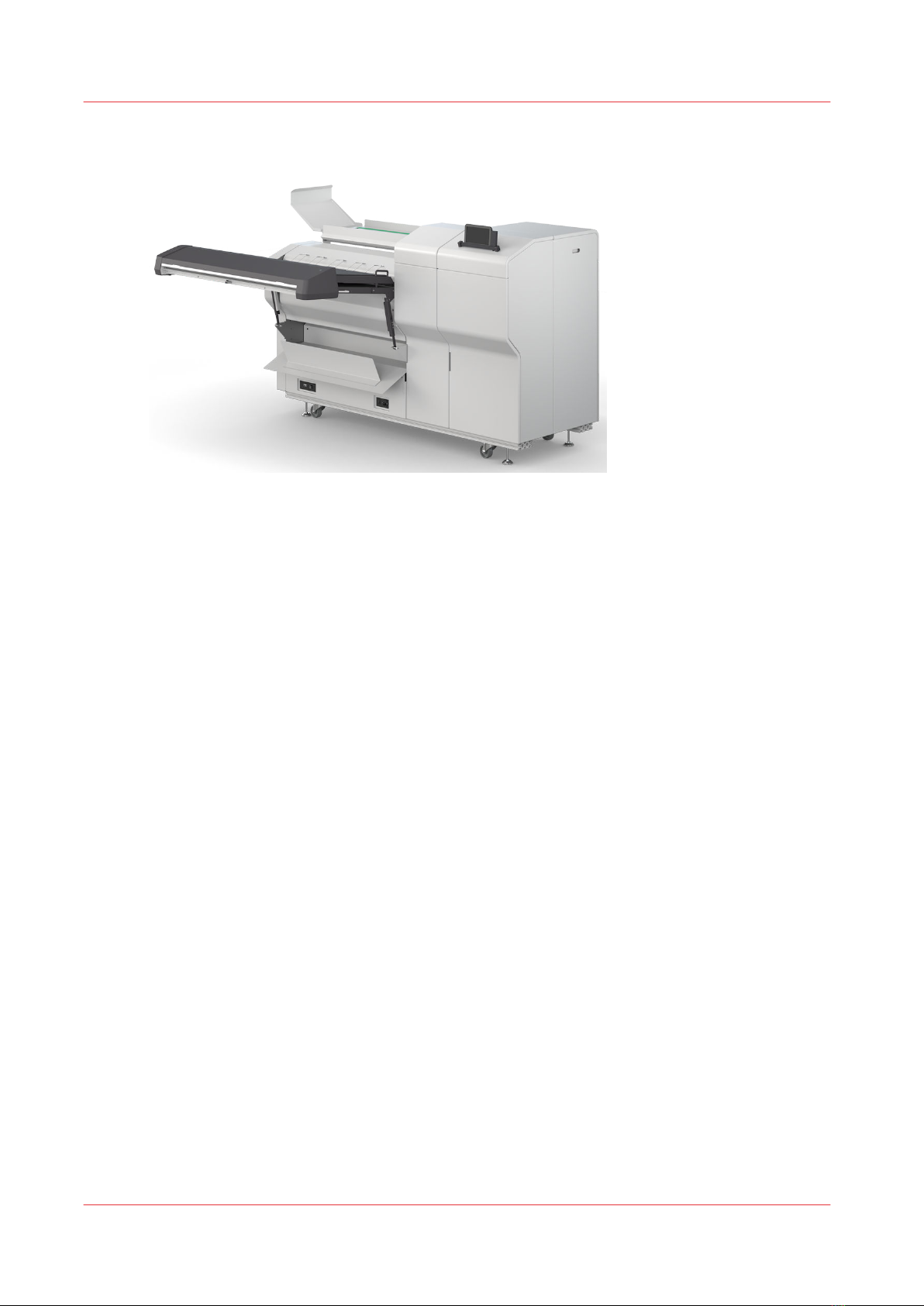
Oce Folder Professional 6011 Manuel utilisateur

User guide
Océ Folder Professional 6011/6013

Edition 2019-02 US

Contents
Chapter 1
Introduction.........................................................................................................................5
About the folding device..................................................................................................................................6
Safety instructions............................................................................................................................................7
Installation and environment.......................................................................................................................... 8
Chapter 2
Specifications...................................................................................................................... 9
Overview parts................................................................................................................................................10
Dimensions..................................................................................................................................................... 13
Europe (metric).........................................................................................................................................13
USA/UK (imperial)....................................................................................................................................14
Folded package...............................................................................................................................................15
Folded package with tab................................................................................................................................ 16
Tab position.................................................................................................................................................... 17
Maximum paper curl......................................................................................................................................18
Chapter 3
Power and switch on........................................................................................................19
Chapter 4
Available options.............................................................................................................. 23
Mapfold........................................................................................................................................................... 24
Long plot - Unlimited paper length...............................................................................................................26
Chapter 5
Tablet PC tutorial.............................................................................................................. 27
Graphical User Interface via Android device............................................................................................... 28
Select a folding program............................................................................................................................... 29
Add a folding program from the list of available programs.......................................................................31
Create or customize a style............................................................................................................................35
Customize a folding program................................................................................................................. 35
Create a folding program........................................................................................................................ 38
Create or customize a free style program..............................................................................................39
Chapter 6
Folding............................................................................................................................... 41
Online folding................................................................................................................................................. 42
Manual folding................................................................................................................................................43
Chapter 7
The tab applicator.............................................................................................................45
Insert new tab roll...........................................................................................................................................46
Initialize new tab roll...................................................................................................................................... 54
Clean the knifes.............................................................................................................................................. 55
Contents
3

Chapter 8
Trouble shooting...............................................................................................................61
Introduction to trouble shooting................................................................................................................... 62
Conveyor belt full........................................................................................................................................... 63
Logged into remote service...........................................................................................................................64
How to clean start-up errors 22:xx ⁄ 82:xx.................................................................................................... 65
Error code list..................................................................................................................................................66
How to use the purge function......................................................................................................................69
Cover open......................................................................................................................................................70
Sensor S0 is blocked...................................................................................................................................... 74
Sensor S1 is blocked...................................................................................................................................... 76
Sensor S2 is blocked...................................................................................................................................... 78
Sensor S3 is blocked...................................................................................................................................... 80
Sensor S4 is blocked...................................................................................................................................... 82
Sensor S5 is blocked...................................................................................................................................... 84
No paper at S10.............................................................................................................................................. 86
Contents
4

Chapter 1
Introduction

About the folding device
The Océ Folder Professional 6011/6013 is an automatic online folding device which can be
connected to a variety of printers.
• Prints which should be folded may be up to 914 mm (36") wide with an unlimited length
(optional).
• Fan fold and cross fold are conducted in one pass before the finished fold package is deployed
onto a conveyor belt.
• Prints which are not supposed to be folded will be deployed onto the top of the transfer bridge.
• The paper feed can also be done manually.
• A 7" Android Tablet PC gives a range of opportunities to control and customize the folding
device.
• Supported standard fold styles are DIN 824, ANSI, ARCH, AFNOR, JPN.
• Nearly every desired fold style beside the standards can be created with a Free Style Editor.
About the folding device
6Chapter 1 - Introduction

Safety instructions
Introduction
You can find the safety manual for this product on the download website under the product name
(
"http://downloads.oce.com"
).
For your protection, please read these safety instructions and the manual completely before
operating the machine. Carefully observe all warnings, precautions and instructions on the
machine or the ones described in the operating instructions.
In order to guarantee hazard-free operations it is strongly recommended that any maintenance or
repair work is only carried out by trained personnel.
Safety instructions
Chapter 1 - Introduction 7

Installation and environment
Installation
The folder should be installed by a specially trained engineer.
Environment
The room in which the folder is to be placed should be dry and dust free. Humidity should be
about 20-80% with room temperature of 15° C to 35° C (59°F - 95°F).
The folder must stand horizontally aligned and very stable without shaking.
Make sure to place the folder in a way that does not block exits and allows an ergonomic
workflow.
Installation and environment
8Chapter 1 - Introduction

Chapter 2
Specifications

Overview parts
Overview
Bridge
Sensor 0 - first sheet
Sensor 1 - last sheet for copies 420-530mm
Sensor 2 - last sheet for copies 540-710mm
Sensor 3 - last sheet for copies > 720mm
Sensor 4 - entry sensor bridge
Sensor 5 - entry interface
Sensor 6 - flap sensor
Overview parts
10 Chapter 2 - Specifications
Ce manuel convient aux modèles suivants
1
Table des matières
Autres manuels Oce Plieuse
Manuels Plieuse populaires d'autres marques

Mathias Bauerle
Mathias Bauerle Multipli 35 Manuel utilisateur

Intelli-Fold
Intelli-Fold DF-304C Manuel utilisateur

Pitney Bowes
Pitney Bowes DI425 FastPac Manuel

Hwasung
Hwasung COMPODIS HMK-830 Series Manuel utilisateur

KRUG+PRIESTER
KRUG+PRIESTER IDEAL 8306 Manuel utilisateur

XPOtool
XPOtool 61574 Manuel utilisateur