4NookBox Installation Guide NB Camera IR Detector
Features
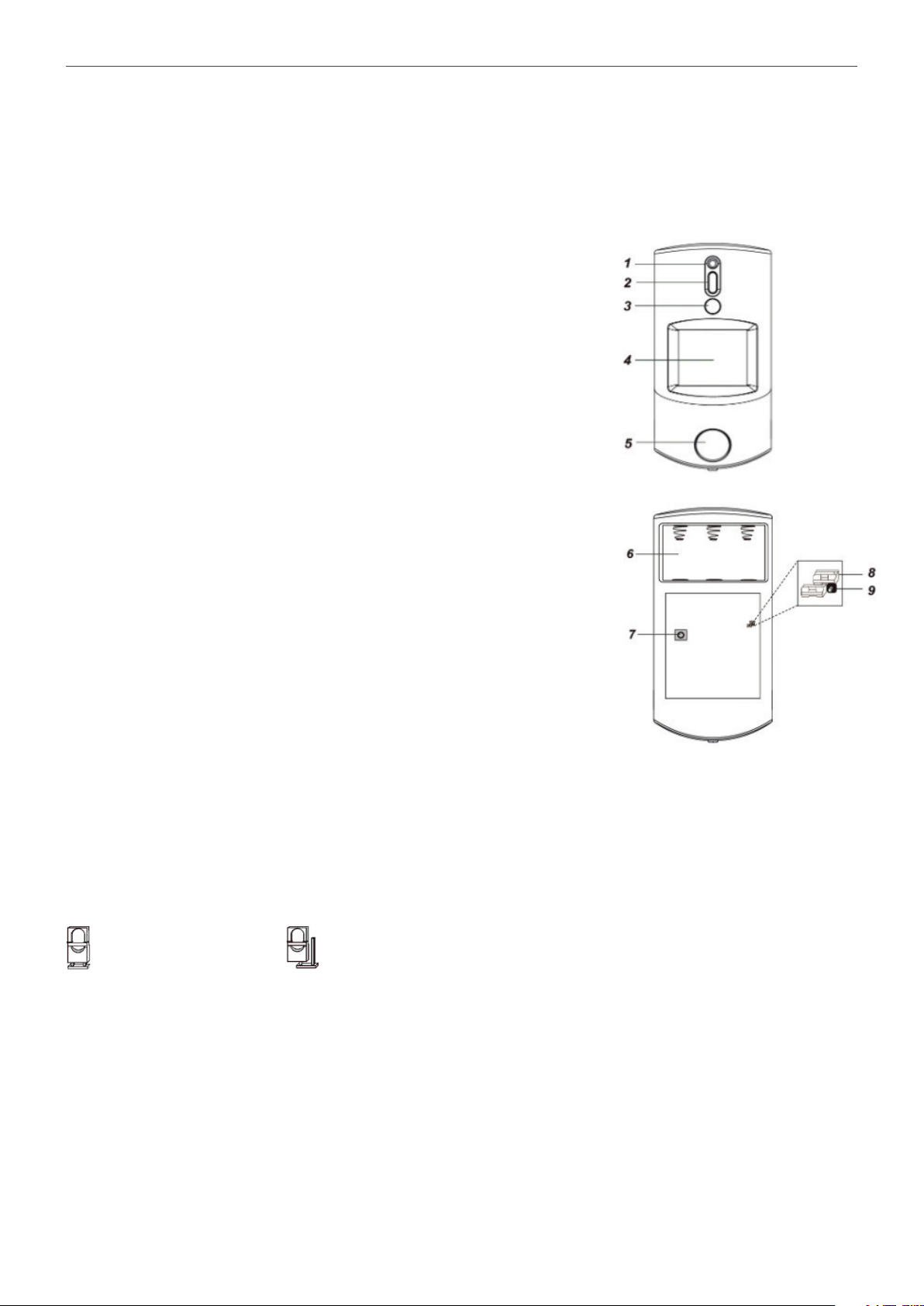
LED Indicator
In Normal operation mode, the Blue LED will not light except in the following situations:
• When the PIR Camera is in low battery condition, every time it transmits a detected movement, the Blue LED will ash for 2 seconds.
• When the cover is opened and the tamper switch is violated, the Blue LED will ash for 2 seconds, to indicate it is transmitting
“Tamper” signal.
• When the Tamper condition persists, every time it transmits a detected movement, the Blue LED will ash for 2 seconds.
• When PIR Camera enters Test Mode, the Blue LED will ash for 1 second. During Test mode, the Blue LED will also ash for 2 seconds
every time a movement is detected.
• When the PIR Camera is in 30 seconds warm up period, the Blue LED will slow ash.
• When the PIR Camera is transmitting captured images under fault conditions (low battery, tamper switch activated), the Blue LED
will continuous ash.
The LED will not ash if the PIR Camera tamper and battery are normal and is not under test mode, If the LED ashes to indicate signal
transmission, it will ash twice rapidly upon receiving acknowledgement from panel.
Image Capture
When the alarm system is armed, the PIR Camera will capture 1, 3 or 6 alarm images in 640 × 480 or 320 × 240 resolutions (programmable
from Control Panel) upon movement detection. You can also manually request the PIR Camera to take a picture through the Control Panel.
The captured images will be transferred to the Control Panel for users to view.
<NOTE>
If your PIR Camera is installed at a location where the camera’s eld of view is a complex environment with intense light or lots of colors, the images captured
will be great in le size, possibly leading to truncation when the images are transmitted to the Control Panel.
Warm Up Period
When the Control Panel system enters arm mode, or when PIR Camera is put into Test Mode, the PIR Camera will warm up for 30 seconds.
During the 30-second warm up period, the PIR Camera will not be activated. The Blue LED will slow ash during the warm up period only
when PIR enters for Test Mode.
Sleep Timer
The PIR Camera has a “sleep time” of approximately 1 minute to conserve power. After transmitting for a detected movement, the PIR Camera
will not retransmit for 1 minute. Any detected movement during this period will reset the sleep time to 1 minute. Continuous movement in front
of the PIR Camera will therefore not exhaust the battery.
Battery and Low Battery Detection
The PIR Camera uses three CR123A 3V Lithium batteries in series connection as its power source.
The PIR Camera features Low Battery Detection function. When the battery voltage is low, the PIR Camera will transmit a low-battery signal
to the Control Panel. If movement is detected under Low Battery condition, the Blue LED will ash for 2 seconds.
When changing the batteries, after removing the old batteries, press the Tamper Switch or the Function Button twice to fully discharge before
inserting new batteries