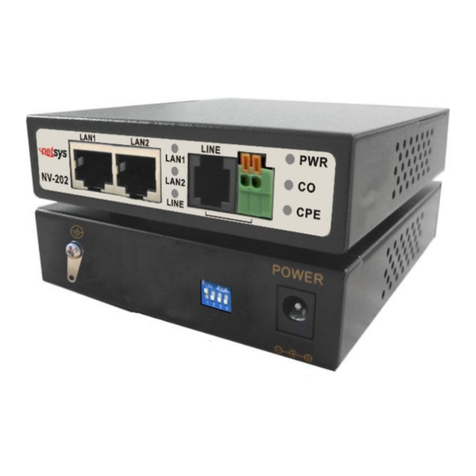
netsys NH-310H Manuel utilisateur

H
H
H
P
P
P
N
N
N
A
A
A
3
3
3
.
.
.
1
1
1
E
E
E
O
O
O
C
C
C
M
M
M
a
a
a
n
n
n
a
a
a
g
g
g
e
e
e
d
d
d
C
C
C
o
o
o
n
n
n
c
c
c
e
e
e
n
n
n
t
t
t
r
r
r
a
a
a
t
t
t
o
o
o
r
r
r
a
a
a
n
n
n
d
d
d
B
B
Br
r
ri
i
id
d
dg
g
ge
e
e
N
N
NH
H
H-
-
-3
3
31
1
10
0
0H
H
H/
/
/S
S
S
U
U
US
S
SE
E
ER
R
R’
’
’S
S
S
M
M
MA
A
AN
N
NU
U
UA
A
AL
L
L

NH-310H/S HPNA3.1 EOC Managed Concentrator and Bridge USER’S MANUAL er.D1
1
Copyright
Copyright © 2011 by National Enhance Technology Corp. All rights reserved.
Trademarks
NETSYS is a trademar of National Enhance Technology Corp.
Other brand and product names are registered trademar s or trademar s of their respective holders.
Legal Disclaimer
The information given in this document shall in no event be regarded as a guarantee of conditions or characteristics. With respect
to any examples or hints given herein, any typical values stated herein and/or any information regarding the application of the
device, National Enhance Technology Corp. hereby disclaims any and all warranties and liabilities of any ind, including without
limitation warranties of non-infringement of intellectual property rights of any third party.
Statement of Conditions
In the interest of improving internal design, operational function, and/or reliability, NETSYS reserves the right to ma e changes to
the products described in this document without notice. NETSYS does not assume any liability that may occur due to the use or
application of the product(s) or circuit layout(s) described herein.
Maximum signal rate derived from IEEE Standard specifications. Actual data throughput will vary. Networ conditions and
environmental factors, including volume of networ traffic, building materials and construction, and networ overhead, lower actual
data throughput rate. Netsys does not warrant that the hardware will wor properly in all environments and applications, and ma es
no warranty and representation, either implied or expressed, with respect to the quality, performance, merchantability, or fitness for
a particular purpose. Ma e sure you follow in line with the environmental conditions to use this product.

NH-310H/S HPNA3.1 EOC Managed Concentrator and Bridge USER’S MANUAL er.D1
2
Foreword
Attention:
Be sure to read this manual carefully before using this product. Especially Legal Disclaimer, Statement
of Conditions and Safety Warnings.
Netsys’ NH-310H and NH-310S are the latest technological innovation of HomePNA3.1 Ethernet over coaxial managed concentrator
and bridged (client) respectively. NH-310H EOC managed concentrator is designed to connect with NH-310S MDU bridged for MDU
and MTU applications that leverage the two most popular networ connections for home use: 10/100Mbps Ethernet connection and
coaxial cable connection.
It is a norm that MDU and MTU are equipped with wired networ that simply transfer small files and shared applications, but the need
for triple play services li e transferring large multimedia files such as music, video, photo and deliver high speed VOIP data are ever
increasing.
This is why NH-310H/S is designed to be a cost effective MDU and MTU solution. With plug & play, this simply eliminates the pain in
modification and high infrastructure cost. With the data transmission up to 200Mbps and lin establish under -145dBm/Hz noise floor,
it meets the growing demand for high speed multimedia services. Most importantly, with MDU and MTU applications, it allows
networ ing for any locations such as buildings, apartments, hotels, resorts, sports center and other places that need a high
bandwidth networ .
Caution:
The NH-310H and NH-310S are for indoor applications only. This product does not have waterproof protection, please do not use
in outdoor applications.

NH-310H/S HPNA3.1 EOC Managed Concentrator and Bridge USER’S MANUAL er.D1
3
Safety Warnings
For your safety, be sure to read and follow all warning notices and instructions before using the device.
DO NOT open the device or unit. Opening or removing covers can expose you to dangerous high voltage points or other
ris s. ONLY qualified service personnel can service the device. Please contact your vendor for further information.
Use ONLY the dedicated power supply for your device. Connect the power to the right supply voltage (110V AC used for
North America and 230V AC used for Europe, NH-310H/S supports 12 VDC power input).
Place connecting cables carefully so that no one will step on them or stumble over them. DO NOT allow anything to rest on
the power cord and do NOT locate the product where anyone can wor on the power cord.
DO NOT install nor use your device during a thunderstorm. There may be a remote ris of electric shoc from lightning.
DO NOT expose your device to dampness, dust or corrosive liquids.
DO NOT use this product near water, for example, in a wet basement or near a swimming pool.
Connect ONLY suitable accessories to the device.
Make sure to connect the cables to the correct ports.
DO NOT obstruct the device ventilation slots, as insufficient air flow may harm your device.
DO NOT place items on the device.
DO NOT use the device for outdoor applications directly, and ma e sure all the connections are indoors or have waterproof
protection place.
Be careful when unplugging the power, because it may produce spar s.
Kee the device and all its parts and accessories out of the reach of children.
Clean the device using a soft and dry cloth rather than liquid or atomizers. Power off the equipment before cleaning it.
This product is recyclable. Dispose of it properly.

NH-310H/S HPNA3.1 EOC Managed Concentrator and Bridge USER’S MANUAL er.D1
4
Table of Contents
COPYRIGHT ........................................................................................................................................................ 1
FOREWORD ........................................................................................................................................................ 2
SAFETY WARNINGS ........................................................................................................................................... 3
CHAPTER 1. UNPACKING INFORMATION......................................................................................................... 7
1.1 C
HECK
L
IST
.............................................................................................................................................................................7
CHAPTER 2. HARDWARE DESCRIPTION..........................................................................................................
2.1
F
RONT
P
ANEL
...............................................................................................................................................................................8
2.2
F
RONT
I
NDICATORS
.......................................................................................................................................................................9
2.3
R
EAR
P
ANEL
...............................................................................................................................................................................11
CHAPTER 3. INSTALLATION ............................................................................................................................ 13
3.1
H
ARDWARE
I
NSTALLATION
............................................................................................................................................................13
3.2
P
RE
-
INSTALLATION
R
EQUIREMENTS
..............................................................................................................................................13
3.3
G
ENERAL
R
ULES
.........................................................................................................................................................................14
3.4
HCNA
C
ONNECTIONS
.................................................................................................................................................................15
CHAPTER 4. CONFIGURE THE NH-310H VIA WEB BROWSER...................................................................... 1
4.1
L
OGIN
.........................................................................................................................................................................................18
4.2
S
ELECT THE
M
ENU
L
EVEL
............................................................................................................................................................19
4.3
S
ELECT
“SYSTEM” ....................................................................................................................................................................20

NH-310H/S HPNA3.1 EOC Managed Concentrator and Bridge USER’S MANUAL er.D1
5
4.3.1 Administrator Setting..........................................................................................................................................................21
4.3.2 System Time Zone .............................................................................................................................................................22
4.3.3 System Time ......................................................................................................................................................................23
4.3.4 Firmware Upgrade .............................................................................................................................................................24
4.3.5 Reboot................................................................................................................................................................................25
4.3.6 Reset System.....................................................................................................................................................................26
4.3.7 Version Info........................................................................................................................................................................27
4.3.8 SNMP.................................................................................................................................................................................28
4.4
S
ELECT
”LAN” ............................................................................................................................................................................30
4.4.1 LAN Settings ......................................................................................................................................................................31
4.4.2 LAN Switch Port Setting.....................................................................................................................................................32
4.4.3 LAN Port Status .................................................................................................................................................................33
4.5
S
ELECT
”ROUTE”.......................................................................................................................................................................34
4.5.1Static Routing......................................................................................................................................................................35
4.5.2 Routing Table List ..............................................................................................................................................................37
4.6
S
ELECT
”HPNA” .........................................................................................................................................................................38
4.6.1 Device Info./Test ................................................................................................................................................................39
4.6.1.1 Concentrator Read Packet Counter .............................................................................................................................................41
4.6.1.2 End Point Net Interface Test........................................................................................................................................................42
4.6.1.3 End Point Read Packet Counter ..................................................................................................................................................44
4.6.2 Device Control....................................................................................................................................................................45
4.6.2.1 EOC driver Up rade for Concentrator..........................................................................................................................................47
4.6.2.2 HPNA driver Up rade and user speed control for Brid es ...........................................................................................................49
4.6.2.3 Reboot for Brid es.......................................................................................................................................................................51

NH-310H/S HPNA3.1 EOC Managed Concentrator and Bridge USER’S MANUAL er.D1
6
4.6.2.4 Add User for Brid es ...................................................................................................................................................................53
4.6.3 User List.............................................................................................................................................................................57
CHAPTER 5. CONFIGURE THE NH-310H VIA CONSOLE................................................................................ 60
5.1
S
ETUP ON
H
YPER
T
ERMINAL
.........................................................................................................................................................60
5.2
R
ESET THE SYSTEM TO DEFAULT CONFIGURATION
..........................................................................................................................60
5.3
TFTP
P
ROTOCOL FOR FIRMWARE UPGRADE
..................................................................................................................................61
APPENDIX A: CABLE REQUIREMENTS ........................................................................................................... 66
APPENDIX B: PRODUCT SPECIFICATION....................................................................................................... 69
APPENDIX C: TROUBLESHOOTING ................................................................................................................ 72
APPENDIX D: COMPLIANCE AND SAFETY INFORMATION............................................................................ 7
APPENDIX E: HOME NETWORKING INSTALLATION GUIDE .......................................................................... 1
APPENDIX F: MDU INSTALLATION GUIDE ................................................................................................... 91
WARRANTY ..................................................................................................................................................... 101
CHINESE SJ/T 11364-2006.............................................................................................................................. 102

NH-310H/S HPNA3.1 EOC Managed Concentrator and Bridge USER’S MANUAL er.D1
7
Chapter 1. Unpacking Information
1.1 Check List
Than you for choosing Netsys NH-310H/S. Before installing the router, please verify the contents inside the pac age.
Package Contents:
NH-310H or NH-310S Device
4 x rubber foot (NH-310H pre-installed on the bottom, and you can find the rubber foot inside the inner box right
side of the NH-310S)
1 x AC to DC
1 V
Power Adapter
1 x RJ-45 Cable
Notes:
1.
Please inform your dealer immediately for any missing or damaged parts. If possible, retain the carton including the
original pac ing materials. Use them to repac the unit in case there is a need to return for repair.
2. If the product has any issue, please contact your local vendor.
3. Do not use sub-standard power supply. Before connecting the power supply to the device, be sure to chec
compliance with the specifications. The NH-310H/S supports 12 VDC power input.
4. The power supply included in the pac age is commercial-grade. Do not use in industrial-grade applications.
5. Please loo for the QR code on the bottom of the product, the user can launch the QR code scanning program to
scan and download the user’s manual electronic format file.

NH-310H/S HPNA3.1 EOC Managed Concentrator and Bridge USER’S MANUAL er.D1
8
Chapter 2. Hardware Description
This chapter describes the important parts of the device. It features the front indicators and rear connectors.
NH-31 H Outward
NH-31 S Outward
.1 Front Panel
The front panel provides a simple interface monitoring of the concentrator/bridged. (Figure 2.1)
Figure 2.1 NH-310H and NH-310S Front Panel

NH-310H/S HPNA3.1 EOC Managed Concentrator and Bridge USER’S MANUAL er.D1
9
. Front Indicators
The NH-310H has Six LED indicators. The following Table shows the description. (Table 2-1)
Table 2-1 LED Indicators Description and Operation
LEDs Color Status
Descriptions
On The HCNA is receiving the power and also functioning properly
Power Green
Off The HCNA is not ready or has malfunctioned
On The LAN port is connected to Ethernet devices
Blin ing The HCNA is transferring data
LAN1
(Ethernet LED) Green
Off The LAN port is not connected to any Ethernet devices
On The LAN port is connected to Ethernet devices
Blin ing The HCNA is transferring data
LAN2
(Ethernet LED) Green
Off The LAN port is not connected to any Ethernet devices
On The LAN port is connected to Ethernet devices
Blin ing The HCNA is transferring data
LAN3
(Ethernet LED) Green
Off The LAN port is not connected to any Ethernet devices
On The LAN port is connected to Ethernet devices
Blin ing The HCNA is transferring data
LAN4
(Ethernet LED) Green
Off The LAN port is not connected to any Ethernet devices
On The HCNA is lin to another HCNA end point device
HCNA
(HCNA LED) Green
Blin ing The HCNA is active and it is transferring data
The NH-310S has Six LED indicators. The following Table shows the description. (Table 2-2)
Ce manuel convient aux modèles suivants
1
Table des matières
Autres manuels netsys Matériel réseau
Manuels Matériel réseau populaires d'autres marques

Matrix Switch Corporation
Matrix Switch Corporation MSC-HD161DEL Manuel utilisateur

B&B Electronics
B&B Electronics ZXT9-IO-222R2 Manuel utilisateur

Yudor
Yudor YDS-16 Manuel utilisateur

D-Link
D-Link ShareCenter DNS-320L Manuel utilisateur

Samsung
Samsung ES1642dc Instructions d'utilisation

Honeywell Home
Honeywell Home LTEM-PV Instructions de montage