
Multi Touch Digital Touch Center Manuel utilisateur
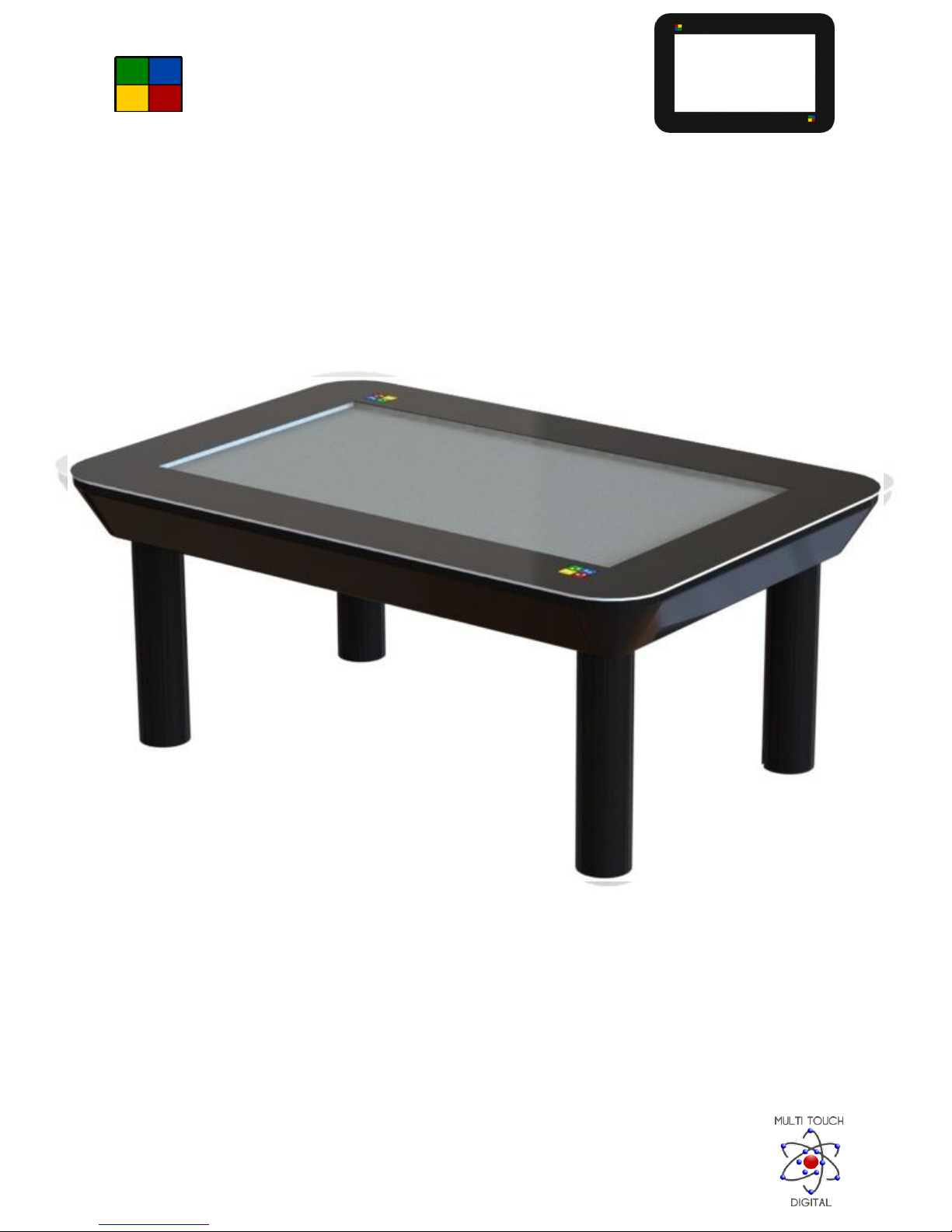
TOUCH CENTER
Owner’s manual
1
TOUCH CENTER
Owner’s manual
2
Important Safety Instructions / Hazard Identification:................................................................................. 4
Quick Start Guide –Initial Boot up Procedure.............................................................................................. 6
Welcome!......................................................................................................................................................7
Included games:............................................................................................................................................ 8
Air hockey .................................................................................................................................................8
Aliens......................................................................................................................................................... 8
Bugs........................................................................................................................................................... 9
Bullseye.....................................................................................................................................................9
Cards .......................................................................................................................................................10
Couronne ................................................................................................................................................11
Curling .....................................................................................................................................................12
Deflector .................................................................................................................................................12
Draw........................................................................................................................................................ 13
Drums......................................................................................................................................................13
Froggy......................................................................................................................................................14
FX.............................................................................................................................................................14
Gravitoy...................................................................................................................................................15
Labyrinth .................................................................................................................................................16
Memory...................................................................................................................................................16
Piano .......................................................................................................................................................17
Pinball......................................................................................................................................................17
Pong ........................................................................................................................................................18
Pool .........................................................................................................................................................18
Puzzle ......................................................................................................................................................19
Runway....................................................................................................................................................19
Slots......................................................................................................................................................... 20
Snowdoku ...............................................................................................................................................20
Stacks ......................................................................................................................................................21
Tap ..........................................................................................................................................................21
TOUCH CENTER
Owner’s manual
3
Untangle..................................................................................................................................................22
Warp .......................................................................................................................................................22
Wong....................................................................................................................................................... 23
Zong ........................................................................................................................................................24
Application software:..................................................................................................................................25
Annotate .................................................................................................................................................25
Buttons................................................................................................................................................25
Color....................................................................................................................................................25
Eraser ..................................................................................................................................................26
Pen ......................................................................................................................................................26
New Note ............................................................................................................................................ 26
Options................................................................................................................................................26
Close....................................................................................................................................................27
Browser................................................................................................................................................... 27
Bookmarks ..........................................................................................................................................28
Whiteboard.............................................................................................................................................29
Zones....................................................................................................................................................... 29
Zones in corner menu .........................................................................................................................30
Swapping zones...................................................................................................................................30
Using your Touch Center like a computer or tablet: ..................................................................................30
FAQ..............................................................................................................................................................31
Touch Center Product Warranty.................................................................................................................32
Limited Warranty ....................................................................................................................................32
Warranty Period......................................................................................................................................32
Warranty Effective Date .........................................................................................................................32
Repairs or Replacement..........................................................................................................................33
Return Policy...............................................................................................................................................35
TOUCH CENTER
Owner’s manual
4
Important Safety Instructions / Hazard Identification:
Caution - Only plug the Touch Center into a surge protected power source.
Electrocution Hazard/Fire Hazard - Only plug the Touch Center into a power source that is
120v, 60Hz and fused no greater than 15Amps.
Electrocution Hazard - Do not use the Touch Center near any water source that could come in
contact with the unit or its components.
Electrocution Hazard - Do not use the Touch Center in a lightning storm or any other condition
that could induce a surge of electricity.
Electrocution Hazard - Do not alter the electrical cord that is supplied with the Touch Center. Do
not defeat the safety purpose of the grounding-type receptacle. A grounding receptacle has
two blades with one wider than the other and a third grounding prong. The wide blade of the
third prong is provided for your safety. If the provided plug does not fit into your outlet,
consult an electrician for the installation of an appropriate receptacle.
Electrocution Hazard –Do not plug the Touch Center into a damaged receptacle.
Electrocution Hazard –Do not plug the Touch Center into a receptacle if the supplied plug is
damaged in any way. Contact customer service if the supplied plug is damaged in any way.
Electrocution Hazard - Do not stick any conductive materials (such as metals) into the cooling fins
on the back of the unit.
Electrocution Hazard - Protect the power cord from physical or mechanical abuse. Such as, but not
limited to being walked on, or crushed, or pinched in any way. Never cover the cord with rugs,
mats or any other thing that would hide the location of the cord for someone walking near the
Touch Center.
Electrocution Hazard - To reduce the risk of electrical shock, do not open the Touch Center access
panels at the rear of the unit.
TOUCH CENTER
Owner’s manual
5
Hazard - Keep the packaging out of reach of children.
Hazard - Only use the Touch Center with the legs attached as demonstrated in the supplied
assembly instructions
Hazard - Do not sit on the Touch Center, or place any heavy objects on it. Do not exceed weights
greater than 20lb / 9.07kg. Do not place children on the Touch Center.
Hazard - Do not allow any impact shock or any objects to fall onto the Touch Center.
Hazard - Only use attachments / accessories specified by the manufacturer.
Hazard - Only use the Touch Center where there is proper ventilation and no airborne debris or
dust. Do not cover the ventilation slots located at the rear of the unit in any way. The Touch
Center is only designed to operate between 32F / 0C and 86F / 30C.
Hazard - If you smell or see smoke, or other odors coming from the Touch Center, unplug it
immediately and contact customer service.
Hazard - Do not attempt to alter or modify this product in any way without written authorization
from the manufacturer. Modifications or alterations can be extremely hazardous and would
immediately void any warranty.
Caution - Do not use sharp objects on the Touch Center glass surface. It will scratch if in contact
with sharp objects.
Caution - Keep the Touch Center out of direct sunlight.
Caution - Only clean using a damp cloth. If required, ring out the cloth after dipping it in a solution
of dish soap and warm water to remove tough dirt from the screen surface.

TOUCH CENTER
Owner’s manual
6
Quick Start Guide –Initial Boot up Procedure
Thank you for purchasing the incredible and engaging Touch Center!
Please follow the steps below to get started:
Plug the unit into an appropriate receptacle and turn the power on. The power button is on the
underside of your Touch Center in the location shown below. Please note! There may be a slight time
delay before the monitor/display powers on for the first boot up of your Touch Center. Subsequent
start ups shall be approximately 15 seconds after the power button is depressed before the monitor
powers up!
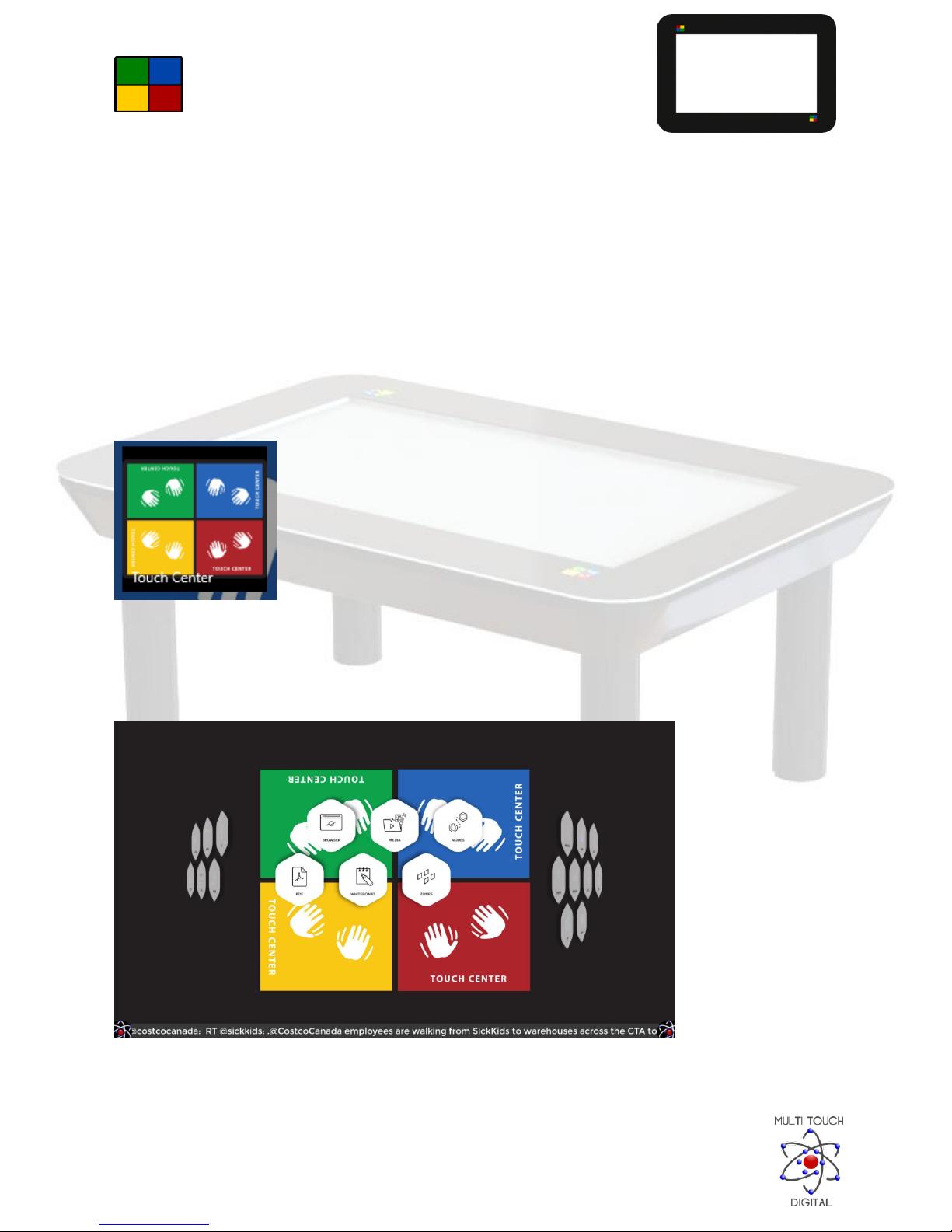
After the Touch Center boots into Windows 10 for the first time, you will see the following desktop.
You then need to setup your wireless internet connection. Please note: Without a wireless internet
connection, the Touch Center software will not be accessible, and the features of the Touch Center
may be limited. Please utilize Windows “Tips” tutorials to setup your wireless internet connection. An
icon has been placed on the desktop to access Windows Tips (see light bulb icon).
For the best user experience possible please ensure that Windows 10 is in “Tablet Mode”
TOUCH CENTER
Owner’s manual
7
Welcome!
Congratulations and Thank-You for purchasing the Touch Center! The Touch Center, made in
Canada by Multi Touch Digital Inc. is the next generation of home entertainment. This multi
user electronic system allows for 4 simultaneous users to experience up to 40 touch points in 1
to 4 separate screen zones. The Touch Center is ideal for electronic communication and home
entertainment, whether searching the internet, engaging with social media/emails, watching
your favorite movie and even enjoying the many options within the entertainment suite. The
Touch Center enables the family to lean, play and enjoy together. With its sleek design, the
Touch Center compliments any home décor.
To begin, tap on the Touch Center software icon, which has fun games and applications!
The first time you start Touch Center you may be presented with a User Account Control dialog. Please
hit yes to allow this application to continue if this pops up.
You will then be presented with the Touch Center application:

TOUCH CENTER
Owner’s manual
8
Included games:
Air hockey
Use your finger to control the pad and try to shoot the puck into your opponent's goal. The first player
to reach 10 goals is the winner.
In four-player mode all players start with 10 points instead, and each goal scored against you reduces
your points by one. The game ends when someone reaches 0 points and the player with the most points
remaining becomes the winner.
Aliens
Aliens is a shooter game set in space that you can either play alone or with up to five friends.
Aliens are raiding the galaxy and your goal is to shoot them down before they cause destruction.
Play through a wide range of levels with increasing difficulty as you progress through the game to try to
earn the high score.
TOUCH CENTER
Owner’s manual
9
When several players are playing together you can both compete against each other for the best
individual score as well as collaborate for the best team score.
Make sure to keep an eye out for the flying saucer for bonus points!
Bugs
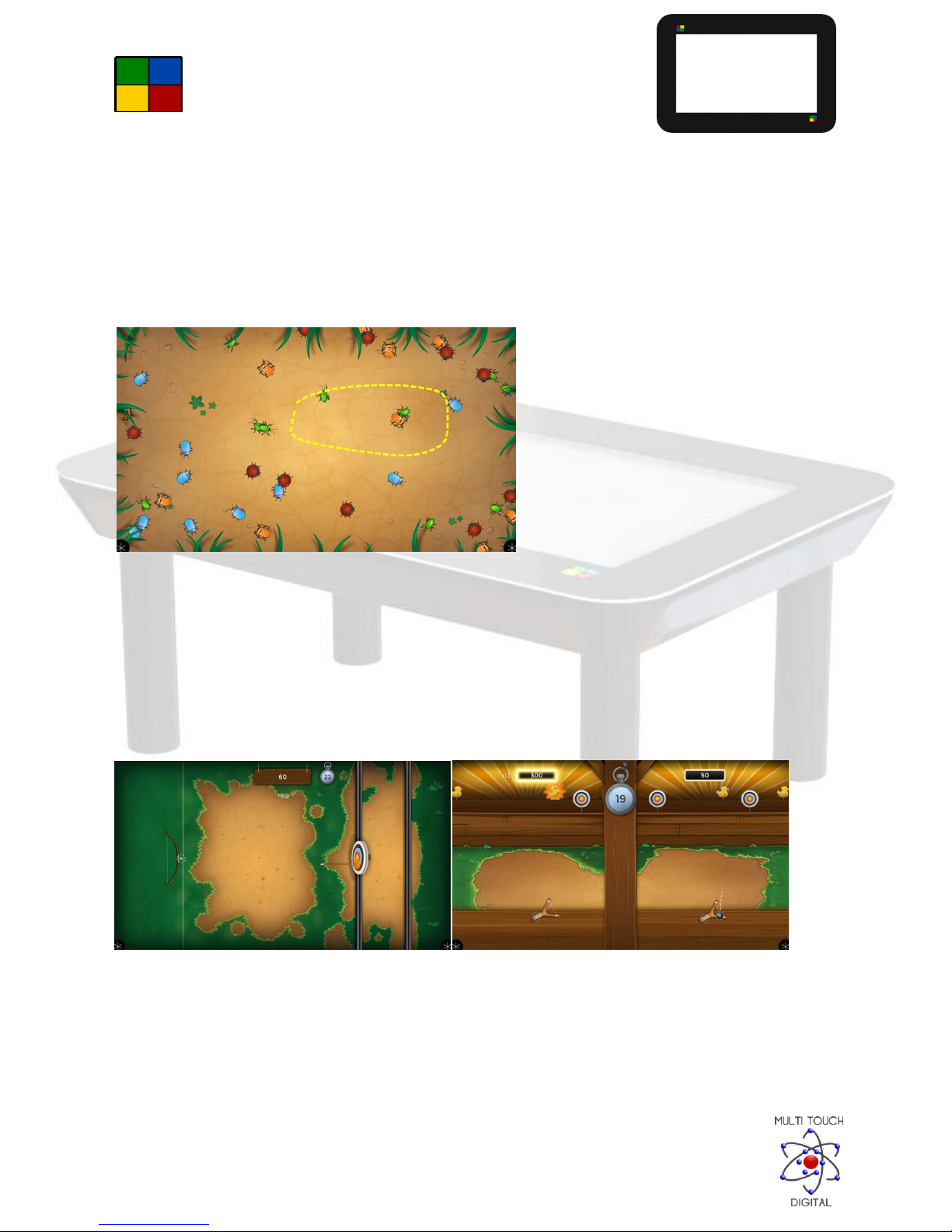
Bugs is a game where the goal is to merge bugs of the same species.
You merge bugs by encircling them with a line, created by dragging your finger. You must watch out
though, they only merge if there are no other species inside the area.
Merged bugs combine into a bigger bug. The first player to only have one big bug left is the winner.
Bullseye
Bullseye is a 1 and 2 player shooting game. The player shoots at moving targets to score as many points
as possible before the time runs out. To shoot, first touch the screen with one finger to create the bow.
Then pull and release the arrow with another finger. In the single player mode, the closer your arrow is
to the center of the target, the more points you receive. You receive more points when hitting the
smaller targets.
TOUCH CENTER
Owner’s manual
10
You can also play against a friend/second player by selecting "2 Players" from the menu. In this mode,
you use a slingshot with a pebble instead of a bow and arrow.
Cards
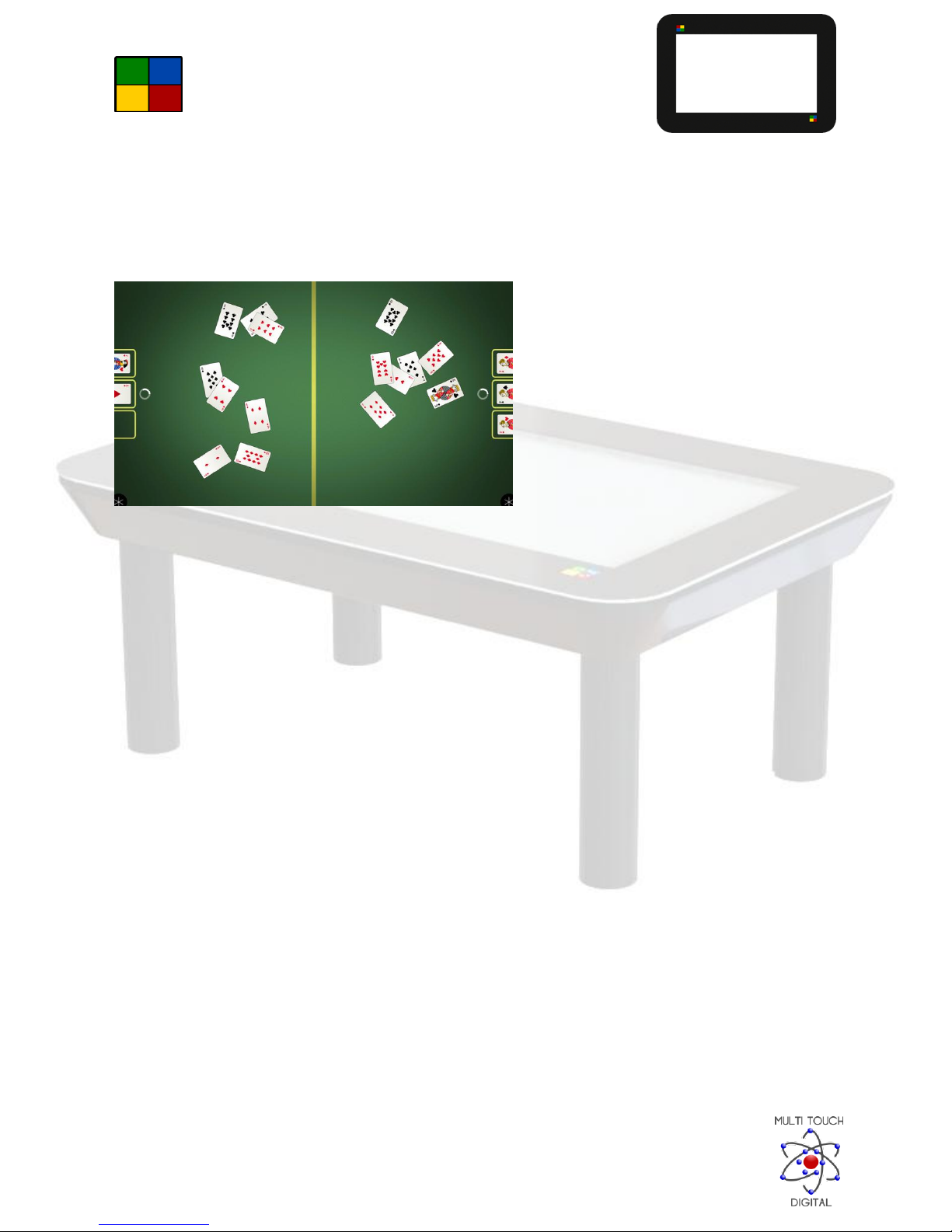
Cards is a casino influenced game where the goal is to create the best hand possible from the cards you
have been given.
You pull the cards into your nest as fast as possible while trying to create a good hand.
The values for each hand is based upon Poker rules. You cannot steal your opponent’s cards so you must
manage with the ones on your side.
Table des matières
Langues :
Manuels Accessoires de jeux vidéo populaires d'autres marques


Sega
Sega Visual Memory Unit Manuel utilisateur

Datel
Datel Go-tcha Expedition Manuel utilisateur

TruGolf
TruGolf TruFlight 2 Manuel utilisateur

CH Products
CH Products CH PRO THROTTLE Manuel utilisateur

Thrustmaster
Thrustmaster T2PA Manuel utilisateur

Cube Controls
Cube Controls Mercedes-AMG - GT Edition SIM Wheel Manuel utilisateur


