
MB Connect Line mbNETFIX NFH100 Guide de dépannage
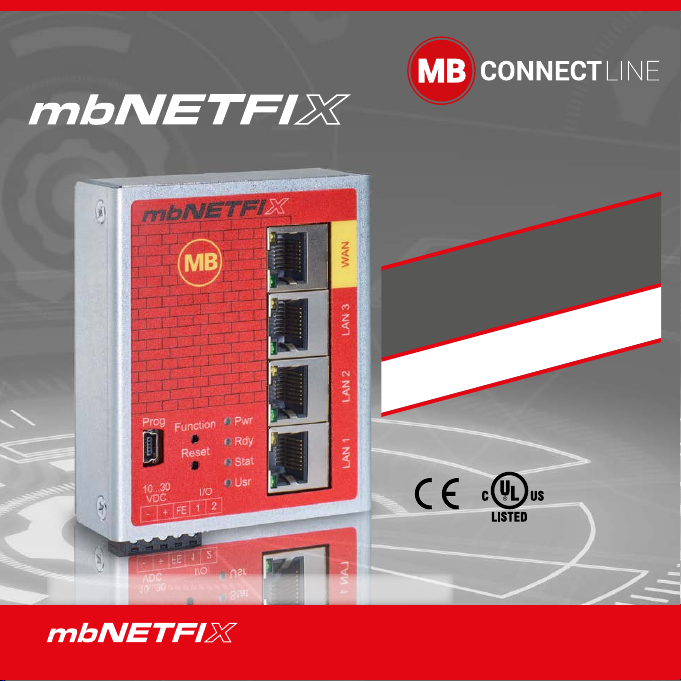
NFH100
5.920.000.02.00 - HW02-EN - DE
Download link for
your free version of
mbNETFIX Manager:
https://goo.gl/g6FQDV
PROG. CNTLR.
E482663
Quick start-up guide EN (V 1.0.1 25.10.2019)
THE FIREWALL FOR THE AUTOMATION USER

- 2 -
Inhalt
1 Safety instructions ............................................. 3
2 Maintenance ..................................................... 3
3 Using Open Source Software............................................ 4
3.1 General Information ..................................................... 4
3.2 Special Liability Regulations ........................................ 5
3.3 Used Open-Source Software ....................................... 5
4 Brief description................................................................. 6
5 Performance characteristics ............................................. 6
6 Include in delivery .............................................................. 7
7 Displays, controls and connections................................. 8
8 Getting started.................................................................. 10
9 Using the mbNETFIX in bridge mode ............................. 13
10 Using the mbNETFIX in gateway mode.......................... 14
11 CongurationofthembNETFIX...................................... 15
12 Factory settings on delivery............................................ 15
13 Load factory settings (Factory Reset)............................ 15
14 Technical data................................................................... 16
15 Technical support............................................................. 16
This document is valid for the device mbNETFIX NFH100; Item No.: 5.100.200.02.00
in hardware version HW02.
This Quick Start Guide provides a quick overview of selected operating procedures and
functions of the industrial rewall mbNETFIX NFH100. However, the detailed manual with the
important Notes and safety instructions can NOT be replaced by this document.
Read the following instructions carefully and keep them in a safe. Latest information, updates
and the complete Manual, visit our website at www.mbconnectline.com.
- 3 -
• The router may only be connected to devices,
which meet the requirements of EN 60950.
• The router is for indoor use only.
• Never open the router chassis. Unauthorized
opening and improper repair can pose a danger
to the user. Unauthorized modications are not
covered by the manufacturer’s warranty.
1 Safety instructions
• Only qualied specialist personnel may install,
start up, and operate the router. The national
safety and accident prevention regulations must
be observed.
• The device is built to the latest technological
standards and recognized safety standards
(see Declaration of Conformity).
• The device is only intended for operation in the
control cabinet and with SELV according to IEC
60950/EN 60950/VDE 0805.
Opening up the device voids the warranty!
NOTE: Electrostatic Discharge!
Observe the necessary safety precautions when handling components that
are vulnerable to electrostatic discharge (EN 61340-5-1 and IEC 61340-5-1)!
2 Maintenance
The mbNETFIX Industrial Firewalls are maintenance-free units.
If an mbNETFIX have damage or malfunction, the device must be
immediately taken out of service and secured against unintentional operation.
HINWEIS
Regardless of the maintenance-free hardware, there is a need for action in terms of IT security.
• Keep the software / rmware up to date.
• Keep yourself informed about security updates of the product.
Informationen hierzu nden Sie unter www.mbconnectline.com

- 4 -
3 Using Open Source Software
3.1 General Information
Our products contain, amongst others, so-called open-source software that is provided by third
parties and has been published for free public use. The open-source software is subject to special
open-source software licenses and the copyright of third parties. Basically, each customer can use
the open-source soft-ware freely in compliance with the licensing terms of the respective producers.
The rights of the customer to use the open-source software beyond the purpose of our products are
regulated in detail by the respective concerned open-source software licenses. The customer use
the open-source software freely, as provided in the respective eective license, beyond the pur-
pose that the open-source software gets in our products. In case there is a contradiction between
the licensing terms for one of our products and the respective open-source software license, the
respective relevant open-source software license takes priority over our licensing terms, as far as
the respective open-source software is concerned by this.
The use of the used open-source software is possible free of charge. We do not demand usage
fees or any comparable fees for the use of the open-source software contained in our products.
The use of the open-source software in our products by the customer is not part of the earnings we
achieve with the contractual compensation.
All open-source software programs contained in our products can be taken from the available list.
The most important open-source software licenses are listed in the Licenses section at the end of
this publication.
As far as programs contained in our products are subject to the GNU General Public License
(GPL), GNU Lesser General Public License (LGPL), the Berkeley Software Distribution (BSD),
the Massachusetts Institute of Technology (MIT) or another open-source software license, which
regulates that the source code must be made available, and if this software is not already delivered
in source code on a data carrier with our product, we will send you this at any time upon request.
If it is required to send this on a data carrier, the sending will be made against pay-ment of a cost
compensation of € 35,00. Our oer to send the source code upon request ceases automatically
three years after delivery of our product to the customer.

- 5 -
Requests must be directed to the following address, if possible under specication of the serial
number:
MB connect line GmbH Tel. +49 (0) 98 51 / 58 25 29 0
Fernwartungssysteme Fax +49 (0) 98 51 / 58 25 29 99
91550 Dinkelsbühl
GERMANY
3.2 Special Liability Regulations
We do not assume any warranty or liability, if the open-source software programs contained in our
product are used by the customer in a manner that does not com-ply any more with the purpose
of the contract, which is the basis of the acquisition of our product. This concerns in particular any
use of the open-source software programs outside of our product. The warranty and liability regula-
tions that are pro-vided by the respective eective open-source software license for the respective
open-source software as listed in the following are eective for the use of the open-source software
beyond the purpose of the contract. In particular, we are not liable, if the open-source software
in our product or the complete software congu-ration in our product is changed. The warranty
granted with the contract, which is the basis of the acquisition of our product, is only eective for
the unchanged open-source software and the unchanged software conguration in our product.
3.3 Used Open-Source Software
For a list of the open-source software used in this product see
https://www.mbconnectline.com/downloads/open-source-software-licenses.txt
- 6 -
4 Brief description
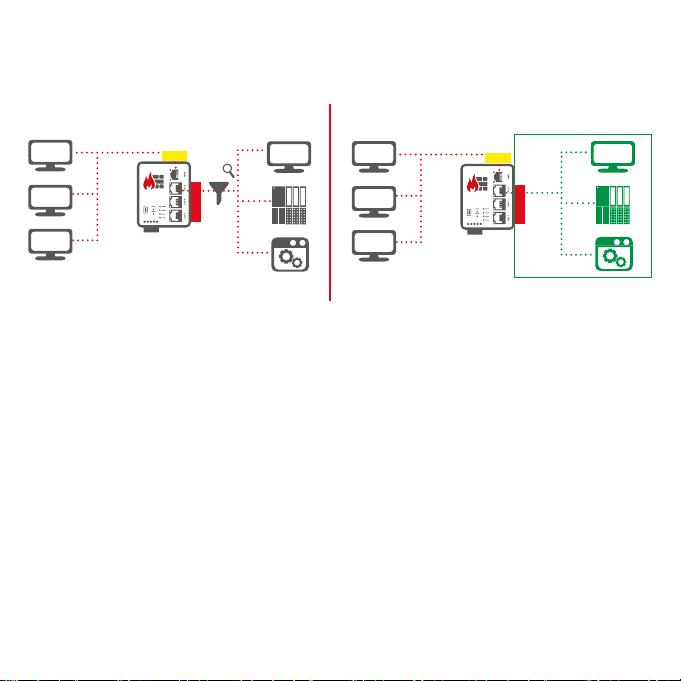
The mbNETFIX is a „self-learning“ easy-to-congure industrial rewall.
It can be used in both bridge mode and gateway mode.
The conguration is made via the USB interface using the software mbNETFIX Manager
(not included in delivery).
The software can be downloaded for free at https://goo.gl/g6FQDV
5 Performance characteristics
• Protects the machines in the network from attacks from the Internet.
• Easy network segmentation with controlled routing and NAT.
• Convenient learning mode makes creation of lter tables simple & easy.
• Integration into existing networks.
• Bridge or Gateway mode.
• IP, port, and protocol lters to monitor and restrict trac.
• Conguration with secure software.
• Less attack vectors by avoiding a web interface.
• Versatile NAT functionalities, eg 1: 1 NAT, SimpleNAT and port forwarding.
Bridge mode Gateway mode
Network A Network B
192.168.0x/24 172.16.0x/24
Network A Network A
192.168.0x/24 192.168.0x/24
LA N
WAN
WAN
LA N
1 0
0 1 0
0
0
LA N
WAN
WAN
LA N
1 0
0 1 0
0
0
- 7 -
6 Include in delivery
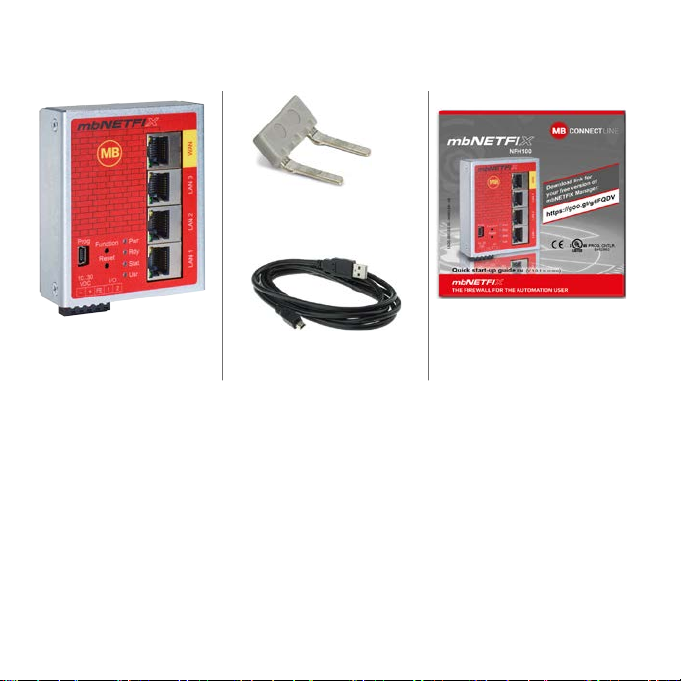
Please check that your delivery is complete:
1 x Plug-in bridge
Art.-No.: 5.910.010.01.00
1 x mbNETFIX NFH100
Art.-No.:5.100.200.02.00
1 x cabel USB A - USB-mini B
Art.-No.: 5.910.000.01.00
1 x Quick start-up quide
Art.-No.: 5.920.000.02.00
Should any of these parts are missing or damaged, please contact the following address:
MB connect line GmbH
Fernwartungssysteme
Winnettener Str. 6
91550 Dinkelsbühl
GERMANY
Tel.: +49 (0)9851/582529-0
Fax: +49 (0)9851/582529-99
www.mbconnectline.com
Please keep the original box and the original packaging in case you need to send the device
for repair at a later date.

- 8 -
7 Displays, controls and connections
Designation Status Description
Prog
(Programming) –USB interface mini-B for connecting to the conguration PC.
Function – Button - function in preparation.
Reset – Button - performing a device restart (cold start).
WANLAN 3LAN 2LAN 1
Pwr
Rdy
Stat
Usr
Prog
10...30
VDC
Pwr
Rdy
Stat
Usr
Function
Reset
Prog
WANLAN 3LAN 2LAN 1
10...30
VDC I/O
3 x LAN interface
1 x WAN interface
1 x USB slave 2.0 mini
–0V DC connection
+Power source connection 10 - 30 V DC
FE Functional earth
I/O
1*
Digital input (10-30 V DC)
(Low 0 – 3,2 V DC, High 8 – 30 V DC)
I/O
2
Digital input (10-30V DC)
(Low 0 – 3,2 V DC, High 8 – 30 V DC)
- Function in preparation -
* Input 1 can be used during initial startup to activate the Bridge mode with the packet lter
switched o.
The input is only evaluated until the mbNETFIX has been congured once, then the state of
input 1 is ignored.
WANLAN 3LAN 2LAN 1
Pwr
Rdy
Stat
Usr
Prog
10...30
VDC
Pwr
Rdy
Stat
Usr
Function
Reset
Prog
WANLAN 3LAN 2LAN 1
10...30
VDC I/O

- 9 -
Designation Status Description
Pwr
(Power)
LED o Device power source is switched o or device is not connected to power
source / power pack.
LED on Power source is connected to terminal block and switched on.
Rdy
(Ready)
LED
ashing
After the system has been checked and started, the LED ashes for the
duration of the starting up process.
LED on The device is ready for operation.
Stat
(Status)
LED on The packet lter is active in both directions (WAN > LAN, LAN > WAN).
LED o The packet lter is INACTIVE in both directions (WAN > LAN, LAN > WAN).
LED
ashing
The packet lter is INACTIVE in at least one direction (WAN > LAN,
LAN > WAN).
Usr (User) LED on The device is not congured.
LED o The device was congured by the software mbNETFIX Manager.
WAN -WAN connection (customer network, DSL router).
WAN LED
orange LED
ashing Network data transfer active.
green
LED on Transfer rate = 100 MBit/s
green
LED o Transfer rate = 10 MBit/s
LAN 1 – 3 - LAN connection (machine network).
LAN LED
1 – 3
orange LED
ashing Network data transfer active.
green LED
on Transfer rate = 100 MBit/s
green LED
o Transfer rate = 10 MBit/s

- 10 -
8 Getting started
Before connecting the device to a network or PC, rst ensure that it is properly connected to a
power supply, otherwise it may cause damage to other equipment.
The mbNETFIX can be operated in two modes (see chapter 4).
During the initial commissioning and after each factory reset, the mbNETFIX is always set in
Bridge mode, with active packet lter in both directions (Security By Default).
The packet lter can be switched INACTIVE by means of activating input 1 (High 8 – 30 V
DC).
You should choose this preference on input 1 if any of these apply to you:
If you want to operate the mbNETFIX as a bridge
and want to make the conguration at a later time
and want to do the installation now
and do not want to inuence the existing network
OR
Activate the learning function of the mbNETFIX in order to be able to read the learned net-
work trac later during the conguration.
Ce manuel convient aux modèles suivants
1
Table des matières


