Lord MicroStrain G-Link-200 Manuel utilisateur

G-Link®-200
Wireless Accelerometer Node
LORD
USER MANUAL

Table of Contents
1.0 Wireless Sensor Network Overview .....................................................................................................1
2.0 Node Overview.....................................................................................................................................2
2.1 Components List................................................................................................................................3
2.2 Interface and Indicators .....................................................................................................................4
2.3 Node Operational Modes ..................................................................................................................5
2.4 System Operation..............................................................................................................................6
3.0 Software Installation..............................................................................................................................7
3.1 Gateway USB Communication ..........................................................................................................8
3.2 Connect to Nodes..............................................................................................................................9
3.2.1 Add A Node Via Node Discovery ................................................................................................9
3.2.2 Add A Node Manually ...............................................................................................................10
3.2.3 Move Node To Base Station Frequency ...................................................................................12
4.0 Wireless Sensor Configuration............................................................................................................13
4.1 Hardware Configuration...................................................................................................................13
4.2 Calibration Configuration .................................................................................................................14
4.3 Sampling Configuration ...................................................................................................................15
4.4 Power ..............................................................................................................................................17
5.0 Wireless Sensor Sampling Configuration .........................................................................................18
5.1 Start Collecting Data .......................................................................................................................18
5.2 Network Options..............................................................................................................................19
5.2.1 Synchronized Enabled .............................................................................................................19
5.2.2 Synchronized Disabled ............................................................................................................20
5.2.3 Lossless Enabled.....................................................................................................................20
5.2.4 Lossless Disabled ....................................................................................................................20
5.3 Raw Waveform Channels................................................................................................................21
5.4 Derived Output Channels ................................................................................................................22
5.4.1 Windows ...................................................................................................................................23
5.4.2 Chunks......................................................................................................................................24
5.4.3 Under-sampling ........................................................................................................................25
5.4.4 Incoherence ..............................................................................................................................25
5.5 Sampling Operations Options..........................................................................................................25
5.6 Data Type ........................................................................................................................................27
5.7 Output Operation.............................................................................................................................28
6.0 Viewing Data ......................................................................................................................................29
6.1 SensorCloud....................................................................................................................................29
6.1.1 Connect to SensorCloud...........................................................................................................29

6.1.2 Navigating Menus .....................................................................................................................30
6.2 SensorConnect................................................................................................................................32
6.2.1 Using Dashboards and Widgets................................................................................................32
6.2.2 Navigating Graphs ....................................................................................................................33
6.2.3 Widgets Options .......................................................................................................................33
6.2.4 Time Series Widget Menu ........................................................................................................34
6.2.5 Exporting Data Files..................................................................................................................34
7.0 Installation...........................................................................................................................................35
7.1 Mounting Recommendations...........................................................................................................35
7.2 Optimizing the Radio Link................................................................................................................36
7.2.1 Range Test ...............................................................................................................................37
8.0 Troubleshooting ..................................................................................................................................38
8.1 Troubleshooting Guide ....................................................................................................................38
8.2 Updating Node Firmware.................................................................................................................41
8.3 Repair and Calibration.....................................................................................................................42
8.3.1 General Instructions..................................................................................................................42
8.3.2 Warranty Repairs ......................................................................................................................42
8.3.3 Non-Warranty Repairs ..............................................................................................................42
9.0 Parts and Configurations ...................................................................................................................43
9.1 Node Accessories............................................................................................................................43
9.2 Wireless System Equipment ...........................................................................................................43
10.0 Specifications....................................................................................................................................44
10.1 Physical Specifications..................................................................................................................44
10.2 Operating Specifications................................................................................................................45
10.3 Mechanical Shock Limits ...............................................................................................................46
10.4 ASTM F2137-19 Compliance: G-Link-200-R.................................................................................47
10.4.1 Overview.................................................................................................................................47
10.4.2 Specification ...........................................................................................................................47
10.4.3 Setup ......................................................................................................................................48
10.4.4 Calibration...............................................................................................................................49
11.0 Safety Information............................................................................................................................50
11.1 Powering the Node ........................................................................................................................50
11.2 Replacing Batteries .......................................................................................................................50
11.3 Battery Hazards.............................................................................................................................51
11.4 Disposal and Recycling .................................................................................................................51
11.5 Radio Specifications......................................................................................................................52
11.6 Frequency Setting .........................................................................................................................52
12.0 References........................................................................................................................................53

12.1 Technical Support..........................................................................................................................53
12.2 Product Ordering ...........................................................................................................................53
12.3 Related Documents .......................................................................................................................54

1
1.0 Wireless Sensor Network Overview
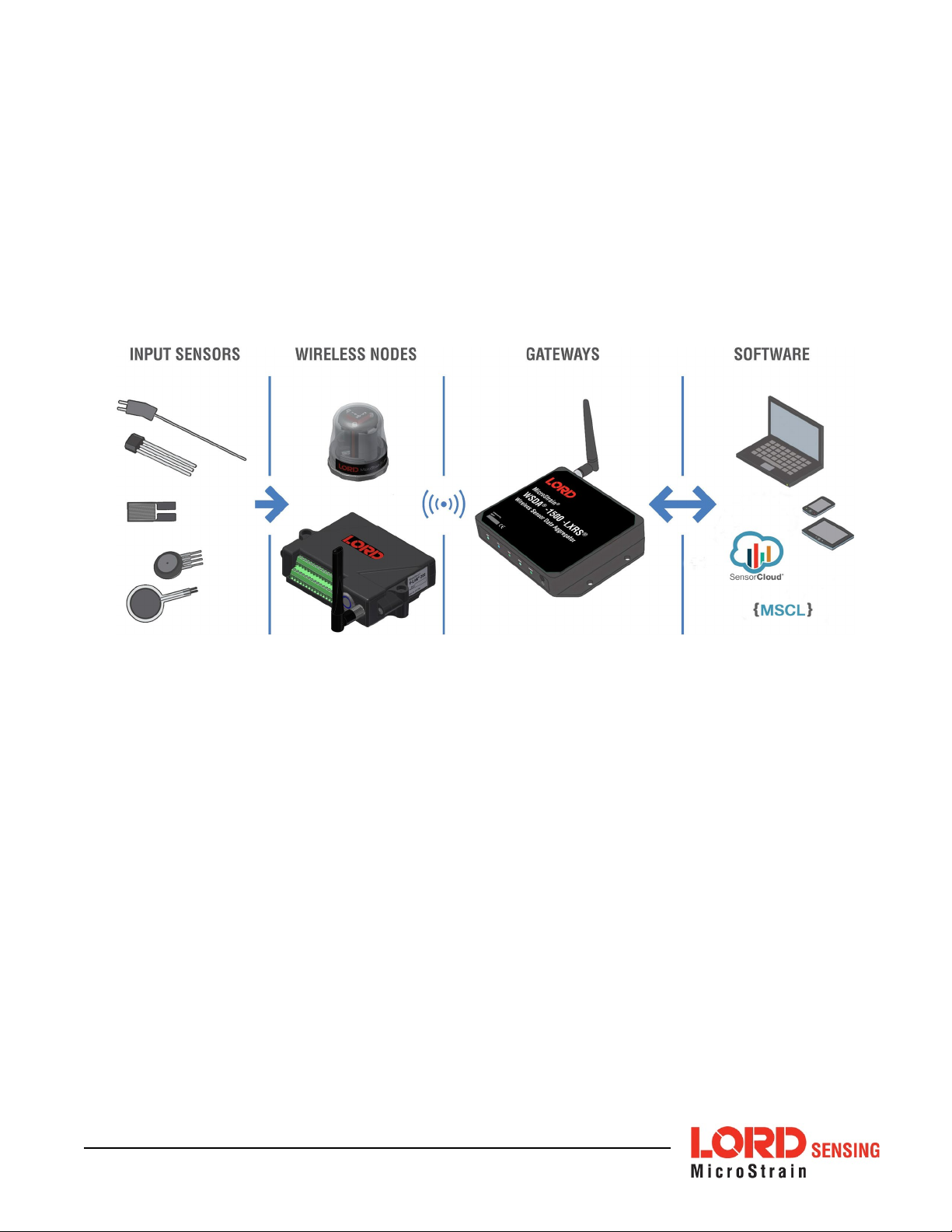
The LORD Sensing Wireless Sensor Network is a high-speed, scalable, sensor data
acquisition and sensor networking system. Each system consists of wireless sensor
interface nodes, a data collection gateway, and full-featured user software platforms
based on the LORD Sensing Lossless Extended Range Synchronized (LXRS) data
communications protocol. Bi-directional wireless communication between the node and
gateway enables sensor data collection and configuration. Gateways can be connected
locally to a host computer or remotely via local and mobile networks. Some gateways also
feature analog outputs for porting sensor data directly to stand-alone data acquisition
equipment.
The selection of available nodes allows interface with many types of sensors, including
accelerometers, strain gauges, pressure transducers, load cells, torque and vibration
sensors, magnetometers, 4 to 20mA sensors, thermocouples, RTD sensors, soil moisture
and humidity sensors, inclinometers, and orientation and displacement sensors. Some
nodes come with integrated sensing devices such as accelerometers. System sampling
capabilities include lossless synchronized sampling, continuous and periodic burst
sampling, and data logging. A single gateway can coordinate many nodes of any type,
and multiple gateways can be managed from one computer with the SensorConnect and
SensorCloud software platforms. Integration to customer systems can be accomplished
using OEM versions of the sensor nodes and leveraging the LORD Sensing data
communications protocol.
Common wireless applications of LORD Sensing Sensing Systems are strain sensor
measurement, accelerometer platforms, vibration monitoring, energy monitoring,
environmental monitoring, and temperature monitoring.

2
2.0 Node Overview
The G-Link-200 wireless accelerometer node features an onboard triaxial accelerometer
that allows high resolution data acquisition at noise levels as low as 25 or 80 µg√ Hz. The
G-Link-200 can output continuous waveform data, or one of four derived channels,
including Velocity (IPSrms), Amplitude (Grms and G pk- pk) and Crest Factor, allowing long-
term monitoring of key performance indicators while maximizing battery life.
G-Link-200 inputs are 20-bit resolution with ± 0.1% full scale measurement accuracy. The
node can log data to internal memory, transmit real-time synchronized data, and it
supports event driven triggers with both pre- and post- event buffers.
To acquire sensor data, the G-Link-200 is used with a LORD Sensing data gateway such
as the WSDA-200 USB or WSDA-2000.
Figure 1 - G-Link-200

3
2.1 Components List
G-Link-200 sensor nodes come with the following components and options. For a
complete list of available configurations, accessories, additional system products and
ordering information, see 9.0 Parts and Configurations.
Item
Description
Quantity
A
G-Link-200 1
B
½ AA, 3.6 V Lithium Batteries 3
--
Calibration Certificate
1

4
2.2 Interface and Indicators
The G-Link-200 LEDs indicate operational modes showing when the node is booting up,
idle and waiting for a command, sampling, resynchronizing, or if there is an error.
Indicator
Behavior
Node Status
Device
status
indicator
OFF
Node is OFF
Rapid green flashing
on start-up Node is booting up
1 (slow) green pulse
per second
Node is idle and waiting
for a command
1 green blink every 2
seconds Node is sampling
Blue LED during
sampling Node is resynchronizing
Red LED
Error or low battery
Table 1 - Indicator Behaviors

5
2.3 Node Operational Modes
Sensor nodes have three operational modes: active, sleep, and idle. When the node is
sampling, it is in active mode. When sampling stops, the node is switched into idle mode,
which is used for configuring node settings, and allows toggling between sampling and
sleeping modes. The node will automatically enter ultra low-power sleep mode after a
user-determined period of inactivity. The node will not enter sleep mode while sampling.
Figure 2 - Node Operational Modes
Table des matières
Autres manuels Lord MicroStrain Matériel réseau
Manuels Matériel réseau populaires d'autres marques

Matrix Switch Corporation
Matrix Switch Corporation MSC-HD161DEL Manuel utilisateur

B&B Electronics
B&B Electronics ZXT9-IO-222R2 Manuel utilisateur

Yudor
Yudor YDS-16 Manuel utilisateur

D-Link
D-Link ShareCenter DNS-320L Manuel utilisateur

Samsung
Samsung ES1642dc Instructions d'utilisation

Honeywell Home
Honeywell Home LTEM-PV Instructions de montage