1. HOOTCameraisequippedwithbuilt‐inhighspeedmemorycard,noinstallationneeded.
2. HOOTCameraisequippedwithbuilt‐innon‐removablebattery.
Gettingstarted
Charging
Thenewmachineisequippedwithbuilt‐inrechargeablelithium‐ionbattery.Torecharge,
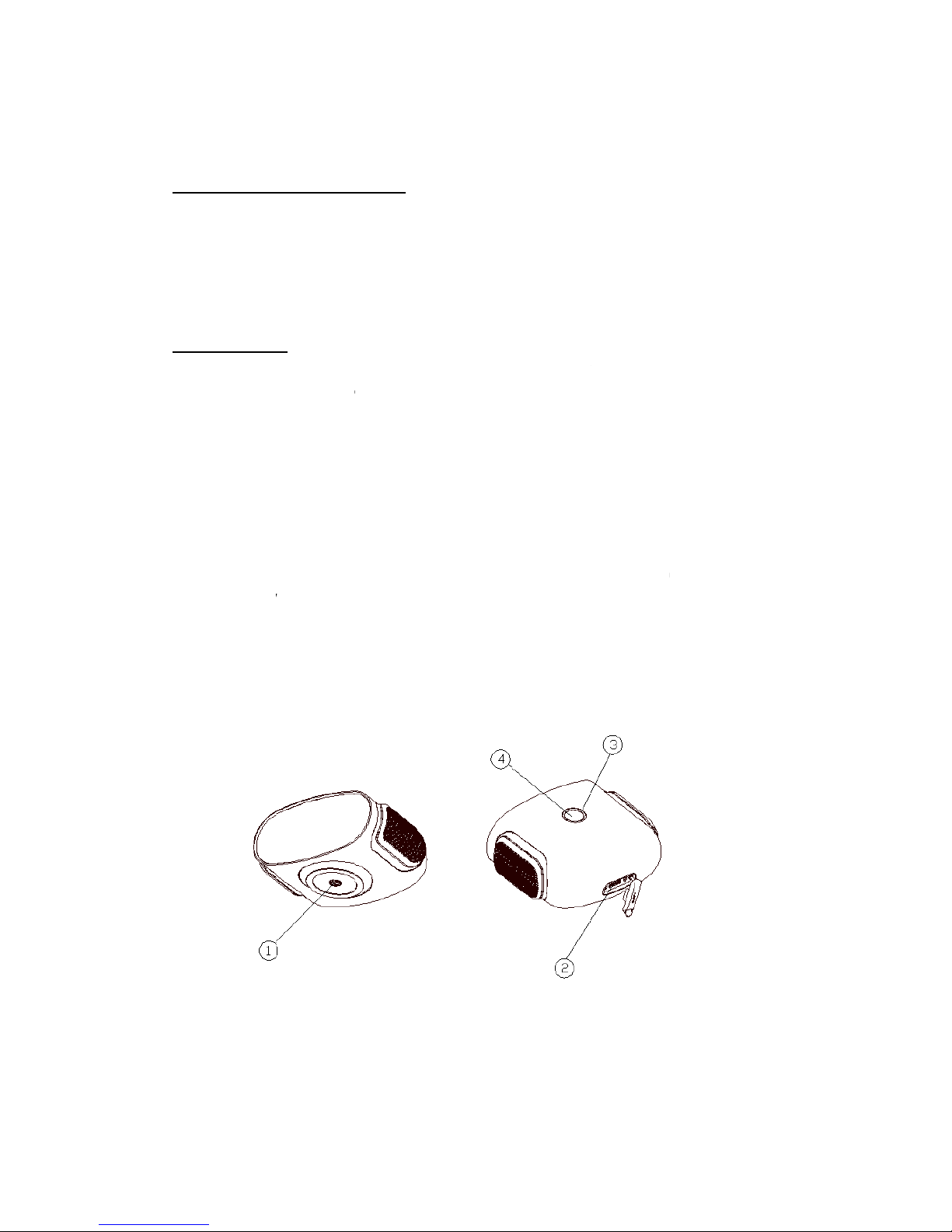
pleaseinserttheUSBcabletothecamera②USB/MHLport,andinserttheotherendtotheUSB
portofpoweradapter.Itissuggestedtochargeinshutdownstatussoastochargemuchfaster.It
willdonoharmtoyourcameraandbatterywhenitisnotfull.Thecameracancontinuously
shootfor90minuteswhenthebatteryisfullycharged.
Reminder:
Whenthebatteryischarginginshutdownstatus,the③Camera Status lights display:
Thelightwillturnon(red)whencameraischarging
Thelightwillturnoffwhenchargingiscomplete
Thedisplayofthelightisthesamewhetherthecameraisonoroff.Thecameradoalsohave
othercolorlightsindifferentworkingmode.
Poweron/off
Topoweron:Press④Operationbuttonandrelease,then③Camera Status lights display
breathinglighttype,andthenthegreenlightison.
Topoweroff:Pressandhold④Operationbuttonfor3secondsandrelease,the③Camera
Status lightswillbeoffinfewseconds(ifitisstillcharging,theredindicatorlightsup).
Start/stopshooting
Startshooting:whenthecameraison,press④Operationbuttonandrelease,the③Camera
Status lightsdisplaybreathinglightandHOOTcamerastartsshooting.Theshootingmodeis
consistentwithpreviousmode(2Dor3D).Thedefaultmodeis3Dshootingmode.
Stopshooting:whencameraisshooting,press④Operationbuttonagainandrelease,the③
Camera Status lightsrecovergreenalwayson,andHOOTCamerastopsshooting.
HOOTCameracanalsobecontrolledviaApponsmartdevices.
Transferringfiles
Copyvideosandphotostocomputer
Whencameraison,③Camera Status lightdisplaysgreen.InsertoneendofUSB
cableinto②USB/MHLportandtheotherendintotheUSBportofPC.
Waitamoment,open”Computer”andfind”DeviceswithRemovableStorage”or
“UDisk”
Ifitdoesnotturnup,open“Computer”againorreleaseandinsertUSBcableagain.
Doubleclick”DeviceswithRemovableStorage”,viewthefilesnamed”photo”
and”video”inthedirectory,savingphotosandvideosseparately.