
Kindermann HDMI Share Advanced 41 automatic Manuel de service

01.2013
GB
HDMI Share Advanced 41 Automatik
HDMI Share Advanced 41 automatic
4 auf 1 HDMI Automatik-Umschalter
4 to 1 HDMI automatic switch
Art-Nr
RefNo
D
Montage- und Bedienungsanleitung
Mounting and operating instructions

2
Gerätebeschreibung - Description
Der “Kindermann HDMI Share Advanced 41 Automatik“ ist ein hochwertiger Umschalter 4 x 1 mit
Automatikfunktion, 4 HDMI Eingängen und einem HDMI Ausgang; steuerbar über Taster, RS232 und
externe Steuereingänge. Ebenso verfügt er über Rückmeldeausgänge.
The “Kindermann HDMI Share Advanced 41 automatic“ is a high quality 4 x 1 HDMI selection switch with
auto-switching, 4 HDMI inputs and one HDMI output, controllable via buttons, RS232 and external control.
It also has feedback outputs.
Lieferumfang - Contents
• 1 x HDMI Share Advanced 41 Automatik
• 1 x Steckernetzteil
• 1 x Bedienungsanleitung
• 1 x HDMI Share Advanced 41 automatic
• 1 x External power supply
• 1 x Operating instruction
Sicherheitshinweise - Safety instructions
• Bitte die Anleitung sorgfältig durchlesen und aufbewahren
• Der Umschalter darf nur mit Sicherheitskleinspannung betrieben werden
• Das Gerät darf nur in trockener Umgebung gelagert und eingesetzt werden
• Bitte beachten Sie die Sicherheitshinweise der anzuschließenden Geräte
• Please read the instructions carefully and store them
• The switch must be operated at low voltage
• The unit may only be stored and used in a dry place
• Please note the safety instructions of the connected equipment
Funktionen - Functions
➡Statusanzeige: 6 LED’s an der Vorderseite signalisieren den Betriebszustand:
(rot für Betrieb, grün für die aktiven Eingänge und den Status der automatischen Umschaltung)
➡Automatische Umschaltung: Drücken Sie den Taster für “Input 1” für eine Sekunde, so wird das Gerät
in den Automatikmodus gebracht. Erneutes Drücken für eine Sekunde schaltet das Gerät wieder in
den manuellen Modus
➡Hohe Bandbreite: Bis zu 340 MHz (10.2 Gbit/s)
➡Hohe Auflösung: 1920 x 1200@60Hz, 1080p & 2K
➡Unterstützt EDID und DDC, mit HDCP & HDTV
➡Über Kontakteingänge steuerbar, mit Rückmeldeausgang (Sub-D 9)
➡RS232-Anschluss: Kompatibel mit PC-Steuersoftware und Mediensteuerungen auch von
Fremdherstellern
➡Masterfunktion: Über RS232 lassen sich extern angeschlossene Umschalter sperren
➡Antistatisches Gehäuse: Guter Langzeitschutz, stabile Funktion
➡Externes Netzteil (100 V~240 VAC, 50/60 Hz) für 5 V, 3 A
➡Wand- und Tischmontierbar

3
➡Status display: 6 LED’s on the front indicate the operating mode:
(red for power, green for the active inputs and the auto switching mode)
➡Automatic switching: Press the button for “input 1” for one second, to switch it to the auto mode.
Press again for one second to switch it back to manual mode
➡High Bandwidth: up to 340 MHz (10.2 Gbit/s)
➡High Resolution range: 1920 x 1200@60Hz, 1080p & 2K
➡Supports EDID and DDC, with HDCP & HDTV
➡Can be controlled with contact inputs, with feedback outputs (Sub-D 9)
➡RS232 interface: compatible with PC control software and media controls
➡Master function: With RS232, externally connected switches can be disabled
➡Antistatic housing: good long-term protection, stable performance
➡External power supply (100 V~240 VAC, 50/60 Hz) for 5 V, 3 A
➡Universal mounting brackets
Technische Daten
Eingang Ausgang
Eingang 4 HDMI Ausgang 1 HDMI
Anschluss HDMI 1.3 Anschluss HDMI 1.3
Eingangspegel T.M.D.S. 2,9 V/3,3 V Ausgangspegel T.M.D.S. 2,9 V/3,3 V
Eingangsimpedanz 50 Ohm Ausgangsimpedanz 50 Ohm
Steuerung
Schaltkontakte 4 Tasteingänge (SubD-9 Buchse) Pin-Belegung 1 - 4 = Eingang; 5 = Masse
RS232 Schraubklemmen, vorne
Allgemein
Auflösungsbereich 1920 x 1200, 1080p@60Hz & 2K Bandbreite 340 MHz (10,2 Gbit/s)
Schaltgeschwindigkeit 1 ms (Max.) E/A Pegel T.M.D.S. 2,9 V/3,3 V
Verstärkung 0 dB Video Impedanz 50 Ohm
EDID/DDC Unterstützt Extended Display Identification Data (EDID) und Display Data Channel (DDC)
Daten über DVI und HDMI Standarts, EDID und DDC Signale werden aktiv gepuert.
HDCP Kompatibel mit High-bandwidth Digital Content Protection (HDCP) über DVI und HDMI 1.3
Standarts. Die integrierte HDCP Management Technologie kann den HDCP Schlüssel
analysieren und die Geräteverbindung intern erkennen.
Temperatur -20° C ~ +70° C Feuchtigkeitsbereich 10 % ~ 90 %
Netzteil 100 VAC ~ 240 VAC, 50/60 Hz Energieverbrauch 1,3 W
Abmessungen 195 x 28 x 74 mm (BxHxT) Gewicht 0,5 kg

4
Technical data
Input Output
Input 4 HDMI Output 1 HDMI
Input Connector HDMI 1.3 Output Connector HDMI 1.3
Input Level T.M.D.S. 2,9 V/3,3 V Output Level T.M.D.S. 2,9 V/3,3 V
Input Impedence 50 Ohm Output Impedence 50 Ohm
Control
Contact Inputs 4 push buttons (SubD-9 female) Pin Configuration 1 - 4 = Inputs; 5 = Ground
RS232 Contact block, front
General
Resolution Range 1920 x 1200, 1080p@60Hz & 2K Bandwidth 340 MHz (10,2 Gbit/s)
Switching Speed 1 ms (max.) Input / Output Level T.M.D.S. 2,9 V/3,3 V
Gain 0 dB Video Impedance 50 Ohm
EDID/DDC Supports Extended Display Identification Data (EDID) and Display Data Channel (DDC)
data using DVI and HDMI standards, EDID and DDC signals are actively buered.
HDCP Compliant with High-bandwidth Digital Content Protection (HDCP) using DVI and HDMI 1.3
standards. The built-in HDCP management technology can analyze HDCP key, and realize the
handshake internally.
Temperature -20° C ~ +70° C Humidity 10 % ~ 90 %
Power Supply 100 VAC ~ 240 VAC, 50/60 Hz Power Consumption 1,3 W
Case Dimension 195 x 28 x 74 mm (WxHxD) Product Weight 0,5 kg
Nummer Funktion
Pin 1 Schaltet auf Input 1
Pin 2 Schaltet auf Input 2
Pin 3 Schaltet auf Input 3
Pin 4 Schaltet auf Input 4
Pin 5 Masse
Pin 6 Schaltet die LED von Input 1
Pin 7 Schaltet die LED von Input 2
Pin 8 Schaltet die LED von Input 3
Pin 9 Schaltet die LED von Input 4
No. Function
Pin 1 Switch to input 1
Pin 2 Switch to input 2
Pin 3 Switch to input 3
Pin 4 Switch to input 4
Pin 5 Ground
Pin 6 Control the LED of input 1
Pin 7 Control the LED of input 2
Pin 8 Control the LED of input 3
Pin 9 Control the LED of input 4
Externe Ein- und Ausgänge (SUB-D 9) External in- and outputs (SUB-D 9)
• Pin 1 bis 4 werden gegen Ground geschaltet
(Taster)
• Pin 6 bis 9 geben eine Rückmeldung zu
direktem Ansteuern einer LED gegen Masse
• Pin 1 to 4 switches to ground (push-button)
• Pin 6 to 9 for feedback signal
(for direct LED connection to ground)

5
RS232 Communication protocol
Baud rate: 9600, Date bit: 8, Stop bit: 1, Parity: none
Command Function Description Feedback Code
1B1. Switching HDMI from input 1 to output AV: 1 →1
2B1. Switching HDMI from input 2 to output AV: 2 →1
3B1. Switching HDMI from input 3 to output AV: 3 →1
4B1. Switching HDMI from input 4 to output AV: 4 →1
0B0. Mute the Output Mute On
0B1. Soft-mute Output = switch o input AV: 1 O
0B2. UnMute Output UnMute On
600% Checking the working status AV: 1 →1
601% Auto switching mode Auto Switch
602% Manual switching mode Manual Switch
RS232 Kommunikationsprotokoll
Baudrate: 9600, Daten Bits: 8, Stop Bit: 1, Parität: Keine
Befehl Funktionsbeschreibung Geräteantwort
1B1. Schaltet HDMI von Input 1 auf Output AV: 1 →1
2B1. Schaltet HDMI von Input 2 auf Output AV: 2 →1
3B1. Schaltet HDMI von Input 3 auf Output AV: 3 →1
4B1. Schaltet HDMI von Input 4 auf Output AV: 4 →1
0B0. Mute Output Mute On
0B1. Soft-mute Output = switch o input AV: 1 O
0B2. UnMute Output UnMute On
600% Status-Überprüfung AV: 1 →1
601% Auto Switch Modus aktivieren Auto Switch
602% Auto Switch Modus deaktivieren Manual Switch

6
System Diagramm - System diagram
Anschließen - Installation
1. Montieren Sie den „HDMI Share Advanced 41 Automatik“ mit den seitlichen Haltewinkeln auf einer
festen Oberfläche
2. Verbinden Sie die HDMI Ein- und Ausgänge mit den entsprechenden Endgeräten per HDMI-Kabel
3. Schließen Sie gegebenenfalls RS232 oder Steuerleitungen an
4. Versorgen Sie den HDMI Share Advanced 41 automatic über das beiliegende Steckernetzteil mit
Spannung
1. Mount the “HDMI Share Advanced 41 automatic“ with it´s attached holder to a solid surface
2. Connect your HDMI units to the in- and outputs of the “HDMI Share Advanced 41 automatic“
3. Connect the RS232 or control cables if needed
4. Attach the supply voltage with the enclosed power supply
Neets SieRRa
(5555000 030)
RS232 Control
RS232 Steuerung

7
Verfügbares Zubehör - Available accessories
• Medienswitch-Kabel HDMI (628218)
• HDMI-Kabel, Typ A, 19-Pin (58090001xx)
• Neets-Mediensteuerung (55550000x0)
• Media switch cable HDMI (628218)
• HDMI cable, type A, 19-pin (58090001xx)
• Neets media control system (55550000x0)
AbmessungenGehäuse-Casedimension

5778 000 042 D/GB 2013-01/842 076 Änderungen vorbehalten / Subject to alterations Printed in Germany
Kindermann GmbH · Mainparkring 3 · D-97246 Eibelstadt · E-Mail: [email protected] · www.kindermann.com
INPUT 1 INPUT 2 INPUT 3 INPUT 4 OUTPUT
External Control
HDMI-Kabel
HDMI
Laptop
HDMI
628 218
5 1
6
GND = rot
LED = rot/weiß
Masseklemmblock,
je 2 Leitungen
GND = schwarz/weiß
Taste = schwarz
INPUT
Projektor/Monitor
9
51
6
9
Sub-D9 Buchse, steckseitig
WHD4
HDMI HDMI
GND = red
LED = red/white
GND = black/white
Button = black
Sub-D9 female, plug side
HDMI cable
Ground connector,
2 cables each
AnwendungsbeispielMedienswitch-KabelHDMI()
UsingexamplemediaswitchcableHDMI()
Ce manuel convient aux modèles suivants
1
Table des matières
Autres manuels Kindermann Changer

Kindermann
Kindermann MultiSwitch 41 4K60 Manuel de service

Kindermann
Kindermann QuickSelect 3.0 Manuel utilisateur

Kindermann
Kindermann MultiSwitch 21 HDBT Manuel utilisateur

Kindermann
Kindermann Multishare 41 automatic Manuel de service

Kindermann
Kindermann 5778 000 150 Manuel de service

Kindermann
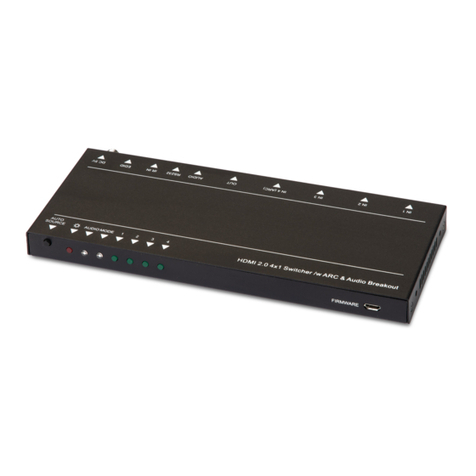
Kindermann HDMI Share Advanced 41 automatic V2 Manuel de service
Kindermann
Kindermann HDMI Switch 41 automatic 4K60 Mode d'emploi

Kindermann
Kindermann 7488000070 Manuel utilisateur

Kindermann
Kindermann Multimatrix 8 Manuel utilisateur


