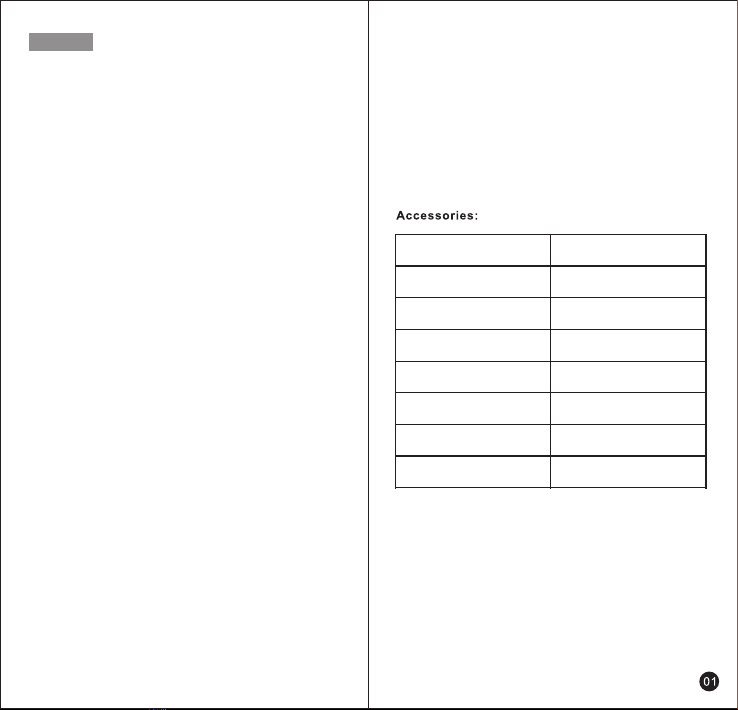
Unpacking and checking the equipments
Please pull out of the equipments carefully from the packag-
ing box, and we recommend you check the items are listed in
the following table before you abandon the package, and
make sure you receive all of them. If any items are lost or
damaged druing the transportation, please contact local
dealer immediately.
Radio
Power Adapter
USB-C Cable
Screw Driver
Hang Rope
Card Pin
User’s Manual
1
1
1
1
1
1
1
Items Quantity
Unboxing And Device Checking
Accessories
Preparation Work
Charging Lithium Battery
........................................... 01
............................................................................... 01
...................................................................... 02
................................................................07
........................................................03
....................................................... 03
................................................................ 03
..........................................................04
....................................................04
........................................................................06
...................................05
.....................................................07
........................................................................07
........................................09
...........................................................08
....................................................08
.............................................................07
...........................................................................07
............................................................................09
............................................12
...........................................................13
..............................................................14
........................................................................................14
.....................................12
.............................................................................09
......................................................................09
..........................................09
..............................09
.................................................................. 11
.................................................................10
.......................................................................10
......................................................10
........................................................11
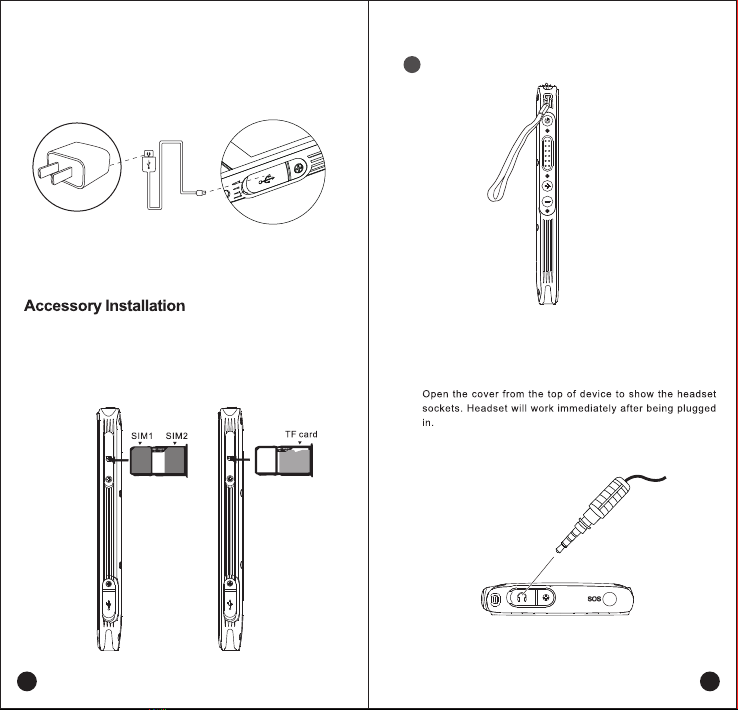
Accessories Installation
Simple Troubleshooting
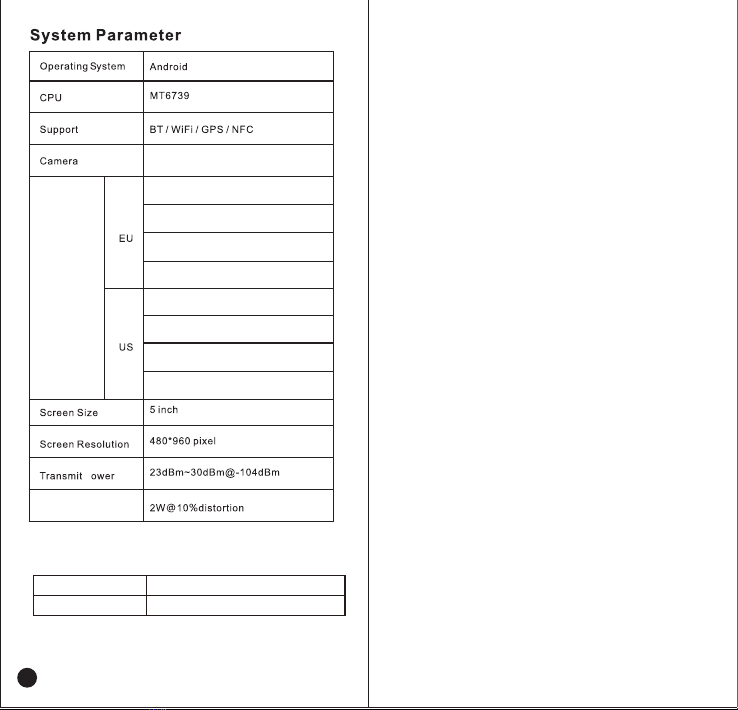
Technical Parameters
Physical
Insert SIM card/Insert TF card
Install the hang rope/Install the earphone
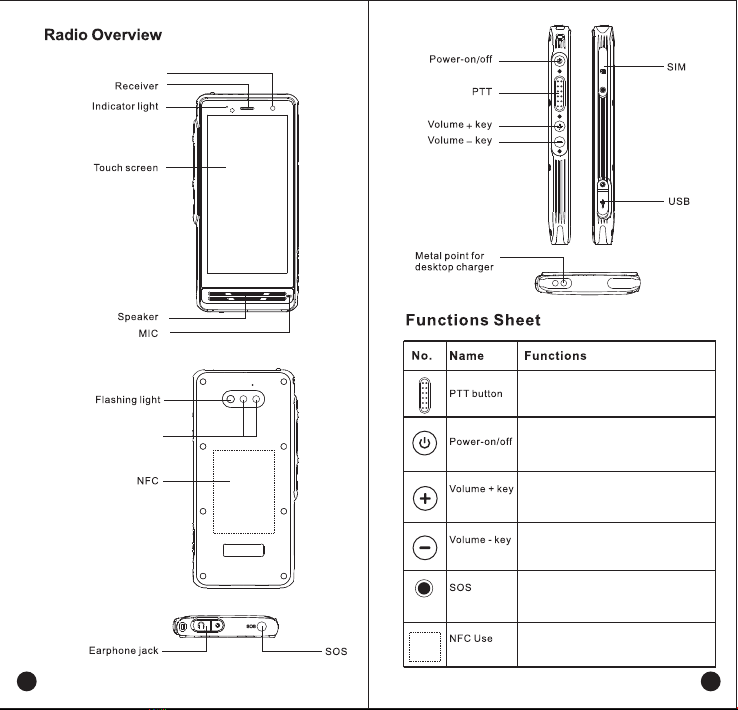
Radio Overview
Function Description
PTT button/Turn on&Turn off
Volume up/down
SOS emergency button
NFC operation
Icon Function Indication
Indicator Status Description
Basic Function
Power on/off
Call(Initiate a call)
Key shortcuts/One-click for photo and video
Volume adjustment/Earphone using
Low battery reminder/Location report
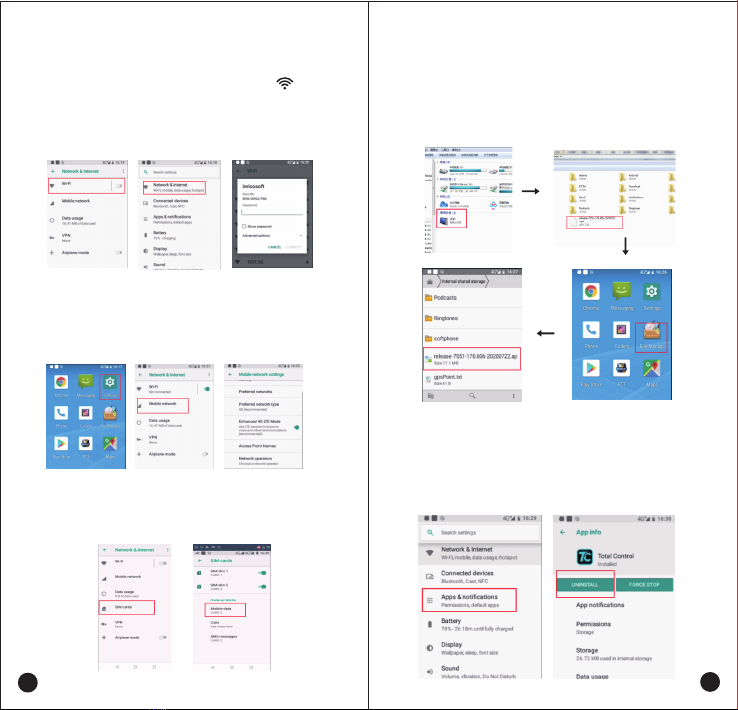
Network Connecting
Wi-Fi connecting
Cellular network connecting
Application Management
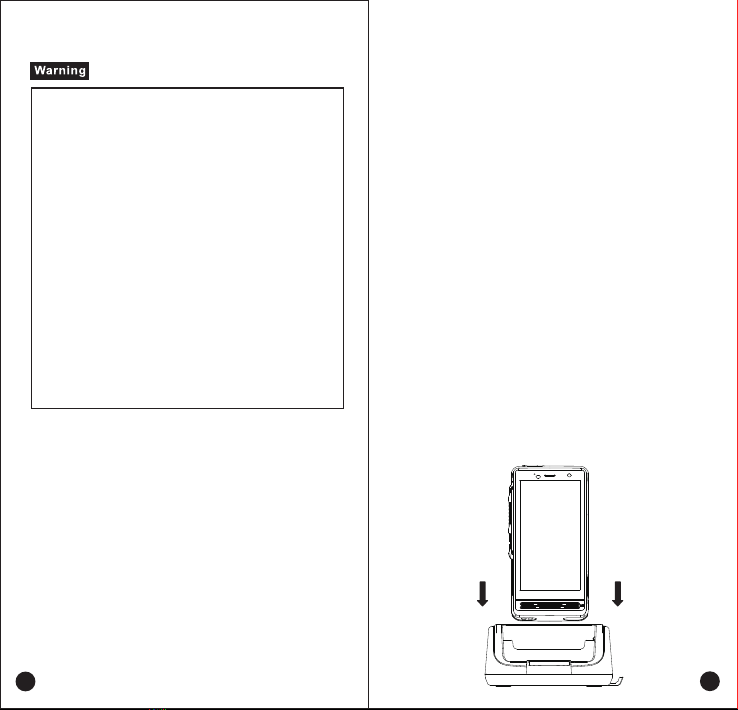
Charging by desktop charger
Charging by USB cable
Install/uninstall app
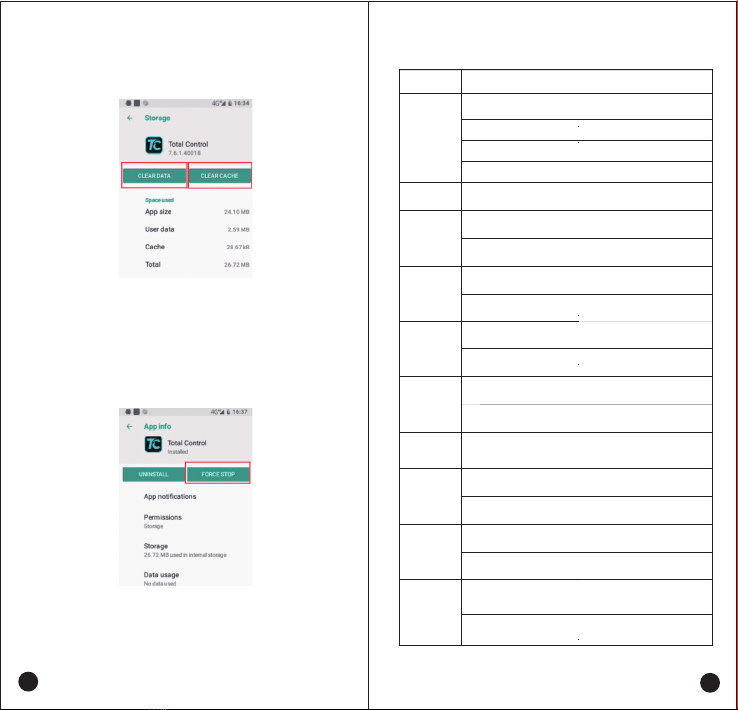
Clear the application data or cache
The non-systematic APP stops running
Contents