3
Table of Contents
1. Safety Instructions .............................................................................................................................. 5
2. Quick Start Guide ................................................................................................................................ 6
2.1. Set up and Connections.............................................................................................................................6
2.2. Switching on ....................................................................................................................................................6
2.3. Connect and Move the Robot ................................................................................................................ 7
3. Introduction ............................................................................................................................................ 8
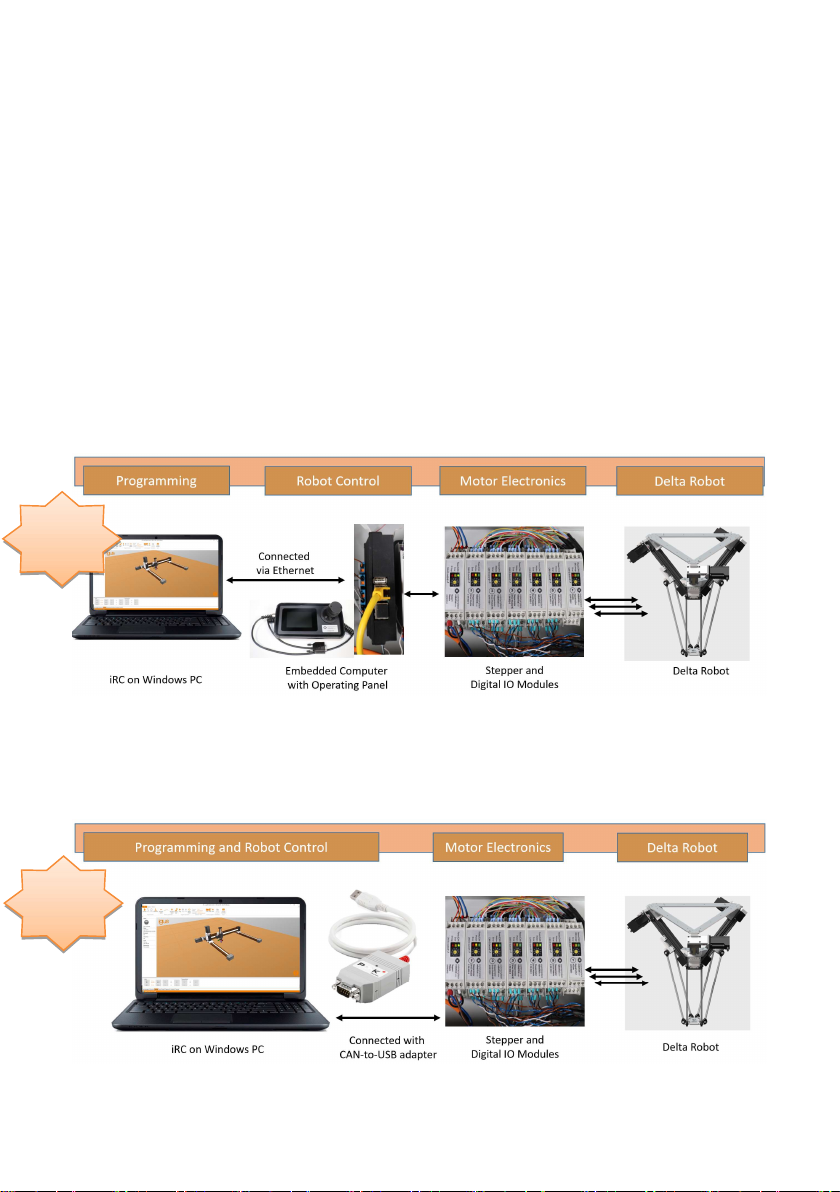
3.1. System Overview ..........................................................................................................................................8
3.2. Glossary and Abbreviations....................................................................................................................9
3.3. Specifications ................................................................................................................................................ 11
3.4. Mechanical Dimensions .......................................................................................................................... 12
4. Electrical Connections ...................................................................................................................... 13
4.1. Overview .......................................................................................................................................................... 13
4.2. Pinout: Stepper Module .......................................................................................................................... 14
4.3. Pinout: Support Module .......................................................................................................................... 15
4.4. Pinout: Digital Input/Output Module ............................................................................................... 16
4.5. Connect Sensors and Actors to the DIO Module .......................................................................17
4.6. Option: Control Cabinet .......................................................................................................................... 19
4.7. Option: Embedded Computer ............................................................................................................. 20
4.8. Option: Operating Panel ......................................................................................................................... 23
5. Safety .......................................................................................................................................................24
5.1. Safety-Related Features of the Modular Robot Controller .............................................. 24
5.2. CE Certification .......................................................................................................................................... 24
5.3. Integration of SIL-Rated Safety Components .......................................................................... 24
6. Software Installation .......................................................................................................................26
6.1. Installation of the iRC - igus® Robot Control .............................................................................. 26
6.2. Licensing ......................................................................................................................................................... 28
6.3. Setting up the Ethernet Connection to the Embedded Computer ................................. 28
6.4. Installing the CAN-to-USB Driver ..................................................................................................... 29
7. Moving the Robot with iRC ........................................................................................................... 30
7.1. The iRC Graphical User Interface ..................................................................................................... 30
7.2. Connecting the Robot ............................................................................................................................. 32
7.3. Referencing the Robot ........................................................................................................................... 33
7.4. Moving the Robot with Software Buttons or Gamepad ...................................................... 34
7.5. Starting Robot Programs ...................................................................................................................... 36
7.6. Digital Inputs and Outputs .....................................................................................................................37
7.7. Software Interfaces ..................................................................................................................................37