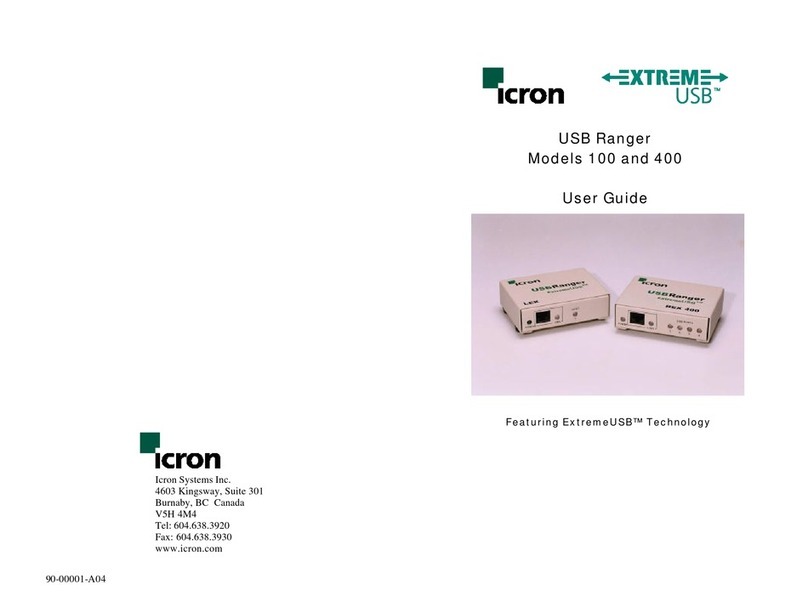
Icron USB 3.0 Spectra 3022 Manuel utilisateur

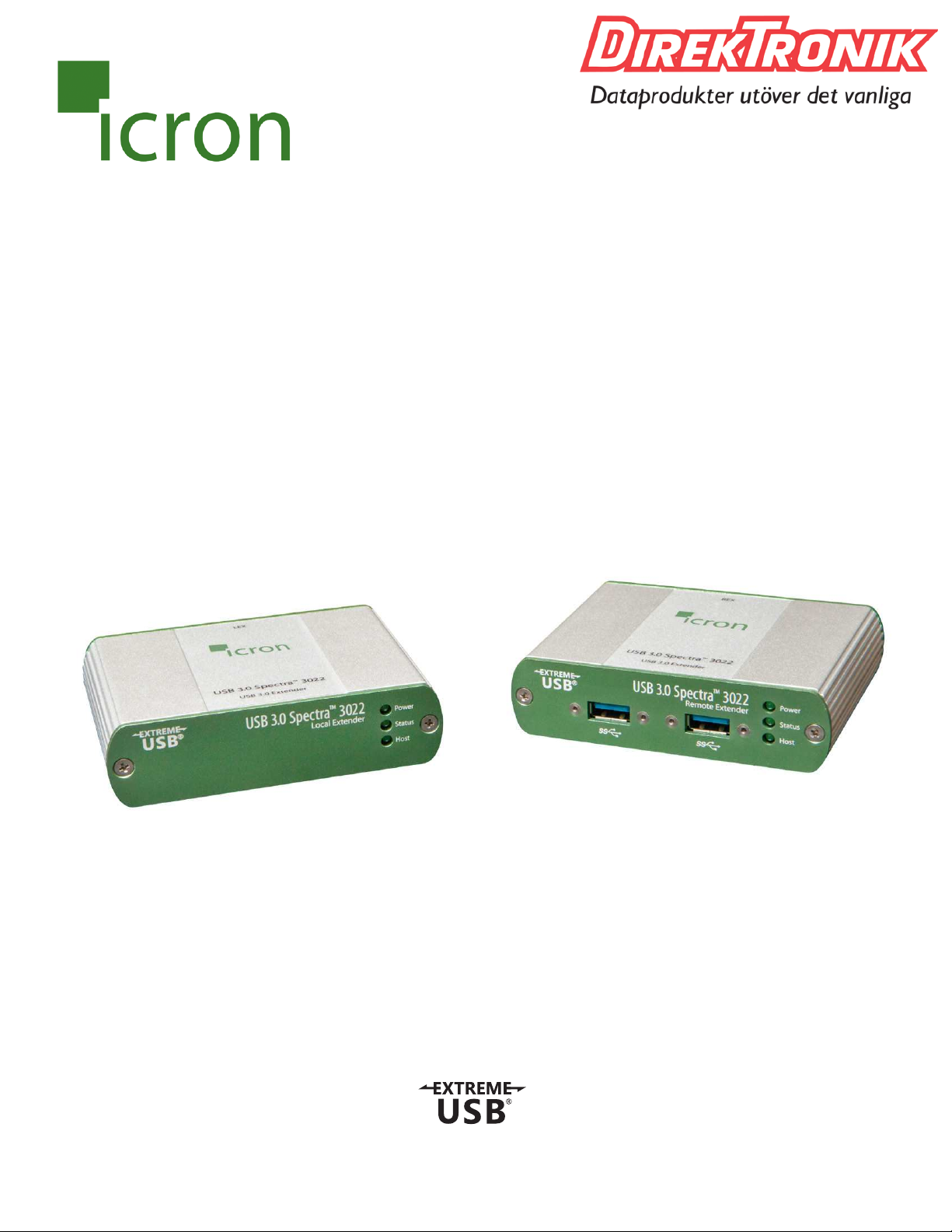
USB 3.0 Spectra™3022
2-Port USB 3.0 100m Multimode Fiber Extender System
User Guide
Best.nr: 21-0091

Thank you for purchasing the USB 3.0 Spectra™3022.
Please read this guide thoroughly.
This document applies to Part Numbers: 00-00327, 00-00328, 00-00329, 00-00330 and 00-00371.
FCC Radio Frequency Interference Statement Warning
This device complies with Part 15 of the FCC rules. Operation is subject to the following two conditions:
(1) this device may not cause harmful interference, and (2) this device must accept any interference received
including interference that may cause undesired operation.
CE Statement
We, Icron Technologies Corporation, declare under our sole responsibility that the USB 3.0 Spectra 3022, to
which this declaration relates, is in conformity with European Standard EN 55022, EN 61000 and EN 55024.
IC Statement
This Class B digital apparatus complies with Canadian ICES-003.
WEEE Statement
The European Union has established regulations for the collection and recycling of all waste electrical
and electronic equipment (WEEE). Implementation of WEEE regulations may vary slightly by individual EU
member states. Please check with your local and state government guidelines for safe disposal and recycling
or contact your national WEEE recycling agency for more information.
Product Operation and Storage
Please read and follow all instructions provided with this product, and operate for intended use only.
Do not attempt to open the product casing as this may cause damage and will void warranty. Use only
the power supply provided with this product.When not in use, product should be stored in a dry location
between -20°C and 70°C.
©2016 Icron Technologies Corporation. All rights reserved. Icron Technologies Corporation, the Icron
Technologies Corporation logo, and the Icron Technologies Corporation products referred to herein are
either the trademarks or the registered trademarks of Icron Technologies Corporation. All other trademarks
are property of their respective owners. Icron Technologies Corporation assumes no responsibility for errors
that may appear in this manual. Information contained herein is subject to change without notice.
Document #90-01057-A09

Contents
Introduction.............................................................................................................3
Spectra 3022 Product Contents ..................................................................................................... 3
About the USB 3.0 Spectra 3022.................................................................................................... 3
The LEX Unit.......................................................................................................................................... 4
The REX Unit.......................................................................................................................................... 5
Installation Guide....................................................................................................6
Requirements ....................................................................................................................................... 6
Fiber Optic Link Cabling.................................................................................................................... 6
Installing the Spectra 3022 System............................................................................................... 7
Preparing Your Site................................................................................................................................... 7
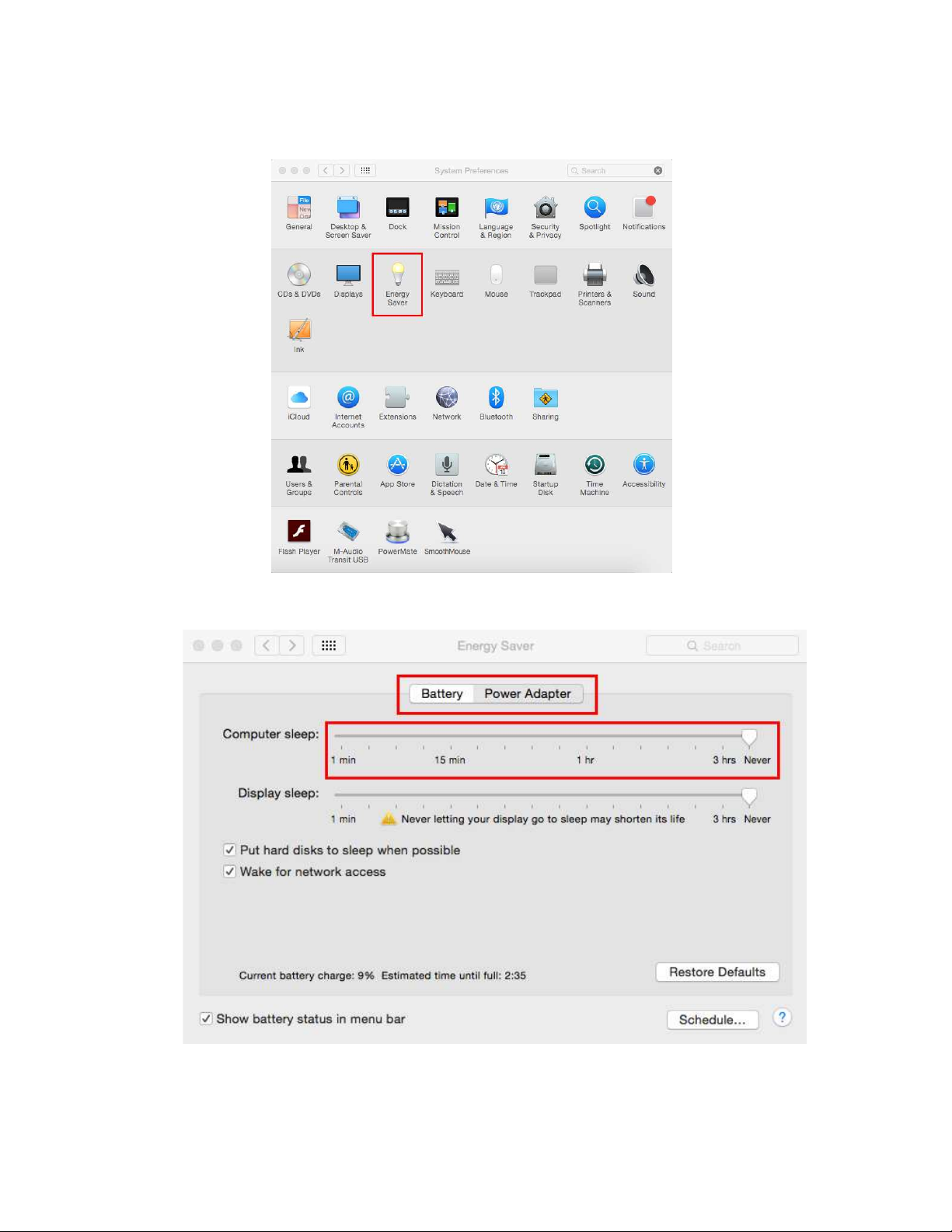
Preparing Your Computer........................................................................................................................ 7
Connecting a USB 3.0 Device ................................................................................................................11
Installing the LEX Unit ...........................................................................................................................11
Installing the REX Unit ..........................................................................................................................12
Checking the Installation ...............................................................................................................12
Compatibility ......................................................................................................................................13
USB Extender Mounting Options .........................................................................14
Option 1: USB Extender Mounting Kit .......................................................................................14
Option 2: USB Extender Direct Surface Mounting ................................................................15
Troubleshooting ....................................................................................................16
Contacting Technical Support ..............................................................................18
Warranty Information ...........................................................................................18
Obtaining Warranty Service .................................................................................19
Contacting Sales ....................................................................................................19
Contacting Technical Support ..............................................................................19
Specifications.........................................................................................................20

Introduction
This guide provides product information for the Spectra 3022, installation instructions, troubleshooting
guidelines, and instructions for contacting Icron regarding technical support and warranty information.
The instructions in this guide assume a general knowledge of computer installation procedures, familiarity
with cabling requirements, and some understanding of USB devices.
NOTE: Notes provide additional information that could be useful.
CAUTION: Cautions provide important information about an operational requirement.
Spectra 3022 Product Contents
Your Spectra 3022 is packaged with:
Country specific power cable
Quick Start Guide and Warranty Information
About the USB 3.0 Spectra 3022
The Spectra 3022 incorporates Icron’s patented ExtremeUSB® technology, enabling users to extend beyond
the approximate 3m cable limit for USB 3.0 peripheral devices. With the Spectra 3022, USB 3.0 devices can
be located up to 100 meters from the computer. This extender system is composed of two individual units:
CAUTION: The Spectra 3022 supports only USB 3.0 devices. USB 2.0 and 1.1 devices will not function
with this extender.
note
3
The Spectra 3022 includes the ExtremeUSB® suite of features:
Transparent USB extension
True plug and play; no software drivers required

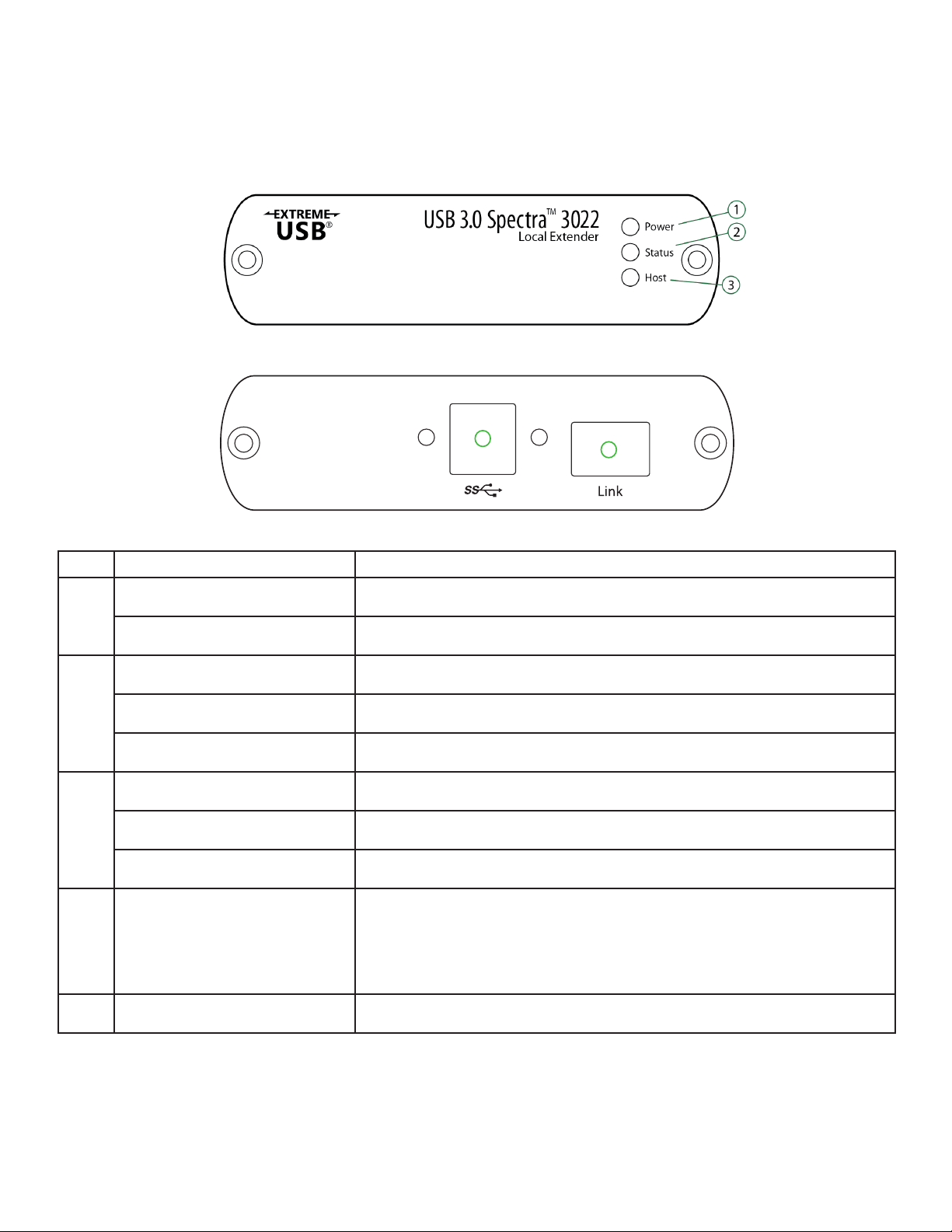
The LEX Unit
provided by the USB on the host computer.
Front View
ITEM TYPE DESCRIPTION
1
Power ON Unit is powered properly.
Power OFF Unit is not powered or not powered properly.
2
Status Blinking Status ON Status OFF Fault detected; power cycle required.
3
Host ON SuperSpeed Host detected on upstream facing port.
Host OFF SuperSpeed Host not detected.
Host Blinking SuperSpeed Host is suspended.
4 USB 3.0 Type B port message on the white sticker and remove sticker from the back of
5
4
45

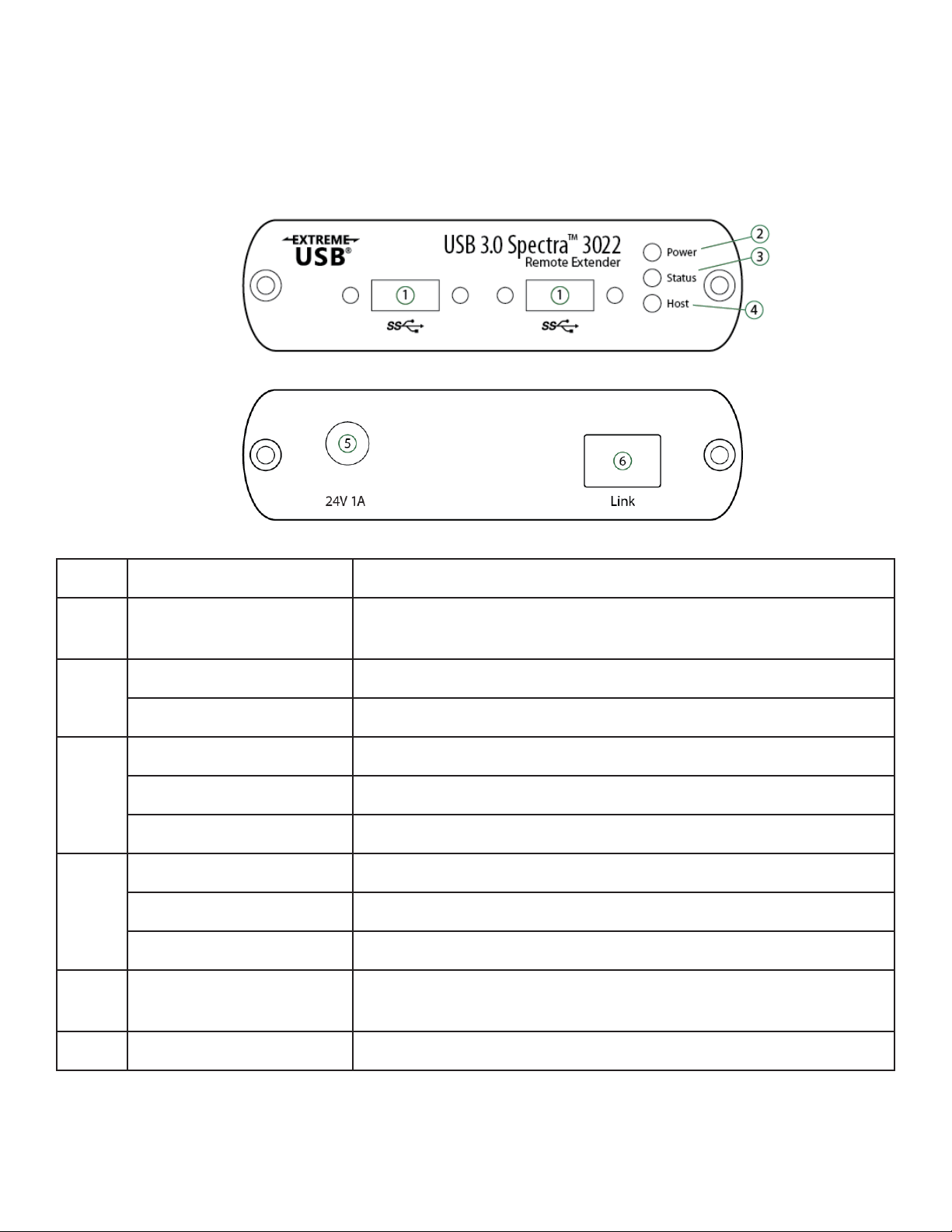
The REX Unit
to each USB port.
Front View
Front View
ITEM TYPE DESCRIPTION
1 USB 3.0 Type A ports or non-locking USB 3.0 Type A connectors.
2
Power ON Unit is powered properly.
Power OFF Unit is not powered or not powered properly.
3
Status Blinking Status ON Status OFF Fault detected; power cycle required.
4
Host ON SuperSpeed Host detected on upstream facing port.
Host OFF SuperSpeed Host not detected.
Host Blinking SuperSpeed Host is suspended.
5 Power Port proper operation.
6
5

Installation Guide
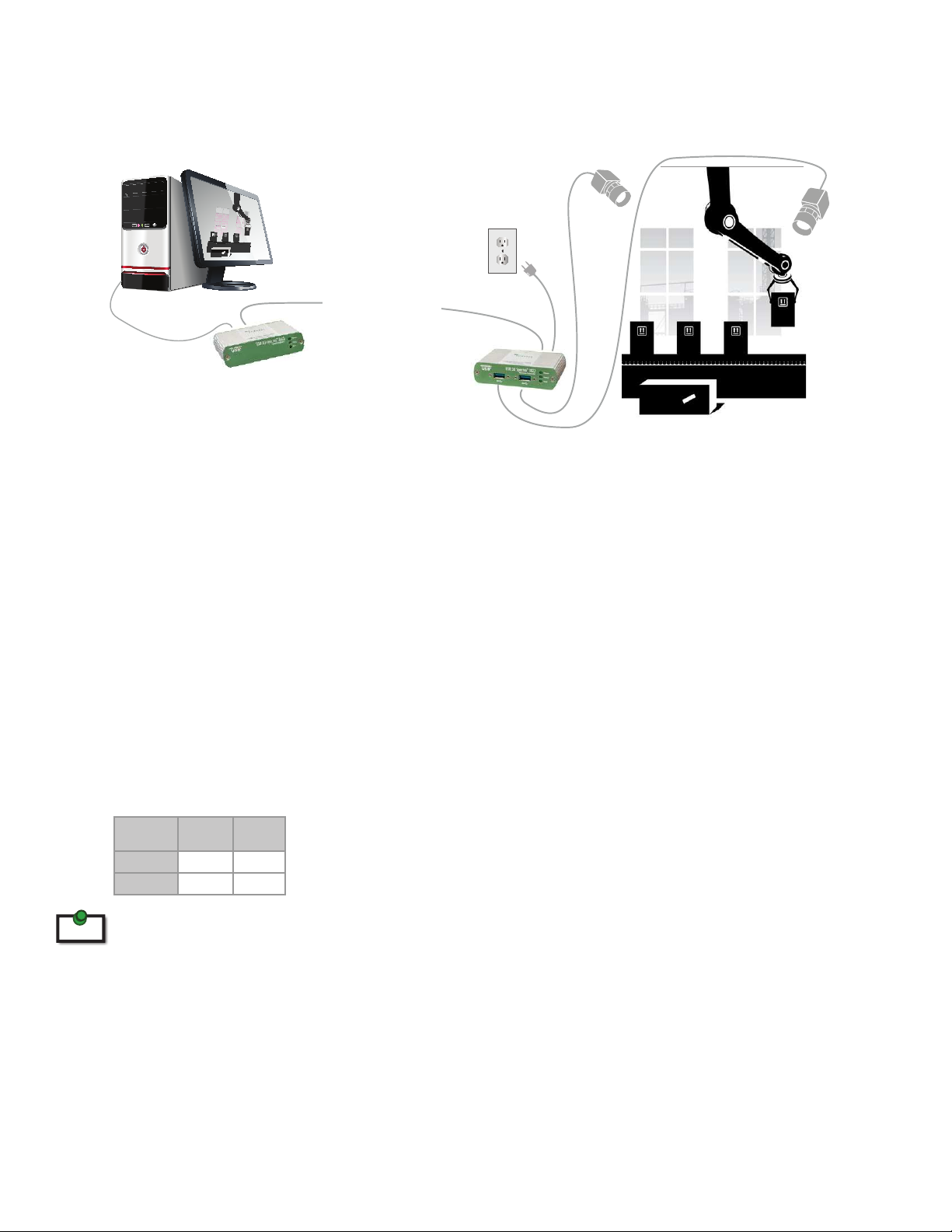
Example Application
Requirements
To complete installation of the Spectra 3022, you will also require the following items that are not included
with the product:
USB 3.0 compatible computer (host computer) with a USB 3.0 compliant operating system
USB 3.0 compatible device
Fiber Optic Link Cabling
The following maximum distances are achievable depending upon the application and cabling standard:
note For assistance sourcing appropriate fiber optic cabling, contact Icron Technical Support.
If premise cabling will be used for the installation, then the distances provided above must be met when
6
LEX
USB 3.0 Cameras
REX Assembly Line
Computer & Monitor USB 3.0 up to 100m
over multimode fiber
Multimode
Fiber Class Cameras Storage
OM2 50m 50m
OM3 100m 50m
Up to 50m with USB 3.0 storage type devices and up to 100m is achievable when using USB 3.0 bulk
traic cameras. For Microsoft Kinect applications, please use the SP3001-15 active extension cable.