Hitachi KC 1105D Manuel utilisateur

Instruction Manual
KC 1105D
D A B / F M / C D A la r m C l o c k R ad i o

2
Safety Precautions
To achieve the utmost in enjoyment and performance, and in order to become familiar with its
features, please read this manual carefully before attempting to operate the unit, this will assure
you years of faithful, trouble free performance and listening pleasure.
Important Notes
xThis safety and operating instruction should be retained for future reference
xThe apparatus shall not be exposed to dripping or splashing and that no objects filled
with liquids, such as vases, shall be placed on apparatus.
xAvoid installing the unit in locations described below:
oPlaces exposed to direct sunlight or close to heat radiating appliances such as
electric heaters.
oOn top of other stereo equipment that radiate too much heat.
oPlaces blocking ventilation or dusty places.
oPlaces subject to constant vibration.
oHumid or moist places.
xNo naked flame sources such as lighted candles should be placed on or near the unit;
xPlease dispose of batteries in an environmentally friendly manner.
xMake sure not to obstruct the ventilation openings, minimum 10cm should be kept
around the apparatus for ventilation.
xThe ventilation should not be impeded by covering the ventilation openings with items
such as newspaper, table-cloths, curtains, etc.
xThe use of apparatus in moderate climates.
xOperate turning controls and switches as instructed in the manual.
xBefore turning on the power for the first time, make sure the power cord is properly
installed.
For safety reasons, do not remove any covers or attempt to gain access to the inside of the
product. Refer any servicing to qualified personnel.
Do not attempt to remove any screws, or open the casing of the unit; there are no user
serviceable parts inside, refer all servicing to qualified service personnel
CAUTION: TO REDUCE THE RISK OF ELECTRIC SHOCK DO NOT REMOVE COVER (OR
BACK), NO USER SERVICEABLE PARTS INSIDE, REFER SERVICING TO QUALIFIED
SERVICE PERSONNEL.
DANGEROUS VOLTAGE
Dangerous Voltages, that may be of sufficient magnitude to constitute a risk of
electric shock to persons is present within this product’s enclosure.
ATTENTION
The owner’s manual contains important operating and maintenance instructions,
for your safety, it is necessary to refer to the manual.
WARNING: TO PREVENT FIRE OR SHOCK HAZARD, DO NOT EXPOSE THIS APPLIANCE
TO DRIPPING OR SPLASHING.
Note: This unit will become warm when used for a long period of time. This is normal and does
not indicate a problem with the unit.

3
Safety Information
Some Do’s And Don’ts On the Safe Use Of Equipment
This equipment has been designed and manufactured to meet international safety
standards but, like any electrical equipment, care must be taken if you are to obtain the
best results and safety is to be assured.
DO read the operating instructions before you attempt to use the equipment.
DO ensure that all electrical connections (including the mains plug, extension leads and
inter-connections between the pieces of equipment) are properly made and in
accordance with the manufacturer’s instructions. Switch off and withdraw the mains
plug before making or changing connections.
DO consult your dealer if you are ever in doubt about the installation, operation or safety
of your equipment.
DON’T remove any fixed cover as this may expose dangerous voltages.
DON’T obstruct the ventilation openings of the equipment with items such as
newspapers, tablecloths, curtains, etc.
Overheating will cause damage and shorten the life of the equipment.
DON’T allow electrical equipment to be exposed to dripping or splashing, or objects filled
with liquids, such as vases, to be placed on the equipment.
DON’T place hot objects or naked flame sources such as lighted candles or nightlights
on, or close to equipment. High temperatures can melt plastic and lead to fires.
DON’T use equipment such as personal stereos or radios so that you are distracted
from the requirements of traffic safety.
DON’T listen to headphones at high volume, as such use can permanently damage your
hearing.
DON’T leave equipment switched on when it is unattended unless it is specifically stated
that it is designed for unattended operation. Switch off using the switch on the equipment
and make sure that your family knows how to do this. Special arrangements may need
to be made for infirm or handicapped people.
DON’T continue to operate the equipment if you are in any doubt about it working
normally or if it is damaged in any way, switch off, withdraw the mains plug and consult
your dealer.
Caution: The power adapter has a removable plug, please handle with care.
Caution: The power adaptor will still be supplying power to the unit when connected,
even if the unit appears to be off. The power adaptor must be removed from the mains
socket to power off completely.
ESD Remark: In case of malfunction due to electrostatic discharge just reset the
product (reconnection of power source may be required) to resume normal operation.
NOTE: This product is exclusively available through Dixons Stores Group. In the unlikely
event of a problem with your product please return to the store where your purchase was
made.

4
Table of Contents
Instruction ManualSafety Precautions __________________________________ 1
Safety Precautions____________________________________________________ 2
Safety Information ____________________________________________________ 3
Table of Contents_____________________________________________________ 4
Package Content ____________________________________________________ 6
Controls Overview (a) ________________________________________________ 7
Controls Overview (b) ________________________________________________ 8
Turn on the DAB radio _____________________________________________________ 9
Scanning for Radio Stations ________________________________________________ 9
How to Reset the DAB Radio _______________________________________________ 9
How to tune in FM Radio Stations __________________________________________ 10
Setting DAB/FM Station Presets ____________________________________________ 11
Selecting a Preset DAB/FM station_________________________________________ 11
To Show the Signal Strength in DAB mode __________________________________ 12
Finding and Adding New Stations _________________________________________ 12
Volume Control __________________________________________________________ 12
Headphone Socket: ______________________________________________________ 12
Menu Options (DAB only) ____________________________________________ 13
Menu Controls ___________________________________________________________ 13
To change station order __________________________________________________ 14
To specify the order in which stations are displayed ________________________ 14
Dynamic Label Segment (DLS): ___________________________________________ 15
Manual Tune: ____________________________________________________________ 15
DRC (Dynamic Range Control) value: _____________________________________ 15
SW Version: ______________________________________________________________ 15
Changing the DAB Station Information_____________________________________ 16
Dynamic Label Segment (DLS) ____________________________________________ 16
Program Type (PTY): ______________________________________________________ 16
Multiplex Name: _________________________________________________________ 16

5
Time and Date: __________________________________________________________ 16
Channel and Frequency: _________________________________________________ 16
Signal Information: _______________________________________________________ 16
Signal Error: ______________________________________________________________ 16
Getting Started ______________________________________________________ 17
Switching between DAB, FM, CD, USB, and SD/MMC playback ______________ 17
Playing a CD ________________________________________________________ 18
Playing a SD/MMC __________________________________________________ 20
Playing a USB________________________________________________________ 21
Play and Pause __________________________________________________________ 22
Skip and Search _________________________________________________________ 22
Stop Playback ___________________________________________________________ 22
Playback Mode__________________________________________________________ 22
Setting the Clock ____________________________________________________ 23
Setting the Alarm ____________________________________________________ 24
Snooze Button _______________________________________________________ 27
Setting the Backlight _________________________________________________ 28
Specification ________________________________________________________ 29

6
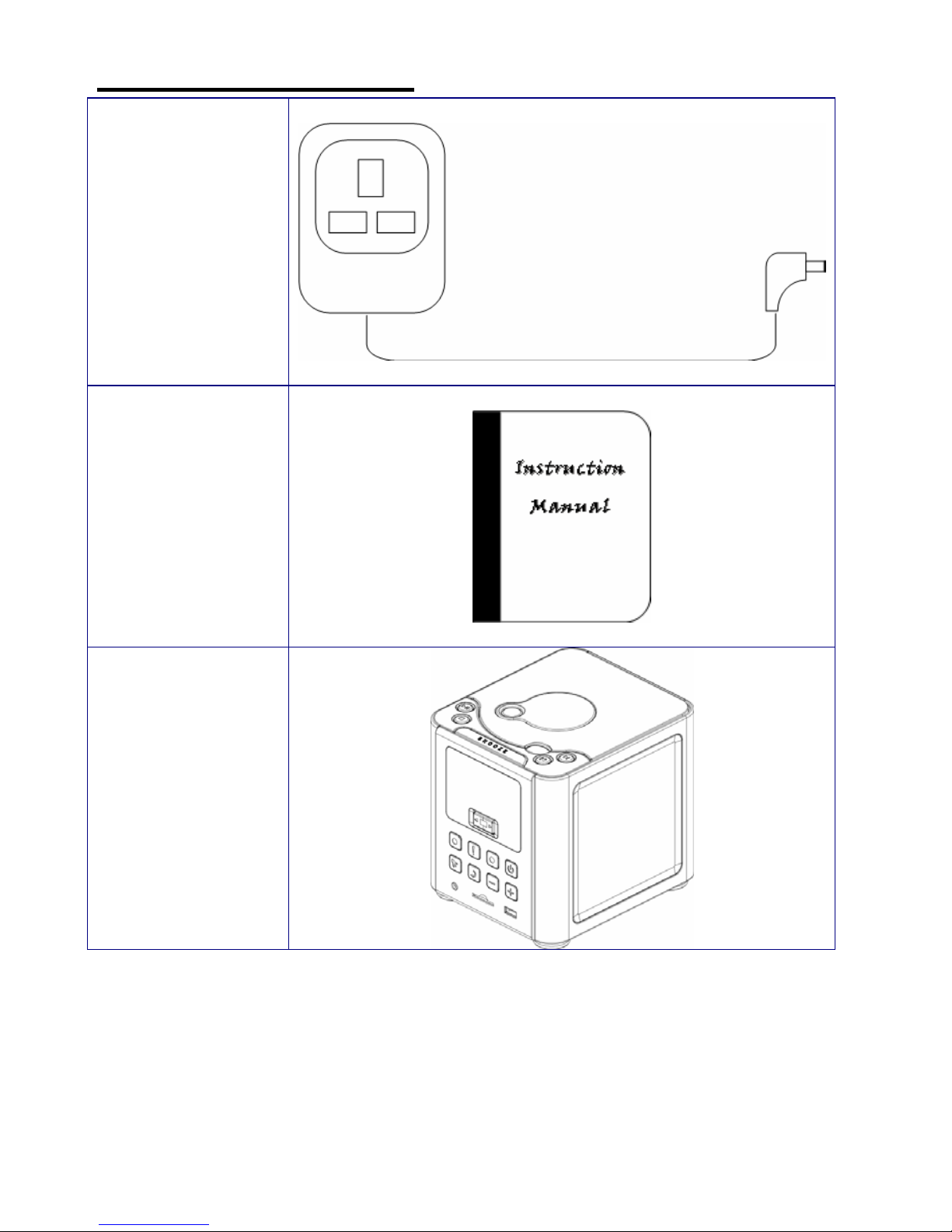
Package Content
AC/DC Adapter
Instruction
manual
DAB/FM Radio

7
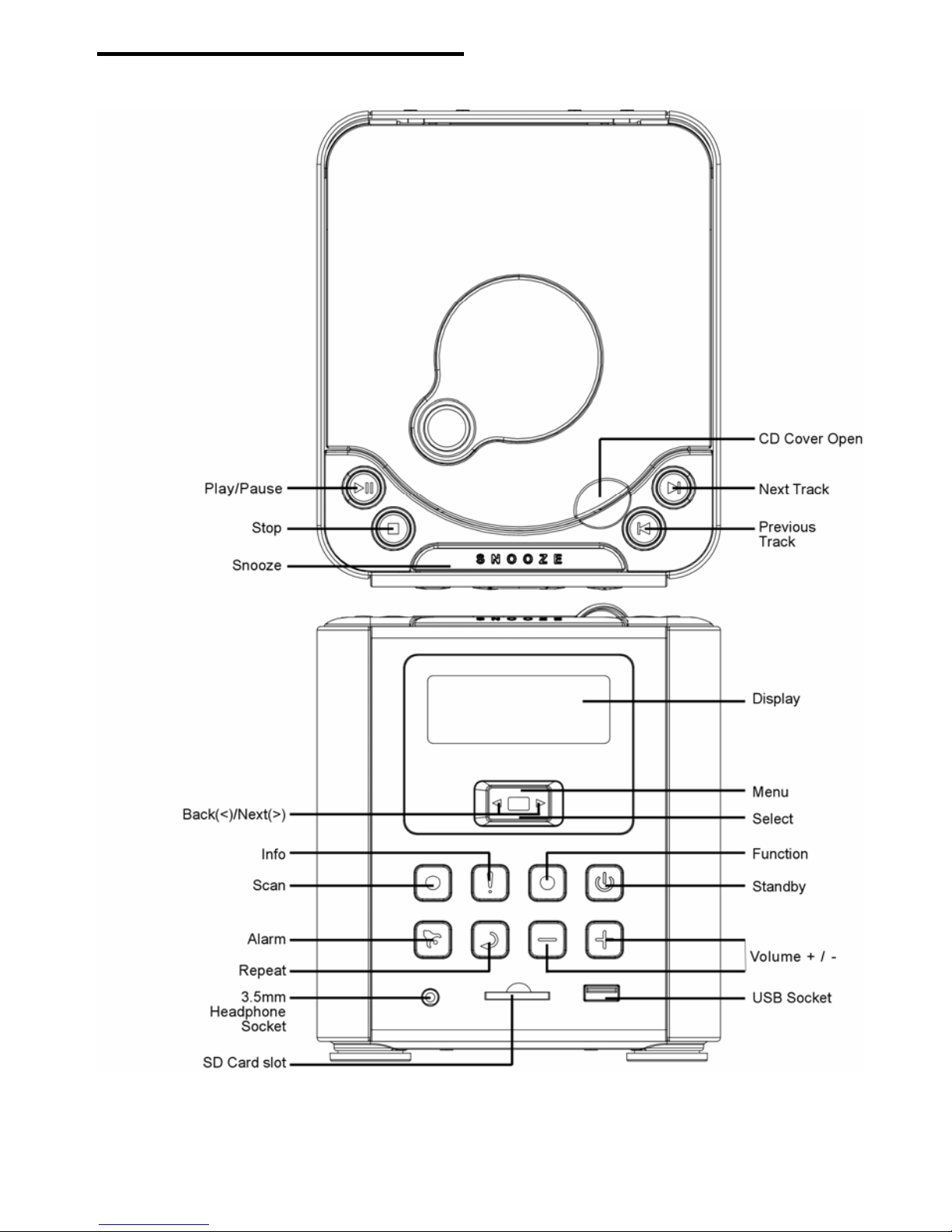
Controls Overview (a)
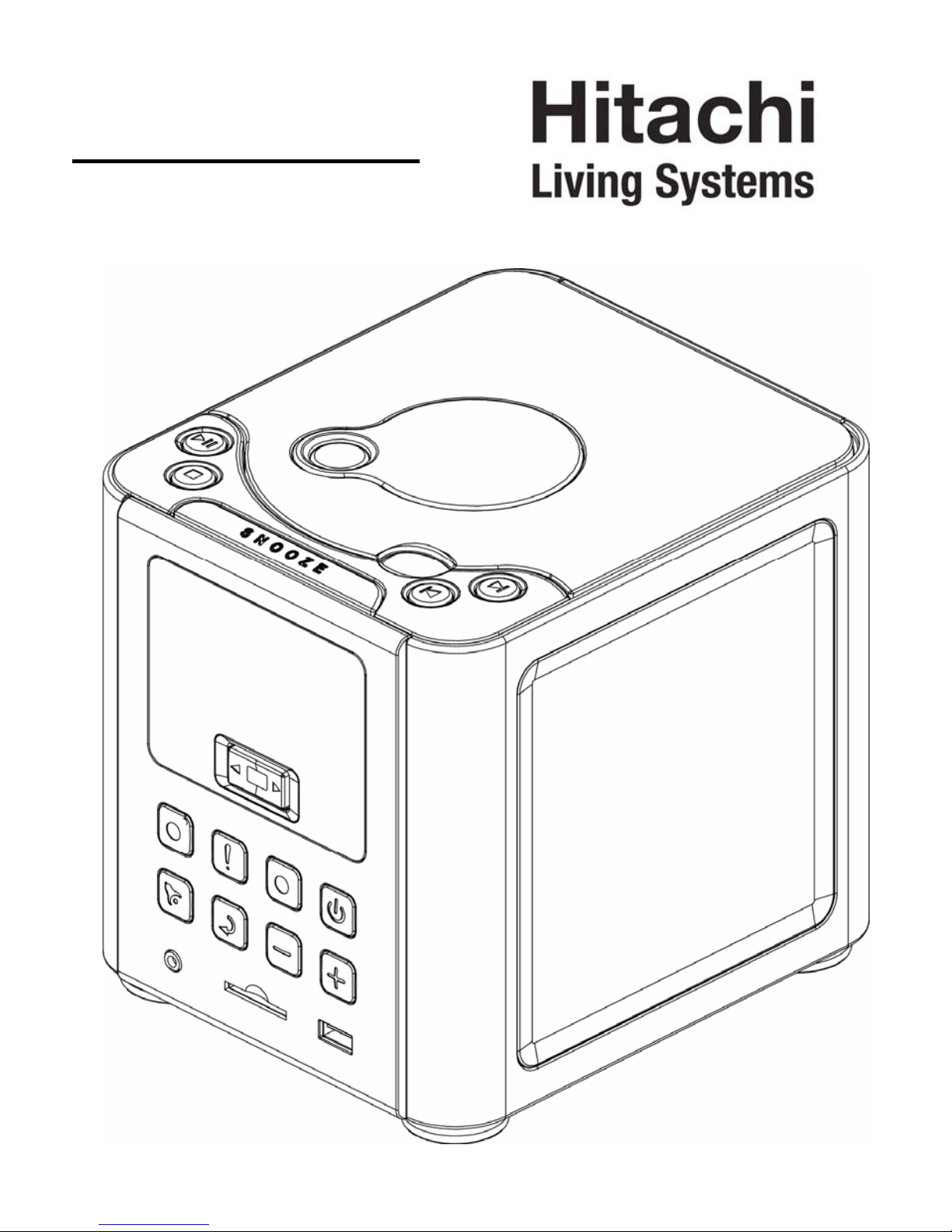
DAB Radio Front and Top View

8
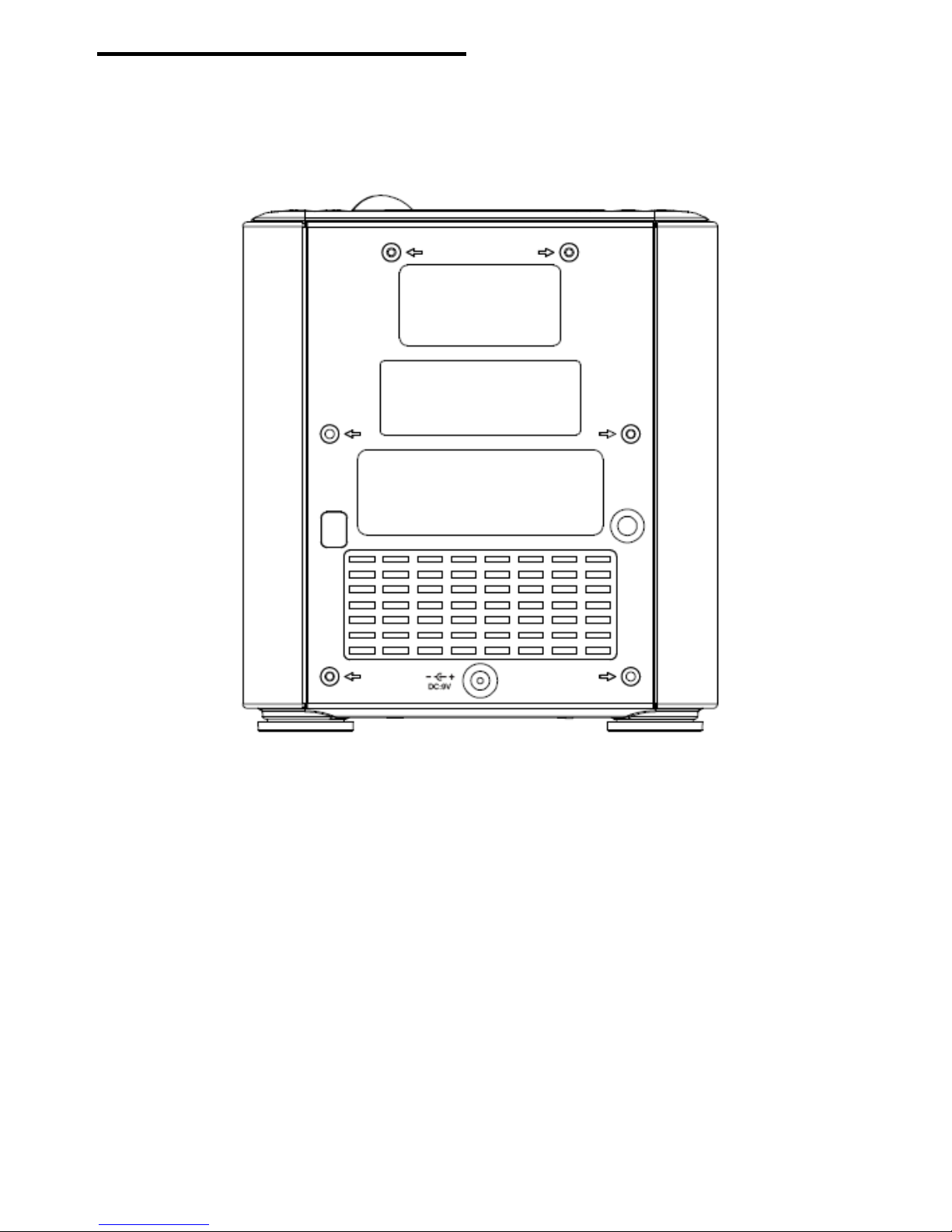
Controls Overview (b)
DAB Radio Back View

9
Turn on the DAB radio
Extend the antenna found on the rear of the DAB radio. Press the Standby/on
button to switch on your radio.
Scanning for Radio Stations
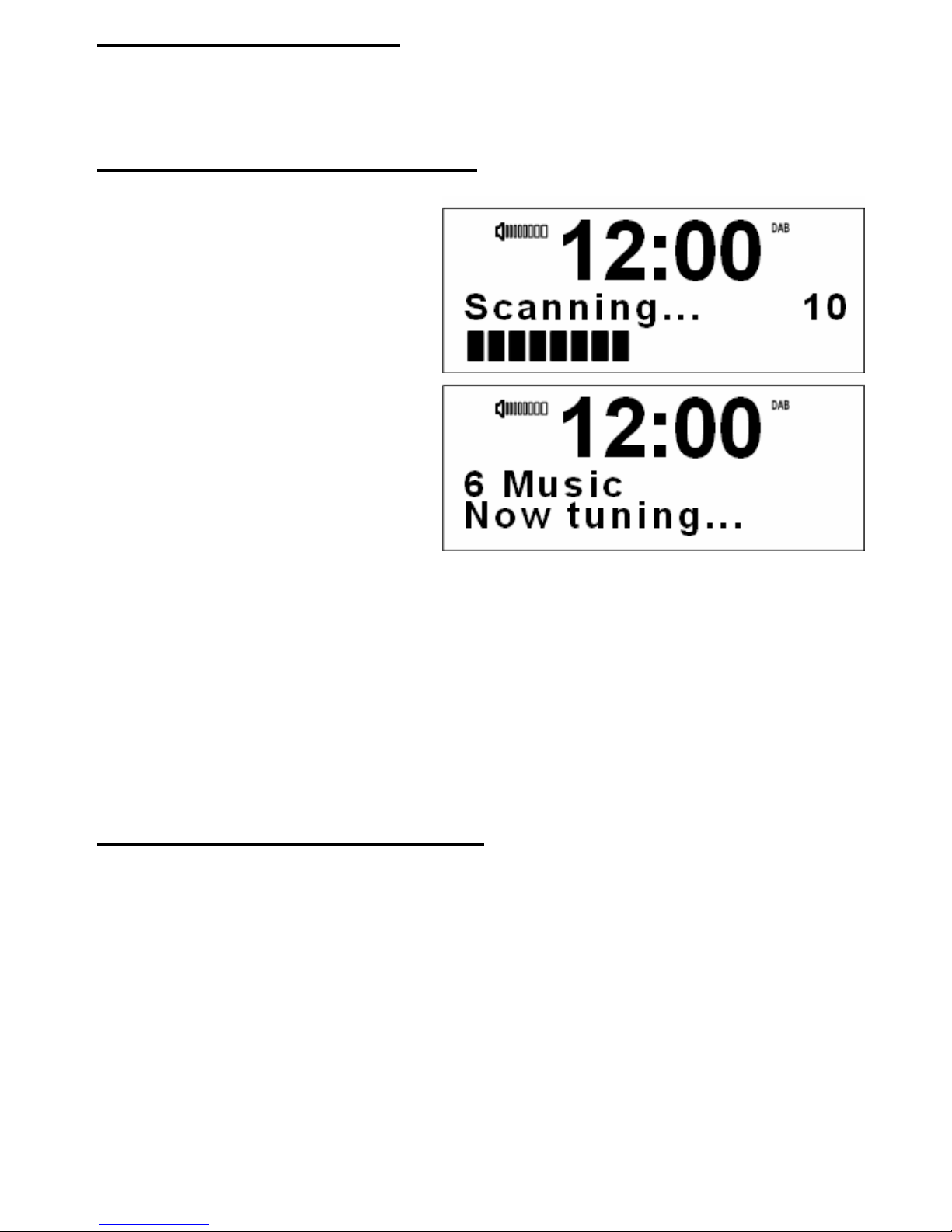
For initial use, press the SCAN
button. The DAB radio will now
scan for DAB stations in your area
and store them in memory.
Once the scanning is completed,
the DAB stations will be displayed
in alphanumeric order. The first
station in the list will be selected.
Press <or > button to cycle
through the available stations.
Press the SELECT button to
select the chosen station.
Note: If no DAB signal is found in your area, it may be necessary for you to
relocate your radio. Alternatively, visit
http://www.ukdigitalradio.com/coverage to check that DAB coverage is
available in your area.
How to Reset the DAB Radio
You can delete all of the preset stations and return the radio to its factory settings
as following:
1. Press MENU button first, then Press < or > button
2. The display will show “press SELECT to confirm reset…”.
3. Press the SELECT button
The presets are being erased and the radio is being returned to its factory
condition.
Note: If you do not wish to reset the radio, wait a few seconds without pressing
any buttons and the radio will revert to its previous operating condition.

10
How to tune in FM Radio Stations
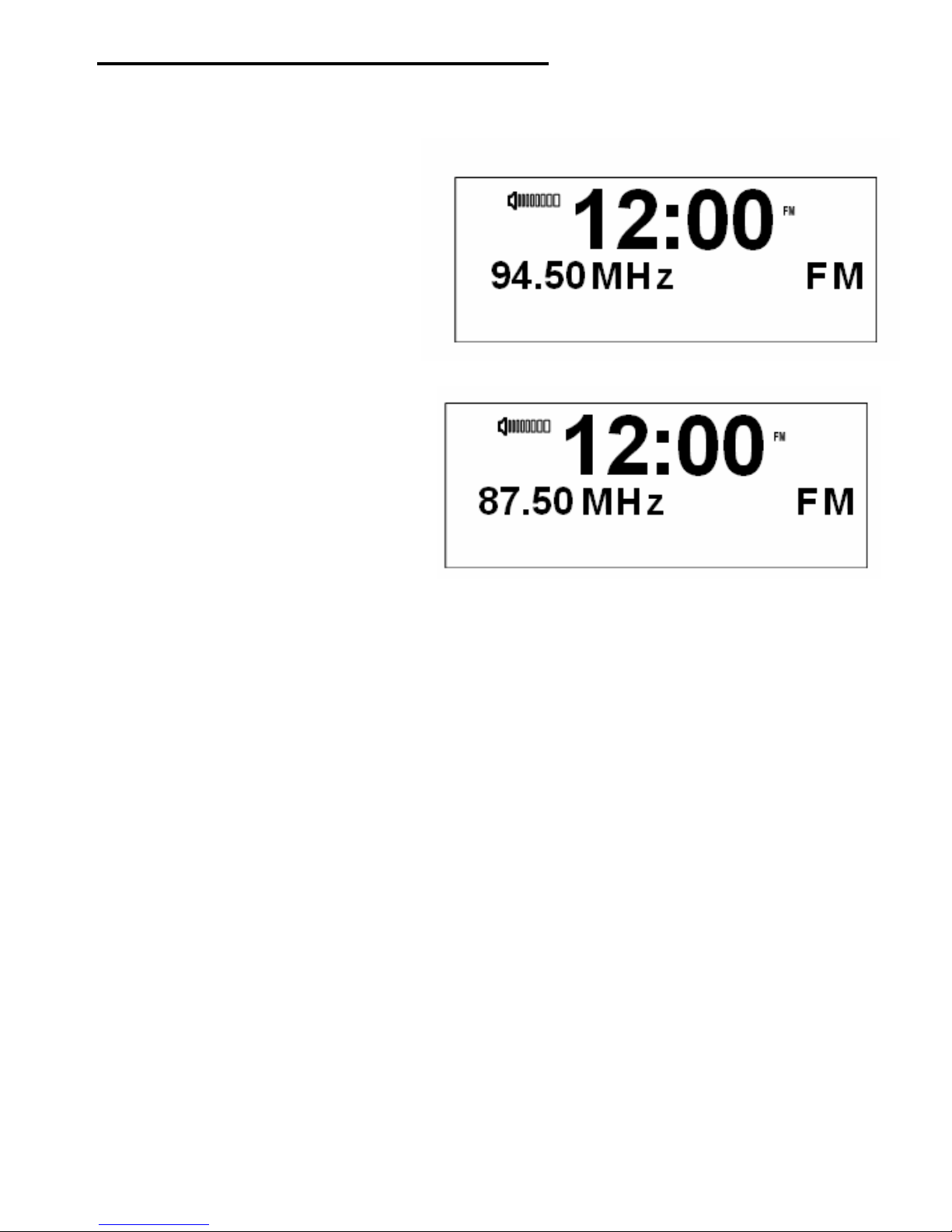
To listen to FM radio stations switching the DAB radio on
and press the FUNCTION button.
1. To change frequency you
press and hold the <or >
buttons.
2. To search the next active
station, press the SCAN
button. Press the >button
to scan up through the
frequency band. Press the
<button to scan down
through the frequency
band.
Table des matières
Autres manuels Hitachi Radio-réveil