10 11
3.8 LED Presentation capabilities
(2) (3)(4)
(1)
(5) (6)
6.0V
HISKY
FHSS
MO1:HCP100
NOR
3.9 Boot interface
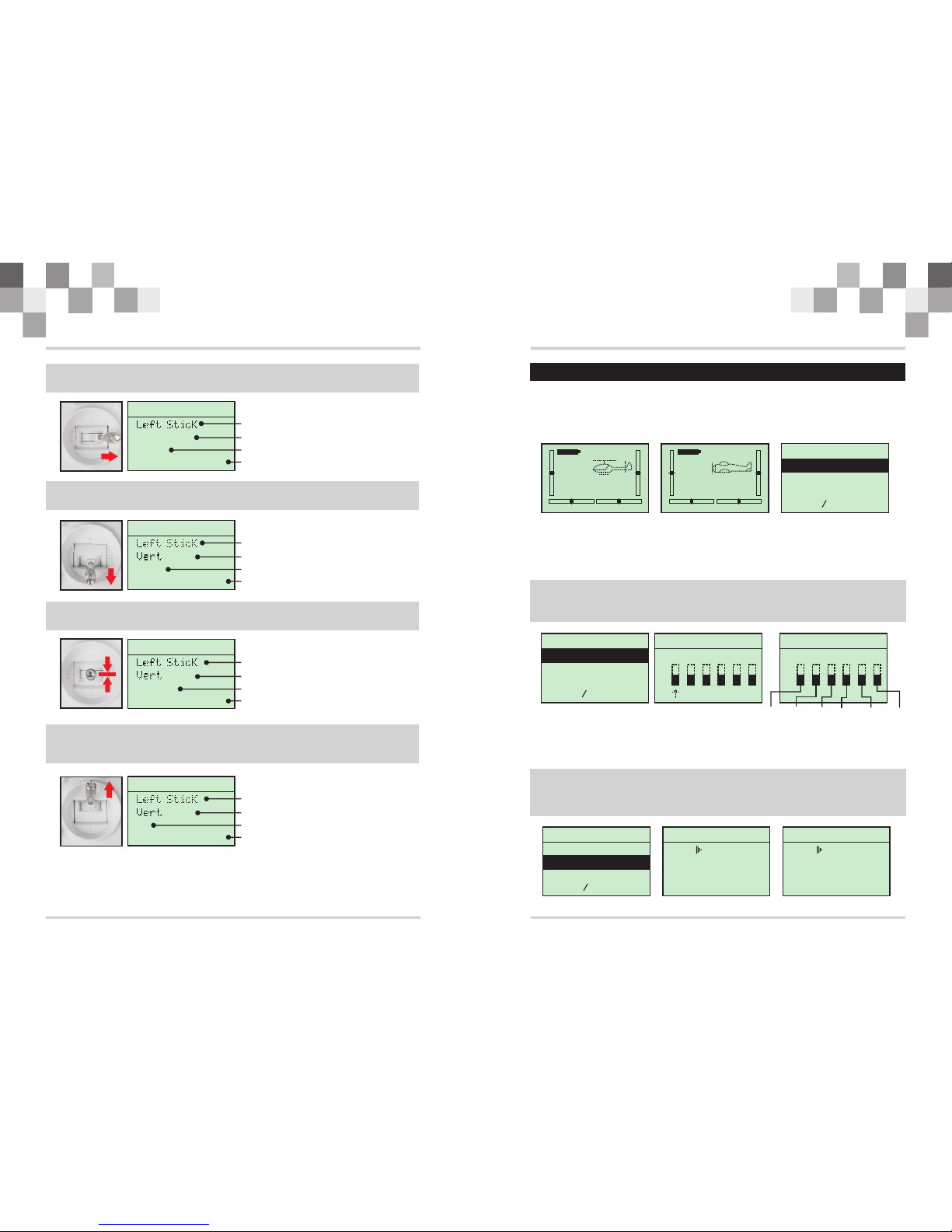
Boot interface as picture:
6.0V
HISKY
FHSS
MO1:HCP100
NOR
TX Voltage
Model name
IDLE MODE
Electronic trim Electronic trim
Electronic trim Electronic trim
In normal operation, when the LED light shows white, it means the transmitter is working
properly. If the LED is flashing and alarm audible, please check and satisfy the following
condition.
(1)
(2)
(3)
(4)
(5)
(6)
Voltage is not less than 4V.
Ensure the throttle is at the bottom position when switch on the transmitter.
Ensure the IDLE position switch is at “N” position before operation.
Ensure the TH.HOLD position switch is at “0” position before operation.
Ensure the D/R position switch is at “0” position before operation.
Ensure the GYRO position switch is at “0” position before operation.
4.0 System menu
4.1 Model name
4.2 Model select
SYSTEM
2:MDL SEL
3:MDL COPY
4:MDL RST
1:MDL NAME MODEL NAME
HELI
MODEL 1 FHSS
NAME: 100HCP
This section describes the setting which are specific to the operation of the H-6 itself.
Press both and buttons at the same time, then switch on the radio to enter the
“SYSTEM” menu. Press both and buttons again to exist the “SYSTEM” menu
when setting finished.
“UP” “DOWN”
“UP” “DOWN”
In the” NAME” setting, there is a word set which is comprised of 5 bytes which you can edit or
rename the model name of your own choosing.
Press“UP”or“DOWN” to find the: , then press to enter the name
menu, press to move the cursor, press or to set the name. Press
both and buttons to exit after setting finished.
MDL NAME “SELECT”
“SELECT” “INC” “DEC”
“UP” “DOWN”
Model select:You can select each type from the HiSKY stored options, or your own custom
settings.
Press or to find the: , then press to enter the “MDL SEL”
menu, press or to choose the model type. Press both and
buttons to exit after setting finished.
“UP” “DOWN”MDL SEL “SELECT”
“INC” “DEC” “UP” “DOWN”
SYSTEM
3:MDL COPY
4:MDL RST
1:MDL NAME
2:MDL SEL
MODEL SELECT
HELI
MODEL 2 FHSS
NAME: 80HCP
MODEL SELECT
HELI
MODEL 1 FHSS
NAME: HCP100
4.3 Model copy
the function which you can copy the model type or data from one group to another.
Press or to find the , then press to enter the
“MOL COPY” menu, press or to choose the model type. Press both
and buttons to exit after setting finished.
“UP” “DOWN”“MDL COPY” “SELECT”
“INC” “DEC” “UP”
“DOWN”
H-6 Instruction Manual H-6 Instruction Manual