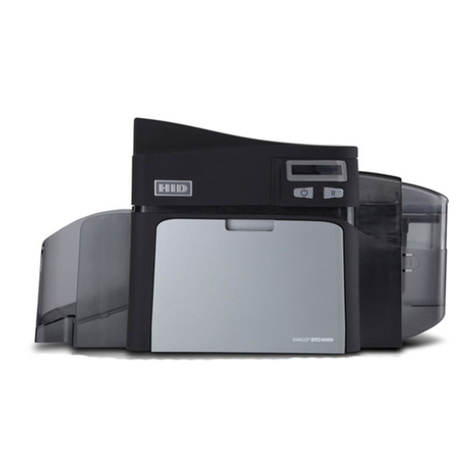
DTC1000Me/DTC1250e/DTC4250e Card Printer User Guide, PLT-01668, Rev 1.1
4.1.4 Diagnostics .................................................................................................................................... 29
4.1.5 Test Print ....................................................................................................................................... 29
4.1.6 Toolbox .......................................................................................................................................... 29
4.2 Configuration (Toolbox) ........................................................................................................................ 30
4.2.1 Set Language ................................................................................................................................ 30
4.3 Calibrate Ribbon (Toolbox) ................................................................................................................... 31
4.4 Clean Printer (Toolbox) ........................................................................................................................ 32
4.4.1 Safety Messages (Review Carefully) ............................................................................................ 33
4.4.2 Cleaning Kit ................................................................................................................................... 35
4.4.3 Printhead Cleaning ........................................................................................................................ 36
4.4.4Cleaning the Platen and the Card Feed Rollers ............................................................................ 36
4.4.5 Cleaning the Printer’s Exterior ....................................................................................................... 38
4.5 Advanced Settings (Toolbox) ............................................................................................................... 39
4.5.1 Overview of Advanced Settings .................................................................................................... 40
4.6 Device Options ..................................................................................................................................... 44
4.6.1 Supplies ......................................................................................................................................... 45
4.6.1.1 Ribbon Type ........................................................................................................................... 45
4.6.2 Dual Sided ..................................................................................................................................... 45
4.6.3 Options .......................................................................................................................................... 45
4.6.4 Fluorescent Panels ........................................................................................................................ 46
4.6.4.1 Selecting the Fluorescent Panel Ribbon Type ....................................................................... 46
4.6.4.2 Creating a Custom Fluorescent Image using the YMCFKO Ribbon ..................................... 47
4.6.4.3 Configuring Fluorescent Data using the Application .............................................................. 47
4.7 Image Color .......................................................................................................................................... 49
4.7.1 Image Quality ................................................................................................................................ 50
4.7.2 Heat ............................................................................................................................................... 50
4.7.3 Default ........................................................................................................................................... 50
4.7.4 Advanced Settings ........................................................................................................................ 51
4.8 Image Calibrate .................................................................................................................................... 52
4.9 Magnetic Encoding ............................................................................................................................... 53
4.9.1 Encoding Options .......................................................................................................................... 53
4.9.1.1 ISO Encoding ......................................................................................................................... 54
4.9.1.2 Custom Encoding or Raw Binary Encoding Mode ................................................................. 55
4.9.2 Magnetic Track Options ................................................................................................................ 56