Han's Robot Elfin Series Manuel

Collaborative Robot Elfin Series
Hardware Installation
(E03/E05/E10)
V2.0.0

II
Introduction
How to Use This Manual
This manual is intended for operators of Elfin robots, who should have some
electrical and programming knowledge. The manual will provide instructions for Elfin
operators from the following ways:
Safety: The operator should keep all safety instructions in mind.
Mechanical Installation: The operator should follow the instructions
when installing the robot.
Electrical interface: Open ports of Elfin are introduced for the
convenience of secondary development.
Software Control: It can guide the operator to install software and run
the robot.
Security Configuration: It introduces the basic safety settings.
Technical Support
ShenzhenHan'sRobotCo.,Ltdwillprovideyouwithlong‐termtechnicalservices. If
you have any technical problems or other needs during using our robot, you are welcome
to visit our company website: www.hansrobot.com, or directly contact our technical
engineers.
Contact Information
Company Address: 5F, Block B, Han's Innovation Mansions, No. 9018 Beihuan
Boulevard, High‐tech Park, Nanshan District, Shenzhen, China
Factory Address: 4F, Building 4, Han's Laser Industrial Park, No.128 Chongqing Road,
Fuyong Town, Baoan District, Shenzhen, China
Mobile: +86 75526983668 Fax: +86 7552698278

I
Contents
INTRODUCTION........................................................................................................... II
HOW TO USE THIS MANUAL.............................................................................................II
TECHNICAL SUPPORT........................................................................................................ II
CONTACT INFORMATION................................................................................................... II
CHAPTER 1 PRODUCT INTRODUCTION...................................................................1
1.1 INTRODUCTION TO COLLABORATIVE ROBOT ELFIN SERIES...........................................12
1.2 LIST OF PARTS.......................................................................................................12
1.3 ROBOT BODY........................................................................................................13
1.3.1 NAME OF EACH PART................................................................................13
1.3.2 SIZE AND SPECIFICATION(E03)..............................................................14
1.3.3 SIZE AND SPECIFICATION(E05).......................................................... 15
1.3.4 SIZE AND SPECIFICATION(E10)..............................................................16
1.3.5 ROBOT WORKING SPACE........................................................................... 16
1.3.6 TOOL PAYLOAD RANGE.............................................................................. 18
1.4 ELECTRIC CONTROL BOX.........................................................................................20
CHAPTER 2 SAFETY ISSUE..................................................... 错误!未定义书签。
2.1 WARNING SIGNS..................................................................错误!未定义书签。
2.2 GENERAL SAFETY REMINDER................................................. 错误!未定义书签。
2.3 OTHER POTENTIAL RISKS.......................................................错误!未定义书签。
2.4 RISK ASSESSMENT................................................................错误!未定义书签。
2.5 STOP MECHA NISM ................................................................错误!未定义书签。
2.6 REPAIR AND MAINTENANCE INSTRUCTIONS............................. 错误!未定义书签。
CHAPTER 3 MECHANICAL INSTALLATION.............................................................22
3.1 OPEN THE CARTON................................................................................................22
3.2 INSTALLATION ENVIRONMENT REQUIREMENTS..........................................................23
3.3 INSTALLATION SPACE............................................................................................. 23

II
3.4 FIXING THE ROBOT(E03/E05 ROBOT).............................................................. 24
3.5 INSTALLING TOOLS TO THE TERMINAL OF ROBOT(E03/E05 ROBOT)..................... 25
3.6 FIXING THE ROBOT(E10 ROBOT)...................................................................... 26
3.7 INSTALLING TOOLS TO THE TERMINAL OF ROBOT(E10 ROBOT)............................. 27
CHAPTER 4 QUALITY WARRANTY......................................................................... 28
4.1 PRODUCT QUALITY WARRANTY.............................................................................. 28
4.2 DISCLAIMER..........................................................................................................29
CHAPTER 5 APPENDIX........................................................................................ 30
5.1 TECHNICAL SPECIFICATIONS.................................................................................... 30
5.2 LIMITING SECURITY‐RELATED FUNCTIONS.................................................................36
5.3 ELECTRICAL SAFETY SPECIFICATIONS........................................................................ 36

1
Chapter 1 Safety Precautions
1.1 Warning sign
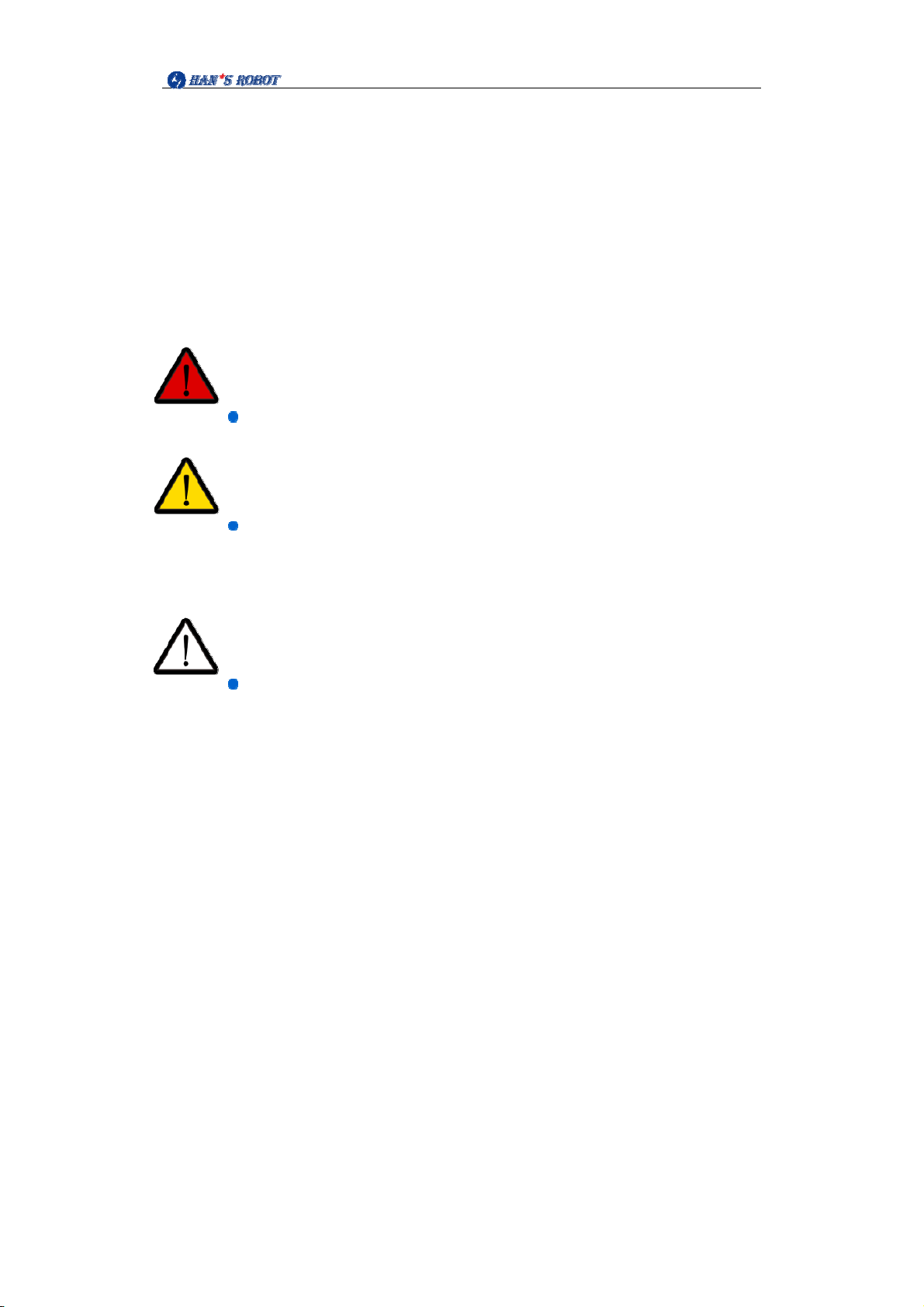
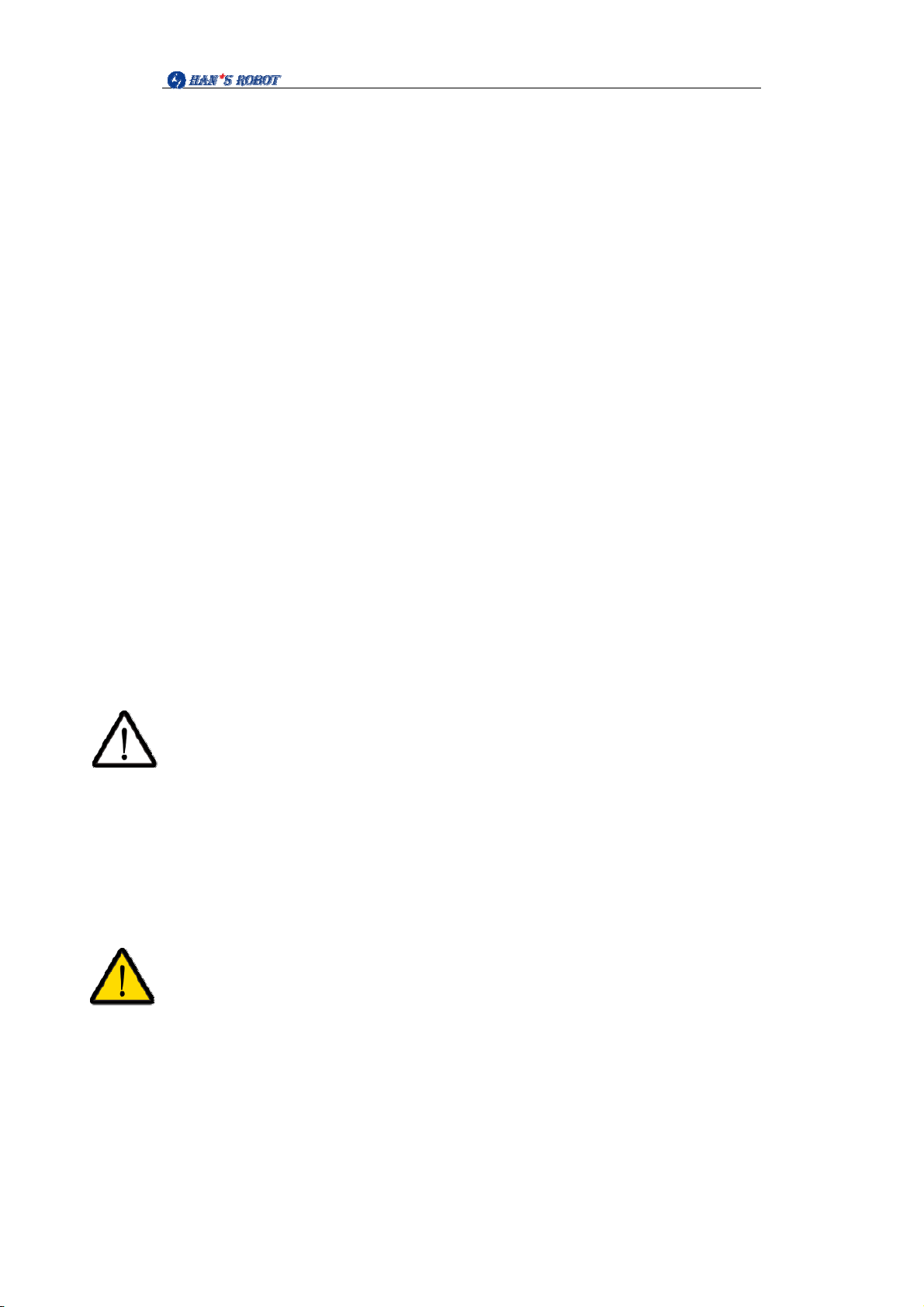
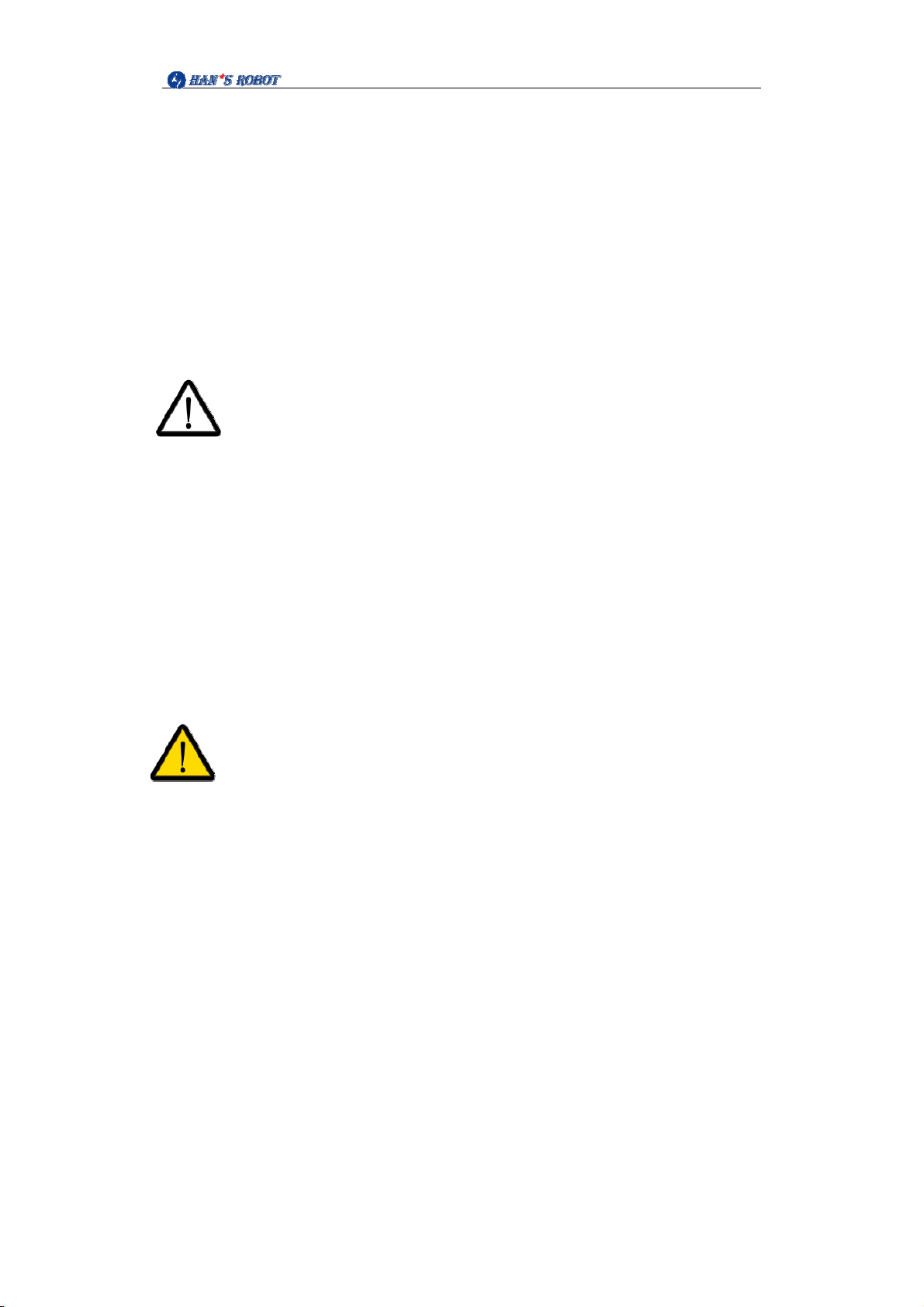
The following different levels of safety signs will appear in this manual:
Danger:
Failure to follow instructions can result in death or serious injury.。
Warning:
Failure to follow instructions can result in personal injury or serious
damage to equipment。
Caution:
Failure to follow instructions can cause equipment damage。

2
1.2 Safety
Introduction
This chapter introduces the safety principles and specifications that should be
followed when operating the robot or robot system. Integrators and users must read this
manual carefully, and the contents with warning signs need to be mastered and strictly
followed. Because the robot system is complex and dangerous, users need to fully
understand the risks of operation and strictly abide by and implement the specifications
and requirements in this manual. Users and integrators need to have sufficient safety
awareness and comply with the industrial robot safety standard ISO 10218.
Elfin robots are equipped with a variety of built‐in safety functions and safety I/O,
digital and analog control signals to and from the electrical interface, used to connect
other machines and additional protection devices. Each safety function and I/O are
constructed in accordance with EN ISO13849‐1:2008. The d performance level (Pld) of the
three types of structures is used to understand the configuration of safetyfunctions,
inputs, and outputs in the user interface. About the connection of safety equipment and
I/O.
Caution:
1. The use and configuration of safety functions and interfaces must followtherisk
assessment procedures of each robot application.
2. If the robot finds a fault or violation in the safety system (for example, a line in the
emergency stop circuit is cut off or a safety limit violation occurs), the robot will
immediately cut off the power and stop.
3. The stop time should be considered as part of the application risk assessment.
Danger:
1. The difference between the safety configuration parameters used and therisk
assessment can lead to risks that cannot be reasonably eliminated or risks that
cannot be sufficiently reduced.
2. Make sure that the tool and jaws are properly connected to avoid danger if the
power supply is interrupted.
3. The end effector is not protected by the security system of Shenzhen Han Robot
Co., Ltd. End effector and/or connection cable function is not monitored.

3
Safety Precautions
Overview
This manual contains safety measures to protect users and prevent damage tothe
machine. Users need to read all relevant descriptions in the manual and be fully familiar
with security matters. In this manual, we try to describe various situations, but due to too
many possibilities, it is impossible to record all situations that cannot or cannot be done.
usage notice
The following basic information needs to be understood and followed when starting
the robot or robot system for the first time. Other safety‐related information is introduced
in other parts of the manual. However, it is impossible to cover everything.Inpractical
applications, specific problems need to be analyzed.
Installation operation:
1. Be sure to install the robot and all electrical equipment in
accordance with the requirements and specifications in this manual.
2. Before using the robot for the first time and putting it into
production, preliminary testing and inspection of the robot and its
protective system are required.
3. Before starting the system and equipment for the first time, you
must check whether the equipment and system are complete, whether the
operation is safe, and whether any damage is detected. During this
inspection, it is necessary to observe whether it complies with the effective
safety production regulations of the country or region, and all safety
functions must be tested.
4. The user must check and ensure that all safety parameters and user
programs are correct and that all safety functions are working properly. A
person qualified to operate the robot is required to check each safety
function. The robot can only be started after passing a comprehensive and
careful safety test and reaching a safety level.
5. A professional is required to install and debug the robot in
accordance with the installation standards.
6. After the robot installation and construction are completed, a
comprehensive risk assessment needs to be conducted again and the
documentation kept.

4
7. The security parameters are set and changed by authorized
personnel, and passwords or isolation measures are used to prevent
unauthorized personnel from changing or setting security parameters.
After the safety factor is modified, the relevant safety functions need to be
analyzed.
8. In the event of an accident or abnormal operation of the robot, you
can press the emergency stop switch to stop the robot.
9. Elfin series robot joint modules are equipped with brakes to
maintain the robot's posture when the power is turned off. Do not
artificially break the power supply system frequently. It is recommended
that the time interval for switching on and off each time should be greater
than 10s.
10. Elfin series robots have a collision detection function. When the
external force of the robot is powered on and exceeds the normal force
range set by the user's safety, the robot will automatically stop to prevent
the robot or the operator from collision and injury. This function is specially
set for the safety of human‐machine collaborative work of Elfin series
robots, but requires that the robot system must be within the normal
operating range and use the Elfin series control cabinet. If the user
develops the controller himself, the robot does not have the above
functions. The resulting dangerous consequences are borne by the users
themselves.

1
Operation and mechanical heating
1. The robot body and control cabinet will generate heat during
operation. Robot is
Do not operate or touch the robot while working or just after stopping
work.
2. Turn off the power and wait an hour for the robot to cool down.
3. Never put your fingers into the hot place of the control cabinet.
Usage
1. Make sure that the robot's arms and tools are installed correctly
and safely.
2. Make sure that the robot arm has enough space to move freely.
3. If the robot is damaged, do not use it. Please contact the technical
support personnel of Shenzhen Han Robot Co., Ltd. in time.
4. Do not connect the safety equipment to the normal I/O interface,
only use the safety type I/O interface.
5. Make sure to set the correct installation settings (such as the
installation angle of the robot body, the weight in TCP, TCP tool coordinates,
safety configuration). Save and load the installation file into the program.
6. Tools and obstacles must not have sharp corners or twisted points.
Make sure everyone's head and face are outside the reach of the robot.
7. Pay attention to the movement of the robot when using the teach
pendant.
8. Any impact will release a lot of kinetic energy, which is much higher
than at high speed and high payload.
9. Connecting different machines may increase the danger or cause
new dangers. Always conduct a comprehensive risk assessment of the
entire installation. When different safety and emergency shutdown
performance levels are required, always choose the highest performance
level. Always read and understand the manuals for all equipment used in
the installation.
10. Never modify the robot. Changes to the robot may cause

2
unpredictable danger to the integrator. The authorization and
reorganization of robots must be in accordance with the latest version of all
relevant service manuals. If the robot is changed or modified in any way,
Shenzhen Han Robot Co., Ltd. refuses to take all responsibility.
Application environment
1. When the robot is connected or working together with a machine
that can cause damage to the robot, it is strongly recommended to check
all the robot functions and robot programs separately. It is recommended
to use temporary waypoints outside of other mechanical workspaces to
detect robot programs.
2. Shenzhen Han Robot Co., Ltd. shall not be liable for any damage or
personal injury caused to the robot due to errors in the script or improper
operation of the robot.
3. Do not expose the robot to permanent magnetic fields at all times.
Strong magnetic field can damage the robot。
Operator safety
When operating the robot system, you must first ensure the safety of
the workers. The general precautions are listed below. Please take
appropriate measures to ensure the safety of the workers.
Each operator using the robot system should receive training through
the training course sponsored by Shenzhen Han Robot Co., Ltd. The user
needs to ensure that he fully masters the safe and standardized operation
process and has the qualification for robot operation. For details of the
training, please inquire with our company, see the official website for
contact information : http://www.hansrobot.com
2. Please don't wear loose clothes and jewelry when working with the
robot system. When operating the robot, make sure your long hair is tied
behind your head.
3. During the operation of the equipment, even if the robot seems to
have stopped, it may be because the robot is waiting for the start signal
Autres manuels pour Elfin Series
1
Ce manuel convient aux modèles suivants
3
Table des matières
Autres manuels Han's Robot Robotique
Manuels Robotique populaires d'autres marques

STEMCenter USA
STEMCenter USA Pi-Bot v2.00 Manuel utilisateur

SunFounder
SunFounder PiDog Manuel utilisateur

Universal Robots
Universal Robots UR5 Manuel utilisateur

Universal Robots
Universal Robots E Series Manuel utilisateur

YASKAWA
YASKAWA MOTOMAN-MPL80 II Manuel utilisateur

EFORT
EFORT ECR5 Manuel d'instructions