
Gude EMC Professional NET 19 inch Manuel utilisateur
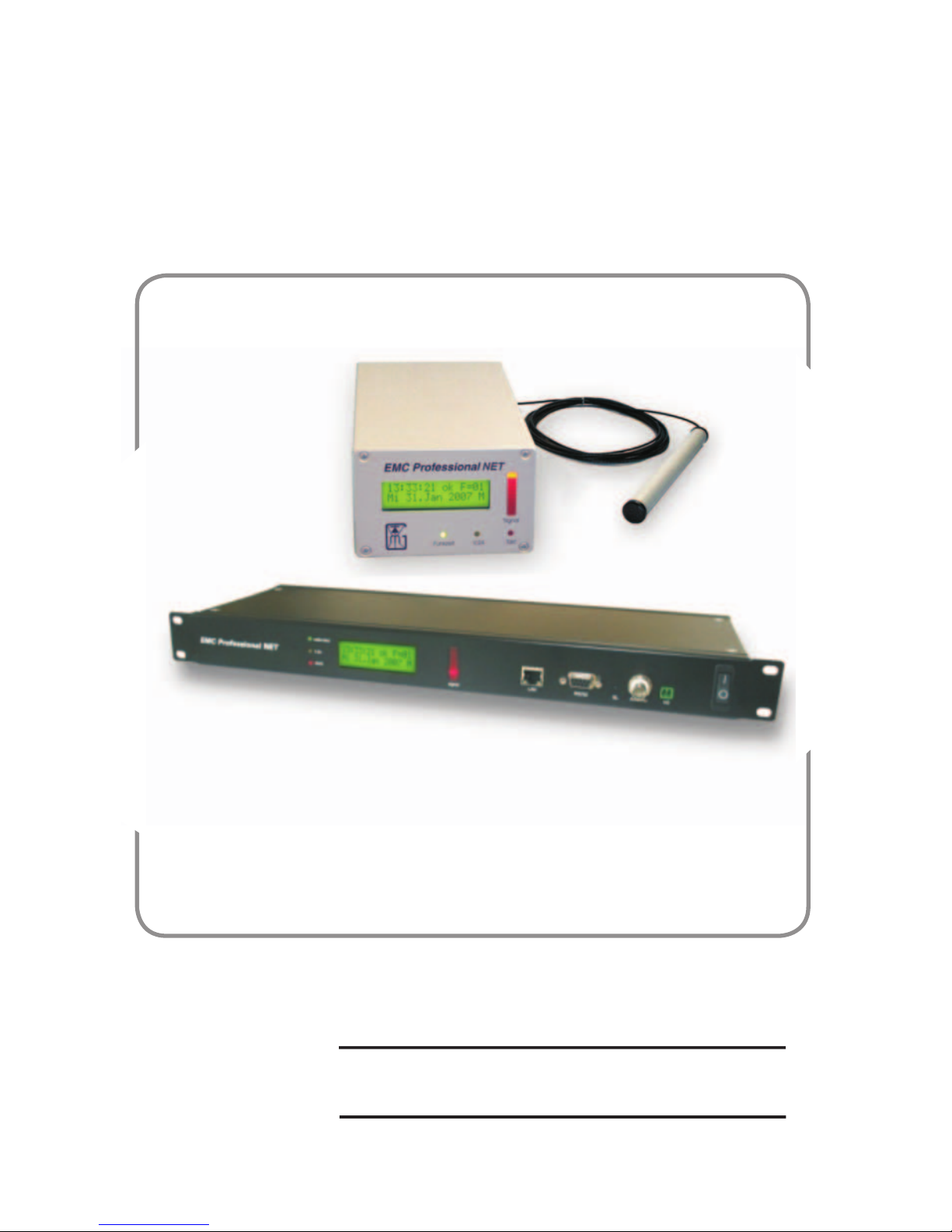
EMC Professional NET(19“)
Manual
Time Server with integrated DCF77 Time Receiver for
Industrial Applications

3EMC Professional NET
Manual EMC Professional NET(19“)
© 2019 GUDE Systems GmbH
Rev. 2.3

3EMC Professional NET
Content
Security declaration 5
1 Description 6
2 Hardware 7
2.1 Content of delivery 7
2.2 Installation 8
2.3 Display 8
2.4 Alignment of the active antenna 10
3 Network operation 12
3.1 EMC Prof NET (19“) as SNTP-Server 12
3.2 Time synchronization as SNTP-Server 12
3.2.1 Windows XP/Vista 12
3.2.2 Windows 9x/NT/2000 13
3.2.3 Linux 14
4 Operation via serial interface 16
4.1 Operation under Windows 16
4.1.1 Installation of the Software 16
4.1.2 Settings 16
4.1.3 Interface 18
4.1.4 Logmode 19
4.2 Operation under Linux (NTP) 20
4.2.1 NTP installation 20
4.2.2 NTP configuration 20
4.2.3 Starting NTP 21
4.2.4 Setup of a NTP daemon 22
4.3. V.24 protocols 23
4.3.1 Gude standard time protocol 23
4.3.2 Gude UTC time protocol 23
4.3.3 XNTP time protocol 23

EMC Professional NET
4
5EMC Professional NET
5 Configuration 24
5.1 Automatic configuration by DHCP 24
5.2 Network configuration by GBL_Conf.exe 24
5.3 Configuration by Webinterface 25
5.4 IP Access Control List 30
5.5 SNMP 31
5.6 Syslog 32
5.7 Presentation of the recent configuration 32
6 Features 33
6.1 Bootloader mode 33
6.2 Firmware update 33
6.3 Technical information 34
7 Support 35
Declarations 36
Contact 37

EMC Professional NET
4
5EMC Professional NET
Security declaration
The device must be installed only by qualified personnel accord-
ing to the following installation and operating instructions.
The manufacturer does not accept responsibility in case of im-
proper use of the device and particularly any use of equipment
that may cause personal injury or material damage.
The device contains no user-maintenable parts. All maintenance
has to be performed by factorytrained service personnel.
Check if the power cord, the plug and the socket are in proper
condition.
The device can be connected only to 230V AC (50 or 60 Hz)
sockets.
Always connect the device to properly grounded power sock-
ets.
The device is intended for indoor use only. Do NOT install them
in an area where excessive moisture or heat is present.
Because of safety and approval issues it is not allowed to modify
the device without our permission.
Please note the safety advises and manuals of connected de-
vices, too.
The device is NOT a toy. It has to be used or stored out or range
of children.
Packaging material is NOT a toy. Plastics has to be stored out of
range of children. Please recycle the packaging materials.
In case of further questions, about installation, operation or usa-
ge of the device, which are not clear after reading the manual,
please do not hesitate to ask our support team.

EMC Professional NET
6
7EMC Professional NET
1 Description
EMC Professional NET (EMC Prof NET (19“)) provides ac-
cess to one of the most exact working atomic clocks in the
world. It is run by the Physikalisch-Technische Bundesanstalt
(PTB) in Braunschweig/Germany. Time and date are broad-
casted by the DCF77 long-wave sender in Frankfurt/Mainflingen
in Germany on a frequency of 77,5 kHz. The broadcasted time
and date information are CET/CEST. The range of DCF77 is
about 2000km.
EMC Prof NET (19“) receives the DCF77 signal, using an ac-
tive antenna. The received time and date information can be
published in a network using NTP or via serial interface to a
single PC.
EMC Prof NET (19“) acts as stand-alone SNTP-Server. All PCs
in the network can synchronise with EMC Prof NET (19“).
EMC Prof NET (19“) was designed for a safe implementation
in a environment, which is polluted by electro-magnetic inter-
ferences. To secure a proper receive, EMC Prof NET (19“) is
equipped with a precise electronic.
In case of longer receiving problems, EMC Prof NET (19“)
automatically switches to its internal battery buffered real time
clock and provides further on the exact time and date. When
the quality of the received signal has gone good enough again,
EMC Prof NET (19“) switches back to radio time.
Features of EMC Prof NET (19“):
Digital filter and intelligent failure correction
Signal monitor with LED line
Battery buffered real time clock
Stand-alone Time server (SNTP)
Νetwork configuration via DHCP
Configuration over Ethernet (HTTP)
Programmable Relais switch (without potential)
Syslog
SNMP (v1, v2c)
EMC Professional NET
6
7EMC Professional NET
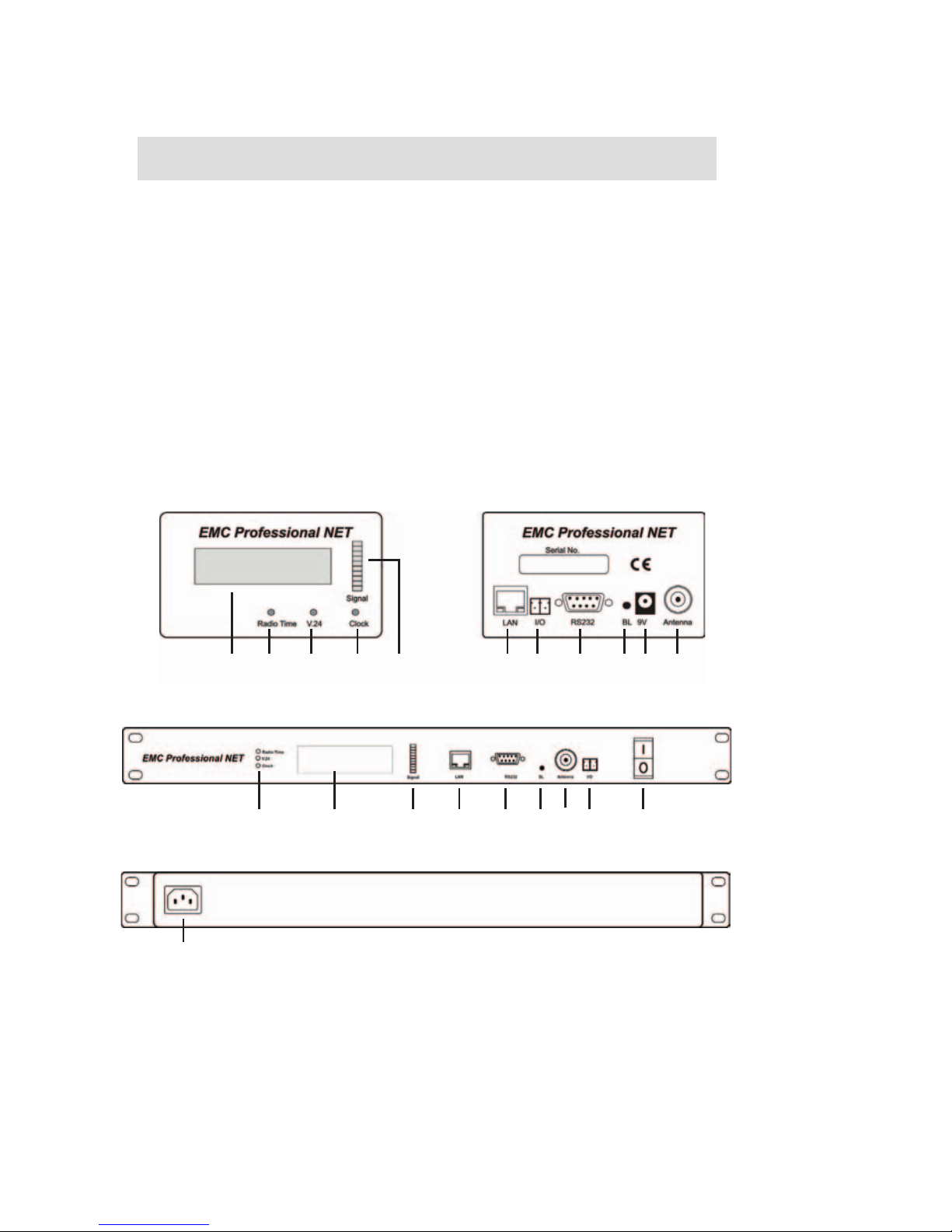
Figure 1 Front EMC Prof NET Figure 2 Rear EMC Prof NET
3 4 5 6 7 8 9 10 111 2
1 Display
2 Radio Time LED
3 RS232 LED
4 Clock rate LED
5 Signalmonitor
6 Ethernet connector (RJ45)
Figure 3 Front EMC Prof NET 19“
Figure 4 Rear EMC Prof NET 19“
12, 3, 4 5 6 78 9
10
11 12
7 Relay contact (without potential)
8 Serial interface (RS232)
9 Bootloader button
10 Power inlet
11 Connector for Active antenna (BNC)
12 Power switch (only EMC Prof NET 19“)
2 Hardware
2.1 Content of delivery
The delivery includes:
EMC Prof NET (19“)
Power adaptor (EMC Prof NET) /
Power cable IEC (EMC Prof NET 19“)
Serial Interface Cable (Sub-D)
Network cable
CD-ROM incl. software and manual
Active antenna (only in EMC Prof NET (19“)-Set)

EMC Professional NET
8
9EMC Professional NET
2.2 Installation
1. Connect the active antenna and the power adaptor/power
cable with the connectors at the device. If you are using EMC
Prof NET 19“, activate the device. EMC Prof NET (19“) is now
booting and shortly after ready for usage.
2. Connect EMC Prof NET (19“) with your network or via serial
interface with your pc.
2.3 Display
After power on the LC display shows the configuration and the
version of the firmware.
After a few seconds EMC Prof NET (19“) shows its IP address
followed by the up-to-date time and date.
First EMC Prof NET (19“) is in quarz mode. Beside the time
“Quarz” is shown in the display. Even in quarz mode EMC Prof
NET (19”) is completely ready for use.
EMC ProNET V1.6
Config: Gude
EMC ProNET V1.6
D192.168.0.2
15:39:53 Quarz
We 04.Jun 2008

EMC Professional NET
8
9EMC Professional NET
It looks for a proper radio signal. Approximatly after two minutes
EMC Prof NET (19“) has received enough information to switch
into the radio mode. Then it shows “F=...” in the display, which
means the number of faulty received bytes within in the last ten
minutes.
When you receive a good signal quality, the LED line will swing
fully once a second and the clock LED will blink every second.
The radio time LED will shine green constantly.
15:39:53 ok F=00
We 04.Jun 2008

EMC Professional NET
10
11EMC Professional NET
2.4 Alignment of the active antenna
Local issues may have influ-
ences on the received quality
of the signal. Barriers like re-
inforced concrete buildings or
mountains may weaken the sig-
nal, the electromagnetic fields of
screens or motors may disturb
the signal, too.
EMC Prof NET (19“) was de-
veloped in aspect to be used in
an electro-magnetic disturbed
environment. With its active an-
tenna and optimized electronic,
EMC Prof NET (19“) offers a
good receiving even in such
ambience.
To obtain a good receiving, please attend to the following hints:
Do not place the antenna near by or directly on metallic,
or conductive objects.
Place the antenna near by a window. If neccessary it
is possible to mount the antenna outsides, in this case
make sure, that there is an adequate lightning proctec-
tion.
Do not place the antenna parallel to telephon/network or
power cables.
Change the direction and the position of the antenna
until you get a good receive quality (See figure 5).
Since the time signal moves cir-
cular from the sender in frankfurt/
Mainflingen, you will get the best
receive if you place the antenna
tangential to these circles.
Figure 5 Alignment of the active
antenna
Ce manuel convient aux modèles suivants
1
Table des matières


