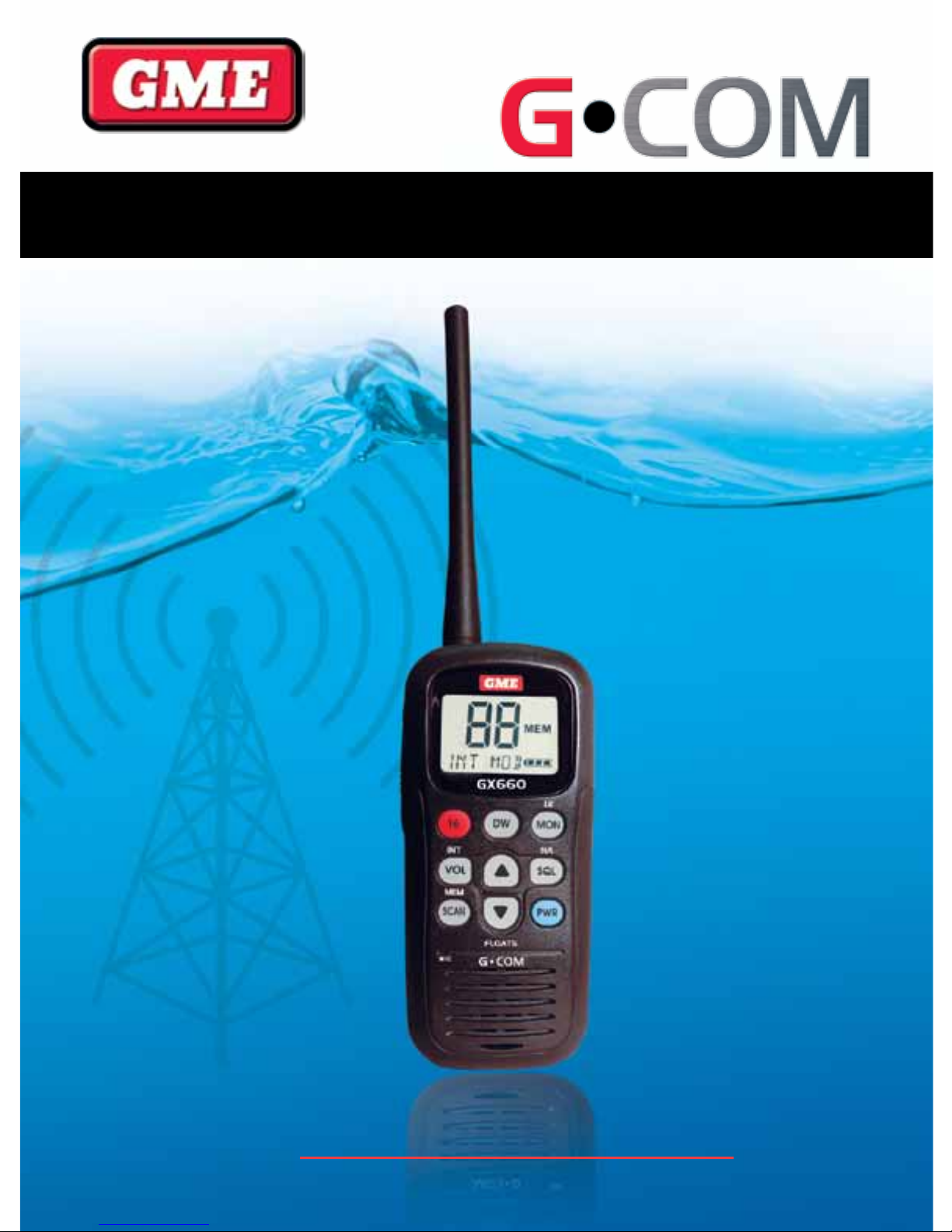
GME G-COM GX660 Manuel utilisateur

INSTRUCTION MANUAL
www.gme.net.au
GX660 Handheld VHF Radio
GX660 MARINE HANDHELD RADIO

GX660 INSTRUCTION MANUAL PAGE 2
INTRODUCTION
Congratulations on purchasing this GME fully featured VHF
Marine radio.
Your GX660 has been built to offer excellent value by
combining advanced features, great design and manufacturing
quality.
To ensure you are familiar with the operation and features of
your radio and in order to obtain the best performance, please
read this manual thoroughly before operation.
CAUTION
READ ALL INSTRUCTIONS carefully and completely
before operating your radio and retain this manual for future
reference.
NEVER: connect the radio to a power source other than the
supplied battery. This may damage your product.
NEVER: transmit with the antenna less than 5 cm from
exposed parts of the body.
NEVER: use the radio in or near a mining facility or other area
which uses remotely triggered explosives or an area labelled
‘Blasting Area’.
NEVER: use or charge your radio in a potentially explosive
atmosphere.
DO NOT: place your radio in front of a vehicle air bag.
DO NOT: operate your radio on board an aircraft.
DO NOT: use your radio with a damaged antenna.
DO NOT: attempt to modify your radio in any way.
ALWAYS: charge your radio at normal room temperature.
ALWAYS: switch off your radio where notices restrict the use
of two-way radio or mobile telephones.
AVOID: storing or charging your radio in direct sunlight.
AVOID: storing or using your radio where temperatures are
below -15º C or above +55º C.
WATERPROOF (IPX7)
The GX660 is waterproof and meets IPX7 rating (see www2.
gme.net.au/IPRatings for standards chart). However, if the
GX660 is dropped, waterproofing cannot be guaranteed due
to the fact that damage to the external chassis may occur.
ANTENNA AND BATTERY PACK
Make sure the flexible antenna and battery pack are securely
attached to the GX660 and that the antenna and battery pack
are dry before attachment. Exposing the inside of the GX660
to water will result in serious damage to the radio.
ELECTRONIC RECYCLING
Please ensure this unit is disposed of correctly when no longer
required for use.
SAFETY INSTRUCTIONS
Please read through this manual before the first operation. If
you have any questions, please contact GME service or your
local dealer.
Extensive exposure to heat may result in damage to the radio.
Connection to the power source with reversed polarity will
damage the radio severely. This damage is not covered by the
warranty.
Do not disassemble.
Avoid overheating which may cause loss of contrast and in
extreme cases, a darkening of the screen. Problems which
occur from over heating are reversible when the temperature
decreases.
IN CASE OF EMERGENCY
If your life or the safety of your vessel is in imminent
danger you should contact other vessels in your
area or the Coast Guard by sending a distress call on
Channel 16.
USING THE CHANNEL 16 DISTRESS CALL PROCEDURE
1. “MAYDAY MAYDAY MAYDAY.”
2. “THIS IS ...........................” (name of vessel)
3. Your call sign or other indication of the vessel.
4. “LOCATED AT .....................” (your position)
5. The nature of the distress and assistance required.
6. Any other information which might facilitate
the rescue.

GX660 INSTRUCTION MANUAL PAGE 3
OPERATOR QUALIFICATIONS . . . . . . . . . . . . . . . . . . . 4
SUPPLIED ACCESSORIES . . . . . . . . . . . . . . . . . . . . . . 4
CONTROLS ................................ 5
LCD DISPLAY ............................... 6
POWER ON/OFF ............................ 7
CHANNEL SELECTION ........................ 7
MODE CHANGES ........................... 7
ADJUSTING THE VOLUME LEVEL . . . . . . . . . . . . . . . . 8
TRANSMITTING (TX) ......................... 8
RECEIVING (RX) ............................ 8
MONITOR OPERATION ....................... 8
SCAN OPERATION ........................... 8
MEMORY MODE ............................ 9
CHANNEL 16 MODE ........................ 10
DUAL WATCH MODE ........................ 10
POWER SETTING MODE . . . . . . . . . . . . . . . . . . . . . 10
LCD BACK-LIGHT .......................... 10
KEY-PAD LOCK ............................ 10
ADJUSTING THE SQUELCH LEVEL . . . . . . . . . . . . . . 11
BATTERY LEVEL DISPLAY . . . . . . . . . . . . . . . . . . . . . 11
RADIO DEFAULT SETTINGS . . . . . . . . . . . . . . . . . . . 11
BATTERY OPTIONS ......................... 11
FREQUENCY CHARTS . . . . . . . . . . . . . . . . . . . . .12-17
SPECIFICATIONS ........................... 18
WARRANTY .............................. 19
CONTENTS

GX660 INSTRUCTION MANUAL PAGE 4
Important
It is the owner’s sole responsibility to use the unit in a manner
that will not cause accidents, personal injury or property
damage. The user of this product is solely responsible for
observing safe boating practices.
GME DISCLAIMS ALL LIABILITY FOR ANY USE OF THIS
PRODUCT IN A WAY THAT MAY CAUSE ACCIDENTS,
DAMAGE OR THAT MAY VIOLATE THE LAW.
Copyright © 2010 GME, Australia, all rights reserved.
OPERATOR QUALIFICATIONS
Any person in Australia operating a VHF marine radio should
possess at least a Marine Radio Operators VHF Certificate of
Proficiency (MROVCP). Alternatively, operators may obtain a
Marine Radio Operators Certificate of Proficiency (MROCP),
which covers the operation of both VHF and MF/HF equipment.
Many TAFEs and marine organisations offer courses leading
to examination for the MROVCP and MROCP although such
courses are not compulsory. Persons wishing to obtain the
MROVCP or MROCP should first purchase a copy of the
Maritime Radio Operator Handbook which is essential reading
for every boat owner in Australia.
The Australian Maritime College (AMC) provides the marine
examination and certificate service on behalf of the ACMA. The
AMC can provide the details of organisations and individuals
offering courses and/or conducting exams.
For further information visit: www.amc.edu.au
INTERNATIONAL CUSTOMERS
Local requirements will vary throughout the world with regard
to operator qualification.
International customers should contact their local regulatory
body.
SUPPLIED ACCESSORIES
Handheld VHF GX660
Li-Ion battery pack
12V cigarette lighter adapter charger
Belt clip
Detachable antenna
Instruction manual
FEATURES
• Complete International, USA, Canadian, UK, Scandinavian
and Hungarian channel sets
• Dual watch function
• Easy to read large backlit LCD
• Simple 5/1 Watt switchable power
• Floating IPX7 construction
• Flexible antenna

GX660 INSTRUCTION MANUAL PAGE 5
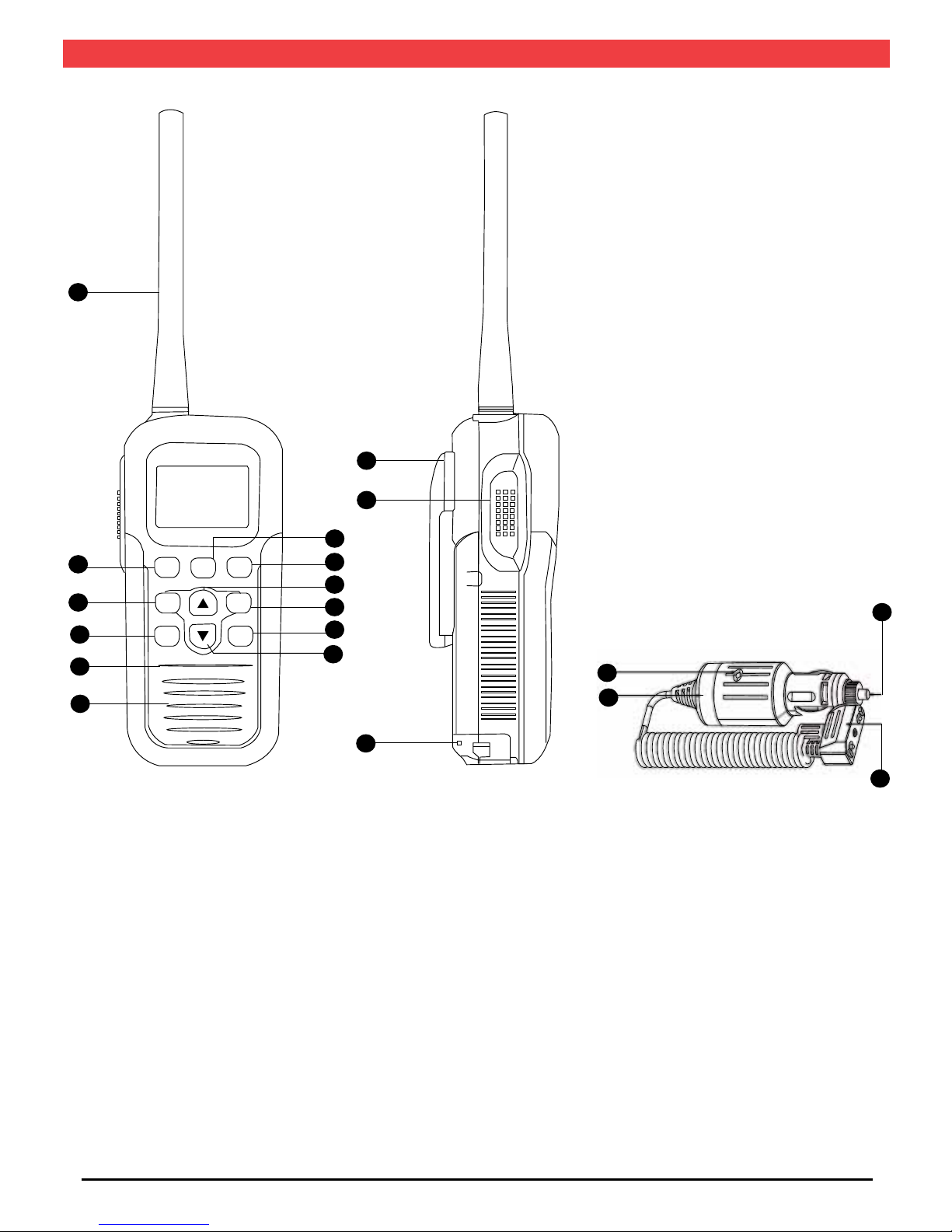
1. Pwr (Power) key
2. Channel 16 ‘emergency’ key
3. SCAN/MEM (Scan/Memory) Key
4. DW (Dual Watch) key
5. Up Key
6. Down key
7. VOL/INT (Volume/Country) key
8. SQL/HL (Squelch/Hi Lo) key
9. Speaker
10. Microphone
11. Antenna
12. Belt Clip attachment
13. PTT (Push to Talk) key
14. MON/LK (Monitor/Lock) key
15. Battery compartment
16. Battery charger
17. Battery charging indicator
18. Charge connector to radio
19. Cigarette lighter adaptor 12-24VDC
CONTROLS
16 DW MON
VOL SQL
PWR
SCAN
2
7
3
10
9
6
1
8
5
14
4
11
12
13
15
17
16
19
18

GX660 INSTRUCTION MANUAL PAGE 6
LCD DISPLAY
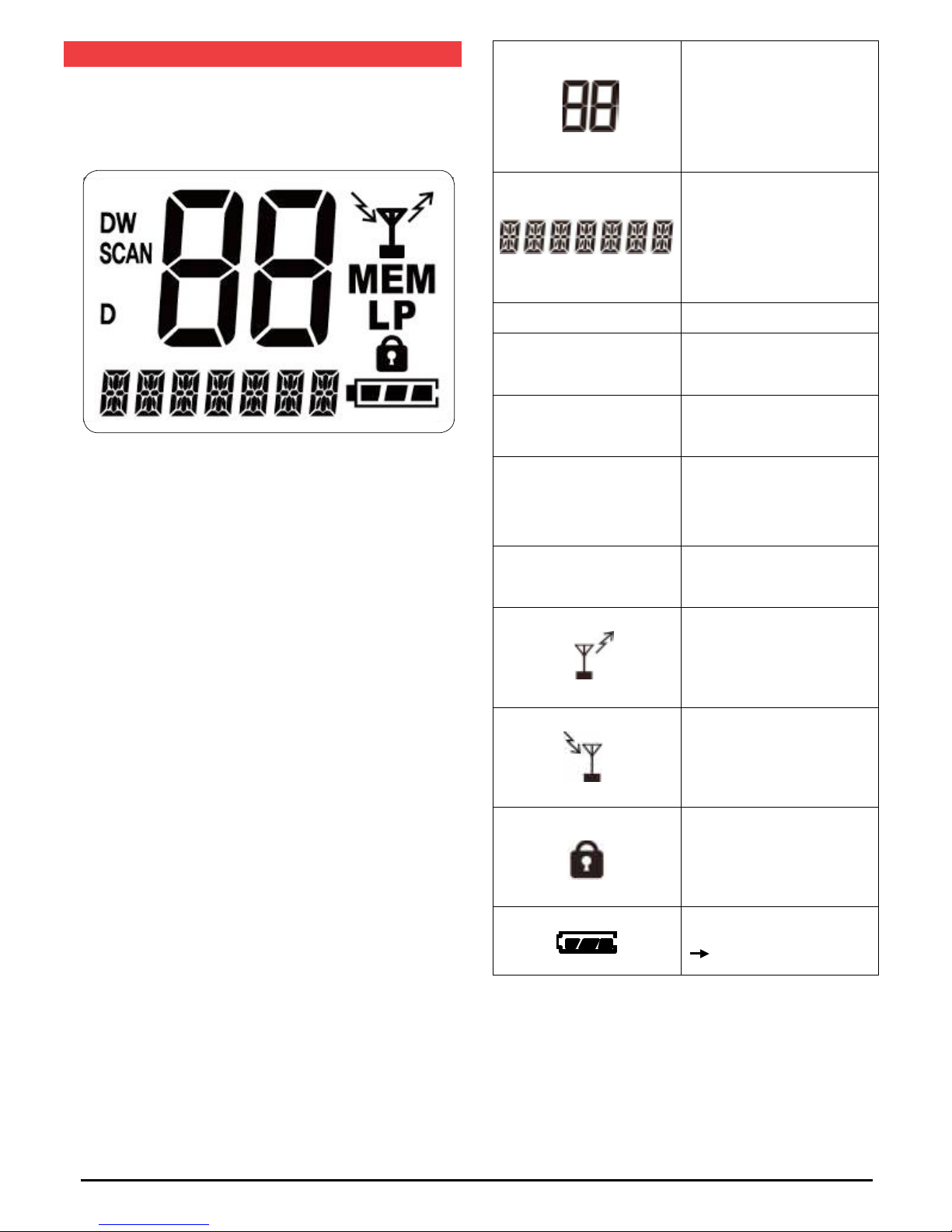
Channel Display
Displays country mode
and other information.
LP Low Power: <1W
SCAN Channel SCAN enabled
MEM Channels in Scan memory
DW Dual Watch is enabled
DIndicates Duplex frequency
TX active
RX active
Key Lock button enabled
Battery Level display icon
3 Levels.

GX660 INSTRUCTION MANUAL PAGE 7
POWER ON/OFF
Press the POWER key for 2 seconds to switch the radio on.
When on, press the POWER key for 1.5 seconds to switch the
unit off.
When the unit powers up, a power-on beep tone will be heard.
CHANNEL SELECTION
Press the or keys in RX or RX standby modes to change
the current channel. Hold the or keys for more than 1
second to step up or down through the channels continuously.
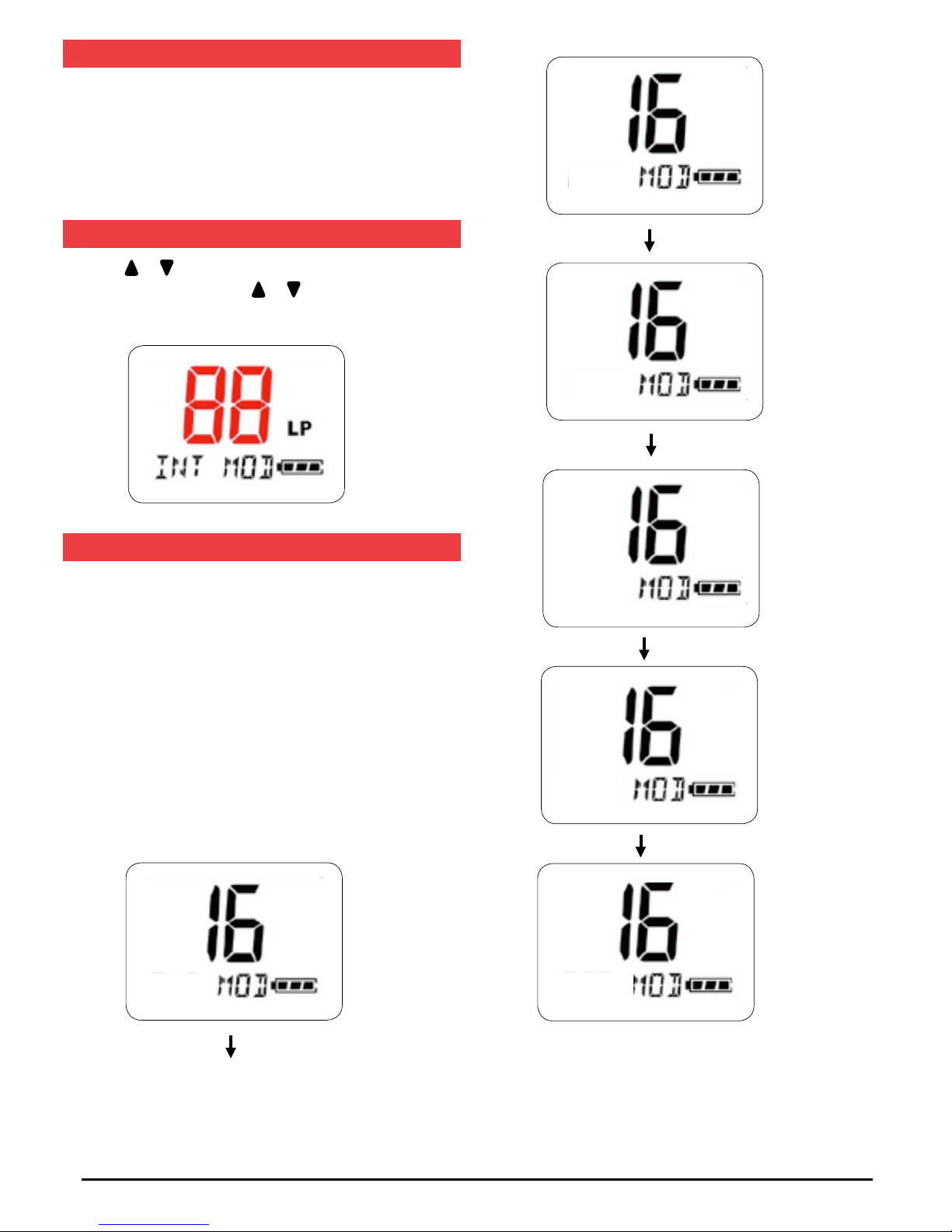
MODE CHANGES
The GX660 can be set to various country modes. The default is
INT (International - used in Australia and New Zealand).
To change the country mode
Press the VOL/INT Key for 2 seconds while in standby mode
to select the next available Country mode. The country modes
available are USA (United States), CAN (Canada), GBR
(Great Britain), SCA (Scandinavia), HUN (Hungary) and INT
(International) country modes.
USA
CAN
GBR
SCA
HUN
INT

GX660 INSTRUCTION MANUAL PAGE 8
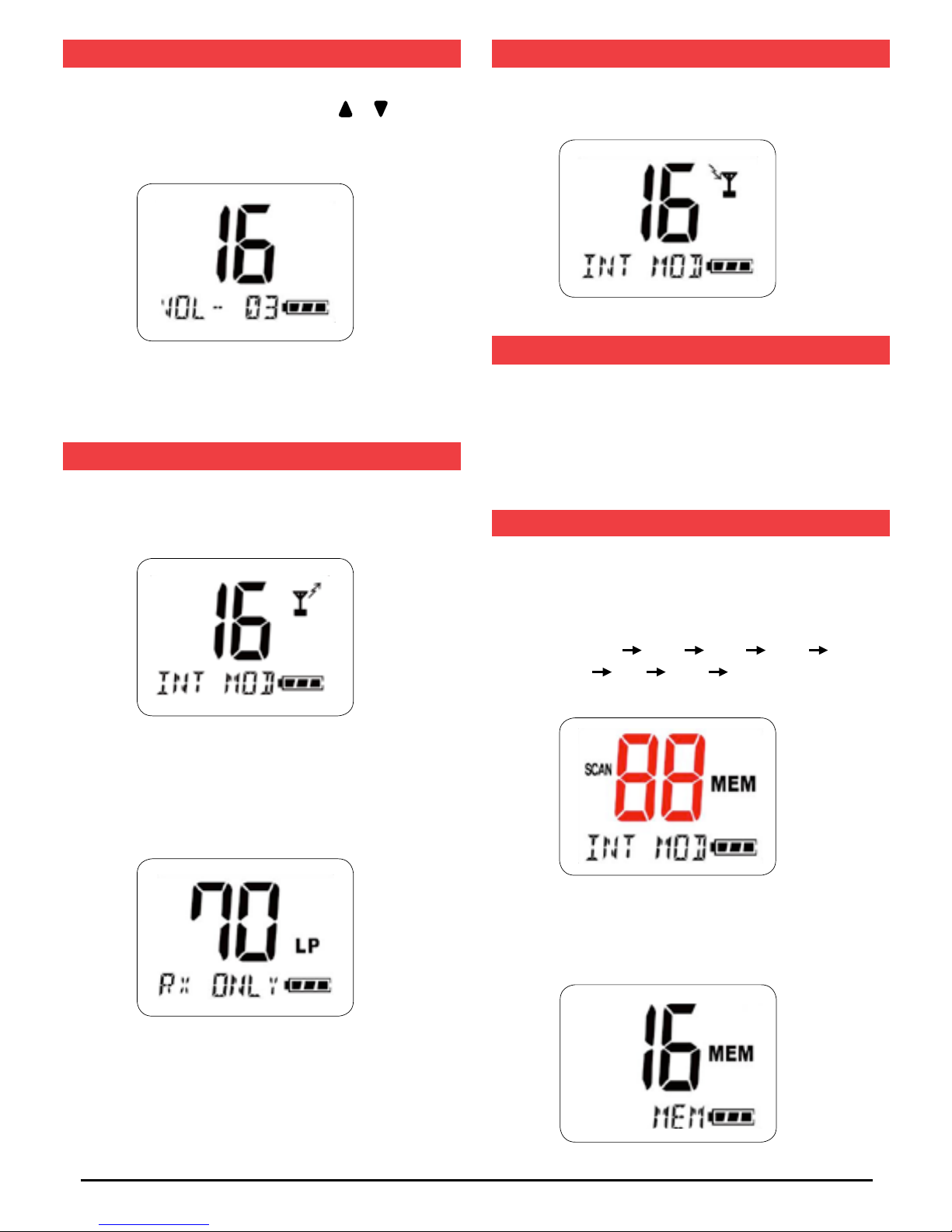
ADJUSTING THE VOLUME LEVEL
Press the VOL/INT key momentarily to select the volume level
setting mode. While in this mode, press the or keys to
change the volume level. The volume level range is 00 ~ 16.
To save the adjusted volume level either press the VOL/INT
key again or do not press any key for 3 seconds.
TRANSMITTING (TX)
1. Use Push-To-Talk (PTT) key to transmit on the
selected channel.
2. If the PTT Key is pressed when on a TX inhibited channel
(such as channel 70), an error bleep will sound and ‘RX
ONLY’ will appear at the bottom of the screen.
RECEIVING (RX)
When receiving, the Busy icon is displayed.
MONITOR OPERATION
Press the MON/LK key to activate the Monitor function. The
Monitor function turns the squelch to its lowest setting and
allows the user to listen to all radio traffic on the selected
channel. If any key is pressed while in the Monitor Mode, the
radio will return to the Channel Selection mode.
SCAN OPERATION
Press the SCAN (MEM) key momentarily to scan the channels
in memory.
e.g. For memory channels: 1, 10, 15, 65 & 77
Scan sequence: Ch1 Ch10 Ch15 Ch65 Ch77
Ch1 Ch10 •••
1. If there are no channels stored in the memory, no scanning
will occur and an error beep will sound.
NON

GX660 INSTRUCTION MANUAL PAGE 9
2. If only one channel is stored in the scan memory, an error
beep will sound and the radio will switch to that memory
channel.
3. I f there is traffic on a channel being scanned, scanning will
stop on that channel until the traffic disappears. Scanning
will then resume 3 seconds later
4. If the scan is paused on a busy channel and you don’t wish
to listen to that traffic, briefly press the key to skip that
channel and continue scanning.
5. The PTT cannot be used while the radio is scanning. If
pressed, an error beep will be heard.
6. If the 16 key is pressed briefly whilst scanning, the radio
will switch to channel 16 and scanning is paused. If the 16
key is pressed again, the scan resumes.
7. If the Scan key is pressed during scanning, scanning will
stop and radio will return to the start channel.
8. Pressing the SQL/HL key momentarily while scanning will
pause the SCAN and activate the Squelch Level Change
mode. The LCD display will show the current squelch level
setting. To change the squelch level press the or keys.
A few seconds after the squelch level has been changed the
scan function will resume.
9. Pressing the VOL/INT key momentarily while scanning will
pause the SCAN and activate the Volume Level Change
mode. The LCD display will show the current volume Level.
To change the Volume level press the or keys. A few
seconds after the volume level has been changed, the scan
function will resume.
10. Pressing the VOL/INT key for more than 2 seconds while
scanning will stop the SCAN and enter the Country
Selection mode
11. If the SQL/HL key is pressed for more than 2 seconds
while scanning, an error beep will be heard and the key
press will be ignored.
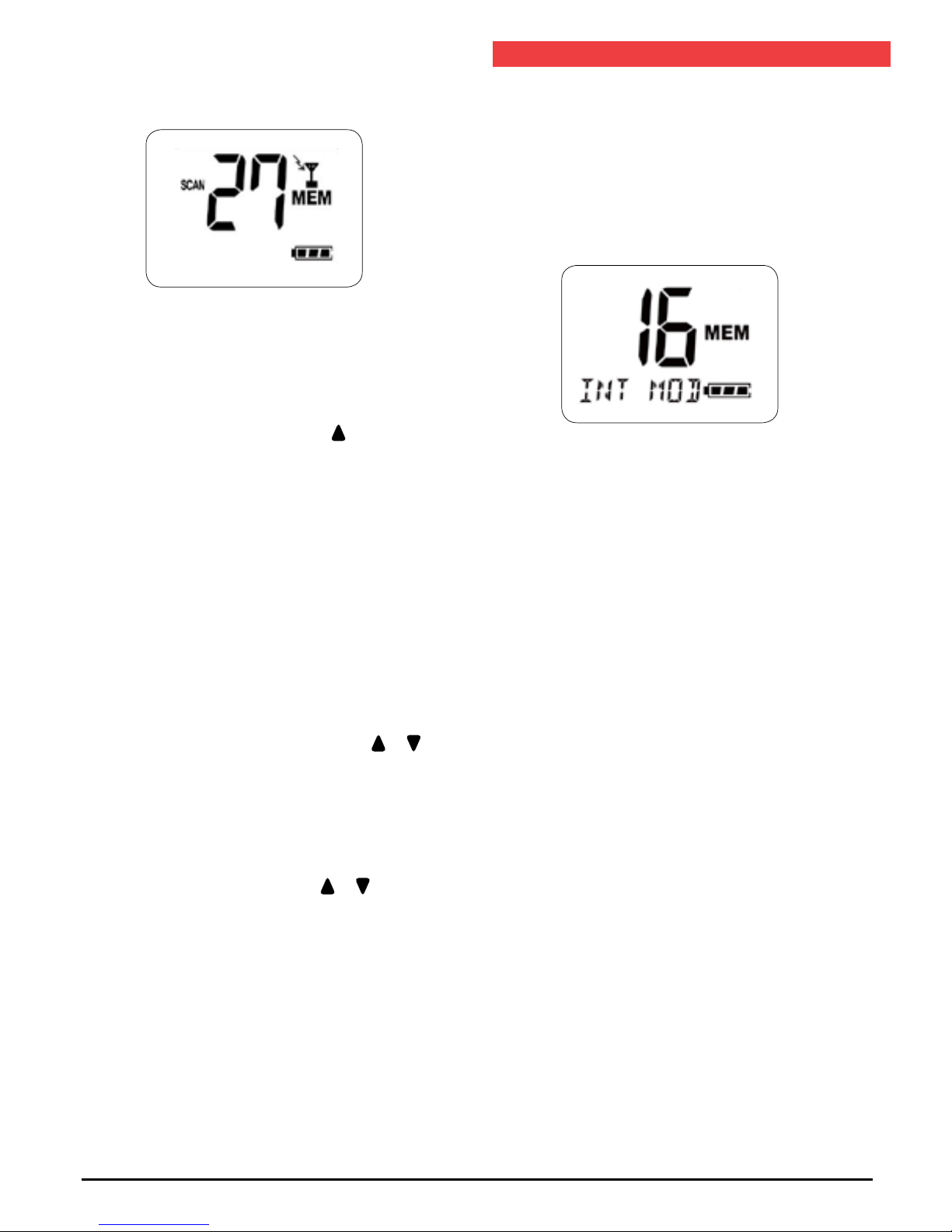
MEMORY MODE
To store a channel into the Scan Memory, select the required
channel then press the SCAN/MEM for 2 seconds. The
MEM icon is displayed on that channel. To remove a channel
from the memory, select the required channel in the Scan
memory and press SCAN/MEM for 2 seconds. The MEM icon
disappears on that channel.
MEM ONE

GX660 INSTRUCTION MANUAL PAGE 10
CHANNEL 16 MODE
Press the 16 key to toggle between Channel 16 and your
previously selected channel.
1. If the radio was scanning, the scanning will pause.
2. If radio was in Dual Watch Mode, the Dual Watch function
will pause.
3. If the or keys are pressed while on Channel 16, the
channel will change as normal and Channel 16 mode will
be released.
4. If the VOL/INT key is pressed over 2 seconds on the above
status, it will change to the country mode and the Channel
16 mode will be released.
DUAL WATCH MODE
The Dual Watch function is a 2 channel scan feature where the
GX660 switches between Channel 16 and any other selected
channel. This allows you to monitor a working or club channel
whilst still being able to receive important broadcasts on
Channel 16.
To use the Dual Watch function
Select your preferred working channel by pressing the or
keys, then press the DW key briefly. The DW icon appears.
Channel 16 will be checked every 2 seconds. When a signal is
received on either channel the unit will pause before resuming
dual watch.
To deactivate Dual Watch press the DW key briefly.
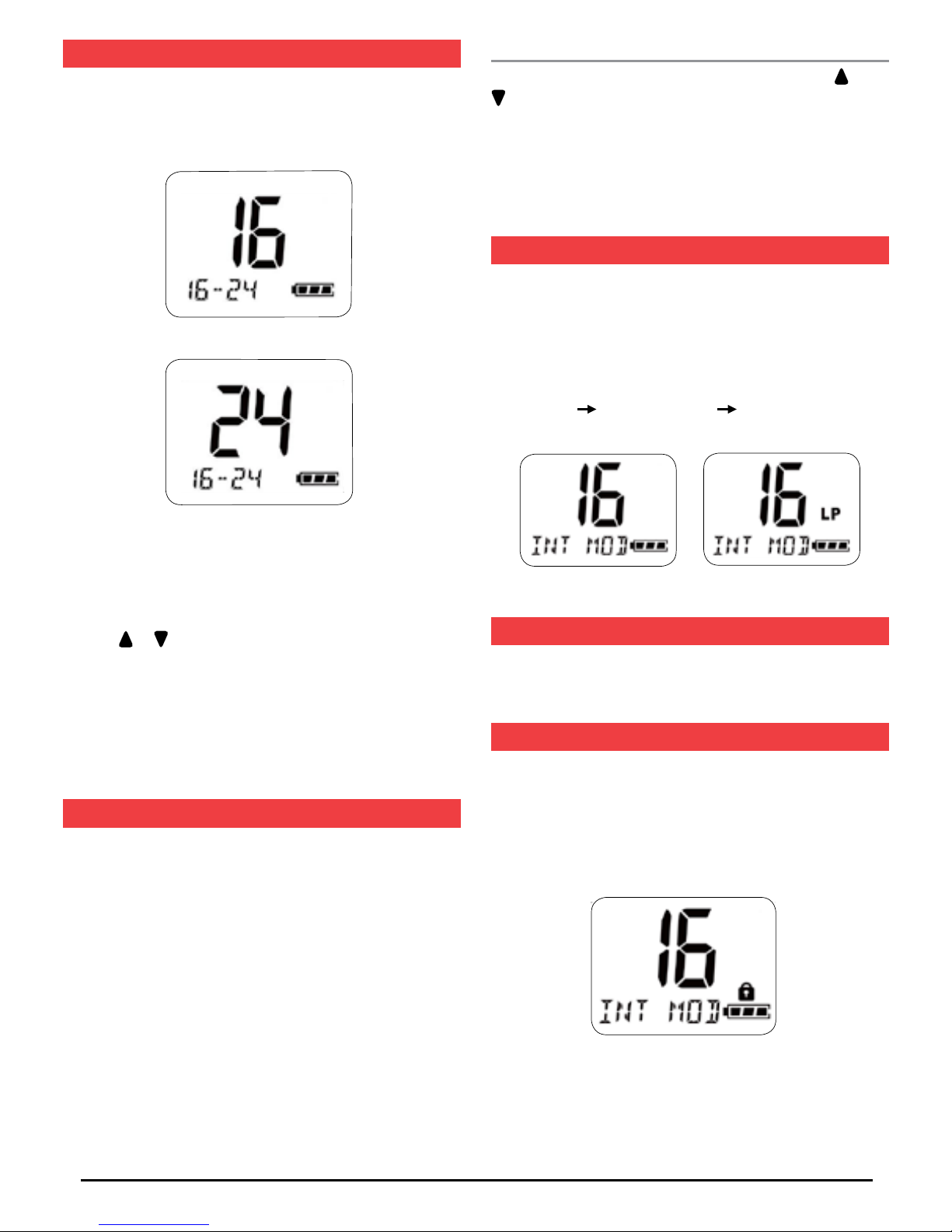
POWER SETTING MODE
If the SQL/HL key is pressed for 2 seconds, the radio’s
transmitter power is toggled between Hi and Low power.
Low power can be used for local communications to conserve
battery life. For long distance communications use the Hi
Power setting.
*High power 5W *Low power 1 W (icon displays: LP)
LCD BACK-LIGHT
When any key is pressed, the LCD and keypad will illuminate
for 6 seconds.
KEY-PAD LOCK
Press the MON/LK key for 2 seconds to lock the keypad.
Press MON/LK again for 2 seconds to re-activate the keypad.
When the Key Lock is on, the PTT button, MON/LK and
Power keys are still active but all other keys are disabled.
Autres manuels pour G-COM GX660
1
Table des matières
Autres manuels GME Radio

GME
GME TX2700 Manuel utilisateur

GME
GME TX3120S Manuel utilisateur

GME
GME XRS-330C Manuel utilisateur

GME
GME Commercial CP40 Series Manuel utilisateur

GME
GME RC900 Manuel utilisateur

GME
GME XRS-370C Manuel utilisateur

GME
GME TX667 Manuel utilisateur

GME
GME TX3100 Manuel utilisateur

GME
GME CP30 Manuel utilisateur

GME
GME CP30 Manuel utilisateur

GME
GME TX655 Manuel utilisateur

GME
GME TX3350 Manuel utilisateur

GME
GME TX4400 Manuel utilisateur

GME
GME GX620 Manuel utilisateur

GME
GME TX670 Manuel utilisateur

GME
GME TX3440 Manuel utilisateur

GME
GME TX685 Manuel utilisateur

GME
GME TX670 Manuel utilisateur

GME
GME TX4600 Manuel utilisateur

GME
GME GX300 Manuel utilisateur