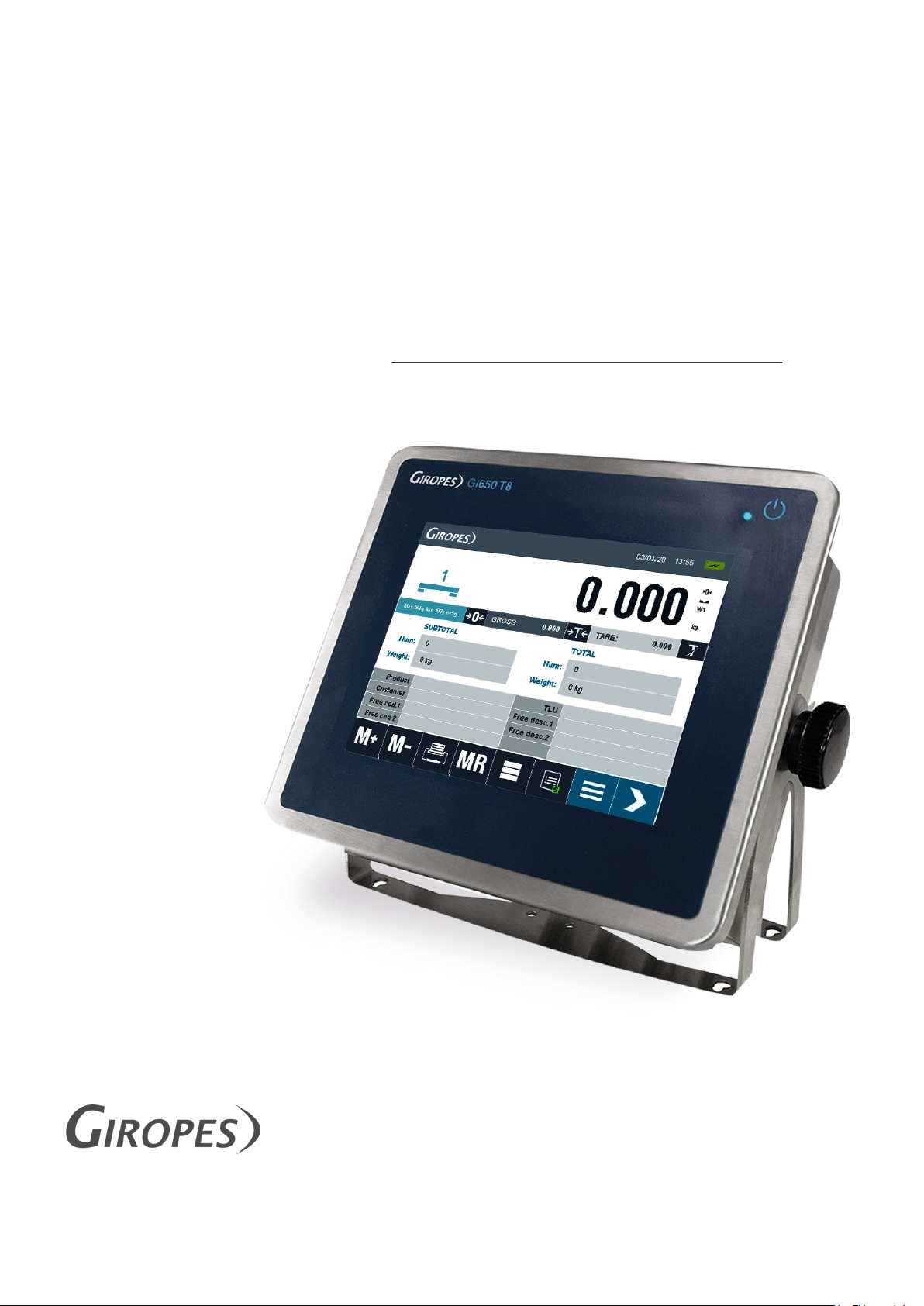
Giropes GI650 Manuel utilisateur

1
USER MANUAL
V.1.4_12/09/2022
EN
TOUCH SCREEN INDICATOR
GI650
TOTALIZER
The manufacturer reserves the right to modify the specifications of its products in order to make technical improvements or comply with new regulations.
Pol. Empordà Internacional C/Molló 3
17469 VILAMALLA - (Girona) SPAIN
T. (34) 972 527 212

ENENUSER MANUAL GI650
2

3
ENENUSER MANUAL GI650
INDEX
1. INTRODUCTION 4
1.1 CHARACTERISTICS 4
CONNECTION OF THE LOAD CELL 4
OPERATION INTERFACE 4
COMMUNICATION 4
POWER SUPPLY 4
OPERATING CONDITIONS AND MECHANICAL DATA 4
1.2 GENERAL FUNCTIONAL CHARACTERISTICS 5
1.3 DIMENSIONS 6
1.4 DISPLAY 7
1.5 KEYS AND FUNCTIONS 8
MAIN-DISPLAY 8
KEYBOARD-DISPLAY 9
NUMERIC-KEYBOARD 9
1.6 FUNCTIONS WHEN STARTING THE INDICATOR 10
2. WEIGHING INSTRUCTIONS 10
ZERO 10
TARE 11
TARE NORMAL 11
TARE MANUAL 11
DEACTIVATE TARE 11
MEMORIZED TARE 11
CHECKWEIGHER 11
ACCUMULATION AND TOTALIZE 12
3. MENU STRUCTURE 13
3.1 MENU 14
COMMUNICATIONS 14
SECURITY 15
DATABASE 15
GENERAL 15
FUNCTIONALITY 16
PRINTERS 17
CUSTOM TICKETS 18
ADDITIONAL 18
WEIGHING 18
CALIBRATION AND METROLOGY 20
DIAGNOSTIC 22
ABOUT THE DEVICE 22
3.2 DATABASE 23
4. ERROR MESSAGES 27
5. CONFIGURATION OF PERSONALIZED TICKETS 27
6. CONNECTIONS 32
7. DSD-MEMORY 33
8. REMOVAL OF ELECTRONIC EQUIPMENT 33
9. WARRANTY 33
10. ANNEX 34

ENENUSER MANUAL GI650
4
1. INTRODUCTION
Dear User,
the performance that the equipment you have acquired will offer you, will be all the greater the more attention you devote to the instructions for use
included in this manual. Please break our traditional apathy towards the manuals and do not wait for “everything goes wrong” for a consultant, so
you can enjoy optimal benefits from the execution of the first weight.
This equipment is designed to work on one hand as basic equipment to carry out weighing with or without tare, assigning these weights to their
corresponding code. Up to a maximum of 9200 weighings can be memorized.
1.1 CHARACTERISTICS
CONNECTION OF THE LOAD CELL
Precision Class III or IIII
Fraction factor p’I = 0,5
Minimum input voltage per VSI > 0.3 uV
Excitation voltage 5 V DC
Min. transducer resistance 29 Ω
Max. transducer resistance 1200 kΩ
Maximum length of cable 5714 m/mm2
Temperature range -10°C à +40°C
OPERATION INTERFACE
Display LCD tactil 800x600
COMMUNICATION
Port Tx/Rx: (Channel 1) RS-232 bi-directional
Port Tx/Rx: (Channel 2) RS-232 bi-directional
Port Tx/Rx: RS-485 bi-directional
Port Ethernet
Port USB Compatible with USB 2.0
Transmission Speed 300 - 115200
Bits 7 and 8 bits
Parity No; Even and Odd
POWER SUPPLY
Power Source 110 - 230VAC, 50-60 Hz
OPERATING CONDITIONS AND MECHANICAL DATA
Operation Temperature Range from -10ºC till 40ºC
Max. Temperature Range from -25ºC till 70ºC
Size without Support (mm) 242 x 212 x 84
Weight without Support ~ 2.8Kg
Support Desktop and Wall

5
ENENUSER MANUAL GI650
1.2 GENERAL FUNCTIONAL CHARACTERISTICS
Display
The GI650 has a Touchscreen Display with integrated backlight.
Password
Password protection for metrological and security Parameters
Theoric Calibration
If the reference weight is not available, you can perform a theoretical calibra-
tion by using the capacity and sensitivity values (mV/V) of the load cells.
Import / Export Data
It is possible to export the code files and weighings via USB to a PC to
manage / edit the categories.
Manage Files
It is possible to store and manage up to 1600 code-files. These files are used
in 4 different types: Product (1000), Customer (400), Free cod.1 (100)
and Free cod.2 (100). It is also possible to program a specific name for
each code.
Manage Weighings
It is possible to store and manage up to 9200 weighings in 2 different types:
open weights and Weights (4600 each).
Manage memorized Tares
It is possible to store and manage up to 300 Tare values.
Manage the Printer
It is possible to work with 2 printer/labeler on the GI650. You can also free
configure the printouts and on which printer, which information is printed.
Software
GI Manager
Repeater available
It is possible to work with a Repeater through the serial RS-232 Port or the
optional RS-485 Port
Alibi-Memory
Alibi-Memory (DSD) is available.
Barcode-Reader
It is possible to work with a Barcode-Reader.
External Keyboard
It is possible to plug an external Keyboard through the serial USB-Port

ENENUSER MANUAL GI650
6
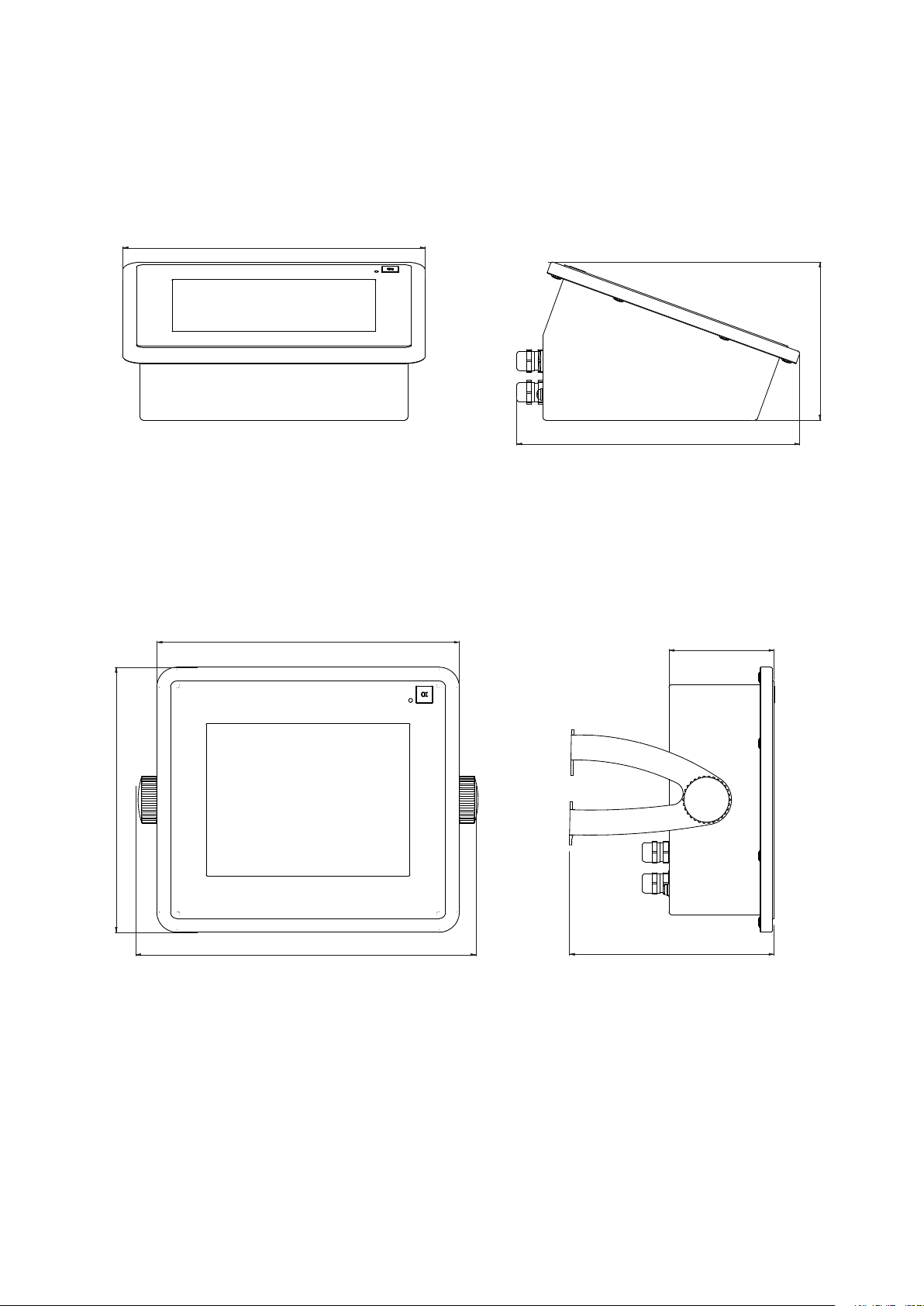
1.3 DIMENSIONS
BENCH TOP
1
1
2
2
3
3
4
4
5
5
6
6
A A
B B
C C
D D
Diseñado: Revisado: Fecha: Unidades del plano: Número SAP:
Tamaño del papel:
Escala:
Página:
Propiedad:
Giropès S.L.
Pol. Empordà Internacional.
Calle Molló. Parcela 15-16.
17469 Vilamalla (Girona).
AMS NT 13/05/2019 mm
A3
GI450T8
Vista general Pedido nº:
Validado:
Nº plano: IDD-VIGI-GI650-C2DD-0003-00
126
242
226
84
164
212
242
272
ON WALL
1
1
2
2
3
3
4
4
5
5
6
6
A A
B B
C C
D D
Diseñado: Revisado: Fecha: Unidades del plano: Número SAP:
Tamaño del papel:
Escala:
Página:
Propiedad:
Giropès S.L.
Pol. Empordà Internacional.
Calle Molló. Parcela 15-16.
17469 Vilamalla (Girona).
AMS NT 13/05/2019 mm
A3
GI450T8
Vista general Pedido nº:
Validado:
Nº plano: IDD-VIGI-GI650-C2DD-0003-00
126
242
226
84
164
212
242
272

7
ENENUSER MANUAL GI650
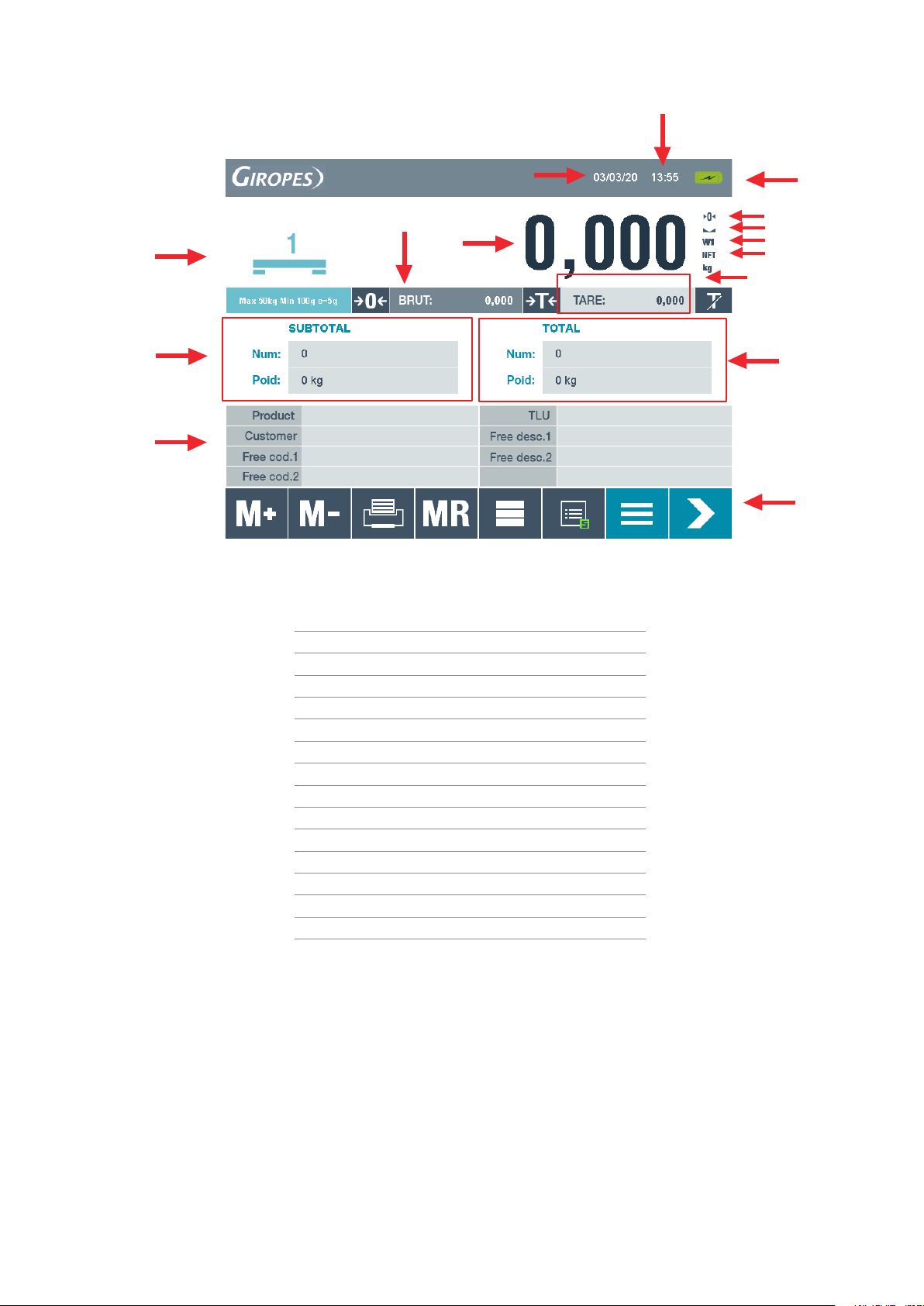
1.4 DISPLAY
1
12
14
2
9
10
4
5
6
7
11
13
3
15
8
Number Function
1Platform-number and Configuration
2Date
3Time
4Charging-indicator
5Zero-indicator
6Stable-indicator
7Weight-range
8Net-indicator
9Net-weight
10 Gross-weight
11 Tare-weight
12 Number and Weight of Subtotal
13 Number and Weight of Total
14 Categories
15 Command-Keys

ENENUSER MANUAL GI650
8
1.5 KEYS AND FUNCTIONS
It is possible to choose between 3 different Keyboards:
QWERTZ, QWERTY and AZERTY
To change the Keyboard you have to access to the Main-menu by
Choose the Menu point General and change the settings.
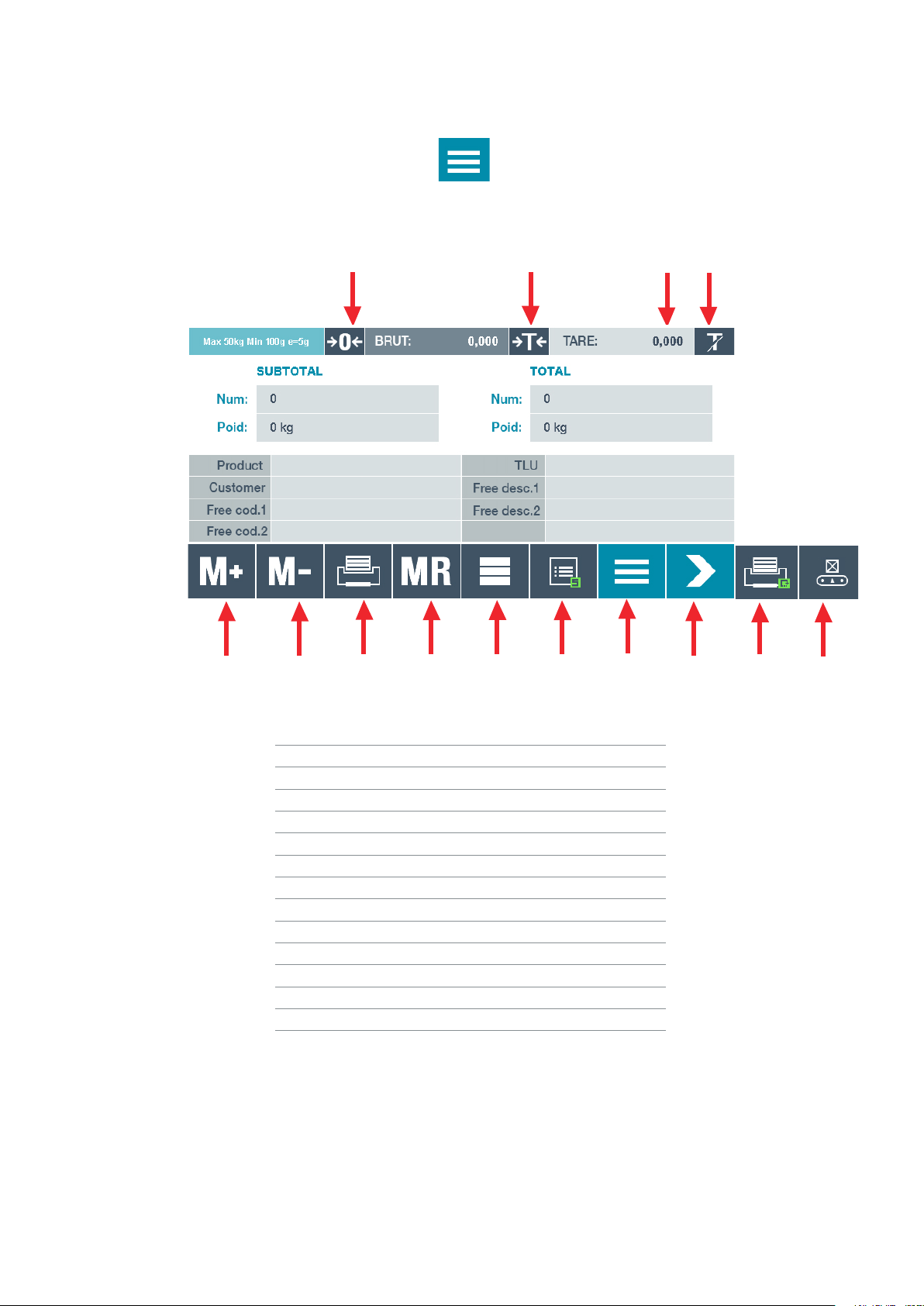
MAIN-DISPLAY
1234
5678 9 10 11 12 13 14
Number Function
1Zero
2Tare
3Set Manual Tare
4Deactivate Tare
5Accumulate the Weight
6Subtract the last weight
7Totalize: Subtotal --> Total
8Totalize: Total --> Big Total
9Fastkey to access Database
10 See actual Summary of open weights
11 Access to Main-menu
12 Change to Page 2 of commands
13 Reprint the last ticket
14 Activate / Deactivate the Checkweigher

9
ENENUSER MANUAL GI650
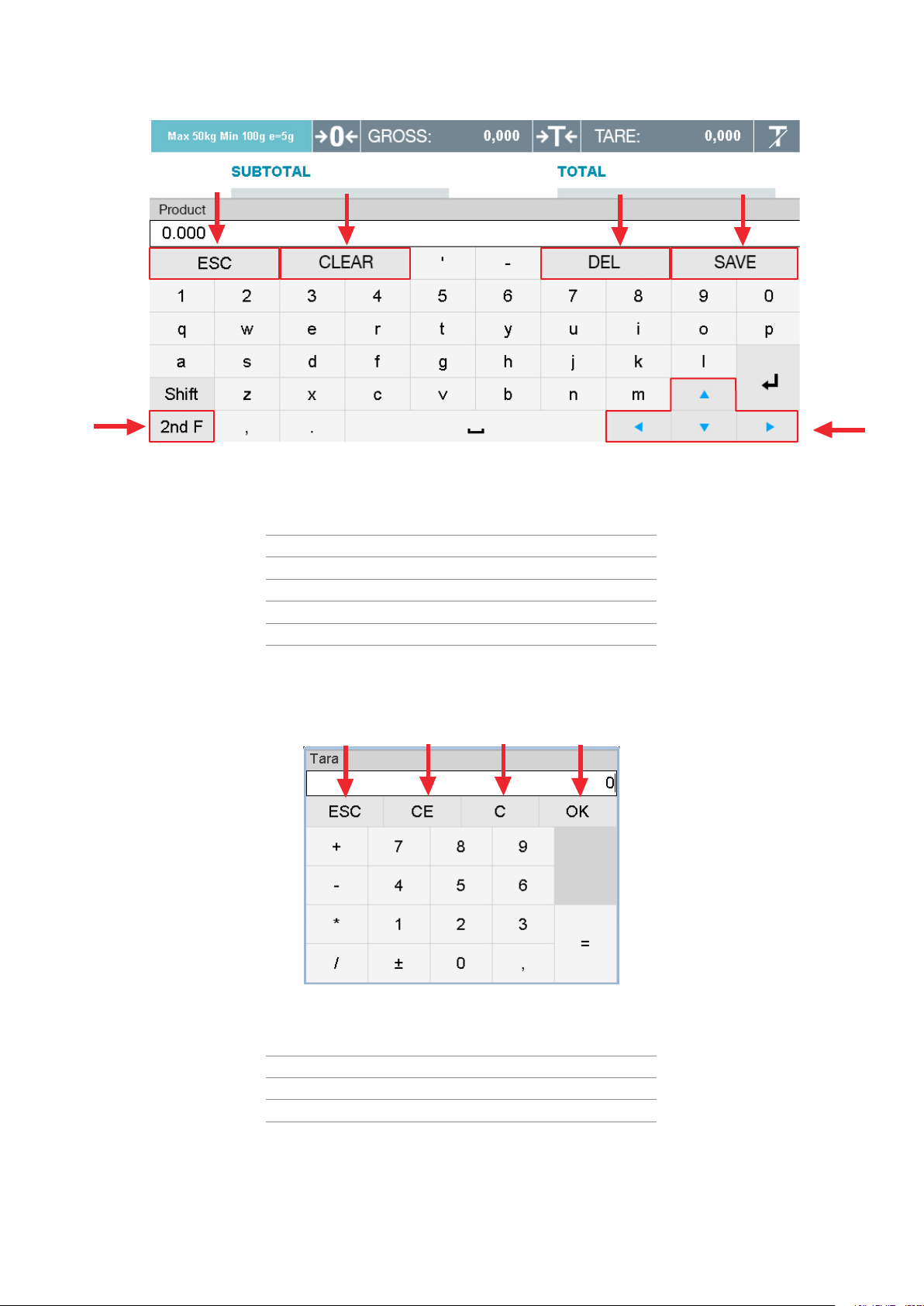
KEYBOARD-DISPLAY
1
56
234
Key Function
1Exit the Keyboard
2Clear all letters
3Delete the last letter
4Save the changes
5Change to the special characters
6Arrow Keys
NUMERIC-KEYBOARD
1 2 34
Key Function
1Exit the Keyboard
2Clear all numbers
3Delete the last number
4Save the change

ENENUSER MANUAL GI650
10
1.6 FUNCTIONS WHEN STARTING THE INDICATOR
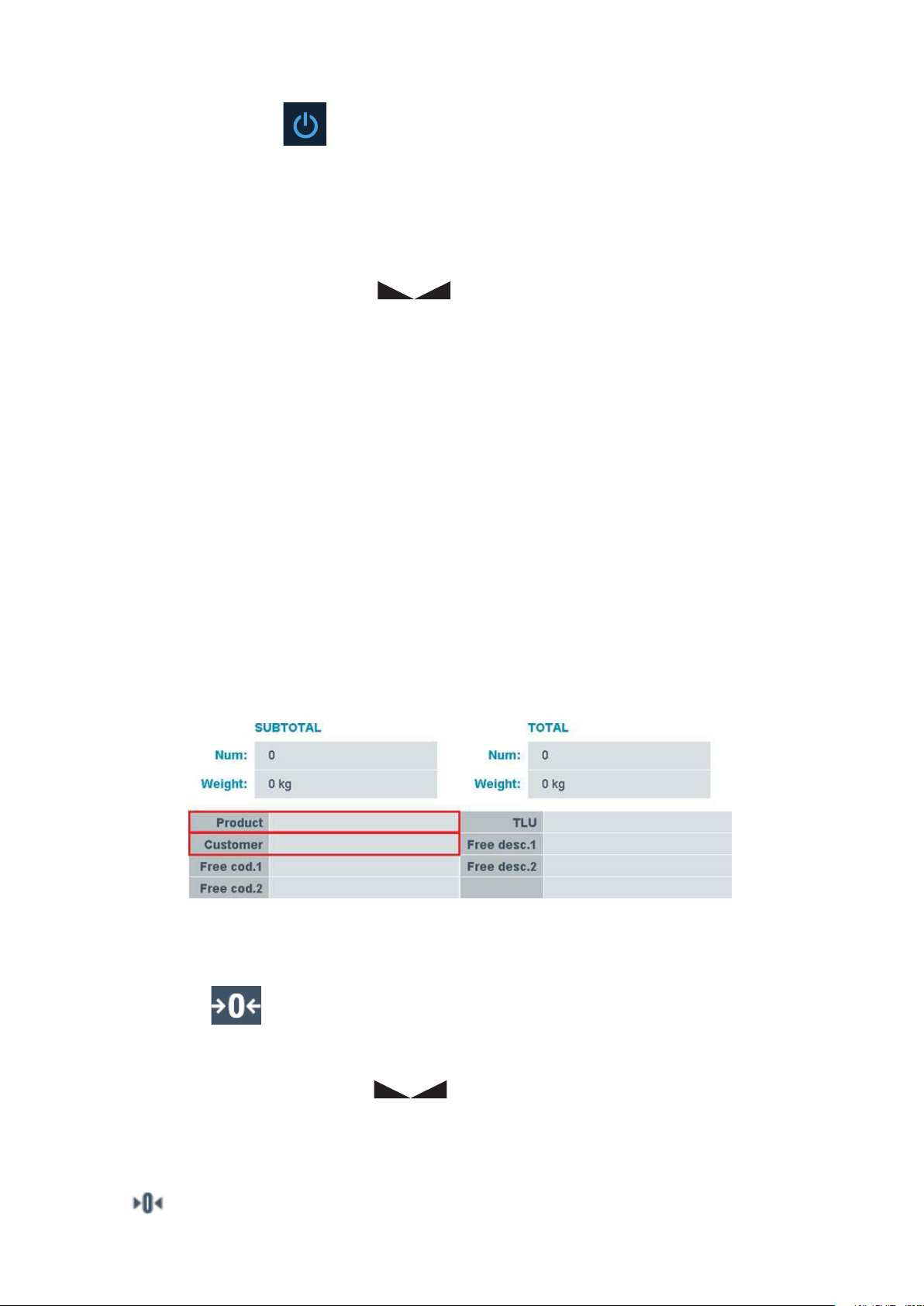
To turn on the indicator press the key
The Display turns on, showing the Firmware-, Bootloader- and Weightmodel-version, also the CRC-value and the number of Calibrations during
the initialization.
After finishing the initialization, the indicator is performing the initial zero.
To do this, the indicator must be connected to the Load cell and following conditions must be made:
• The weight must be stable (indicator for stability is on )
• The weight must be inside the range of initial Zero (15% in positive and 5% in negative)
During this operation, the Display will show “0 init” till the weight is in range.
2. WEIGHING INSTRUCTIONS
PLEASE NOTE:
This equipment comes with a standard factory configuration. It is strongly recommended to program the databases and the
different codes as required.
Before do your first weighing you have to select a Product OR Client.
Without doing this, it is not possible to store any weight.
You can put the Data directly into the respective Field or select from Database (see point 3.2)
ZERO
When you press the key ,this assumes the metrological function of weight zeroing.
To do this, the following conditions must be made:
• The weight must be stable (indicator for stability is on )
• Weight value not less than -2% of the Max. in relation to the zero of the calibration
• Weight value not higher than 2% of the Max. in relation to the zero of the calibration
The sign indicates that the function has been done.
Autres manuels pour GI650
1
Table des matières
Autres manuels Giropes Instrument de mesure
Manuels Instrument de mesure populaires d'autres marques

Endress+Hauser
Endress+Hauser Proline Promag 50 Caractéristiques techniques

Siemens
Siemens SITRANS F Coriolis FCT030 Manuel de la liste des pièces

KLINGER
KLINGER CMF V Series Manuel utilisateur

EXFO
EXFO FTB-2 Manuel d'exploitation et d'entretien

Keysight
Keysight M8290A Manuel utilisateur

ADTEK
ADTEK MW-5 Manuel utilisateur