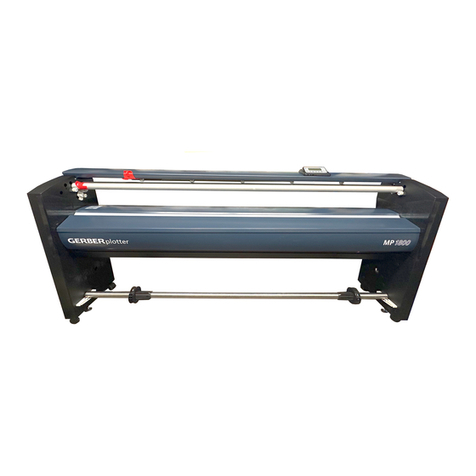
Gerber Technology GERBERplotter Infinity Series Manuel de la liste des pièces

Infinity45-85
™
GERBERplotter
™
GettingStartedManual
ManualdeInicio

Infinity45-85
™
GERBERplotter
™
GettingStartedManual
ManualdeInicio

i
English
Copyright Notice
Copyright ©2006 by Gerber Technology, a Gerber Scientific
Company. All rights reserved.
This document may not be reproduced by any means, in whole or in
part, without the written permission of the copyright owner. This
document is part of the proprietary articles furnished to document
the Infinity™ 45 and the Infinity™ 85 GERBERplotter™.
In consideration of the furnishing of the information contained in this
document, the party to whom it is given assumes control and
custody and agrees to the following:
•The information contained herein is given in confidence and any
part thereof shall not be copied or reproduced without the
written consent of Gerber Technology.
•This document or the contents herein under no circumstances
shall be used in the manufacture or reproduction of the articles
shown and the delivery shall not constitute any right or license
to do so.
The information in this document is subject to change without notice.
Gerber Technology, its subsidiaries and affiliates shall not be liable
for errors in this documentation or for incidental or consequential
damages in connection with furnishing, or use of this material
including, for example, loss of profits, fabric, and production time.
GERBERplotter™ and WinPlot™ are registered trademarks of
Gerber Technology, all rights reserved. Infinity™ and AccuMark™
are trademarks of Gerber Technology, all rights reserved. Other
company names, brand names, and product names mentioned in
this book are trademarks or registered trademarks of their respective
companies.
Gerber Technology
24 Industrial Park Road West
Tolland, CT 06084 USA
Telephone (860) 871-8082
Printed in USA
PN 92808000 08/06

ii
English
Table of Contents
TABLE OF CONTENTS ..............................................................II
TABLE OF ILLUSTRATIONS ................................................... IV
INTRODUCTION..........................................................................1
WASTE ELECTRICAL AND ELECTRONIC EQUIPMENT
(WEEE) ........................................................................................1
SYSTEM REQUIREMENTS ........................................................2
CUSTOMER SUPPORT..............................................................3
SAFETY INSTRUCTIONS...........................................................4
SAFETY LABELS..........................................................................4
WARNINGS AND CAUTIONS..........................................................4
DANGEROUS PROCEDURES.........................................................4
MOVING MACHINERY...................................................................5
DO NOT REFILL INK CARTRIDGES..................................................5
INK HAZARDS..............................................................................5
SAFE REMOVAL OF BULK INK CARTRIDGE ....................................5
OPERATING THE INFINITY GERBERPLOTTER......................6
BASIC CONCEPTS .......................................................................6
SYSTEM DESCRIPTION.............................................................7
GETTING STARTED PROCEDURES AT-A-GLANCE...............9
HARDWARE INSTALLATION ..................................................10
INVENTORY...............................................................................10
UNPACK/ASSEMBLE ..................................................................11
LEVELING THE INFINITY..............................................................15
CHANGING THE PLOTTER POWER SETTING ................................17
CONNECTING CABLES TO REAR OF PLOTTER.............................19
BULK INK CARTRIDGE INSTALLATION..........................................20
POWERING UP THE PLOTTER.....................................................20
SOFTWARE INSTALLATION...................................................21
COMMUNICATIONS SETUP ....................................................23
SERIAL USE SETUP –INFINITY 45 AND INFINITY 85 .....................23
NETWORK USE SETUP -INFINITY 85 ..........................................23
PLOTTER SETUP.......................................................................23
NETWORK SETUP INTERFACE....................................................24

iii
English
LONG-LIFE INK DELIVERY SYSTEM - INFINITY 85 ..............26
DESCRIPTION ...........................................................................26
SYSTEM PRIMING......................................................................27
PRINT HEAD CARTRIDGE INSTALLATION .....................................29
INKJET CARTRIDGE INSTALLATION – INFINITY 45 ............32
PAPER INSTALLATION ...........................................................33
PAPER SUPPLY ROLL................................................................33
PAPER PATH ............................................................................34
PAPER TAKE-UP ROLL..............................................................35
CALIBRATION ..........................................................................40
INKJET CARTRIDGE ALIGNMENT.................................................40
PLOT LENGTH CALIBRATION ......................................................42
TEST PLOT ...............................................................................43
INFINITY USER INTERFACE GUIDE.......................................46
ACCESSING SCREENS...............................................................47
BULK CARTRIDGE PARAMETERS ........................................49
PAPER MONITORING PARAMETERS....................................51
COMMUNICATIONS BAUD RATE...........................................53
SITE REQUIREMENTS ................................................................54
TECHNICAL SPECIFICATIONS .....................................................54
PRINT ENGINE ..........................................................................54
HOST CONNECTIVITY ................................................................54
PAPER .....................................................................................54
FLOOR SPACE REQUIREMENTS..................................................54
WEIGHT....................................................................................54
POWER REQUIREMENTS............................................................54
USING THE HP 51645A INKJET CARTRIDGE FOR INFINITY 85......55
TROUBLESHOOTING ..................................................................56
PRINTING TROUBLESHOOTING...................................................56
ERROR HANDLING PROCESS FLOW ...........................................58
ERROR CODES –INFINITY 85 ....................................................59
TROUBLE COMMUNICATING OVER THE NETWORK.......................60
CONSUMABLES.........................................................................62

iv
English
Table of Illustrations
Figure 1. Infinity GERBERplotter.........................................................7
Figure 2. Control Panel..........................................................................8
Figure 3. Plotter Shipping Container Contents (Typical).....................10
Figure 4. Back Panel Installation.........................................................11
Figure 5. Plotter Assembly ..................................................................12
Figure 6. Nipbar Stop Installation........................................................14
Figure 7. Plotter Leveling....................................................................15
Figure 8. Power Switch Setting............................................................17
Figure 9. Infinity Serial Number Plate (Typical).................................18
Figure 10. Plotter Rear Connections....................................................19
Figure 11. Installing the Bulk Ink Cartridge........................................20
Figure 12. Infinity Installation Screen .................................................21
Figure 13. WinPlot Warning Dialog Box ............................................22
Figure 14. Infinity Network Setup Interface........................................25
Figure 15. Long Life Ink Delivery System..........................................26
Figure 16. Priming Tool.......................................................................27
Figure 17. Disengage CPC Connector From Mounting Clip...............27
Figure 18. Connecting Primer to CPC Connector................................28
Figure 19. Infinity Print Head Cartridge and Tube Assembly .............29
Figure 20. Print Head Cartridge Assembly..........................................30
Figure 21. Inkjet Cartridge Installation................................................30
Figure 22. Paper Supply Roll Installation............................................33
Figure 23. Paper Path...........................................................................34
Figure 24. Paper Take-Up Roll Installation.........................................36
Figure 25. Nipbar Arm Engagement....................................................37
Figure 26. Supply Paper Taped to Take-Up Roll.................................38
Figure 27. Wrapping Supply Paper Around Introduction....................39
Figure 28. Plotter Calibration Screen...................................................40
Figure 29. Inkjet Cartridge Alignment Test.........................................41
Figure 30. Plotter Icon.........................................................................43
Figure 31. WinPlot screen....................................................................44
Figure 32. Choose files to plot screen..................................................44
Figure 33. WinPlot screen....................................................................45
Figure 34. Infinity Plotter Status Screen..............................................46
Figure 35. Infinity User Interface Toolbar...........................................47
Figure 36. Bulk Cartridge Parameters..................................................49
Figure 37. Paper Monitoring Parameters.............................................51
Figure 38. Serial Settings.....................................................................60
Figure 39. Connection Settings............................................................61

1
English
Introduction
The Infinity series of inkjet plotters provide continuous throughput on
constantly moving paper rolls. The Infinity is the most affordable plotter
of its kind.
The Infinity is ideal for plotting in an ultra wide format, yet small enough
to fit into any design or pattern making area. This compact upright
plotter is quiet, easy to install, uses minimal floor space and can be
conveniently set against a wall.
This getting started manual provides information that will quickly get you
familiar with the Infinity plotter. For more extensive information on the
plotter, open the Infinity User Interface on your workstation, click on the
HELP pull down menu, and then select Infinity Help.
Waste Electrical and Electronic Equipment
(WEEE)
Attention European Union Member States Only!
Your Gerber equipment is labeled with this marking as required by the
Waste Electrical and Electronic Equipment (WEEE) Directive
2002/96/EC for product placed on the marked after August 13, 2005.
The WEEE Directive mandates the collection and treatment of electrical
and electronic equipment at end of life. Refer to the Directive’s specific
requirements for your region.

2
English
System Requirements
To install and operate the Infinity plotter, your system must meet the
following minimum requirements.
•Windows® 2000 or Windows XP® professional operating
system
•20 MB available hard disk space
•CD-ROM drive
•Mouse pointing device
•Available serial or network port depending on plotter model
•WinPlot version 8.2 or higher
•AccuMark version 8.2.0 or higher

3
English
Customer Support
If you are in the United States and have a question or problem with your
Infinity Plotter, call our toll free number at 1-800-321-2448. If you are
outside the United States, call the sales office where you purchased
your Infinity Plotter. Have the following available:
•Sales order number
•Version numbers of Infinity firmware and software
•Version number of AccuMark software
•Type of hardware used
•Operating system used
•Description of problem
•Purchase date
•Exact wording of any messages seen on your plotter control
panel or on your workstation monitor
4
English
Safety Instructions
This section gives important safety instructions that must be followed to
prevent personal injury, death, or equipment damage. Read and
understand these safety instructions before operating the
GERBERplotter.
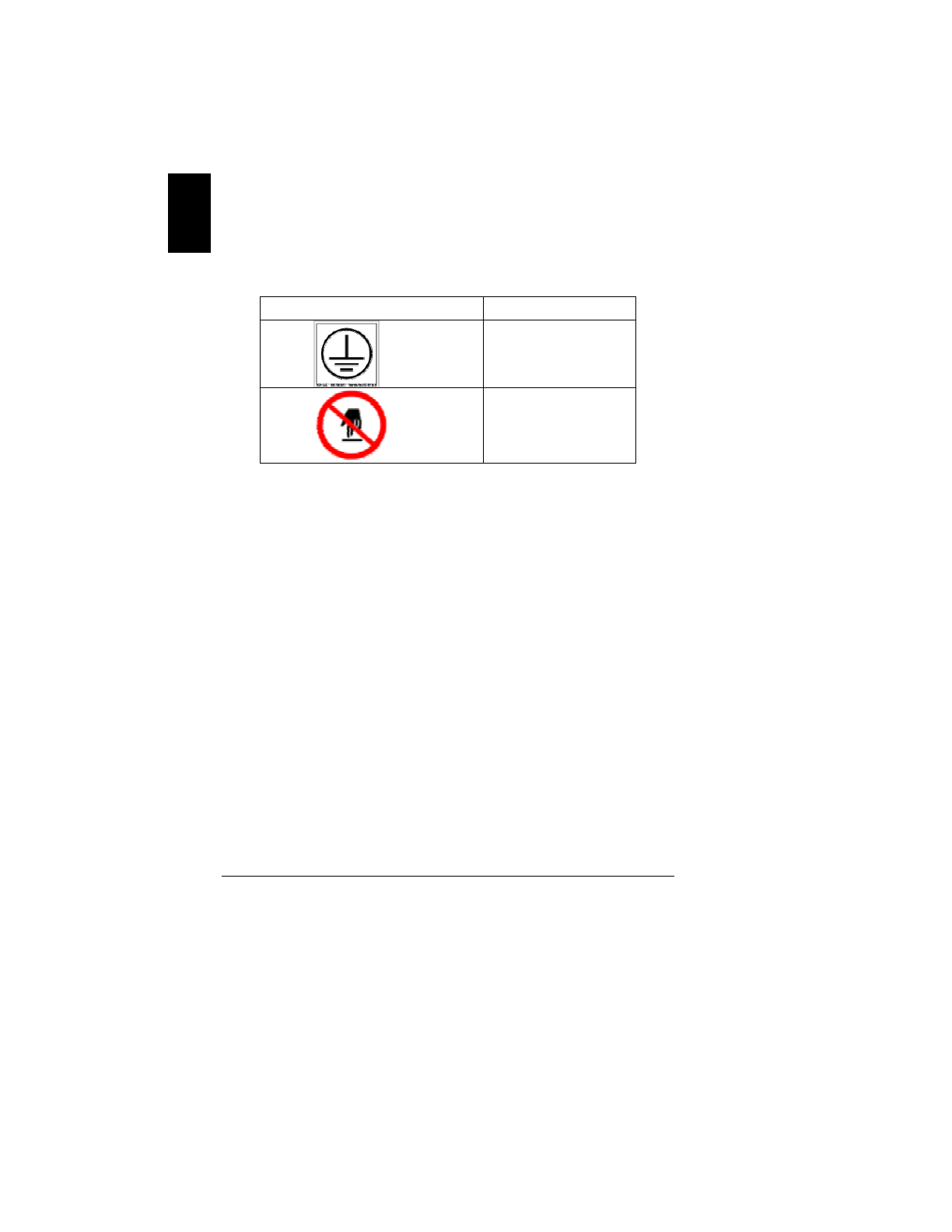
Safety Labels
These safety labels are located at various parts of the
GERBERplotter.
Symbol Description
Electrical ground to
frame
Sharp Edge
Do Not Touch
Codestrip
Warnings and Cautions
This Gerber manual contains Warnings and Cautions that precede
steps or procedures. Always follow these precautions to avoid injury
or equipment damage.
Warnings are put before a procedure that could result in personal
injury, death, or equipment damage.
Cautions are put before procedures that could result in equipment
damage.
Dangerous Procedures
Always follow warnings and cautions. Follow all other safety
instructions that are necessary for safe operation of the
equipment in your installation.
Ce manuel convient aux modèles suivants
2
Table des matières
Autres manuels Gerber Technology Traceur