GE 25881EE3 Manuel utilisateur

Model 25881
5.8GHz Dual Handset
Speakerphone/Answering
System User’s Guide

Equipment Approval Information
Your telephone equipment is approved for connection to the Public Switched Telephone Network and
is in compliance with parts 15 and 68, FCC Rules and Regulations and the Technical Requirements for
Telephone Terminal Equipment published by ACTA.
1 Notification to the Local Telephone Company
On the bottom of this equipment is a label indicating, among other information, the US number and
Ringer Equivalence Number (REN) for the equipment. You must, upon request, provide this information
to your telephone company.
The REN is useful in determining the number of devices you may connect to your telephone line and
still have all of these devices ring when your telephone number is called. In most (but not all) areas, the
sum of the RENs of all devices connected to one line should not exceed 5. To be certain of the number
of devices you may connect to your line as determined by the REN, you should contact your local
telephone company.
A plug and jack used to connect this equipment to the premises wiring and telephone network must
comply with the applicable FCC Part 68 rules and requirements adopted by the ACTA. A compliant
telephone cord and modular plug is provided with this product. It is designed to be connected to a
compatible modular jack that is also compliant. See installation instructions for details.
Notes
• This equipment may not be used on coin service provided by the telephone company.
• Party lines are subject to state tariffs, and therefore, you may not be able to use your own telephone
equipment if you are on a party line. Check with your local telephone company.
• Notice must be given to the telephone company upon permanent disconnection of your telephone
from your line.
• If your home has specially wired alarm equipment connected to the telephone line, ensure the
installation of this product does not disable your alarm equipment. If you have questions about what
will disable alarm equipment, consult your telephone company or a qualied installer.
US Number is located on the cabinet bottom.
REN Number is located on the cabinet bottom.
2 Rights of the Telephone Company
Should your equipment cause trouble on your line which may harm the telephone network, the
telephone company shall, where practicable, notify you that temporary discontinuance of service
may be required. Where prior notice is not practicable and the circumstances warrant such
action, the telephone company may temporarily discontinue service immediately. In case of such
temporary discontinuance, the telephone company must: (1) promptly notify you of such temporary
discontinuance; () afford you the opportunity to correct the situation; and (3) inform you of your right to
bring a complaint to the Commission pursuant to procedures set forth in Subpart E of Part 68, FCC Rules
and Regulations.
The telephone company may make changes in its communications facilities, equipment, operations
or procedures where such action is required in the operation of its business and not inconsistent with
FCC Rules and Regulations. If these changes are expected to affect the use or performance of your
telephone equipment, the telephone company must give you adequate notice, in writing, to allow you to
maintain uninterrupted service.

3
Interference Information
This device complies with Part 15 of the FCC Rules. Operation is subject to the following two conditions: (1)
This device may not cause harmful interference; and () This device must accept any interference received,
including interference that may cause undesired operation.
This equipment has been tested and found to comply with the limits for a Class B digital device, pursuant
to Part 15 of the FCC Rules. These limits are designed to provide reasonable protection against harmful
interference in a residential installation.
This equipment generates, uses, and can radiate radio frequency energy and, if not installed and used in
accordance with the instructions, may cause harmful interference to radio communications. However,
there is no guarantee that interference will not occur in a particular installation.
P
rivacy of Communications may not be ensured when using this product.
If this equipment does cause harmful interference to radio or television reception, which can be determined by
turning the equipment off and on, the user is encouraged to try to correct the interference by one or more of
the following measures:
• Reorient or relocate the receiving antenna (that is, the antenna for radio or television that is “receiving”
the interference).
• Reorient or relocate and increase the separation between the telecommunications equipment and
receiving antenna.
• Connect the telecommunications equipment into an outlet on a circuit different from that to which the
receiving antenna is connected.
If these measures do not eliminate the interference, please consult your dealer or an experienced radio/
television technician for additional suggestions. Also, the Federal Communications Commission has prepared
a helpful booklet, “How To Identify and Resolve Radio/TV Interference Problems.” This booklet is available from
the U.S. Government Printing Ofce, Washington, D.C. 040. Please specify stock number 004-000-00345-4
when ordering copies.
Notice: The changes or modications not expressly approved by the party responsible for compliance could
void the user's authority to operate the equipment.
I
Hearing Aid Compatibility (HAC)
This telephone system meets FCC standards for Hearing Aid Compatibility.
Licensing
Licensed under US Patent 6,47,009.
FCC RF Radiation Exposure Statement
This equipment complies with FCC RF radiation exposure limits set forth for an uncontrolled environment.
This equipment should be installed and operated with a minimum distance of 0 centimeters between the
radiator and your body. This transmitter must not be co-located or operated in conjunction with any other
antenna or transmitter.”
For body worn operation, this phone has been tested and meets the FCC RF exposure guidelines when
used with the belt clip supplied with this product. Use of other accessories may not ensure compliance
with FCC RF exposure guidelines.

4
Table of Contents
EquipmEnt ApprovAl informAtion .................2
intErfErEncE informAtion.............................3
HEAring Aid compAtibility (HAc) .................3
licEnsing .....................................................3
fcc rf rAdiAtion ExposurE stAtEmEnt ........3
tAblE of contEnts .......................................4
introduction ...............................................6
bEforE you bEgin ........................................6
Parts CheCklist .................................................6
telePhone JaCk requirements.........................6
instAllAtion .................................................7
Digital seCurity system ...................................7
imPortant installation guiDelines .................7
HAndsEt And cHArgE crAdlE lAyout ............8
bAsE lAyout.................................................8
instAlling tHE pHonE....................................9
installing the hanDset Battery ......................9
installing the Phone .....................................10
ConneCting the aC (eleCtriCal) Power 10
ConneCting the telePhone line ..............10
ConneCting the CorDeD hanDset ..........10
wall mounting the Base ........................11
AnswEring systEm sEt up..........................11
VoiCe instruCtions .........................................11
AnswEring systEm opErAtion ....................12
reCorDing the outgoing announCement ..12
reViewing announCement.............................12
leaVing message ............................................12
sCreening Calls from the Base ...................13
sCreening Calls from the hanDset ............13
message PlayBaCk from Base unit .............13
erasing messages ..........................................14
leaVing a memo ..............................................14
tElEpHonE sEt up......................................15
language .........................................................15
DisPlay Contrast ...........................................16
rings to answer ............................................16
seCurity CoDe .................................................16
ringer leVel ....................................................17
ringer tone ....................................................17
setting Day/time............................................17
loCal area CoDe ............................................18
registration (link CorDless hanDset) .......18
Default setting ..............................................19
bAsic opErAtion.........................................19
answering a Call ..........................................19
CorDless hanDset ....................................19
CorDeD hanDset .......................................20
Base sPeakerPhone ...................................20
making a Call.................................................20
CorDless hanDset ....................................20
CorDeD hanDset .......................................20
sPeakerPhone .............................................20
manual Channel seleCtion ..........................20
Call timer .......................................................21
auto stanDBy ..................................................21
ringer Volume Control ...............................21
hanDset ......................................................21
Base unit ....................................................21
flash ...........................................................21
Call transfer .................................................21
transferring Call from Base to CorDless
hanDset ......................................................21
transferring Call from CorDless hanDset
to another CorDless hanDset/Base .....22
last numBer reDial .......................................22
Base sPeakerPhone ...................................22
CorDeD hanDset .......................................23
CorDless hanDset ....................................23
holD .................................................................23
Paging the CorDless hanDset .....................23
mute .................................................................24
Volume .............................................................24
sPeakerPhone .............................................24
CorDeD hanDset .......................................24
CorDless hanDset ....................................24
answering system .....................................24
sPeakerPhone oPeration ...............................24
reCeiVing a Call with sPeakerPhone .....25
making a Call with sPeakerPhone ........25

5
switChing Between sPeakerPhone anD
hanDset ......................................................25
interCom oPeration .......................................26
making an interCom Call ......................26
answering an interCom Call ..................26
reCeiVing an inComing telePhone Call
During an interCom Call ........................26
using interCom with a telePhone Call 27
mEmory .....................................................28
storing a name anD numBer in memory ...28
storing a reDial numBer..............................29
inserting a Pause in the Dialing sequenCe 29
reViewing, Changing or Deleting storeD .....
names/numBers .............................................29
Dialing a storeD numBer .............................30
Chain Dialing from memory ........................30
cAllEr id (cid).........................................31
Call waiting Caller iD ................................32
reCeiVing CiD reCorDs .................................32
storing CiD reCorDs (in CiD memory) .....32
reViewing Call reCorDs ...............................32
storing CiD reCorDs in internal memory 33
Dialing a Caller iD numBer ........................34
Deleting the Current Caller iD reCorD ...35
Deleting all Caller iD reCorDs.................35
Caller iD errors ...........................................35
rEmotE AccEss...........................................36
using the hanDset.........................................36
answering system inDiCator ........................36
memory full ...................................................36
aCCessing the answering system from
another loCation ..........................................37
Changing the seCurity CoDe .......................37
cHAnging tHE bAttEry ................................38
Battery safety PreCautions .........................38
HEAdsEt And bElt clip opErAtion...............39
ConneCting an oPtional heaDset to the
hanDset ...........................................................39
ConneCting the Belt CliP .............................39
displAy mEssAgEs .......................................39
HAndsEt sound signAls .............................41
troublEsHooting guidE..............................41
telePhone solutions ................................41
Caller iD solutions .................................42
Battery solutions .....................................43
cAusEs of poor rEcEption..........................43
gEnErAl product cArE ..............................44
sErvicE.......................................................44
indEx .........................................................45
limitEd wArrAnty......................................47
AccEssory informAtion ..............................48
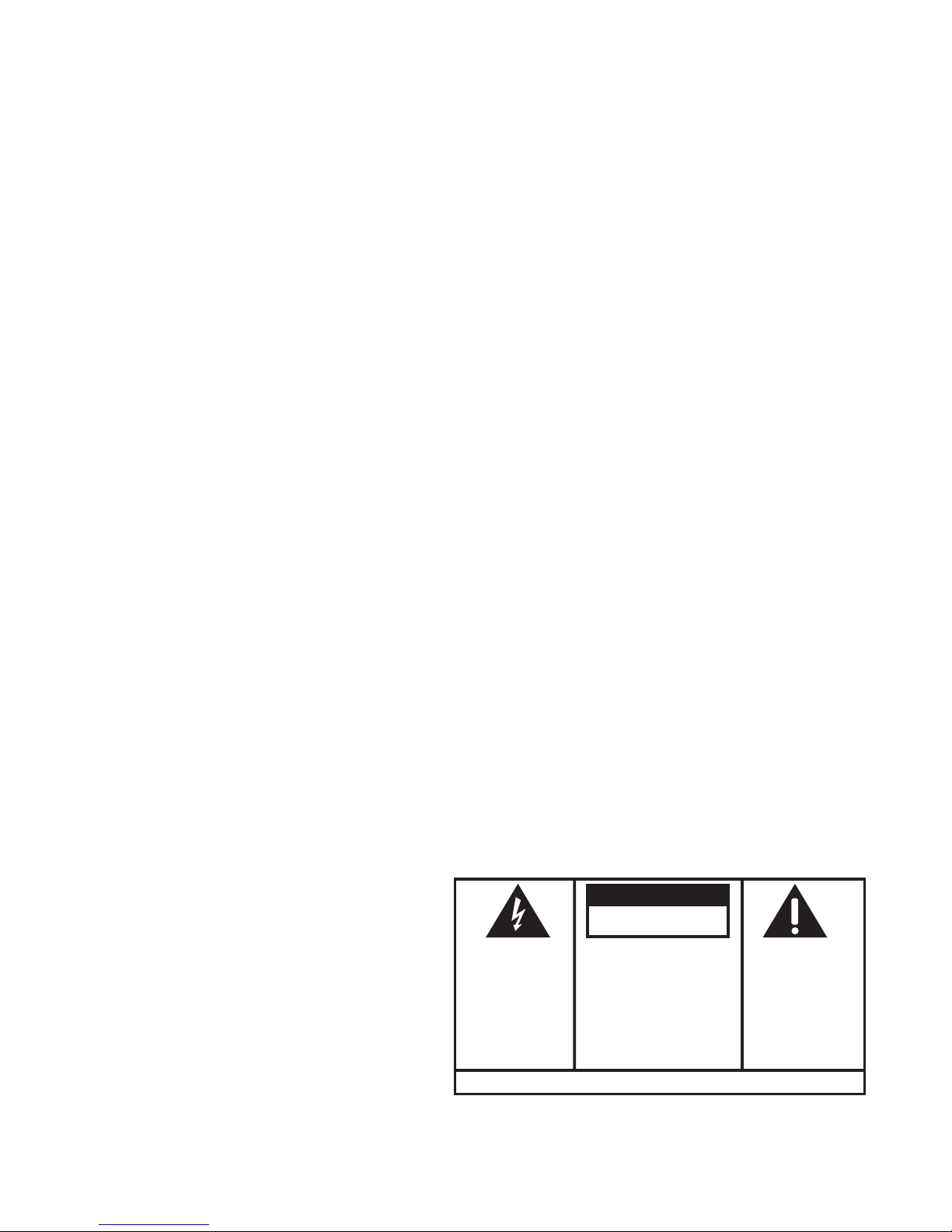
SEE MARKING ON BOTTOM / BACK OF PRODUCT
RISKOFELECTRICSHOCK
DONOTOPEN
WARNING: TO
PREVENT FIRE OR
ELECTRICAL SHOCK
HAZARD, DO NOT
EXPOSETHIS
PRODUCT TO RAIN
OR MOISTURE.
THE LIGHTNING
FLASH AND ARROW
HEAD WITHIN THE
TRIANGLE IS A
WARNING SIGN
ALERTING YOU OF
“DANGEROUS
VOLTAGE” INSIDE
THE PRODUCT.
CAUTION: TO REDUCE THE
RISK OF ELECTRIC SHOCK, DO
NOT REMOVE COVER (OR
BACK). NO USER
SERVICEABLE PARTS INSIDE.
REFER SERVICING TO
QUALIFIED SERVICE
PERSONNEL.
THE EXCLAMATION
POINT WITHIN THE
TRIANGLE IS A
WARNING SIGN
ALERTING YOU OF
IMPORTANT
INSTRUCTIONS
ACCOMPANYING
THE PRODUCT.
CAUTION:

6
Introduction
CAUTION: When using telephone equipment, there are basic
safety instructions that should always be followed. Refer to the
IMPORTANT SAFETY INSTRUCTIONS provided with this product
and save them for future reference.
Before You Begin
Parts Checklist
Make sure your package includes the items shown here.
Base
2 cordless
handsets 2 Belt clips
Desktop/Wall
Mounting pedestal AC power
adaptor
Telephone
line cord
2 Handset
batteries
Coiled
handset cord
Base
Handset
2 Cordless handset
charge cradles 2 Battery
compartment
doors
Telephone Jack Requirements
To use this phone, you need an RJ11C type modular telephone
jack, which might look like the one pictured here, installed in your
home. If you don’t have a modular jack, call your local phone
company to nd out how to get one installed.
Modular
telephone
line jack
Wall plate

7
Installation
Digital Security System
Your cordless phone uses a digital security system to protect against false ringing,
unauthorized access, and charges to your phone line.
INSTALLATION NOTE: Some cordless telephones operate at
frequencies that may cause or receive interference with nearby
TVs, microwave ovens, and VCRs. To minimize or prevent such
interference, the base of the cordless telephone should not be
placed near or on top of a TV, microwave ovens, or VCR. If such
interference continues, move the cordless telephone farther away
from these appliances.
Certain other communications devices may also use the 5.8 GHz
frequency for communication, and, if not properly set, these
devices may interfere with each other and/or your new telephone.
If you are concerned with interference, please refer to the owner’s
manual for these devices on how to properly set channels to avoid
interference. Typical devices that may use the 5.8 GHz frequency
for communication include wireless audio/video senders, wireless
computer networks, multi-handset cordless telephone systems,
and some long-range cordless telephone systems.
Important Installation Guidelines
• Avoid sources of noise and heat, such as motors, uorescent lighting, microwave
ovens, heating appliances and direct sunlight.
• Avoid areas of excessive dust, moisture and low temperature.
• Avoid other cordless telephones or personal computers.
• Never install telephone wiring during a lightning storm.
• Never install telephone jacks in wet locations unless the jack is specically
designed for wet locations.
• Never touch non-insulated telephone wires or terminals, unless the telephone line
has been disconnected at the network interface.
• Use caution when installing or modifying telephone lines.

8
Base Layout
Handset and Charge Cradle Layout
trans
(transfer button)
mem/conf
(memory/conference
button)
del/chan (delete/
channel button)
erase (button)
redial (button)
talk/end/
call back (button) charge cradle with
power adaptor
charge indicator
*exit (button)
review (button)
flash/prog
(flash/program
button)
Display
caller ID/vol -/+
(caller ID/volume -/+
button)
format/answerer
(button)
play/stop (button)
skip (button)
#pause (button)
display
memo
(button)
mailbox 1/2/3
play/stop (buttons)
caller id
(caller id + button)
memory (button)
redial (button)
page/intercom
(button)
speaker/call back
(button)
hold (button)
speaker volume
+/- (button)
hs volume
(handset volume
button)
delete
(button)
caller id
(caller id - button)
conference/
ans on/off
(conference/
answerer on/off
button)
format (button)
*exit (button) Microphone
mute (button)
#pause (button)
program/
flash (button)
announce
(button)

9
Installing the Phone
Installing the Handset Battery
NOTE: You must connect the handset battery before using the
cordless handsets.
CAUTION: To reduce the risk of fire or personal injury, use
only the Thomson Inc. appoved Nickel-Cadmium (Ni-Cd)
battery model 5-2459, which is compatible with this unit.
1. Locate battery and battery door which are packaged together inside a plastic bag
and are separate from the handset.
. Locate the battery compartment on the back of the handset.
3. Plug the battery pack cord into the jack inside the compartment.
NOTE: It is important to maintain the polarity (black and red wires)
to the jack inside the compartment. To ensure proper battery
installation, the connector is keyed and can be inserted only one way.
4. Insert the battery pack.
5. Close the battery compartment by pushing the door up until it snaps into place.
6. Place the handsets in the charging cradles.
Allow handsets to charge for 16 hours prior to rst use. If you don’t properly charge
the handsets, battery performance is compromised.
black wire
red wire
battery
pack
PRESS DOWN
FIRMLY

10
Installing the Phone
Choose the best location to install your base and handset charge cradles. Your base
and handset charge cradles should be placed on a level surface such as a desk or
table top, or you may mount the base on a wall.
Connecting the AC (Electrical) Power
1. On the base, plug the power adaptor cord into the power jack on the back of
the base and the other into an electrical outlet. If desired, store the extra power
adaptor line cord inside desktop pedestal.
CAUTION: Use only the 5-2596 (black) and 5-2625 (gray color
adaptor for white unit) power adaptor that came with this unit.
Using other power adaptors may damage the unit.
. Plug the handset charge cradle into an electrical outlet.
NOTE: The charge indicator on the handset charge cradle turns on
to indicate the handset battery is charging
Connecting the Telephone Line
On the base, plug one end of the straight telephone line cord into the jack on the back
of the base and the other end into a modular wall telephone jack.
Connecting the Corded Handset
1. Connect one end of the coiled handset cord to the jack on the side of the base.
. Connect the other end of the coiled cord to the jack on the handset, then place the
handset in the base cradle.
Autres manuels pour 25881EE3
1
Ce manuel convient aux modèles suivants
1
Table des matières
Langues :
Autres manuels GE Système téléphonique