
Freund FE-W826-WD Manuel utilisateur


FREUNDUSER MANUAL
2
Contents
FE-W826-WD ..................................................................................................... 1
1. Connecting the device.................................................................................. 4
2. Authorization and Login page........................................................................ 4
3. Interface ..................................................................................................... 6
3.1 Status....................................................................................................... 6
3.1.1 Overview............................................................................................. 7
3.1.2 Routes ................................................................................................ 7
3.1.3 Logging .............................................................................................. 8
3.1.4 Realtime Graphs .................................................................................. 9
3.1.5 Load Balancing.................................................................................. 10
3.2 System ................................................................................................... 11
3.2.1 System ............................................................................................. 11
3.2.2 Administration ................................................................................... 12
3.2.3 Web CMD ......................................................................................... 12
3.2.4 Backup / Flash Firmware .................................................................... 13
3.2.5 Reboot.............................................................................................. 13
3.3 Services.................................................................................................. 14
3.3.1 WiFiDog............................................................................................ 14
3.3.2 Dynamic DNS.................................................................................... 15
3.3.3 Scheduled Reboot ............................................................................. 15
3.3.4 Cloud Service.................................................................................... 16
3.3.5 Watchdog ......................................................................................... 16
3.3.6 OpenVPN.......................................................................................... 17
3.3.7 Network Sharing ................................................................................ 17
3.4 Network .................................................................................................. 18
3.4.1 Interfaces.......................................................................................... 18
3.4.2 Wireless............................................................................................ 19
3.4.3 Switch .............................................................................................. 19
3.4.4 DHCP ............................................................................................... 20

FREUNDUSER MANUAL
3
3.4.5 TTL Settings...................................................................................... 20
3.4.6 Diagnostics ....................................................................................... 21
3.4.7 Firewall ............................................................................................. 21
3.4.8 Quality of Service............................................................................... 22
3.4.9 Load Balancing.................................................................................. 22
3.5 Logout .................................................................................................... 23
FREUNDUSER MANUAL
4
1. Connecting the device
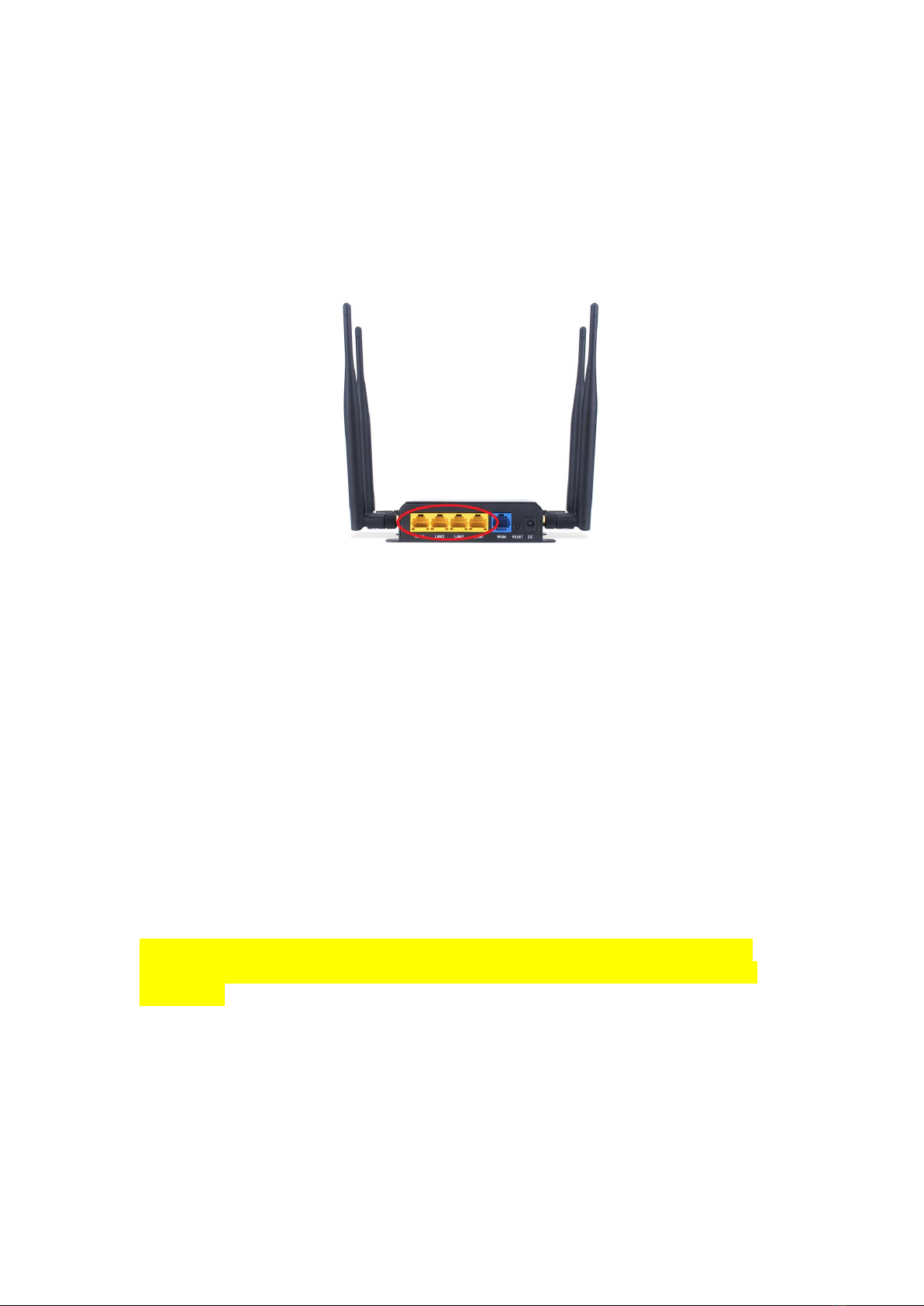
Carefully unpack the device. Plug in one side of the included Ethernet cable
into one of the LAN Ports on the back side of the device, as shown in the
picture below (LAN Ports circled in red).
Connect the other end of the Ethernet cable into the Ethernet port of the
Computer you are using to set up the device.
2. Authorization and Login page
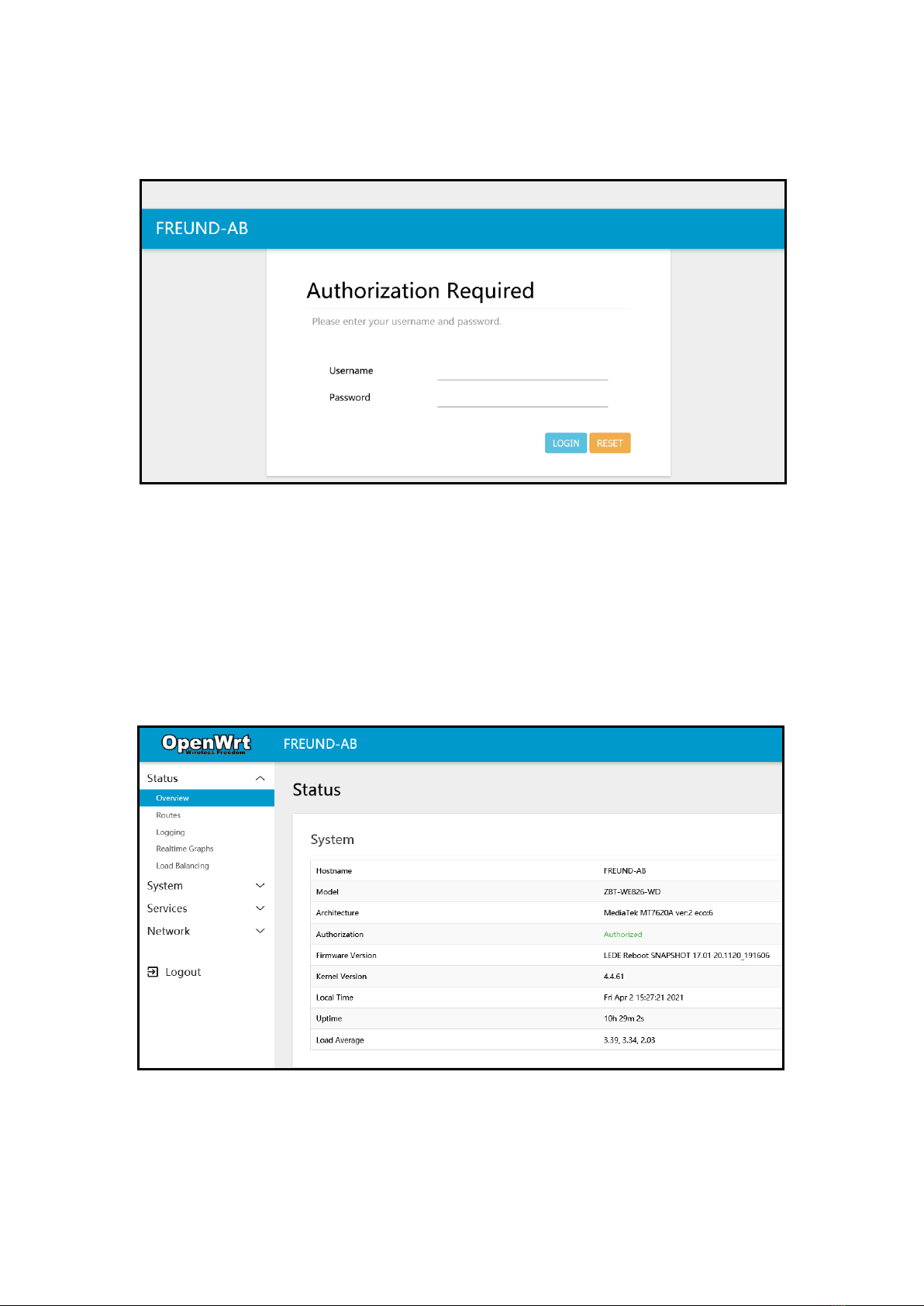
In order to access the FE-W826-WD 4G router and configure it, you first need
to open your web browser and type the default management address:
‘192.168.1.1’.
If another device exists on the same network with the same IP address, the
default management address will be automatically changed to ‘192.168.2.1’
and so on.
FREUNDUSER MANUAL
5
A following screen will be displayed:
The default username is ‘root’and default password is ‘admin’.
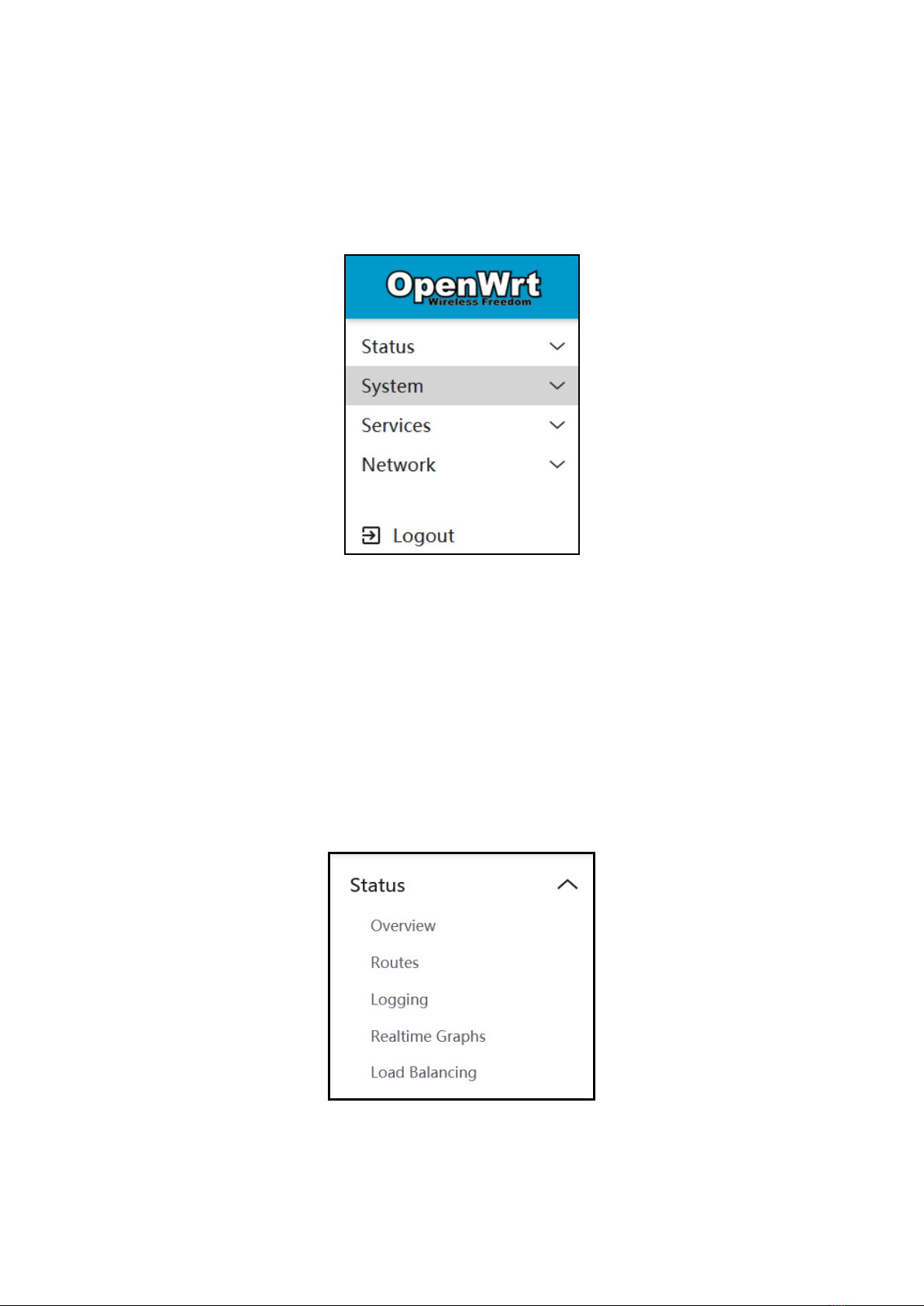
After successfully typing in the credentials and clicking ‘LOGIN’, following
screen will be shown.
FREUNDUSER MANUAL
6
3. Interface
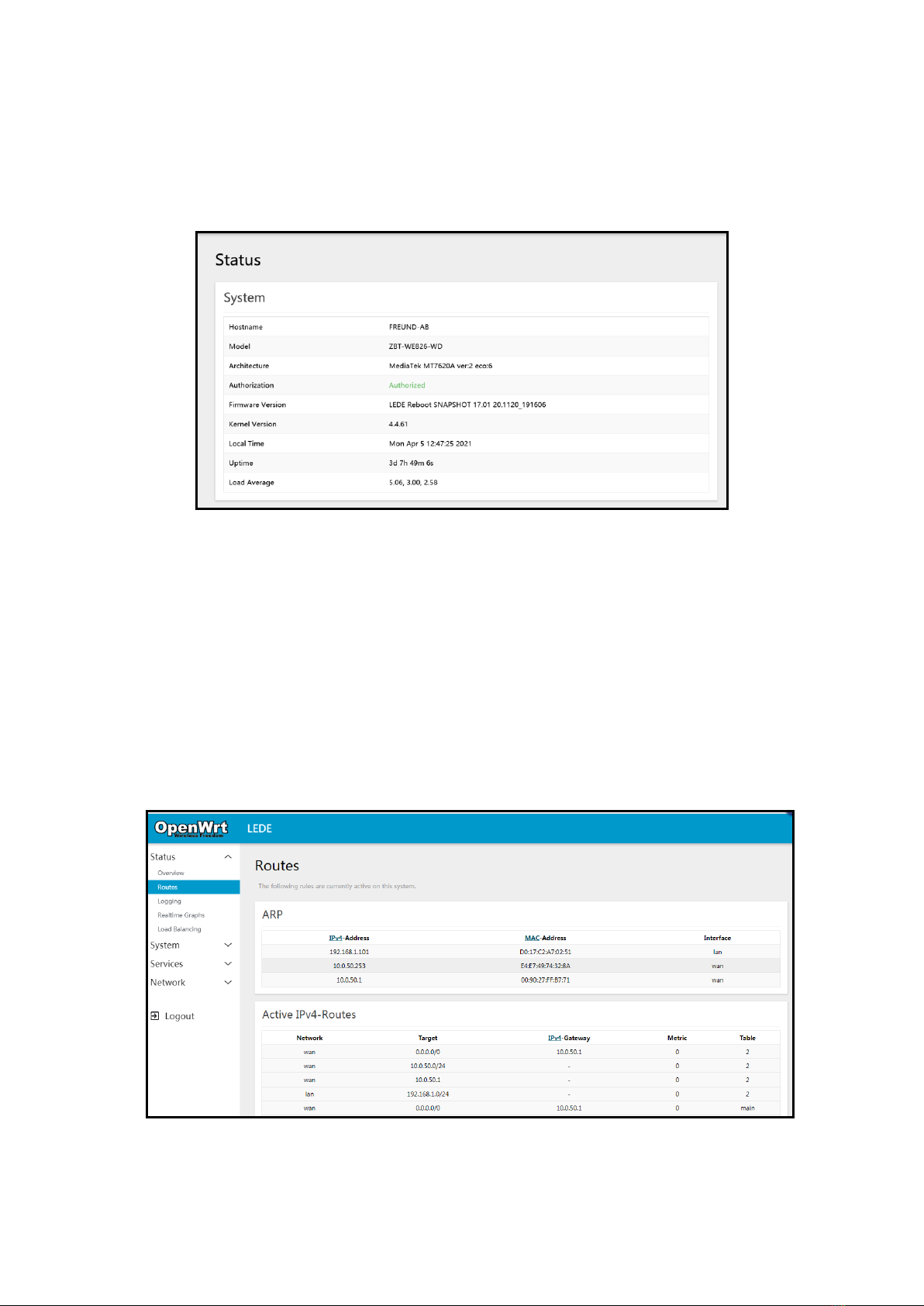
After successful login to device, on the left side of the interface we can
see the menu that includes:
Status, System, Services, Network, Logout
3.1 Status
If we click on Status, we can see submenu containing:
Overview, Routes, Logging, Realtime Graphs, Load Balancing
FREUNDUSER MANUAL
7
3.1.1 Overview
Under Overview submenu, following information can be found: Hostname,
Firmware version, Kernel Version, Local time, Uptime, and Average Load.
Overview
3.1.2 Routes
Under Routes submenu, we can see information about Active IPv4 and IPv6
Routes.
Routes
FREUNDUSER MANUAL
8
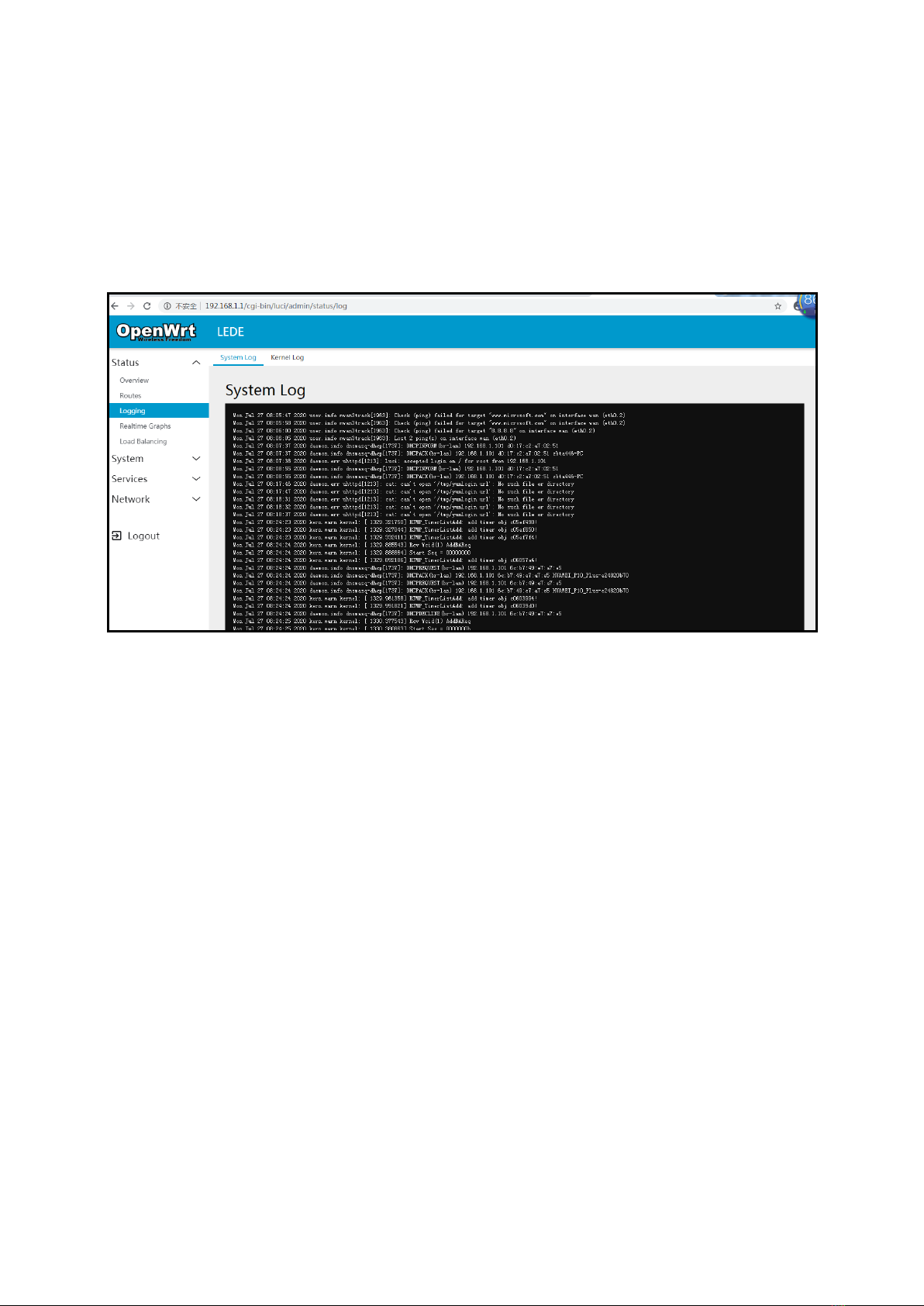
3.1.3 Logging
Under Logging submenu, we can see two additional submenus: System Log and
Kernel Log.
System Log
FREUNDUSER MANUAL
9
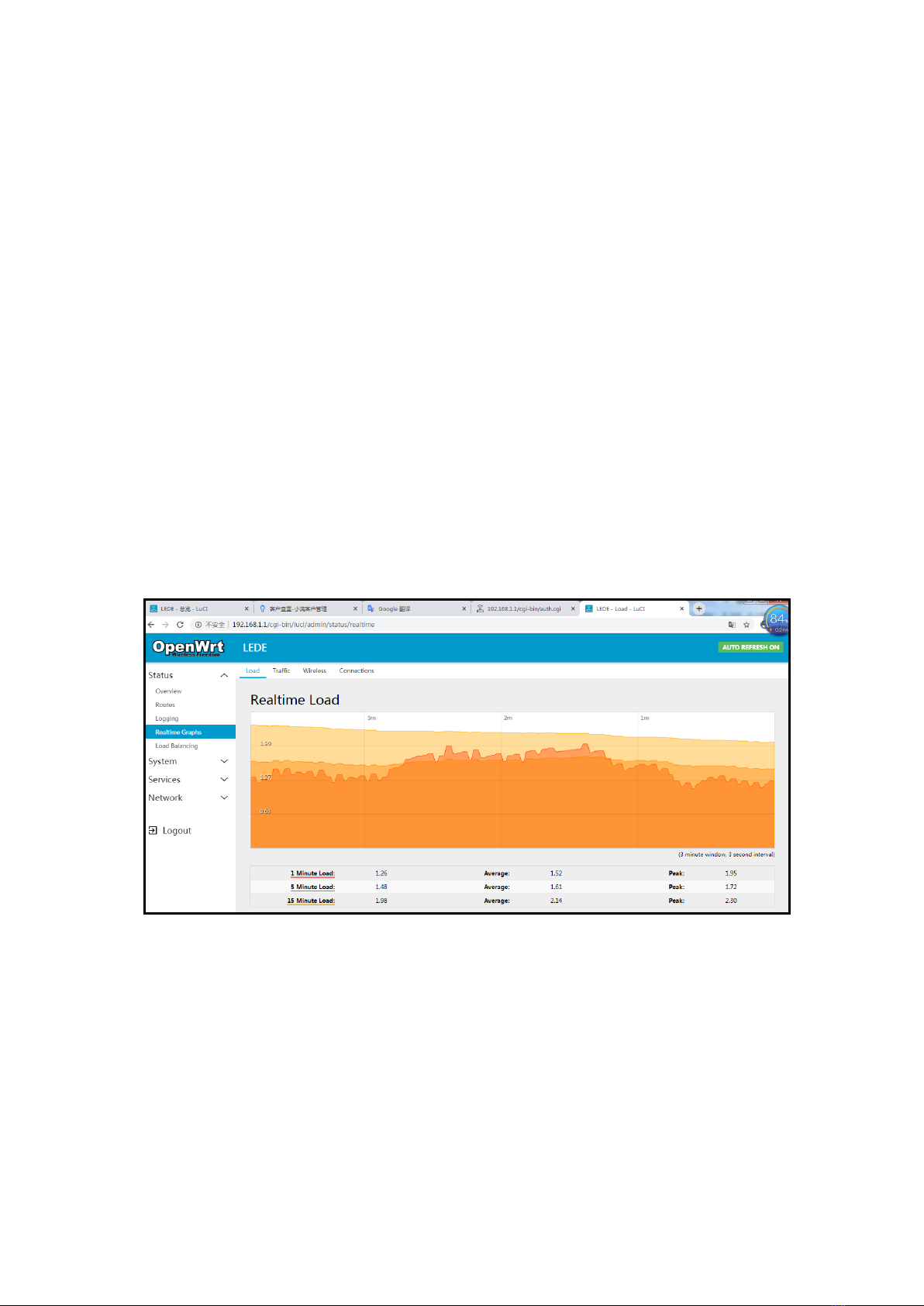
3.1.4 Realtime Graphs
Under Realtime Graphs, we can see Load as well as Traffic, Wireless and
Connections submenus.
•Load submenu gives information about Peak and Average load in 1 minute,
5 minute and 15 minute load(and 3 minute window Graph with 3 seconds
interval).
•Traffic shows Realtime Traffic for every specific ethernet port as well as
WAN. It shows inbound and outbound traffic speed(and 3 minute window
Graph with 3 seconds interval).
•Realtime Wireless shows information about Signal and Noise, with Peak
and Average information as well as physical layer rate.
Realtime Load (Load, Traffic, Wireless, and Connections)
FREUNDUSER MANUAL
10
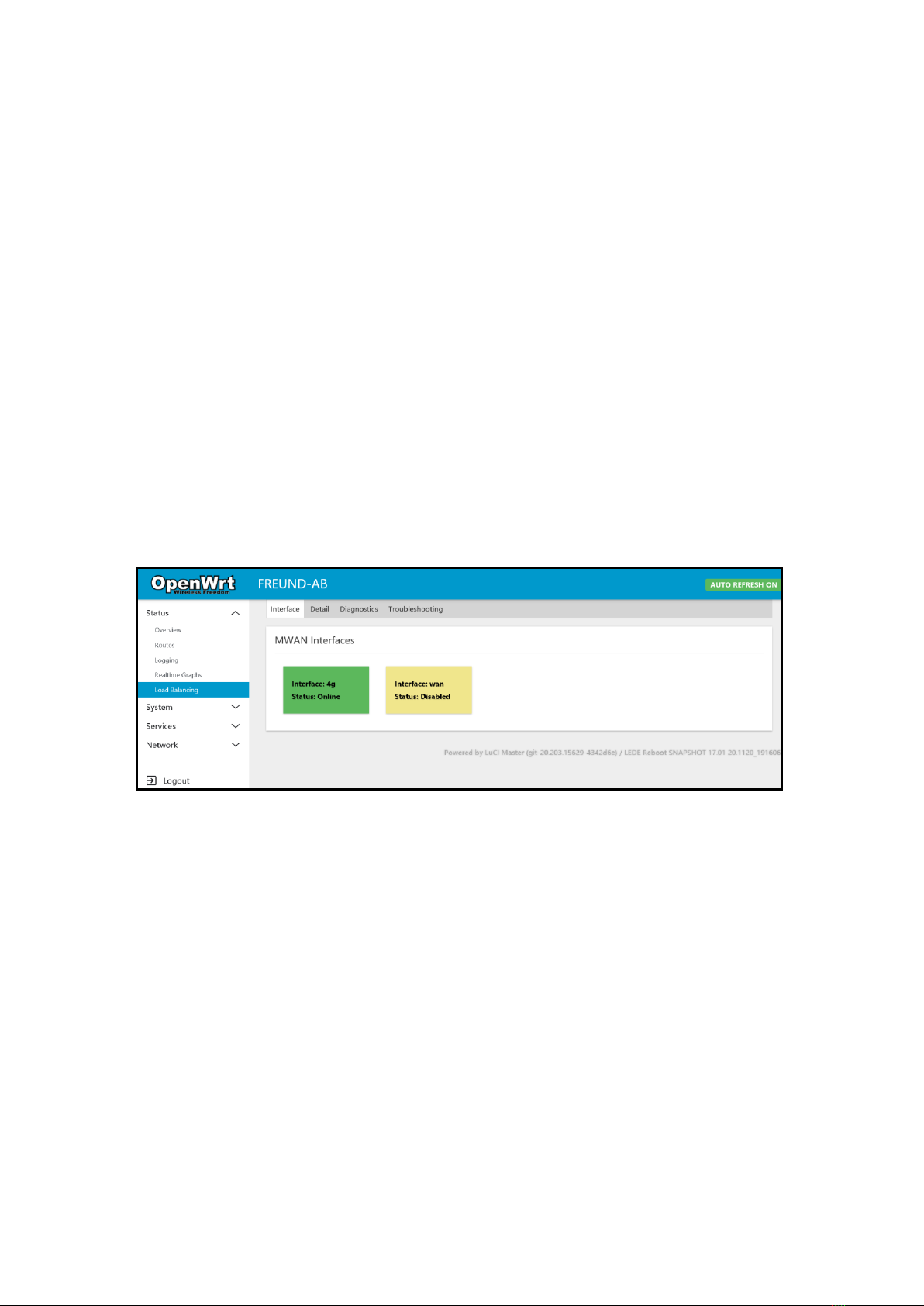
3.1.5 Load Balancing
Under Load Balancing submenu, we can see which interface is online (4G and
WAN).
Clicking on Detail will show additional information (connected networks, active
rules).
Diagnostics tab gives us several options:
•Ping default gateway
•Ping tracking IP
•Check IP rules
•Check routing table
•Hotplug
Load Balancing (Interface, Detail, Diagnostics, Troubleshooting)
Table des matières
Autres manuels Freund Routeur réseau


Manuels Routeur réseau populaires d'autres marques


NETGEAR
NETGEAR FS526T - Switch Manuel utilisateur

Korenix
Korenix JetNet 5710G Series Manuel utilisateur

Automated Logic
Automated Logic ZN551 Manuel du propriétaire

Cisco
Cisco ASR 1000 Series Manuel de l'opérateur

EnGenius
EnGenius ESR-9710 Manuel utilisateur

Cisco
Cisco 805 Series Instructions d'utilisation et de sécurité