7
Easy Search/Table of
Contents/Precautions
Mail .............................................................................................................. 257
FOMA Terminal Mail Functions, i-mode Mail, Mail Menu, Compose/Send i-mode Mail, Deco-mail, Send Using
a Template, Attachments, Save i-mode Mail, Auto Receive, Receive Option, Check New Message, Reply to
i-mode Mail, Forward i-mode Mail, Add to Phonebook, Receive Image Mail, Receive i-motion Mail, View
Attachment, View Image in Mail, Save Template, Inbox/Outbox/Unsent Messages, Received/Sent Messages
History, Mail Setting, Create/Send Chat Mail, Compose/Send SMS, Receive SMS, SMS Settings, Save SMS
to FOMA Card, Delete SMS
i-appli.......................................................................................................... 319
i-αppli, i-αppliDX, Download, Run i-αppli, Auto Start, i-αppli To Function, i-αppli Stand-by, Manage i-αppli,
Use Various i-αppli Functions
i-Channel..................................................................................................... 333
i-Channel, Show i-Channel
Mobile Wallet/ToruCa................................................................................. 337
Mobile Wallet, Start Mobile Wallet Compatible i-αppli, ToruCa, Retrieve ToruCa, View ToruCa, View ToruCa
List/Details Screen, Retrieve from IC Card, IC Card Lock
Full Browser ............................................................................................... 345
View Web Pages Designed for PC, Set Full Browser
Displaying/Editing/Managing Data ........................................................... 353
Image Viewer, Edit Image, Video Player, Edit Movie, Chara-den Player, Melody Player, miniSD Memory Card,
Copy to miniSD, Backup/Restore, View miniSD Data, Copy to Main, Manage miniSD Memory Card, Manage
Data, Ir Exchange, Send and Receive Data Individually, Send and Receive All Data Items, Use Ir Exchange
with i-αppli Software, Infrared Remote Control, Voice Recorder, PDF Viewer, Manage PDF Files, Document
Viewer, Manage Documents, BookReader, Use the Information in e-Book and e-Dictionary, Character Reader,
Manage e-Book and e-Dictionary, Print Setting (DPOF), AV Output
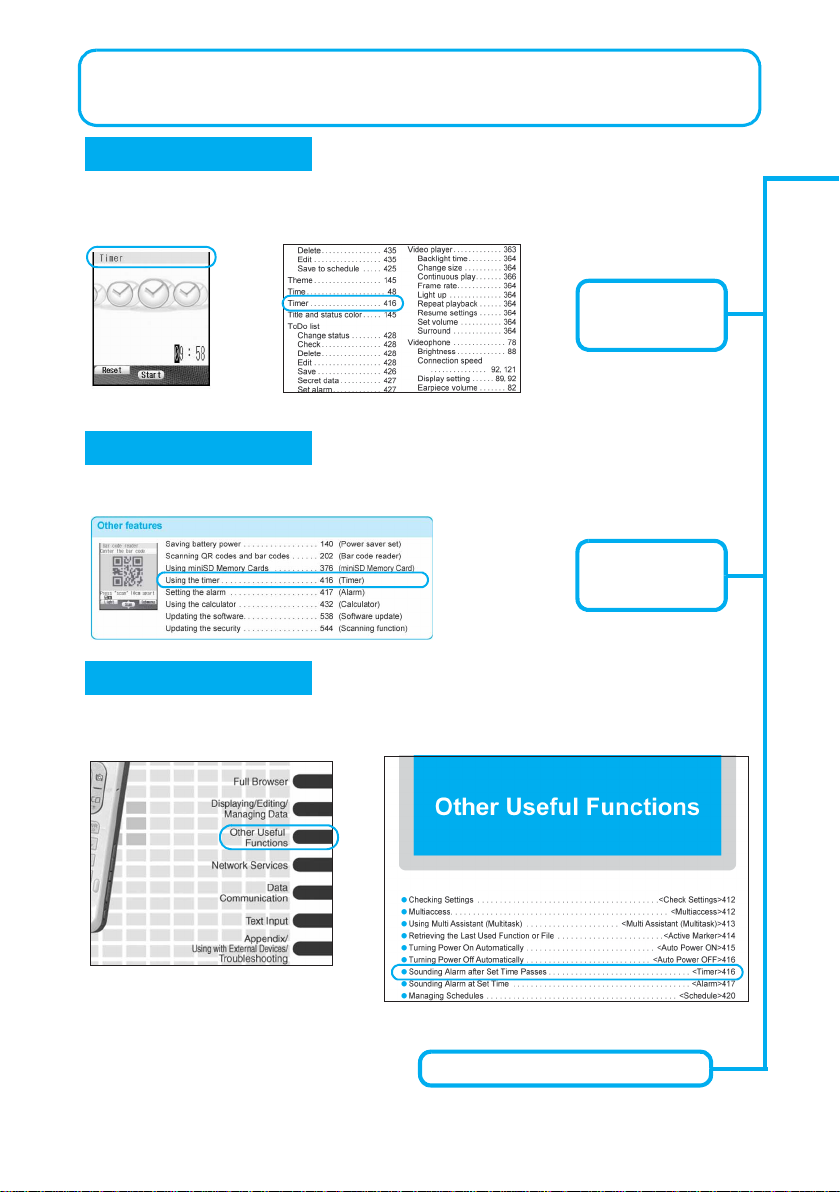
Other Useful Functions ............................................................................. 411
Check Settings, Multiaccess, Multi Assistant (Multitask), Active Marker, Auto Power ON, Auto Power OFF,
Timer, Alarm, Schedule, ToDo Lists, Shortcut Menu, Owner Information, Voice Memo (During Call/Stand-by),
Calculator, Talk Time/Cost, Text Memo, Earphone/Microphone with Switch, Set Auto Answer, Reset Settings,
Delete User Data
Network Services ....................................................................................... 439
Network Services from the FOMA Terminal, Voice Mail Service, Call Waiting, Call Forwarding Service,
Nuisance Call Barring Service, Notify Caller ID Service, Caller ID Request Service, Dual Network Service,
English Guidance, Service Number, Arrival Call Act, Set Arrival Act, Remote Control, Multi Number, Additional
Services (USSD)
Data Communication ................................................................................. 453
Data Communication, General Flow to Prepare for Data Communication, Connect the FOMA Terminal to Your
PC, Install the Communication Setting File, Communication Settings with/without the FOMA PC Setup
Software, FirstPass PC Software, Communication Settings, Send and Receive Data (OBEX), AT Command
List
Text Input.................................................................................................... 491
Text Input, 5-touch, Save Phrases, Copy Text, Kuten Code Input, Register Words (User Dictionary), Clear
Memory Terms, Download Dictionary, Quick Dictionary/Next Word Guess, 2-touch
Appendix/Using with External Devices/Troubleshooting ...................... 501
Menu List, Dial Key Assignments (5-touch/2-touch), Symbols/Special Character List, Phrase List, Pre-installed
Data List, JIS Kuten Code List, Use the Calculator, Multiaccess Combinations, Multi Assistant (Multitask)
Combinations, Service, Options and Accessories, Use with External Devices, Data Link Software, Play i-motion
Created with PC on the FOMA Terminal, SD-AudioPlayer SD-Jukebox, Mobileaudio, Troubleshooting, List of
Error Messages, Warranty and After-sales Services, Software Update, Scan Function, Main Specifications,
Specific Absorption Rate (SAR)
Index/Quick Manual ................................................................................... 551
Index, Quick Manual
dv30e.book Page 7 Tuesday, November 22, 2005 3:21 PM