
FlexiForce 9700V12 Manuel utilisateur

Keypad/Card reader
manual
www.fl xiforce.com
FF-MANUAL SuperClick
9700V12 - 9700V24
9700CARD
Keypad/Card reader
© All rights reserved. FlexiForce®, 2012
EN
DE
PL
FR
IT
ES
DK
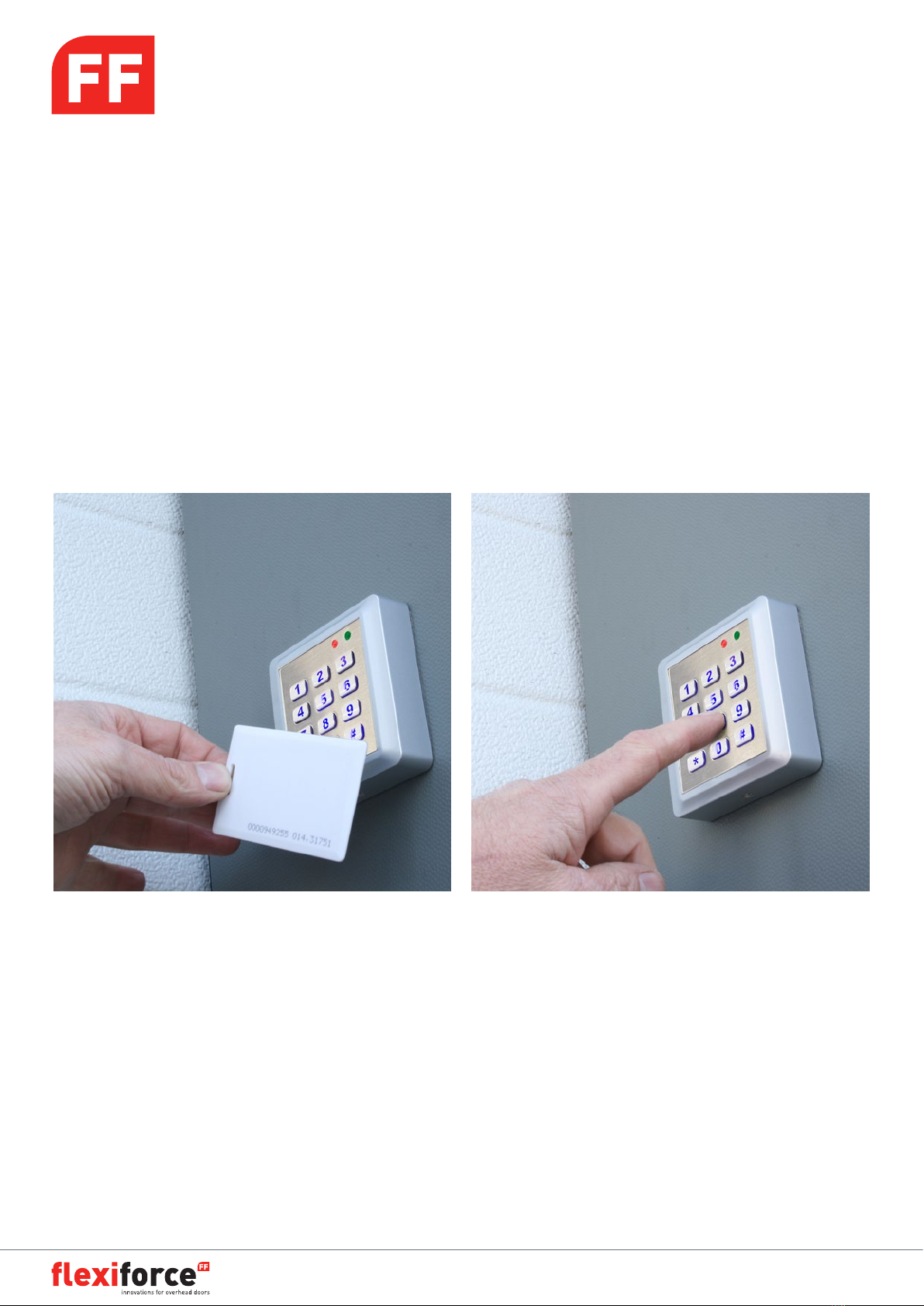
Keypad/Card reader
manual
www.fl xiforce.com
FF-MANUAL SuperClick
9700V12 - 9700V24
9700CARD
Keypad/Card reader
© All rights reserved. FlexiForce®, 2012
EN

manual
www.fl xiforce.com page 2
Keypad/Card reader
manual
www.fl xiforce.com page 2
1. description of LED and buzzer indicators:
Description Red LED Green LED Buzzer
Normal mode ON
Program mode Flash
Under program mode ON
Non registered card ON Di (long)
Card only mode ON with same dura-
tion of door open Di Di (short)
Card and password
mode (after card
swipe, waiting for
password)
Red and green LED blink alternatively
Card and password
mode Flash for each 0,5
second
Password only mode Flash for each second
Button tone Di (short)
Successful setup Di Di (short)
Faulty setup Di (long)
Invalid command Di (long)
Alarm mode Di Di Di (continuously)
Programming guide:
1. Get into programming mode:
Press ####: Red LED is OFF, Green LED is ON. Then press 123456#
Now Red should be off and Green should flash. If not: try again (provided the program password was not
modified before). Default program password is 123456.
2. Changing the program password:
Press 0 “new password” # “new password” # (new password must have 6 digits). Please beware this ac-
tion is only possible when in program mode (see step 1)
3. Adding cards with automatic number assignment
Press 1 - swipe card - # (only possible with unregistered cards!)
The 9700V12/24 will assign an individual card number to each registered card. If this is a new installation
the numbering of cards will start with 0001, 0002 etc. If this 9700V12/24 already has card programmed to it,
the next card will be assigned the next available number.
If the card you swipe is an already registered one you’ll hear a long warning signal (Di). You can still con-
tinue programming other cards.
4. Adding cards with specific number assignment
Press 2 - swipe card - “card number” # (repeat this step until the last card) #
If the card you swipe is an already registered one you’ll hear a long warning signal (Di). You can still con-
tinue programming other cards.
If the number you enter is already in use you’ll hear a long warning signal (Di). You can still continue by en-
tering another card number.

manual
www.fl xiforce.com page 3
Keypad/Card reader
manual
www.fl xiforce.com page 3
5. Deleting registered cards
Press 30 - swipe card - # the swiped card is now deleted
Press 31 - “card number” # the card with that number is now deleted
Press 32 - 9999 - # all cards are now deleted
6. Setting the access mode
Press 40 # card or personal code to access (default)
Press 41 # card AND personal code to access
Press 42 # personal code only
8. Program personal access code
Press 6 “new code” # “new code” # must be a 6 digit code
Press 6 # # personal access code is deactivated
9. Exiting program mode
Press *
10. Changing the card password (only needed when in card AND personal code mode)
The 9700V12/24 recognizes a different pass code for the ‘card AND personal code’ mode. In other words:
this code is not the same as the regular pass code.
Press * (green LED will go ON) - swipe card - “old password (default is 888888)” (red and green LED flash
alternating) “new password” # “new password” #
Green LED will be OFF and you’ll hear two short (Di Di) signals to confirm. In case of failure to program
you’ll hear a long (Di) signal. Try again.
11. Back to factory settings
Cut off power. Put jumper JP1 in 2-3 position. Re-connect to power. After you hear two short (Di Di) signals,
put jumper JP1 in position 1-2.
Examples of programming:
1. Change program password to 789000:
a. enter program mode by pressing #### 123456 # (green LED flashes)
b. press 0 789000 # 789000 #
c. press * (to exit program mode)
2. Add new cards in a continuous way:
a. enter program mode: #### 123456 # (green LED flashes)

manual
www.fl xiforce.com page 4
Keypad/Card reader
manual
www.fl xiforce.com page 4
b. press 1 - swipe all cards you want to add -
c. press * (to exit program mode)
d. all added cards are ready for use.
3. Add two new cards numbered 0088 and 0099:
a. enter program mode: #### 123456 # (green LED flashes)
b. press 2 - swipe card - 0088 # swipe second card 0099 ##
c. press * (to exit program mode)
4. Delete cards numbered 0088 and 0099:
a. enter program mode: #### 123456 # (green LED flashes)
b. press 31 0088 # 0099 ##
c. press * (to exit program mode)
5. Change access mode to Card Only:
a. enter program mode: #### 123456 # (green LED flashes)
b. press 40 #
c. press * (to exit program mode)
6. Change access code to 147258:
a. enter program mode: #### 123456 # (green LED flashes)
b. press 6 147258 # 147258 #
c. press * (to exit program mode)
Wiring Diagram
Green GND push/exit button
Green OPEN
Blue NO
dry output contactWhite COM
Yellow NC
Black GND power supply
Red +VCC

Installationshandbuch
www.fl xiforce.com page 1
9700V12 - 9700V24
9700CARD
Codeschloss / Kartenleser
© All rights reserved. FlexiForce®, 2012
DE

manual
www.fl xiforce.com page 2
www.fl xiforce.com page 2
Keypad/Card reader
1. Ein. Beschreibung der LED und Summer Indikatoren
Beschreibung Rot LED Grün LED Summer
Normal-Modus ON
Programm-Modus Blitz
Unter Programm-Modus ON
Nicht registrierte Karte ON Di (lang)
Nur Card Modus ON mit der gleichen Dau-
er der Türöffnung Di Di (kurz)
Card and password Card
und Kennwort-Modus
(nach Karte Strich, wartet
auf Kennwort)
Rote und grüne LED blinken abwechselnd
Card und Kennwort-Modus Blitz für jede 0,5
Sekunden
Kennwort Modus Blitz für jede Sekunde
Tastenton Di (kurz)
Erfolgreiche Setup Di Di (kurz)
Fehlerhafte Setup Di (lang)
Falsches Kommando Di (lang)
Alarm-Modus Di Di Di (kontinuierlich)
Programmier Handleitung:
1. Holen Sie sich in der Betriebsart Programmieren:
Drücken Sie # # # #: Rote LED ist AUS, grüne LED auf. Dann drücken 123456 #
Jetzt Rot sollte ausgeschaltet sein und Grün sollte blinken. Falls nicht: es erneut zu versuchen (sofern das
Programm Kennwort nicht vor modifiziert wurde). Das Standard Programm Kennwort ist 123456.
2. Ändern des Programms Kennwort:
Drücken Sie 0 “neues Kennwort” # “neues Kennwort” # (neues Kennwort muss 6 Stellen behalten). Bitte
Vorsicht, dieser Vorgang ist nur möglich im Programm-Modus (siehe Schritt 1)
3. Hin zu fügen von Karten mit automatischer Nummerzuweisung
Drücken Sie 1 - Streiche Magnetkarte - # (nur möglich mit nicht registrierten Karten!)
Die 9700V12/24 wird eine individuelle Kartennummer an jede registrierte Karte zuweisen. Wenn dies
eine neue Installations, die Nummerierung der Karten wird mit 0001 beginnen, 0002 usw. Wenn diese
9700V12/24 bereits Karte programmiert hat, wird die nächste Karte die nächste verfügbare Nummer
zugewiesen werden.Wenn die Karte, die Sie streiche bereits registriert ist, hören Sie einen langen Warnsig-
nal (Di). Sie können weiter gehen mit die Programmierung anderen Karten.
4. Hin zu fügen von Karten mit speziellen Nummernvergabe
Drücken Sie 2 - Streiche Magnetkarte - “Kartennummer” # (wiederholen Sie diesen Schritt, bis zudie letzte
Karte) #
Wenn die Karte, die Sie streichen, bereits registriert ist, hören Sie einen langen Warnsignal (Di). Sie können
weiter gehen mit die Programmierung anderen Karten.
Wenn die eingegebene Nummer bereits verwendet wird, hören Sie einen langen Warnsignal (Di). Sie kön-
nen immer noch durchgehen mit die Eingabe einer anderen Karte Nummer.

manual
www.fl xiforce.com page 3
Keypad/Card reader
5. Löschen registrierten Karten
Drücken Sie 30 - Streichekarte - # die gestrichte Karte ist nun gelöscht
Drücken Sie 31 - “Kartennummer” # die Karte mit dieser Nummer ist gelöscht
Drücken Sie 32 - 9999 - # Alle Karten sind gelöscht
6. Festlegen des Zugriffs Modus
Drücken Sie 40 # Karte oder persönlichen Code für den Zugriff (Standard)
Drücken Sie 41 # Karte UND persönlichen Code für den Zugriff
Drücken Sie 42 # nur persönlichen Code
8. Programm persönlichen Zugangscode
Drücken Sie 6 “neuen Code” # “neuen Code” # muss ein 6-stelliger Code sein
Drücken Sie 6 # # persönlichen Zugangscode ist deaktiviert
9. Verlassen des Programmiermodus
Drücken Sie *
10. Das Kartekennwort ändern (nur notwendig wenn in - Card und persönlicher Code-Modus)
Die 9700V12/24 erkennt ein anderes Pass-Code für die ‘Karte und persönlichen Code “-Modus. Mit anderen
Worten: Dieser Code ist nicht das Gleiche wie die normale Pass-Code.
Drücken Sie * (grüne LED wird auflichten) - streiche Magnetkarte - “altes Kennwort (Standard ist 888888)”
(rote und grüne LED blinken abwechselnd) “neues Kennwort” # “neues Kennwort” #
Grüne LED ist AUS und Sie werden zwei kurze (Di Di) Signale hören, zu Bestätigung. Bei falscher Program-
mierung hören Sie einen langen (Di)-Signal. Versuchen Sie es erneut.
11. Zurück zum Standard Einstellungen
Strom abschalten. Setzen Sie Jumper JP1 in 2-3 Position. Strom einschalten. Nachdem Sie zwei kurze (Di
Di) Signale hören, setzen Sie Jumper JP1 in Position 1-2.
Beispiele für die Programmierung:
1. Programms Kennwort ändern zu 789000:
a. Gehen Sie im Programm-Modus, drucken Sie # # # # 123456 # (grüne LED blinkt)
b. Drücken Sie 0 789000 # 789000 #
c. Drücken Sie * (um den Programm-Modus zu verlassen)
2. Neue Karten zufügen in einem kontinuierlichen Weg:
a. Gehen Sie im Programm-Modus: # # # # 123456 # (grüne LED blinkt)

manual
www.fl xiforce.com page 4
Keypad/Card reader
b. drücken Sie 1 - Streiche alle Karten, die Sie hinfügen möchten -
c. Drücken Sie * (um den Programm-Modus zu verlassen)
d. alle hin gefügten Karten sind einsatzbereit.
3. Zwei neue Karten hin zu fügen: nummeriert 0088 und 0099:
a. Gehen Sie im Programm-Modus: # # # # 123456 # (grüne LED blinkt)
b. drücken Sie 2 - Streich Magnetkarte - 0088 # streich zweite Karte 0099 # #
c. Drücken Sie * (um den Programm-Modus zu verlassen)
4. Karten löschen; nummeriert 0088 und 0099:
a. Gehen Sie im Programm-Modus: # # # # 123456 # (grüne LED blinkt)
b. Drücken Sie 31 0088 # 0099 # #
c. Drücken Sie * (um den Programm-Modus zu verlassen)
5. Ändern Sie Zugang Modus Nur-Card:
a. Gehen Sie im Programm-Modus: # # # # 123456 # (grüne LED blinkt)
b. Drücken Sie 40 #
c. Drücken Sie * (um den Programm-Modus zu verlassen)
6. Zugangscode ändern in 147258:
a. Gehen Sie im Programm-Modus: # # # # 123456 # (grüne LED blinkt)
b. Drücken Sie 6 147258 # 147258 #
c. Drücken Sie * (um den Programm-Modus zu verlassen)
Schaltplan
Grün GND push/exit Taster
Grün OPEN
Blau NO
AusgangskontaktWeiß COM
Gelb NC
Schwarz GND Stromversorgung
Rot +VCC

Klawiatura numeryczna/
Czytnik kart zbliżeniowych
Instrukcja obsługi
www.fl xiforce.com
FF-Instrukcja obsługi SuperClick
9700V12 - 9700V24
9700CARD
Klawiatura numeryczna/
Czytnik kart zbliżeniowych
© All rights reserved. FlexiForce®, 2012
PL
Autres manuels pour 9700V12
1
Ce manuel convient aux modèles suivants
2
Table des matières
Langues :


