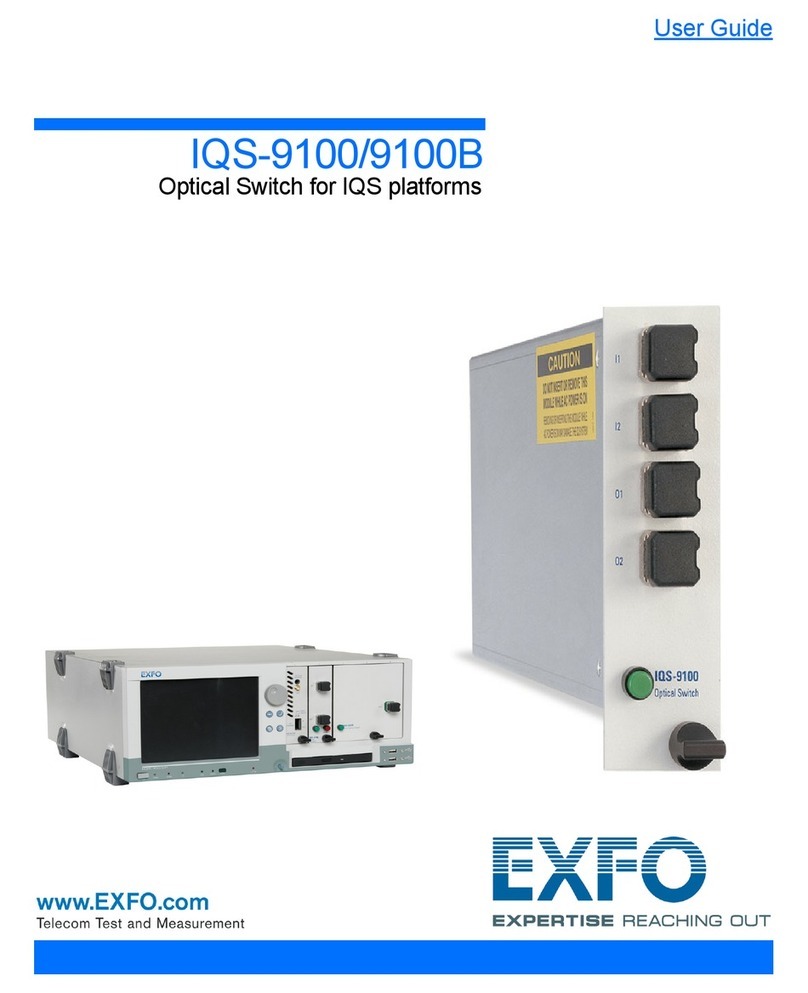
EXFO IQ-9100 Manuel utilisateur

IQ-9100
Optical Switch
Instruction Manual
October 1998
P/N: MAN-069-I .4ACE
Fourth Edition

!"
#
$%&!%&"
'(!'")*+%,
'-
./00+
12
#
2

CAUTION
!"

CONTENTS
iv IQ-9100
CONTENTS
Certification Information ...................................................................................................vii
1I
NTRODUCTION ..........................................................................................................................1-1
1.1 Presentation ...................................................................................................................1-1
1.2 IQ-200 Product Line .......................................................................................................1-1
1.3 Unpacking and Inspection ..............................................................................................1-2
1.4 Safety Conventions ........................................................................................................1-2
1.5 Transportation and Storage ...........................................................................................1-3
1.6 Getting Help ...................................................................................................................1-3
2P
RELIMINARY INFORMATION ......................................................................................................2-1
2.1 General Description .......................................................................................................2-1
2.2 Front Panel Description .................................................................................................. 2-3
2.3 Module Insertion ...........................................................................................................2-12
2.4 Optical Connections .....................................................................................................2-13
2.5 Module Removal ..........................................................................................................2-13
3O
PERATION ...............................................................................................................................3-1
3.1 Loading the Application Software ...................................................................................3-1
3.2 Main Window Description ............................................................................................... 3-5
3.3 Monitor Window ...........................................................................................................3-11
3.4 Exiting the Application Software ...................................................................................3-12
3.5 Using the Program Mode .............................................................................................3-13
4S
UGGESTED APPLICATIONS .......................................................................................................4-1
4.1 Multiple Device Testing ..................................................................................................4-1
4.2 Optical Switch Port Insertion Loss .................................................................................4-2
4.3 Creating Customized Switch Configurations ..................................................................4-3
5T
HE GPIB INTERFACE ...............................................................................................................5-1
5.1 Command Structure .......................................................................................................5-1
5.2 Common Commands .....................................................................................................5-2
5.3 System Commands ........................................................................................................5-8
5.4 Specific Commands .....................................................................................................5-13
5.5 Quick Reference Command Tree ................................................................................5-17
5.6 GPIB Error Messages ..................................................................................................5-18

CONTENTS
Optical Switch v
6M
AINTENANCE AND TROUBLESHOOTING .....................................................................................6-1
6.1 Module Maintenance ......................................................................................................6-1
6.2 Cleaning Fiber Ends .......................................................................................................6-1
6.3 Cleaning Optical Ports ....................................................................................................6-2
6.4 Troubleshooting ..............................................................................................................6-2
7T
ECHNICAL SPECIFICATIONS ......................................................................................................7-1
8W
ARRANTY ...............................................................................................................................8-1
8.1 General Information ........................................................................................................8-1
8.2 Liability ............................................................................................................................8-2
8.3 Exclusions .......................................................................................................................8-2
8.4 Certification .....................................................................................................................8-2
8.5 Service and Repairs .......................................................................................................8-2
GLOSSARY ......................................................................................................................GLOSSARY-1
INDEX ......................................................................................................................................INDEX-1

FIGURES
vi IQ-9100
FIGURES
Figure 2-1. Module Nameplate ...........................................................................................2-2
Figure 2-2. 1 ×2 Optical Switch Module ............................................................................2-3
Figure 2-3. 1 ×4 Optical Switch Module ............................................................................2-4
Figure 2-4. 1 ×12 Optical Switch Module ..........................................................................2-5
Figure 2-5. 1 ×16 Optical Switch Module ..........................................................................2-6
Figure 2-6. 1 ×32 Optical Switch Module ..........................................................................2-7
Figure 2-7. 2 ×2 Optical Switch Module ............................................................................2-8
Figure 2-8. 2 ×4 Optical Switch Module ............................................................................2-9
Figure 2-9. 1 ×N Optical Switch Principle .......................................................................2-10
Figure 2-10. 2 ×2 Optical Switch Principle ........................................................................2-10
Figure 2-11. 2 × 4 Optical Switch Principle ........................................................................2-11
Figure 2-12. Removing an IQ Module ................................................................................2-14
Figure 3-1. 1 ×2 Optical Switch Main Window ..................................................................3-1
Figure 3-2. 1 ×4 Optical Switch Main Window ..................................................................3-2
Figure 3-3. 1 ×12 Optical Switch Main Window ................................................................3-2
Figure 3-4. 1 ×16 Optical Switch Main Window ................................................................3-3
Figure 3-5. 1 ×32 Optical Switch Main Window ................................................................3-3
Figure 3-6. 2 ×2 Optical Switch Main Window ..................................................................3-4
Figure 3-7. 2 ×4 Optical Switch Main Window ..................................................................3-4
Figure 3-8. Main Window ...................................................................................................3-5
Figure 3-9. 1 ×N Monitor Window ...................................................................................3-11
Figure 3-10. 1 ×N Optical Switch Program Setting Window .............................................3-13
Figure 3-11. 2 ×2 Optical Switch Program Setting Window ..............................................3-13
Figure 3-12. 2 ×4 Optical Switch Program Setting Window ..............................................3-14
Figure 4-1. Multiple Device Testing Setup .........................................................................4-1
Figure 4-2. Reference Setup ..............................................................................................4-2
Figure 4-3. Insertion Loss Testing Setup ...........................................................................4-3
Figure 4-4. 2 ×16 Customized Switch Configuration .........................................................4-3
Figure 5-1. GPIB Error Message Format .........................................................................5-18

CERTIFICATION INFORMATION
Optical Switch vii
CERTIFICATION INFORMATION
'%3
4/5%%6'
'7
#
8
9 6
9
9 %
9 %:;'<
WARNING
#$%&'(%)(
%*+
':
:7
7
='* >
%'-

CERTIFICATION INFORMATION
viii IQ-9100
'%3
4?%

INTRODUCTION
Optical Switch 1-1
1I
NTRODUCTION
1.1 Presentation
!"
@0/))A @B))'A
C
8
9
9
9 :
9
' @0/))A'
@0/))
1.2 IQ-200 Product Line
' @B))
'21D @A @B))
'A:
' @B),
> @B)E:=
: @B)E
:= @B)E4%:%
@B))'A @A
!"##$%&

INTRODUCTION
1-2 IQ-9100
'()
1.3 Unpacking and Inspection
' @0/))8
9 @0/)) >
9 322
9 %@
9 ?%
9 2!"
9 1
' @0/))
62
@0/))
1.4 Safety Conventions
'8
WARNING 6( 7
-?
WARNING7
CAUTION 6( 7
?
CAUTION
7
IMPORTANT 6
2
Table des matières
Autres manuels EXFO Changer