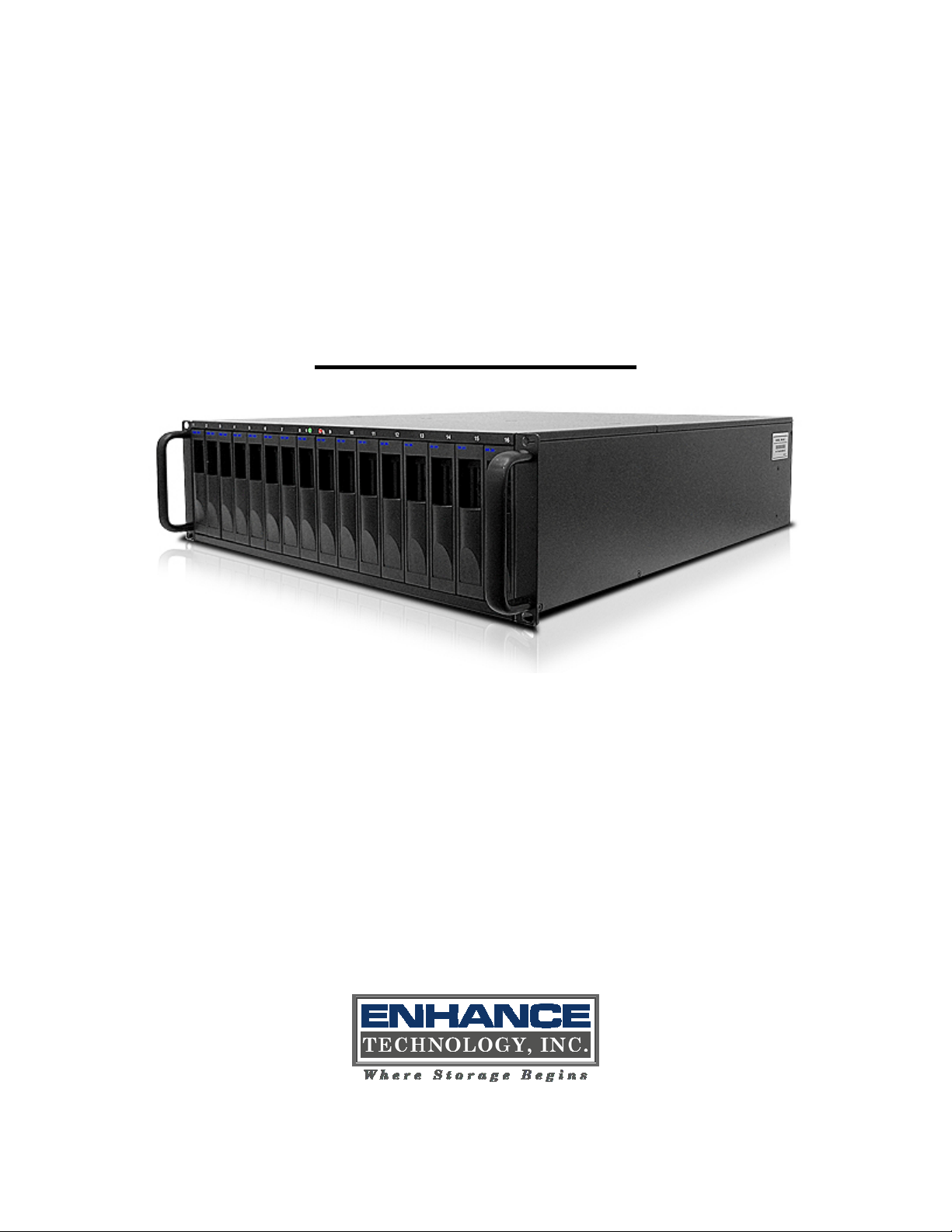
ENHANCE TECHNOLOGY UltraStor RS16 FS Manuel utilisateur

UltraStor RS16 FS – Manual v.6.0
- 1 -
UltraStor RS16 FS
Fibre to SATA II / SAS
RAID Storage System
User Manual
Version 6.0 (JUNE, 2008)

UltraStor RS16 FS – Manual v.6.0
- 2 -
Preface
About this manual
This manual is the introduction of UltraStor RS16 FS controller and it aims to
help users know the operations of the disk array system easily. Information
contained in this manual has been reviewed for accuracy, but not for product
warranty because of the various environments/OS/settings, Information and
specification will be changed without further notice. For any update information,
please visit www.enhance-tech.com and your contact windows.
Copyright@2008, ENHANCE Technology, Inc. All rights reserved.
Thank you for using Enhance Tech, Inc. products; if you have any question,
soon as possible.

UltraStor RS16 FS – Manual v.6.0
- 3 -
Table of Contents
Chapter 1 RAID introduction..........................................5
1.1 Features........................................................................... 5
1.2 Terminology ..................................................................... 6
1.3 RAID levels ...................................................................... 9
1.4 Volume relationship diagram ......................................... 10
Chapter 2 Getting started.............................................11
2.1 Before starting................................................................ 11
2.2 Storage introduction....................................................... 11
2.3 Management methods ................................................... 12
2.3.1 Web GUI............................................................................................... 12
2.3.2 Console serial port ............................................................................... 13
2.3.3 Remote control – secure shell .............................................................. 13
2.4 Enclosure ....................................................................... 13
2.4.1 LCM...................................................................................................... 13
2.4.2 System buzzer...................................................................................... 16
2.4.3 LED ...................................................................................................... 16
Chapter 3 Web GUI guideline.......................................17
3.1 Web GUI hierarchy ........................................................ 17
3.2 Login .............................................................................. 18
3.3 Quick install.................................................................... 19
3.4 System configuration ..................................................... 20
3.4.1 System setting...................................................................................... 21
3.4.2 IP address ............................................................................................ 21
3.4.3 Login setting ......................................................................................... 22
3.4.4 Mail setting ........................................................................................... 23
3.4.5 Notification setting ................................................................................ 24
3.5 Volume configuration ..................................................... 26
3.5.1 Volume create wizard ........................................................................... 26
3.5.2 Physical disk......................................................................................... 29
3.5.3 RAID group........................................................................................... 32
3.5.4 Virtual disk............................................................................................ 35
3.5.5 Snapshot .............................................................................................. 39
3.5.6 Logical unit ........................................................................................... 41
3.5.7 Example ............................................................................................... 42
3.6 Enclosure management ................................................. 47
3.6.1 SES configuration................................................................................. 48
3.6.2 Hardware monitor ................................................................................. 48
3.6.3 Hard drive S.M.A.R.T. support ............................................................. 49
3.6.4 UPS ...................................................................................................... 50
3.7 System maintenance ..................................................... 52
3.7.1 System information............................................................................... 52
3.7.2 Upgrade................................................................................................ 52
3.7.3 Reset to factory default......................................................................... 53

UltraStor RS16 FS – Manual v.6.0
- 4 -
3.7.4 Import and export ................................................................................. 53
3.7.5 Event log .............................................................................................. 54
3.7.6 Reboot and shutdown........................................................................... 55
3.8 Logout ............................................................................ 55
Chapter 4 Advanced operation....................................56
4.1 Rebuild........................................................................... 56
4.2 RG migration.................................................................. 58
4.3 VD Extension ................................................................. 59
4.4 Snapshot / Rollback ....................................................... 60
4.4.1 Create snapshot volume....................................................................... 61
4.4.2 Auto snapshot ...................................................................................... 63
4.4.3 Rollback................................................................................................ 64
4.5 Disk roaming .................................................................. 65
4.6 SAS JBOD expansion.................................................... 65
4.7 Support Microsoft MPIO................................................. 68
Appendix............................................................................69
A. Certification list............................................................... 69
B. Event notifications.......................................................... 71
C. Known issues................................................................. 75
D. Installation steps for large volume (TB).......................... 75

UltraStor RS16 FS – Manual v.6.0
- 5 -
Chapter 1 RAID introduction
1.1 Features
UltraStor RS16 FS controller is a high-performance RAID controller.
•Backplane solution
•Fibre Channel (FC x2) – to – SATA II/SAS (xN bays) RAID controller.
Features:
•Front-end 2-ported 4Gb FC ports with load-balancing & failover for high
availability.
•RAID 6, 60 ready.
•Snapshot without relying on host software. (optional)
•SATA II drive backward-compatible.
•One logic volume can be shared by as many as 16 hosts.
•Host access control.
•Configurable N-way mirror for high data protection.
•On-line volume migration with no system down-time.
•HDD S.M.A.R.T. enabled for SATA drives.
•SAS JBOD expansion support.
•Microsoft VSS, VDS support. (optional)
With proper configuration, ULTRASTOR RS16 FS controller can provide non-
stop service with a high degree of fault tolerance by using UltraStor RAID
technology and advanced array management features. The controller features
are slightly different between the backplane solution and cable solution. For more
UltraStor RS16 FS controller connects to the host system in fibre channel
interface. It can be configured to any RAID level. The controller provides reliable
data protection for servers and RAID 6. The RAID 6 allows two HDD failures
without producing any impact on the existing data. Data can be recovered from
the existing data and parity drives. (Data can be recovered from the rest
disks/drives.)
Snapshot-on-the-box is a fully usable copy of a defined collection of data that
contains an image of the data as it appeared at the point in time, which means a
point-in-time data replication. It provides consistent and instant copies of data
volumes without any system downtime. ULTRASTOR Snapshot-on-the-box can
keep up to 32 snapshots for all data volumes. Rollback feature is provided for
restoring the previous-snapshot data easily while continuously using the volume

UltraStor RS16 FS – Manual v.6.0
- 6 -
for further data access. The data access which includes read/ write is working as
usual without any impact to end users. The "on-the-box" implies that it does not
require any proprietary agents installed at host side. The snapshot is taken at
target side and done by ULTRASTOR controller. It will not consume any host
CPU time thus the server is dedicated to the specific or other application. The
snapshot copies can be taken manually or by schedule every hour or every day,
depends on the modification.
ULTRASTOR controller is the most cost-effective disk array controller with
completely integrated high-performance and data-protection capabilities which
meet or exceed the highest industry standards, and the best data solution for
small/medium business (SMB) users.
1.2 Terminology
The document uses the following terms:
RAID RAID is the abbreviation of “Redundant Array of Independent
Disks”. There are different RAID levels with different degree
of the data protection, data availability, and performance to
host environment.
PD The Physical Disk belongs to the member disk of one specific
RAID group.
RG RAID group. A collection of removable media. One RG
consists of a set of VDs and owns one RAID level attribute.
VD
Virtual disk. Each RG could be divided into several VDs. The
VDs from one RG share the same RAID level, but may have
different volume capacity.
CV
Cache Volume. Controller uses onboard memory as cache.
All RAM (except for the part which is occupied by the
controller) can be used as cache.
Caution
Snapshot / rollback features need 512MB RAM or more.
Please refer to RAM certification list in Appendix A for more
detail.

UltraStor RS16 FS – Manual v.6.0
- 7 -
LUN Logical Unit Number. A logical unit number (LUN) is a unique
identifier which enables it to differentiate among separate
devices (each one is a logical unit).
GUI Graphic User Interface.
RAID width,
RAID copy,
RAID row
(RAID cell in
one row)
RAID width, copy and row are used to describe one RG.
E.g.:
1. One 4-disk RAID 0 volume: RAID width= 4; RAID
copy=1; RAID row=1.
2. One 3-way mirroring volume: RAID width=1; RAID
copy=3; RAID row=1.
3. One RAID 10 volume over 3 4-disk RAID 1 volume:
RAID width=1; RAID copy=4; RAID row=3.
WT Write-Through cache-write policy. A caching technique in
which the completion of a write request is not signaled until
data is safely stored in non-volatile media. Each data is
synchronized in both data cache and accessed physical disks.
WB Write-Back cache-write policy. A caching technique in which
the completion of a write request is signaled as soon as the
data is in cache and actual writing to non-volatile media
occurs at a later time. It speeds up system write performance
but needs to bear the risk where data may be inconsistent
between data cache and the physical disks in one short time
interval.
RO Set the volume to be Read-Only.
DS Dedicated Spare disks. The spare disks are only used by one
specific RG. Others could not use these dedicated spare disks
for any rebuilding purpose.
GS
Global Spare disks. GS is shared for rebuilding purpose. If
some RGs need to use the global spare disks for rebuilding,
they could get the spare disks out from the common spare
disks pool for such requirement.
DC Dedicated Cache.
GC Global Cache.

UltraStor RS16 FS – Manual v.6.0
- 8 -
DG DeGraded mode. Not all of the array’s member disks are
functioning, but the array is able to respond to application
read and write requests to its virtual disks.
SCSI Small Computer Systems Interface.
SAS Serial Attached SCSI.
iSCSI Internet Small Computer Systems Interface.
SAS Serial Attached SCSI.
FC Fibre Channel.
S.M.A.R.T. Self-Monitoring Analysis and Reporting Technology.
WWN World Wide Name.
HBA Host Bus Adapter.
SAF-TE SCSI Accessed Fault-Tolerant Enclosures.
SES SCSI Enclosure Services.
NIC Network Interface Card.
LACP Link Aggregation Control Protocol.
MPIO Multi-Path Input/Output.
MC/S Multiple Connections per Session
MTU Maximum Transmission Unit.
CHAP Challenge Handshake Authentication Protocol. An optional
security mechanism to control access to an iSCSI storage
system over the iSCSI data ports.
iSNS Internet Storage Name Service.

UltraStor RS16 FS – Manual v.6.0
- 9 -
1.3 RAID levels
RAID 0 Disk striping. RAID 0 needs at least one hard drive.
RAID 1 Disk mirroring over two disks. RAID 1 needs at least two hard
drives.
N-way
mirror Extension to RAID 1 level. It has N copies of the disk.
RAID 3 Striping with parity on the dedicated disk. RAID 3 needs at
least three hard drives.
RAID 5 Striping with interspersed parity over the member disks. RAID
3 needs at least three hard drives.
RAID 6 2-dimensional parity protection over the member disks. RAID
6 needs at least four hard drives.
RAID 0+1 Mirroring of the member RAID 0 volumes. RAID 0+1 needs at
least four hard drives.
RAID 10 Striping over the member RAID 1 volumes. RAID 10 needs at
least four hard drives.
RAID 30 Striping over the member RAID 3 volumes. RAID 30 needs at
least six hard drives.
RAID 50 Striping over the member RAID 5 volumes. RAID 50 needs at
least six hard drives.
RAID 60 Striping over the member RAID 6 volumes. RAID 60 needs at
least eight hard drives.
JBOD The abbreviation of “Just a Bunch Of Disks”. JBOD needs at
least one hard drive.

UltraStor RS16 FS – Manual v.6.0
- 10 -
1.4 Volume relationship diagram
Figure 1.4.1
This is the volume structure of ULTRASTOR designed. It describes the
relationship of RAID components. One RG (RAID group) consists of a set of VDs
(Virtual disk) and owns one RAID level attribute. Each RG can be divided into
several VDs. The VDs in one RG share the same RAID level, but may have
different volume capacity. Each VD will be associated with one specific CV
(Cache Volume) to execute the data transaction. Each CV can have different
cache memory size by user’s modification/setting. LUN (Logical Unit Number) is
a unique identifier, in which users can access through SCSI commands.
RG
PD 2 PD 3 DSPD 1
VD 1 VD 2 Snap
VD
RAM
Global CV Dedicated
CV
+
LUN 1 LUN 2 LUN 3
++
Table des matières
Autres manuels ENHANCE TECHNOLOGY Stockage
Manuels Stockage populaires d'autres marques

Spectra Logic
Spectra Logic T-Series Spectra T50e Manuel utilisateur

Panasonic
Panasonic LKM-F931-1 Manuel utilisateur

Tabernus
Tabernus Enterprise Erase E2400 Manuel utilisateur

Rocstor
Rocstor COMMANDER 3F series Manuel utilisateur

HP
HP P9000 Manuel utilisateur

Western Digital
Western Digital Ultrastar Data60 Manuel utilisateur