
Energizer ENC100 Manuel utilisateur
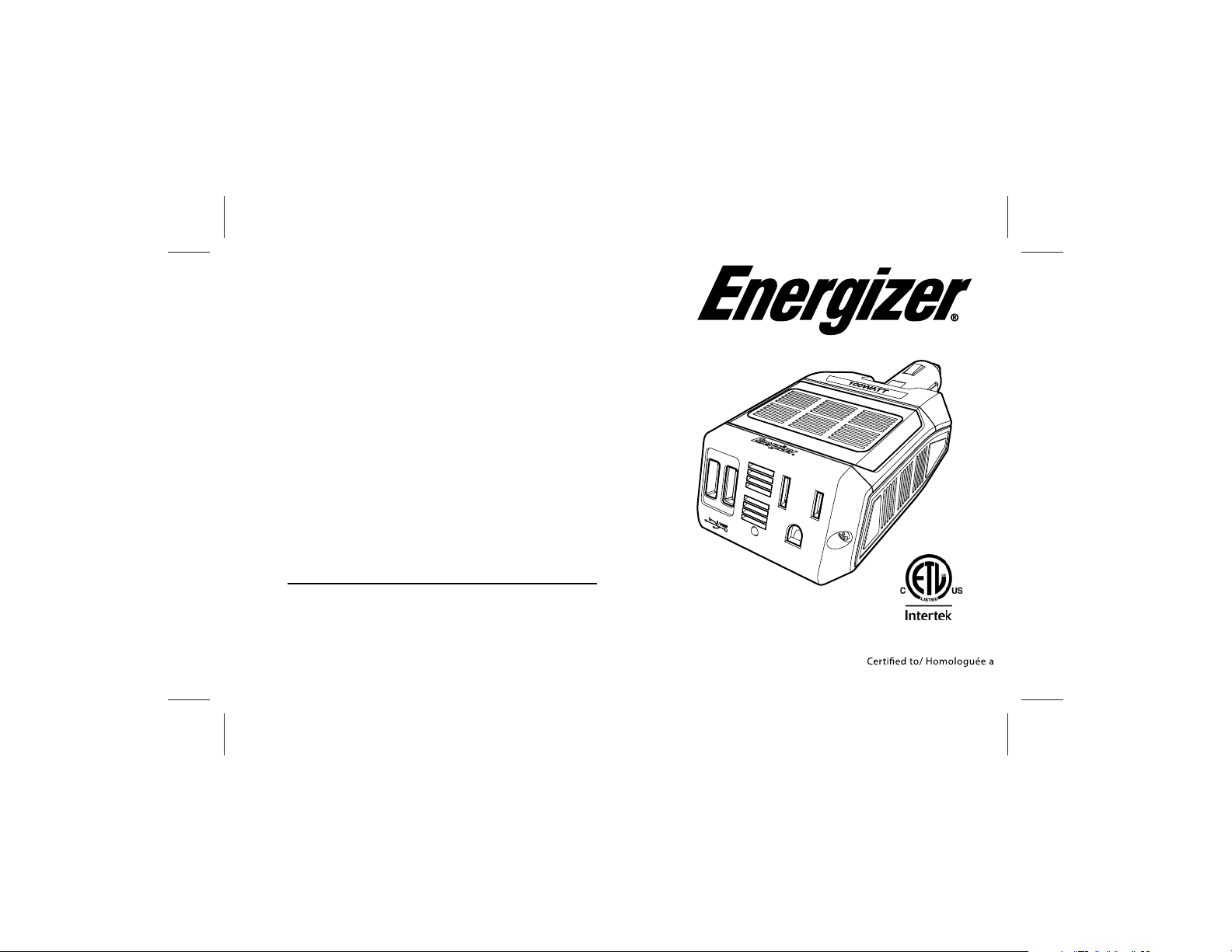
Owner's Guide
Printed in China
Toll Free 1 866 295 6775
www.energizerpower.com
WARNING:
This Unit employs Components that tend to produce arcs or sparks – To
prevent fire or explosion, do not install in compartments containing
batteries or flammable materials - SHOCK HAZARD. DO NOT OPEN.
CAUTION:
OUTPUT NON-SINUSOIDAL REFER TO MANUAL - Provided with integral
protection against overloads. To prevent fire, do not cover or obstruct
ventilation openings. Do not mount in Zero-Clearance compartment.
Overheating may result.
Notice :
The output of this device is not sinusoidal. It has a total harmonic distortion
of 30% percent and maximum single harmonic of 8 percent
ENC100 3149458
Conforms to UL std. 458,
CSA std. C22.2 No. 107.1

2 Important Safety Information
Misusing or incorrectly connecting the
may damage the equipment or create hazardo us
con dition s for users . Read the following safety
instructions and pa y spec ial atten tion to all Caution
and Warning stat ements in the guide.
Warnings identify conditions that may result in
Cautions ident ify conditions or practices that may
damage th e unit or othe r eq uipment.
1 Introduction
Thank you for purchasingthe ® ENC100
ENC100
ENC100
EN100
ENC100
Connected to the 12 volt outlet in your vehicle, the
efficiently and reliably powers a wide variety
of loads through both the AC outlet and USB port.
Read this guide before connecting or using the
and save it for future reference.
We hope you enjoy using your and if you
require any assistance, please contact our help desk:
www.energizerpower.com or toll free: 1.866.295.6775
1
WARNING
Keep children away from the . The
inverter generates the same potentially lethal AC
power as a normal household wall outlet.
ENC100
Energizer

2
The housing may become uncomfortably
warm, reaching 140° F (60° C)unde r extende d
high power operat ion. During operation,
keep it away from materials that may be
affected by high tempe ratu res.
Do not use the in the presence of
flammable fumes or gases, such as in the bilge of a
gasoline powered boat, ornear propane tanks. Do
not use the in an enclosure containing
automotive-type,lead-acid batteries.
These batteries, unlike sealed batteries, vent
explosive hydrogen gas, which can be ignited by
sparks from electrical connections.
Warnings and Cautions
WARNING: Shock hazard
Use caution when inserting an ACplug into the
three-prong ACoutlet. The pron gs of an ACplug
can become bent from misuse. Ifan ACplug is
impro perly inserted into the ACoutlet, a bent p rong
can slip outside the inverter and become a shock
hazard.
Grip the inverter carefullywhen inserting or
remo ving an AC plug. Keep your clear of
the AC outlet. Ensure that your do not
contact the prongs of an ACplug when the plug is
partially inside the inverte r.
ENC100
ENC100
ENC100

3
CAUTION: Risk of Fire.
Do not replace any vehicle fuse with a rating higher
than recommended by the Vehicle Manufacturer.
Ensure that the electrical system in your vehicle
can supply this product without causing the vehicle
fusing to open. Information on the vehicle fuse
rating is typically found in the vehicle operator’s manual.
If a vehicle fuse opens repeatedly, do not keep on
replacing it. The cause of the overload must be found.
On no account should fuses be patched up with
tin foil or wire as this may cause serious damage
elsewhere in the electrical circuit or

4
CAUTION: Output non-sinusoidal
Some chargers for small nickel-cadmium batteries
can be damaged if connected to the
Do not use the inverter with the following
appliances:
•Small battery-operated appliances like
rechargeable flashlights, some rechargeable
shavers, and night lights that are plugged
directly into an AC receptacle to recharge.
•Battery chargers used in hand power tools.
These chargers display a warning label stating
that dangerous voltages are present at the
charger battery terminals.
CAUTION
Do not connect live AC power to the
AC outlets. This will damage the inverter,
and the damage is not covered by warranty.
Do not connect any AC load that has its neutral
conductor connected to ground to the
ENC100
ENC100
ENC100

5
Additional Safety Guidelines
•Do not insert foreign objects in the
outlets or other openings.
•Never connect the inverter to power utility AC
distribution wiring.
•Do not use the in temperatures
over 100° F (40° C).
•Do not expose the to water, rain,
snow, or spray.
Failure to follow these safety guidelines may cause
personal injury and/or damage to the
It may also void your product warranty.
3 Safety Features
•Overload protection with automatic shutdown
•Low battery voltage shutdown
•High-input voltage protection with automatic
shutdown
•Overheat protection with automatic shutdown
•Output short circuit protection.
EN100
EN100
EN100
EN100

4 Inverter Features
EN100
6
LED Light
indicator
AC Outlet
Ventilation
opening
USB ports
2.1 Amp
(shared)
Ventilation
opening
Ventilation
opening
Lighter Socket

7
5 Using the Inverter
Through its AC outlet, the is capable
of powering most 120V AC products that use
100W or less. The can also power or charge
mostconsumer electronics that have USB power ports.
The AC output waveform, called
“modified sine wave” is designed to function
similarly to the sine wave shape of utility power.
Most devices are not affected by a "modified sine
wave", you may need to consult with the manufacture
of the device you wish to run prior to connection
with inverter.
EN100
EN100
EN100

8
1. Connect EN100 to a 12V cigarette lighter
receptacle.
2. Plug the device you want to operate into the
EN100
3. When the inverter is not in use, unplug it from the
12V outlet to prevent slight discharge of the
battery.
12V

9
6 Inverter Operation
1.When properly connected to a 12V outlet, the
light will glow GREEN,indicatingthe inverter is
ready.
2. Plug the product(s) you want to operate into the
AC outlet or USB port and switch them on (if
necessary).
Operating Guidelines
•As the battery is used, its voltage begins to fall.
When the EN100 senses that the voltage at
its
DC input has dropped to 10.5V, the inverter
automatically shuts down and the light glows RED,
indicating a fault. This prevents the battery from
being damaged. Turn off any devices that the
EN100 is powering.
Table des matières
Autres manuels Energizer Accessoires automobiles


