5
2.2. Pre-Sales Checklist
This checklist will help to pick appropriate meter and sensor.
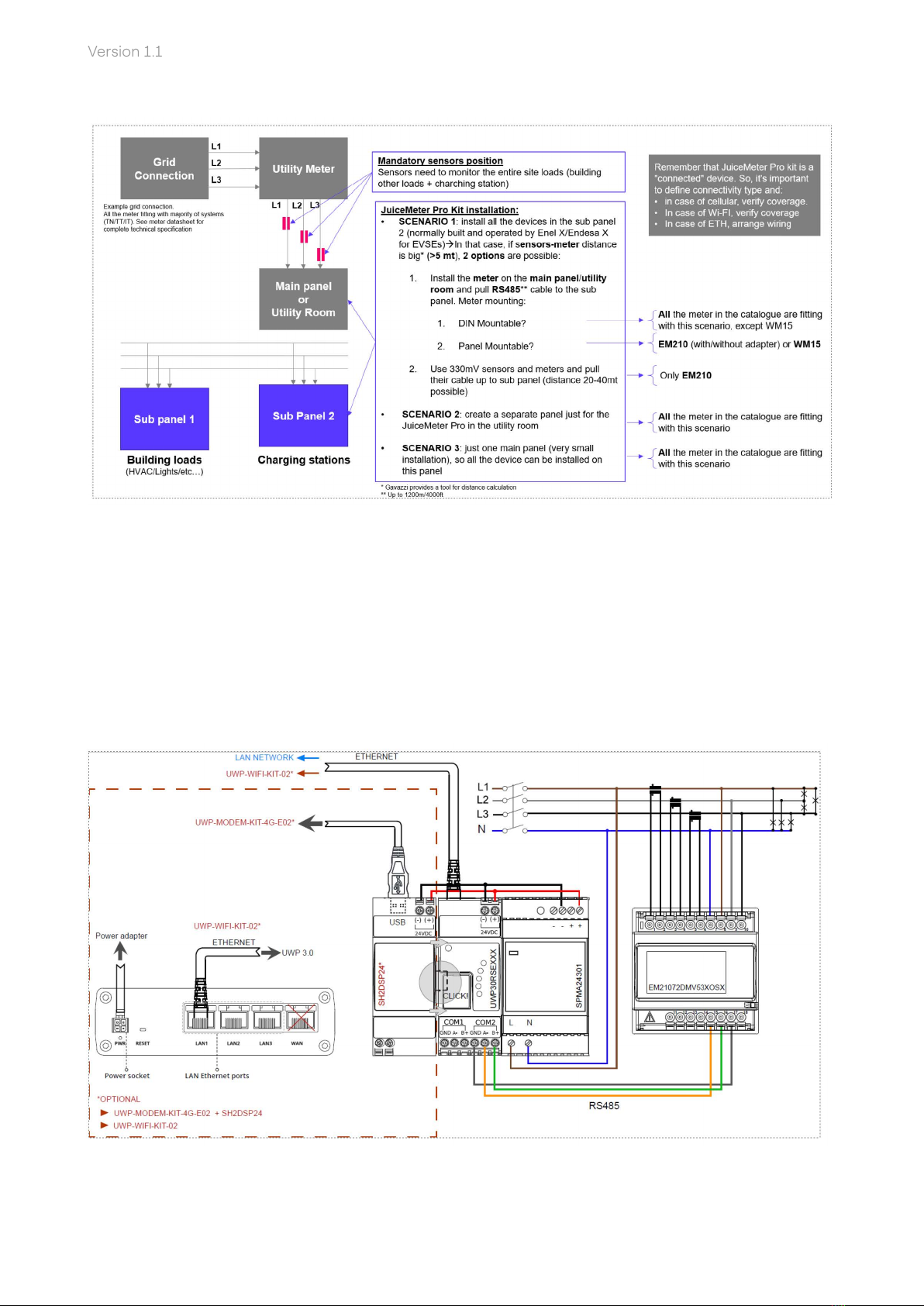
>1. Verify meter installation location, max amperage and any constraints to pick
appropriate meter (see Annex 1 – Meter comparison and Annex 2 – Sensor comparison)
>a. Mounting: all the meters can be installed on DIN rail. Some meter can also be
installed on panel
>b. Distance Sensors → Meter: is impoant to keep in mind during site design about
the distance between meter and sensors.
>c. In case of needs, meter can be also installed far away from the other kit components
(gateway, modem, etc…). Since communication between meter and gateway is done
via RS485, those 2 components can be also far away (up to 1 km).
>a. Is it possible to bring an ethernet cable from router/switch to the gateway?
>b. If ETH or Wi- → Verify rewall policy on customer’s site (inteacing with site IT
depament and/or facility manager). Po used by Waymeter Pro Kit are listed below
and are all mandatory.
>c. If cellular → verify cellular coverage
>2. Verify connectivity mode
>In case of 5A sensors, distance can be limited. Please refer to Gavazzi calculation
spreadsheet to calculate the max distance.
>In case of 333mV sensors, distance can be signicantly high (up to 20/30 mt).
>Yes → Just use embedded Ethernet connectivity on the gateway
>No → Wi-Fi present→ Add Wi-Fi option
>No → Cellular → Add cellular option (modem adapter + modem) and Enel MVNO
sim card