ACCESSORIES
1 x AC adaptor
1 x remote Control (include button cell CR2025)
1 x user manual
NOTE
It is possible that the products of last generations type iPhone 4 do not answer in the same way as the
former generations. Some cuts can occur, without concern for your telephone. If your iPhone stops in the
course of musical reading, to start again the reading.
GENERAL OPERATION
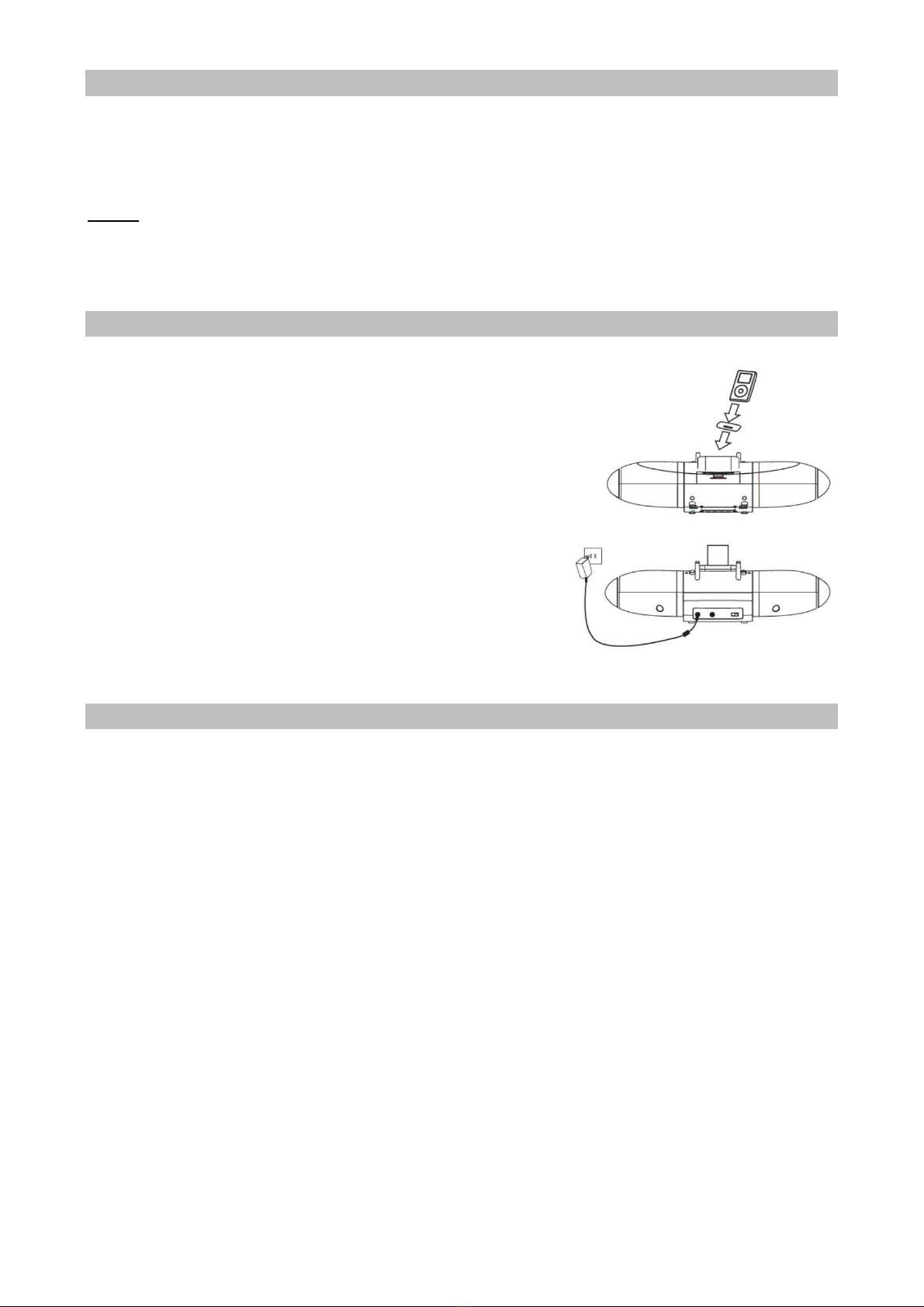
1. Select a proper docking adaptor (enclosed when purchase
an iPod) and place it into the base, then dock your iPod
gently.
2. Plug the AC adaptor plug into DC power Jack at the rear
side of base/ the unit will play automatically and the
speaker also open automatically. Or use the remote control
to turn the unit on.
3. Switch on the speakers to play your iPod. Choose the best
channel through the “Channel” button at the rear of the
base until the speakers receive the right signal.
4. Press " VOL +"or “VOL-" to choose a proper volume level,
then you should now be able to take the speakers freely
from room to room without disruption (Subject to its
surroundings, approximately 100 feet in the open area
without any interference).
5. If using iPod shuffle or other audio source with 3.5 mm headphone output jack, connect it to the
AUX line in jack on the rear of base.(AUX in will not work when an iPod is docked)
6. Press the power button on the base or remote control to turn off the unit.
SPECIAL INSTRUCTION
1. 1. Turn ON/ OFF the unit or speaker
Connect the iPod to the base, the unit will play automatically. Once you take the iPod out, the unit
will be Aux-in status.
2. The unit LED indicator (8) instruction.
Once the LED indicator is red, it’s Aux-in working. Once the LED indicator is blue, it’s iPod working.
3. The speaker LED indicator (2) instruction
1) When charge up, and the volume bottoms are closed, the LED indicator is red. Once full charge,
it turn to blue.
2) When charge up, and the volume bottoms are working, the LED indicator is pink and coruscate
automatically with a normal frequency. Once full charge, it turn to blue and without coruscate.
3) When the speaker separate from the units (it’s un-charge station), and the volume bottoms are
working, the LED indicator should be dark blue. However, if the volume bottoms are closed, the
LED indicator will stop to work. It’s means no power.
4) Can charge up for only speaker, also charge up for both speakers meantime. The LED indicator
may not all same.
4. How to separate the unit and speaker?
Shift the Lock knob (12) to next side, then press Open Button (4), the speaker will separate
from unit.