COMFORT DUO RF
2
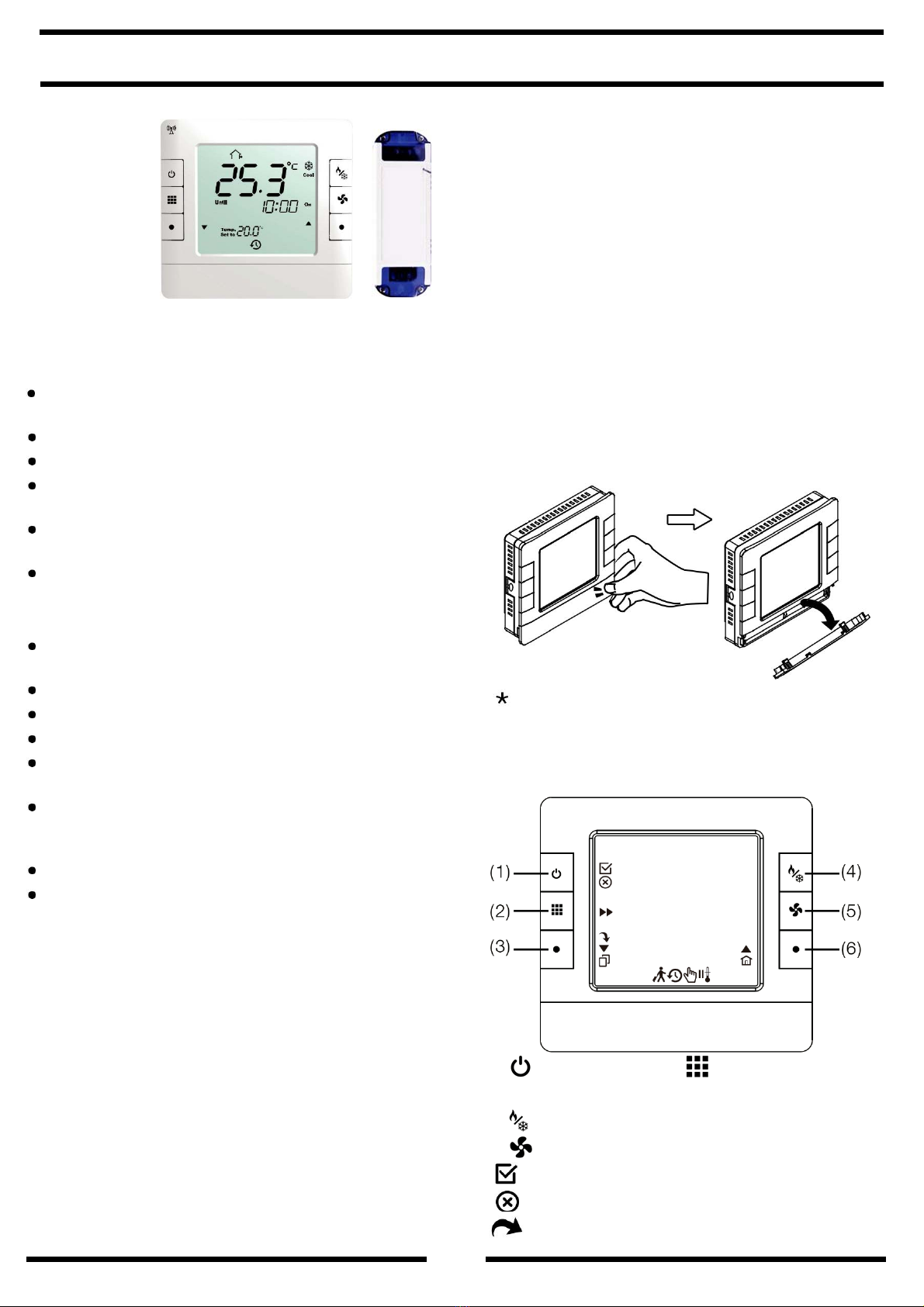
: Next Item, jump to next item setting
: PROG COPY, to run ”PROG COPY” function
: Exit the setting mode and return to Run PROG
mode
4-1. Keypad Operation Description:
Function Select
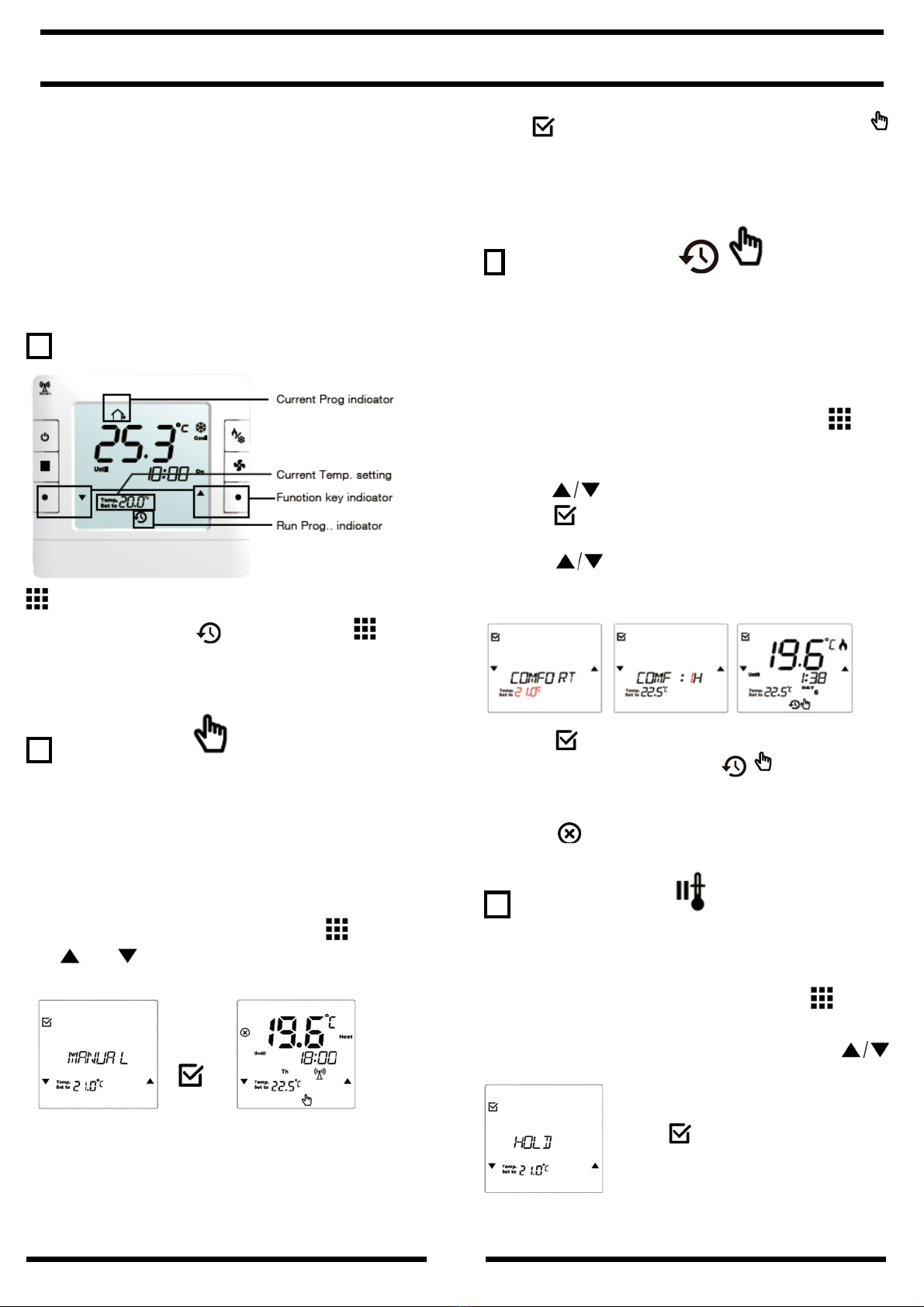
a. In Run PROG mode :Press key to select
the desired mode, MANUAL override ,
COMFORT hour , temperature HOLD ,
or HOLIDAY .
b. In Run PROG mode : Press for 5
seconds to enter general settings ; LCD shows
symbol.
c. In Standby mode (tap key), press key for
5 seconds to adjust day program period:
6 period/day, 4 period/day or 2 period/day.
PROG.: 6 period / per day
Program Time Cool Heat
Wake (P1) 6:00 25ºC 21 ºC
Leave (P2) 8:00 29ºC 14 ºC
Occupied (P3) 12:00 25ºC 21 ºC
Unoccupied (P4) 14:00 29ºC 14 ºC
Return (P5) 18:00 25ºC 21 ºC
Sleep (P6) 22:00 27ºC 16 ºC
PROG.: 4 period / per day
Program Time Cool Heat
Wake (P1) 6:00 25ºC 21 ºC
Leave (P2) 8:00 29ºC 14 ºC
Return (P5) 18:00 25ºC 21 ºC
Sleep (P6) 22:00 27ºC 16 ºC
PROG.: 2 period / per day
Program Time Cool Heat
Wake (P1) 6:00 25ºC 21 ºC
Sleep (P2) 22:00 29ºC 16 ºC
4-2. LCD Display Descriptions
: Key lock / : Frost Protection
: Heating on
: Battery Low / : Standby Mode
: Run Prog Wake / : Run Prog Leave
: Run Prog Occupied
: Run Prog Unoccupied
: Run Prog Return / : Run Prog Sleep
: Setting Mode
DAY:
MoTuWeThFrSaSu
:MON TUE WED THU FRI
SAT SUN
5) Programming instructions
Contents 1---Resetting the thermostat
2---Set Date
3---Set TIME
4---Adjusting The Programs
5---Operating mode
6---Temperature reading calibration
7---LCD Brightness
8---RF home code setting
9---RF home code setting
10-Test RF signal strength of location
11-Factory default setting
1 Resetting the thermostat
It is necessary to press the RESET button prior to
initial programming.
To activate the setting mode:
Press for 5 seconds, LCD shows symbol.
In setting mode, you can press key
to select the settings for DATE, TIME, PROG,
DIFF(Differential), T CAL, CONT, HOME, ROOM.