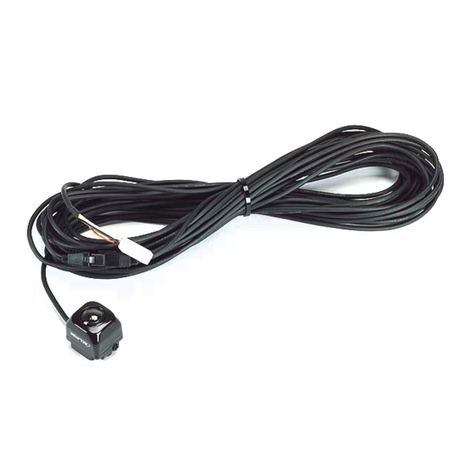
Eclipse Popo Manuel utilisateur

Popo cams by Eclipse
360º Vehicle Surveillance System
4 channel VVR / all in one 4 channel vehicle video recorder
User Manual 2015 APR V1.0
Option
Mobile DVR
Camera

Popo cams by Eclipse 360º Surveillance Digital Recording System
i
Safety Precautions
Take and review some testing video initially to make sure the
images were recorded correctly. Please note that manufacturer,
its subsidiaries and affiliates, and its distributors are not liable for
consequential damages arising from any malfunction of main
device accessory, including memory device that results in the
failure of an image to be recorded or to be recorded in a way that
is machine readable.
Before using the product, please ensure that you read the safety precautions
described below. Always ensure that the product is used correctly.
• Please keep device away from children.
• Use only recommended power sources.
• Do not attempt to disassemble, alter or apply heat to the product.
• Avoid dropping or subjecting the product to severe impacts.
• To avoid the risk of injury, do not touch the interior of the product if it has
been dropped or otherwise damaged.
• Stop using the product immediately if it emits smoke, a strange smell, or
otherwise behaves abnormally.
• Do not use organic solvents such as alcohol, benzene, or thinner to clean
the product.
• Do not let the product come into contact with water (e.g. sea water) or
other liquids.
• Do not allow liquids or foreign objects to enter the VVR.
• Do not place the VVR near or in direct flame.
• Do not handle the power cord with wet hands.
• Do not use the equipment in a manner that exceeds the rated capacity of
the electrical outlet or wiring accessories. Do not use if the power cord or
plug are damaged, or not fully plugged into the outlet.
• Do not allow direct or metal objects (such as pins or keys) to contact the
terminals or plug.
• Avoid using, placing or storing the product in the humid or dusty areas.

Popo cams by Eclipse 360º Surveillance Digital Recording System
ii
Table of Contents
A. Features .................................................................................................. 1
B. Specification ......................................................................................... 2
C. Accessories ........................................................................................... 4
D. Product Dimension ............................................................................ 5
1. Mobile DVR Dimension ......................................................... 5
2. Appearance of Camera .......................................................... 7
E. Installation............................................................................................. 8
1. DVR Wiring Diagram .............................................................. 8
2. Camera Installation Diagram ............................................ 10
3. How to install Memory Card ............................................. 11
F. ON/OFF ............................................................................................... 12
G. Remote Controller Introduction ................................................ 14
H. Real Time Monitoring Mode ....................................................... 16
I. Playback Instruction ....................................................................... 17
1. To playback in main engine ............................................... 17
2. To Playback in PC ................................................................... 18
J. Menu Operation On The Mobile DVR ..................................... 21
1. Main Menu .............................................................................. 21
2. Menu OperatiOn And Parameter Setup ....................... 22
(1). Video recording setting ......................................... 22
(2). Parking setting .......................................................... 23
(3). Color adjustment ...................................................... 23
(4). Time setting ................................................................ 24
(5). Vehicle number setting .......................................... 24
(6). Format the disk ......................................................... 25
(7). Live screen mode setting ...................................... 25
(8). Power Management ................................................ 25
(9). Alarm setting .............................................................. 26
(10). Password setting ....................................................... 26

Popo cams by Eclipse 360º Surveillance Digital Recording System
iii
(11). G-Sensor setting ....................................................... 27
(12). Restore to Factory setting ..................................... 27
(13). Language setting ...................................................... 28
(14). Firmware upgrade .................................................... 28
(15). Firmware version ...................................................... 29
K. Player (On the personal computer) .......................................... 30
(1). Capture ......................................................................... 30
(2). Configuration ............................................................ 31
(3). Backup .......................................................................... 34
(4). Playback ....................................................................... 37
(5). Format .......................................................................... 37
(6). Footage playback speed ....................................... 38
(7). MAP ............................................................................... 38
(8). G-sensor ...................................................................... 39
(9). Footage playback speed ....................................... 39
(10). Volume ......................................................................... 40
(11). Control panel ............................................................. 40
(12). Direction and Latitude ............................................ 41
(13). Speed ............................................................................ 41
L. Format the SD card ......................................................................... 42
1. Format on the recorder ....................................................... 42
2. Format in your computer ................................................... 43
M. Restore the SD card ........................................................................ 46

Popo cams by Eclipse 360º Surveillance Digital Recording System
1
A. Features
All New Parking Surveillance Mode:
- Programmable recording time-reduce vehicle battery
exhausting.
- Programmable fps - prolong recording time.
Mobile DVR with 4CH 360° camera; Leaving no blind spots
of your surroundings.
H.264 Video compression technology with D1& CIF
resolution.
Quick search on event records-Easy and reliable.
Time & date are included in every footage.
Auto recording after power on.
SDHC card storage-free from shock and vibration.
Firmware updatable via USB.
Fully recording video, audio, G-sensor, and GPS inputs.

Popo cams by Eclipse 360º Surveillance Digital Recording System
2
B. Specification
Mobile DVR
Item Description
Signal type NTSC/PAL
OS Embedded Linux
Video input 1CH
Video output 1 CH AV
Audio input 1CH input
Audio output 1CH AV
Alarm-in 1 input
Interface Icon、Multi-language(English, Traditional Chinese, Simplified
Chinese)
Display FPS NTSC 120 fps
PAL 100 fps
Recording FPS NTSC 30fps@D1 (real time recording) per camera
PAL 25fps@D1 (real time recording) per camera
Playback FPS NTSC 30fps@D1 (real time playback)
PAL 25fps@D1 (real time playback)
Display mode Spherical 360 degree image
Multi-function Recording/Playback
Resolution
Display NTSC 720 x 480
PAL 720 x 576
Recording
NTSC 360*240@CIF
720*480@D1
PAL 360*288@CIF
720*576@D1
Compression
Quality H.264 1(poor) ~ 5(excellent)
Storage SDHC
Back up With CARBOX software

Popo cams by Eclipse 360º Surveillance Digital Recording System
3
Camera
Signal type NTSC PAL
Sensor 1/4 inch CMOS *4PCS
Video processor Digital
Pixel 640 (H)×480 (V) 640 (H)×576 (V)
Total pixel 300K 370K
Resolution 420 lines
Input voltage DC 12 ± 1V
Current 200mA (IR OFF)
Sync . system Internal Synchronization
Scan system 2:1 crossover
Sensitivity 10 V /(Lux-sec) / 0Lux(IR ON)
Signal to Noise
Ratio Max. 45 dB
Playback Mode time/date, event
Full screen Yes
LED indicator 3 LED (REC、GPS、POWER)
Brightness Yes
Contrast Yes
Signal off
Detection Yes
Buzzer Yes
GPS G-MOUSE (Optional) with Google Map display
G-SENSOR Yes
IR Yes
Extending IR Yes
Monitoring Mode Auto recording after power on
Power input (1) DC 8V~32V (2)ACC Auto Power-off Programmable
Dimension 115X90X30(mm)

Popo cams by Eclipse 360º Surveillance Digital Recording System
4
Auto-zenith
control Open automatically
Dynamic range 65 dB
Auto-balance Automatic
Shutter status Automatic
Viewing angle H : 360° V : 70°
Signal output 1 Vp-p standard video output,75 Ω
IR LED 4PCS
IR range 1m
Operation
Temperature - 10° C ~ +60°C
Notes: 1. Storage devices purchase separately.
2. No further notification on product specification changes.
C. Accessories
1. In the box:
(1) Device (2) Camera (3) Power cord (black/blue/red)
(4) Alarm cable (black/yellow) (5) IR extension cord
(6) Remote controller (7) Microphone (8) Velcro strap
(9) Sticker (10) Bracket mount (11) CD
(12) Quick start guide
2. Option:
(1) G-Mouse (2) SD card

Popo cams by Eclipse 360º Surveillance Digital Recording System
5
D. Product Dimension
1. Mobile DVR Dimension
(1). Power Light
(2). Recording Light
(3). GPS Light
(4).IR receiver
(5).SDcard Slot
(6). GPS Connector:To connect with G-Mouse (GPS sensor)
to start GPS function. It can record vehicle location,
speed, longitude and latitude.
(7). Audio output: “A”means “audio output”.
(8). Video output: “V”means “video output”
(9). Micphone hole:To connnect with microphone to

Popo cams by Eclipse 360º Surveillance Digital Recording System
6
recording audio.
(10). Alarm Input: Alarm input connector.
(11). Camera connector: In pair with AVM-360PV, it can
support 360 degree recording.
(12). IR extension cable connector: Once upon connecting
with the extension cable, the IR receiver will be adjusted
to the end of cable.
(13). PowerConnector: To cooperate with power management
function (in OSD), it can provide 「Delay Shutdown」
function.
Dimension (Unit: mm)
Table des matières
Autres manuels Eclipse Caméra embarquée