Dual DBTMA100 Manuel utilisateur

DBTMA100
QUICK START GUIDE
BOOKSHELF MICRO AMP
®

DBTMA100 - IntroductionDBTMA100 - Introduction
DBTMA100
- 1pc
AC/DC Wall Power
Adapter
- 1pc
User Manual
- 1pc
On your DBTMA100 wireless streaming micro
amplier purchase. This is compatible with most
in-wall, on-wall, in-ceiling, and bookshelf speakers.
Please take your time to explore all of the features
and utilities we have built into this product.
We put all of our products through rigorous
testing and quality control. We take great pride in
presenting this product to you. For your peace of
mind, we oer a one-year limited warranty against
manufacturing defects and workmanship. Please
refer to the warranty section of this user manual for
more details.
What’s in the box
Tips
EN
LU48BTS
USB CHARGE
5V 1A
All rights reserved. No part of this publication may be reproduced, distributed, or
transmitted in any form or by any means, including photocopying, recording, or
other electronic or mechanical methods, without the prior written permission of
DUAL ELECTRONICS CORP.
All trademarks and trade names are property of their respective owners.
Copyright © 2019 DUAL ELECTRONICS CORP.
SUPPORT
Congratulations
For the latest information on all of our products,
please visit:
www.dualav.com
• Call us toll-free at 1-866-382-5476
• E-mail us at cs@dualav.com
VOLUME
AUXIN
BASS TREBLE
MAX
0dB 0dB
LEFT RIGHT LEFT RIGHT
LINE OUT
15~24VDC
POWER
VOLUME
AUXIN
BASS TREBLE
MAX
0dB 0dB
LEFT RIGHT LEFT RIGHT
LINE OUT
15~24VDC
POWER

QUICK START GUIDE QUICK START GUIDE
2 3
DBTMA100 - InformationDBTMA100 - Safety Information
IMPORTAnT SAfeTy InfORMATIOn TO The USeR
The lightning ash with arrowhead symbol
within an equilateral triangle is intended to
alert the user to the presence of un-isolated,
dangerous voltage within the inside of the
device that may be of sucient magnitude to constitute a risk
of electric shock to persons
WARNING: To reduce the risk of electric shock, do
not remove cover or back plate as there are no user-
serviceable parts inside.
Refer servicing to qualied personnel
The exclamation point within an equilateral triangle
is intended to alert the user to the presence of
important operating and servicing instructions in the
literature accompanying the device
The Bluetooth® word mark and logos are registered trademarks
owned by Bluetooth SIG, Inc. and any use of such marks is under
license.
● The DBTMA100 does not have a weather resistant design,
it should not be submerged in or underwater under any
circumstances
● Set your volume control at a low setting, then slowly increase the
sound until you can hear it comfortably without distortion, or ear
discomfort.
WARNING - Never leave this product in direct
sunlight, overheating can cause permanent
● Wash with a mild soap or detergent and lukewarm water using a
clean sponge or a soft cloth. Rinse well with clean water.
“Don’ts” - Very Important
● DON’T use abrasive or highly alkaline cleaners on the main body
● DON’T ever use acetone or carbon tetrachloride
This product must not be disposed of or dumped with your other
household waste. You are liable to dispose of all your electronic
or electrical waste equipment by relocating over to the specied
collection point for recycling of such hazardous waste. Isolated
collection and proper recovery of your electronic and electrical waste
equipment at the time of disposal will allow us to help conserving
natural resources. Moreover, proper recycling of the electronic and
electrical waste equipment will ensure safety of human health and
environment. For more information about electronic and electrical
waste equipment disposal, recovery, and collection points, please
contact your local city center, household waste disposal service,
shop from where you purchased the equipment, or manufacturer of
the equipment
IMPORTAnT SAfeTy PReCAUTIOnS

QUICK START GUIDE QUICK START GUIDE
4 5
DBTMA100 - Information DBTMA100 - Getting Started
InfORMATIOnTO The USeR
fCC COMPLIAnCe STATeMenT
This device complies with part 15 of the FCC Rules. Operation is subject to the
following two conditions:
(1) this device may not cause interference, and
(2) this device must accept any interference, including interference that may cause
undesired operation of this device.
This transmitter must not be co-located or operated in conjunction with any other
antenna or transmitter. The Bluetooth antenna cannot be removed (or replaced)
by user. This equipment complies with FCC/ IC radiation exposure limits set
forth for an uncontrolled environment and meets the FCC radio frequency (RF)
Exposure Guidelines and RSS-102 of the IC radio frequency (RF) Exposure rules.
This equipment has very low levels of RF energy that it deemed to comply without
maximum permissive exposure evaluation (MPE). But it is desirable that it should
be installed and operated keeping the radiator at least 20 cm or more away from
person’s body (excluding extremities: hands, wrists, feet and ankles). Alteration or
modications carried out without appropriate authorization may invalidate the user’s
right to operate the equipment.
NOTE: This equipment has been tested and found to comply with the limits for
a Class B digital device, pursuant to Part 15 of the FCC Rules. These limits are
designed to provide reasonable protection against harmful interference in a
residential installation. This equipment generates, uses and can radiate radio
frequency energy and, if not installed and used in accordance with the instructions,
may cause harmful interference to radio communications. However, there is
no guarantee that interference will not occur in a particular installation. If this
equipment does cause harmful interference to radio or television reception, which
can be determined by turning the equipment o and on, the user is encouraged to try
to correct the interference by one or more of the following measures:
□ Relocate or reorient the receiving antenna.
□ Increase the separation between the equipment and receiver.
□ Connect the equipment into an outlet on a circuit dierent from that to which the
receiver is connected.
□ Consult the dealer or an experienced radio/TV technician for help.
CAUTIOn!!
ADJUSTMENT OR ALTERATIONS OF THIS DEVICE MAY RESULT
IN HAZARDOUS RADIATION EXPOSURE.
VOLUME
AUX IN
BASS TREBLE
MAX
0dB 0dB
LEFT RIGHT LEFT RIGHT
LINE OUT
15~24VDC
POWER
1 2 456
1
2
3
4
5
6
UNIT ON/OFF
VOLUME LEVEL
TOP LED ON/OFF
3.5mm AUX INPUT
BLUETOOTH STATUS LED
BLUETOOTH PAIR BUTTON
BASS LEVEL
TREBLE LEVEL
MAIN CONTROL PANEL
3
KnOW yOUR DBTMA100

QUICK START GUIDE QUICK START GUIDE
6 7
DBTMA100 - Wireless Operation DBTMA100 - Streaming Music
4BLUETOOTH PAIRING
- Turn ON the unit - LONG PReSS 1 3 seconds
- LOnG PReSS 4 3 seconds
- Turn on your Devices BLUeTOOTh in your SeTTInGS MenU
- Look and tap on DBTMA100 name
- Once paired, a conrmation tone will be heard
- Streaming is now ready
Tips
EN
LU48BTS
USB CHARGE
5V 1A
Tips
EN
LU48BTS
USB CHARGE
5V 1A
To clear all previously paired BT Devices - LONG PRESS
4for 10 seconds
Tips
EN
LU48BTS
USBCHARGE
5V1A
Tips
EN
LU48BTS
USB CHARGE
5V 1A
BLUeTOOTh LeD STATUS
BLUE LED BLINKING = BLUETOOTH NOT PAIRED
BLUE LED ON = BLUETOOTH PAIRED
VOLUME
AUX IN
BASS TREBLE
MAX
0dB 0dB
LEFT RIGHT LEFT RIGHT
LINE OUT
15~24VDC
POWER
1 4
1
4
5
6
VOL UP/DOWN
PLAY/PAUSE
BASS LEVEL -6dB | 0 |+6dB
TREBLE LEVEL -6dB | 0 |+6dB
Tips
EN
LU48BTS
USB CHARGE
5V 1A
VOLUME
AUX IN
BASS TREBLE
MAX
0dB 0dB
LEFT RIGHT LEFT RIGHT
LINE OUT
15~24VDC
POWER
14 5
VOLUME level will automatically sync with most iOS
Devices. Supported Android devices may require
additional setup in the Bluetooth settings menu, consult
your phone manual for additional information.
Tips
EN
LU48BTS
USBCHARGE
5V1A
NOTE: To help conserve power, the DBTMA100 will automatically power
Off after 9 minutes of non-use.
Tips
EN
LU48BTS
USB CHARGE
5V 1A
Tips
EN
LU48BTS
USB CHARGE
5V 1A
VOLUME
AUXIN
BASS TREBLE
MAX
0dB 0dB
LEFT RIGHT LEFT RIGHT
LINE OUT
15~24VDC
POWER
6
NOTE: Use you Devices touch screen to control media

QUICK START GUIDE QUICK START GUIDE
8 9
Placement
Hard Wiring
Expanding the
system
Experiment for
Better Sound
DBTMA100 - Wiring DBTMA100 - Placement
Your DBTMA100 amplier should be installed in a
well ventilated location, such as bookshelf. It is highly
recommended to be within 30 feet of your speakers.
Use minimum of 16 gauge copper speaker wire
(not included)
Do nOT wire LefT & RIGhT speaker impedance
below 4OHM
Do nOT install near, or in areas that can get wet.
Double check to make sure install area does not have
hazards concealed within them, such as electrical
wires or plumbing. Always install in areas that are
sturdy enough to support the ampliers weight, and
make sure it cannot fall or cause injury.
The ReAR RCA OUTPUTS can be connect to
another external amplier to expand the system
You should experiment with various placements.
Room acoustics can produce large apparent
dierences in the sound when small changes in the
placement are employed.
For example, although the speaker may be located
at any height above the oor, directing the tweeter
toward ear level or angling the entire speaker toward
the listening position often provides the most realistic
imaging experience. The amount of bass perceived
increases as you move a speaker closer to solid
intersecting room surfaces (walls, ceiling, oor).
VOLUME
AUXIN
BASS TREBLE
MAX
0dB 0dB
LEFT RIGHT LEFT RIGHT
LINEOUT
15~24VDC
POWER
● The DBTMA100 wall power adapter should be permanently
connected to 120VAC wall mains
● Use a small at blade screw driver to depress speaker spring terminals
● Strip speakers wires back approximately 1/4”
● Make sure speakers wires do not short together
Ensure speaker wire polarity is correct
Tips
EN
LU48BTS
USB CHARGE
5V 1A
VOLUME
AUXIN
BASS TREBLE
MAX
0dB 0dB
LEFT RIGHT LEFT RIGHT
LINE OUT
15~24VDC
POWER
Tips
EN
LU48BTS
USB CHARGE
5V 1A
VOLUME
AUXIN
BASS TREBLE
MAX
0dB 0dB
LEFT RIGHT LEFT RIGHT
LINEOUT
15~24VDC
POWER
Tips
EN
LU48BTS
USB CHARGE
5V 1A
VOLUME
AUX IN
BASS TREBLE
MAX
0dB 0dB
LEFT RIGHT
LEFT RIGHT
LINE OUT
15~24VDC
POWER
InSTALLATIOn
VOLUME
AUXIN
BASS TREBLE
MAX
0dB 0dB
LEFT RIGHT LEFT RIGHT
LINEOUT
15~24VDC
POWER

10 11
DBTMA100 - Specications
SPeCIfICATIOnS SUBJeCT TO ChAnGe WIThOUT nOTICe
TROUBLE CAUSE SOLUTION
Unit will not turn on
AC Power is OFF Turn wall switch ON /
check breakers
AC/DC wall adapter is
unplugged Plug AC/DC adaptor into
wall
No sound is heard
Volume level is low or
muted Turn the DBTMA100
volume level up
Device is paused or muted Check your Devices
playing / volume status
The audio quality is
poor Device volume level is too
low or muted Raise the Device volume
to a higher level
The audio quality is
poor after connection
with a Bluetooth
enabled device The Bluetooth reception
is poor
Move the Device closer
to the audio system or
remove any obstacle
between the Device
TROUBLe ShOOTInG
DBTMA100 - Trouble Shooting
BLUeTOOTh
• BT: 4.2
• BT Range: 33Ft / 10M (Class 2)
• BT Proles: A2DP / AVRCP
AMPLIfIeR
• Frequency Response: 20~22kHz
• Channels: 2
• Bridgeable: No
• Amplier Type: Class D
• Power Input: 15VDC / 2A (up to 24VDC / 5A allowed)
• RMS Power Output: 25W x 2 / 15VDC @ 4Ω
• MAX Power Output: 50W x 2 / 24VDC @ 4Ω
• Minimum Impedance: 4~8Ω nominal
GeneRAL
• Storage Temperature: 5oF to 160oF / -15oC to 72oC
• Operation Temperature: 14oF to 125oF / -10oC to 52oC
• Weight: 1.15lbs / 2.4Kg
• Dimensions Inches WxDxH: 5.75 x 4.25 x 1.50
• Color: Black
SPeCIfICATIOnS
SUPPORT
• Call us toll-free at 1-866-382-5476
• E-mail us at cs@dualav.com

DBTMA100 - Warranty
This warranty gives you specic legal rights. You may also have other rights which vary from state to state.
Dual Electronics Corp. warrants this product to the original purchaser to be free from defects in material
and workmanship for a period of one year from the date of the original purchase.
Dual Electronics Corp. agrees, at our option, during the warranty period, to repair any defect in material
or workmanship or to furnish an equal new, renewed or comparable product (whichever is deemed
necessary) in exchange without charges, subject to verication of the defect or malfunction and proof
of the date of purchase. Subsequent replacement products are warranted for the balance of the original
warranty period.
Who is covered? This warranty is extended to the original retail purchaser for products purchased from an
authorized Dual dealer and used in the U.S.A.
What is covered? This warranty covers all defects in material and workmanship in this product. The
following are not covered: software, installation/removal costs, damage resulting from accident, misuse,
abuse, neglect, product modication, improper installation, incorrect line voltage, unauthorized repair or
failure to follow instructions supplied with the product, or damage occurring during return shipment of the
product.
Specic license conditions and copyright notices for the software can be found via www.dualav.com.
What to do?
1. Before you call for service, check the troubleshooting guide in your owner’s manual. A slight adjustment
of any custom controls may save you a service call.
2. If you require service during the warranty period, you must carefully pack the product (preferably in the
original package) and ship it by prepaid transportation with a copy of the original receipt from the retailer to
an authorized service center.
3. Please describe your problem in writing and include your name, a return UPS shipping address (P.O.
Box not acceptable), and a daytime phone number with your shipment.
4. For more information and for the location of the nearest authorized service center please contact us by
one of the following methods:
• Call us toll-free at 1-866-382-5476
• E-mail us at cs@dualav.com
Exclusion of Certain Damages: This warranty is exclusive and in lieu of any and all other warranties,
expressed or implied, including without limitation the implied warranties of merchantability and tness for
a particular purpose and any obligation, liability, right, claim or remedy in contract or tort, whether or not
arising from the company’s negligence, actual or imputed. No person or representative is authorized to
assume for the company any other liability in connection with the sale of this product. In no event shall the
company be liable for indirect, incidental or consequential damages.
Limited One-Year Warranty
Dual Electronics Corp.
The DBTMA100 amplier is designed to be used with
multi-purpose speakers and will deliver accurate high
delity sound in exterior or interior environments. The
rugged design and construction will provide optimum
durability.
This product is not meant for in-water or underwater
use.
Do not attempt to remove the bottom plate from this
product. There are no user-serviceable parts, removal
could damage the amplier and void the warranty.
You must have proof of purchase to receive warranty
service. Please keep your original sales receipt and
be prepared to provide this receipt in the event you
require service, as your original receipt is considered
the best proof of purchase and indicates the date you
purchased your Dual product.
Model
Dealer Name
Dealer Phone
Purchase Date
Important
Warranty Coverage
For Your Records
SUPPORT
• Call us toll-free at 1-866-382-5476
• E-mail us at cs@dualav.com
Note: You may want to keep your original sales receipt or a photo copy
with this owner’s manual.
DBTMA100 - Warranty

www.dualav.com
©2019 Dual Electronics Corp. All rights reserved.
NSA319-V01 Printed in China
QUICK START GUIDE
DBTMA100
®
Table des matières
Autres manuels Dual Amplificateur

Dual
Dual TVV 46 Manuel utilisateur

Dual
Dual DA560D Mode d'emploi

Dual
Dual DA604D Mode d'emploi

Dual
Dual DA604D Mode d'emploi

Dual
Dual XPR520 Mode d'emploi

Dual
Dual XIA2340 Mode d'emploi

Dual
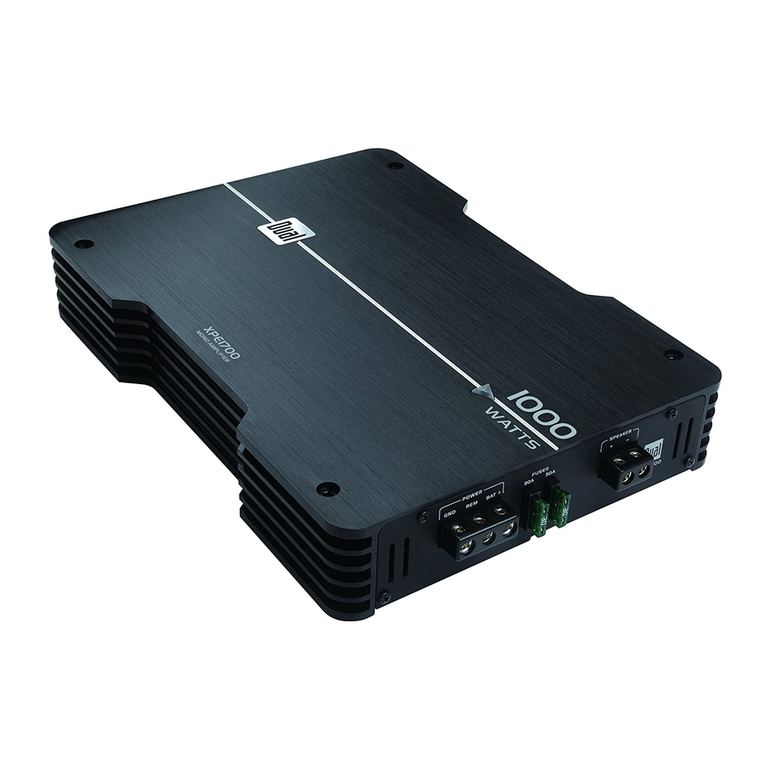
Dual XPE1700 Manuel utilisateur

Dual
Dual DA301L Mode d'emploi

Dual
Dual illumiNITE XIA4225 Mode d'emploi

Dual
Dual illumiNITE XIA4225 Mode d'emploi

Dual
Dual ALB12 Manuel utilisateur

Dual
Dual XPE1700 Mode d'emploi

Dual
Dual CV 1260 Manuel utilisateur

Dual
Dual XPR522 Manuel utilisateur

Dual
Dual DMA3100 Mode d'emploi

Dual
Dual XPR522 Mode d'emploi

Dual
Dual XPA2100 Mode d'emploi

Dual
Dual DA560D Mode d'emploi

Dual
Dual DA1000D Mode d'emploi

Dual
Dual XPR510D Manuel utilisateur


