
Doro CareMobile Manuel utilisateur
English
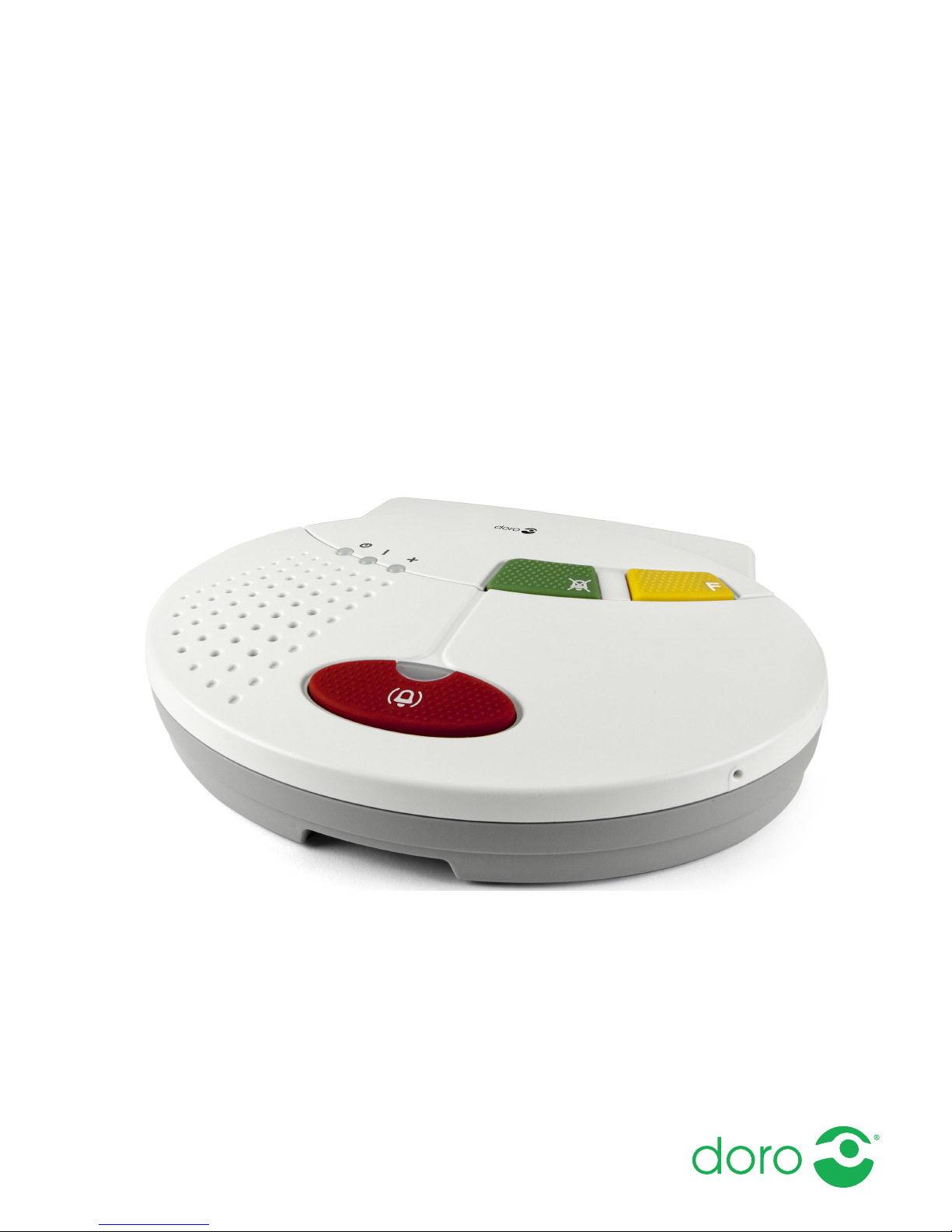
Doro CareMobile
User Guide

English
Contents
Package contents.......................................................................................... 1
Read first: Safety information....................................................................... 1
Important information................................................................................... 2
Product description ....................................................................................... 3
Parts and descriptions.......................................................................... 4
Different types of alarm transmitters................................................... 6
Other functions...................................................................................... 6
To activate the alarm..................................................................................... 7
Installation ..................................................................................................... 8
Step-by-step installation guide ............................................................. 8
Verification of the signal coverage and strength................................. 9
Verification of the alarm trigger ratio coverage.................................10
Radio trigger Elliot .......................................................................................10
Programming ...............................................................................................12
Programming radio triggers ................................................................12
Delete all radio triggers.......................................................................12
Maintenance................................................................................................13
Cleaning ...............................................................................................13
Replace the battery.............................................................................13
Replace the radio trigger battery........................................................13
Technical data .............................................................................................14
Carephone Doro CareMobile .............................................................. 14
Portable alarm trigger Elliot................................................................ 14
Environment.........................................................................................14
Radio receiver parameters: ................................................................15
Environmental information .........................................................................16
Legal notices................................................................................................ 16

English
Package contents
•Doro CareMobile
•Power supply
•User guide
•SIM card activation instructions (including alarm receiver contacts)
•Elliot radio trigger with accessories:
•Wristband
•Wristband attachment
•Neckband
•Neckband attachment
•Pocket clip
•Easy press concept (EPC) accessory
Read first: Safety information
Always read and follow the safety information accompanied by this
symbol.
Do pay particular attention to the potential for interference from other
systems operating in the same or adjacent frequency bands.
Do only use supplied and/or approved accessories. Using unapproved
accessories may cause performance problems and malfunctions that
are not covered by the warranty.
Do install the equipment easily accessible and near the wall socket.
The power supply can be used as a disconnecting device.
Don't open the covers to the compartments on the back side. The cov-
ers may only be opened by authorized persons in accordance with the
instructions in the service manual.
Don't replace the batteries on your own. Battery replacement may be
performed only by authorized persons in accordance with the instruc-
tions in service manual. Only use recommended battery type as stated
in the service manual. Risk of explosion if battery is replaced by an in-
correct type. Used batteries shall be disposed of in an environmen-
tally-responsible manner according to its instructions.
1

English
Important information
All systems using radio and network communication are subject to inter-
ference beyond the user’s control.
Products from Doro are designed to minimise the impact of such interfer-
ence. Nevertheless, the user must be aware that system components
can be subjected to interference or other influences that may cause
malfunction.
It is therefore important to regularly check that every part of the system
works in all areas, especially radio communications. Contact your suppli-
er immediately in case of any suspected malfunction.
For further information, please contact your supplier or refer to the serv-
ice manual or the documentation at www.icareonline.com.
Information in this document may become out of date without notice.
The only warranties for Doro Care's products and services are those that
are specifically mentioned in the warranty terms and conditions accom-
panying such products and services. Nothing in this document shall be
construed as a warranty. Doro Care shall not be liable for technical er-
rors, typographical errors, or omissions in this document.
2

English
Product description
Doro CareMobile is a digital alarm unit with a built in GSM module, the
unit has possibility to transfer alarms over broadband/network connec-
tions and mobile telephone networks. The unit offers the user the possi-
bility of two way voice communication using existing standard for VoIP
(Voice over Internet Protocol) calling. The unit uses SIP, a standard proto-
col to initiate speech and video over broadband connections. In addition
to voice connected alarm calls Doro CareMobile offers a platform for
transfer of detailed alarm information, speech messages, medical infor-
mation, online status etc.
The Elliot radio trigger is adapted for use with the unit, see Radio trigger
Elliot, p.10.
3
English
Parts and descriptions
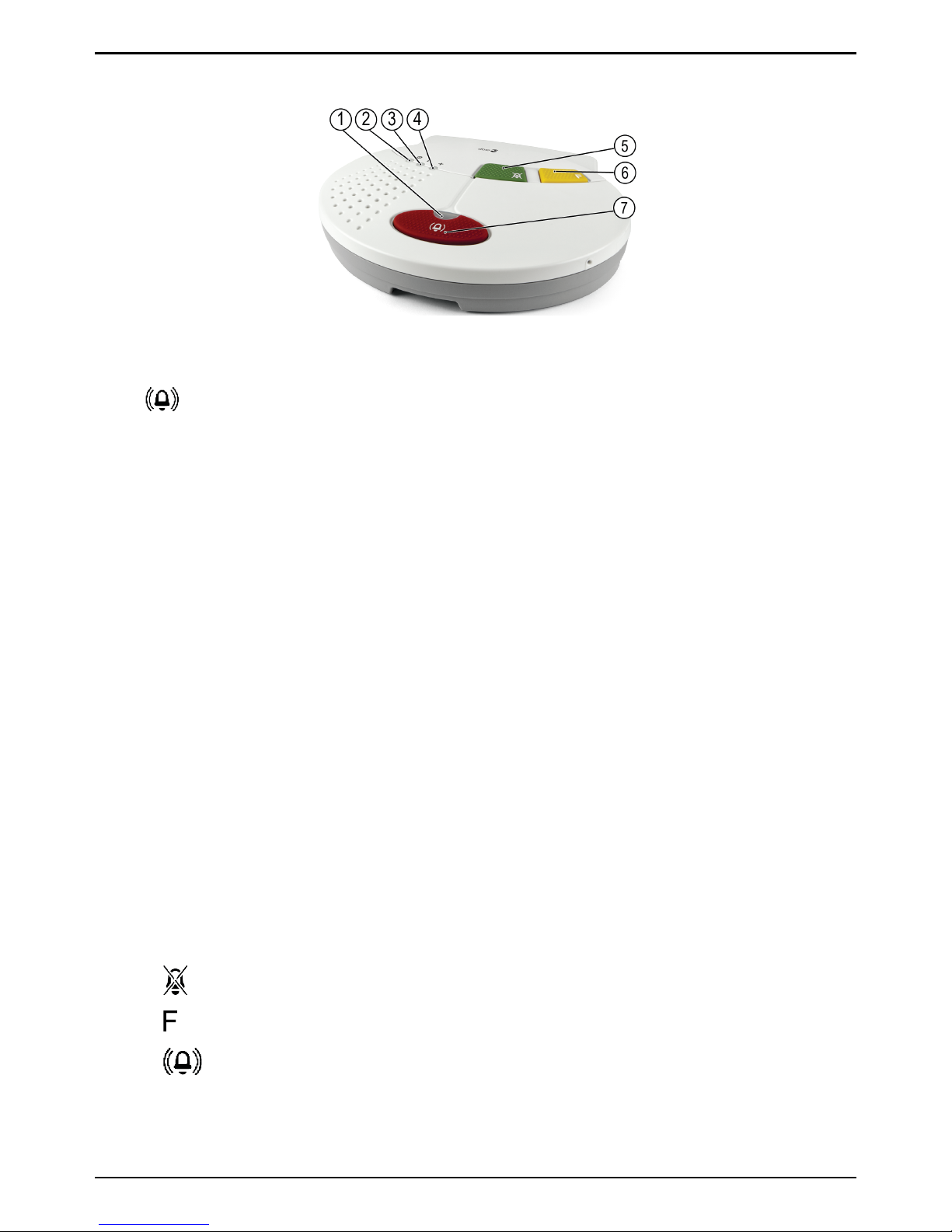
Indicator lights:
1
Alarm
Off
Steady light
Slow flashing light
RED
No alarm contacts programmed
or battery operation mode
Idle mode (normal mode)
Ongoing alarm!
2!Power on
Steady light
Flashing light
Slow flashing light
GREEN
Mains power
Ready for programming the
alarm accessories
Battery operation
3! Error
Off
Steady light
Flashing light
RED
Normal operation
Mains fault GSM
Trying to connect
4+Status
Off
Steady red light
Alternating red and green
RED / GREEN
Normal operation
Battery problem
Ongoing alarm!
Buttons (with the following standard functions):
5
Green button Cancel alarm
6Yellow button Function button
7Red button Activate alarm
Note! The yellow Function button has no function upon delivery but is
programmable for special functions.
4

English
Connections overview
1Volume Loudspeaker volume adjustable in three
(3) levels.
2 USB port Power supply
3Power switch The device is powered on when the SIM
card is inserted in the SIM card holder.
To power off the device, remove the SIM
card from the SIM card holder.
4 Hole for wall mounting – – –
5 Antenna connector Doro CareMobile has a built-in antenna
that is optimised for best reception. In
cases where the operator's coverage is in-
adequate where Doro CareMobile is lo-
cated, you can attach an external
antenna to the SMA connector, this is ac-
tivated automatically. NOTE! Aerials only
approved of Doro Care and adapted for
Doro CareMobile may be used.
6Battery compartment – – –
CAUTION
The covers to the compartments on the back side may only be opened
by authorized persons in accordance with the instructions in the
service manual.
5

English
Different types of alarm transmitters
CAUTION
In order for an alarm to be sent, at least one alarm receiver/response
needs to be programmed.
Up to ten transmitters, e.g. radio triggers, can be programmed with the
Doro CareMobile. Examples are the smoke detector, door alarm, bed
alarm and the personal alarm trigger Elliot, see Radio trigger Elliot, p.10.
All alarm accessories automatically perform tests on its own battery sta-
tus and provides alerts for battery failure.
Other functions
Additional functions can be activated or changed by programming – refer
to the service manual or contact your supplier for further information.
6

English
To activate the alarm
The assistance alarm can be activated:
1. by pushing a radio trigger.
2. by pressing the red button on the Doro CareMobile.
On activation, the Doro CareMobile calls an alarm receiver to summon
help. There is a possibility to attach up to ten (10) different radio acces-
sories. wired alarm triggers.
7

English
Installation
CAUTION
Installation must be performed only by authorized persons in
accordance with the instructions in the service manual. Always verify
the functionality and coverage ratio after installation and programming.
Step-by-step installation guide
1Unmount the cover and the
safety screw over the SIM card
and mains connector.
Connect the power adaptor to
the power outlet and
to the USB port
on the
Doro CareMobile.
2 Push the SIM card into the SIM
card holder. The Doro CareMo-
bile has a built-in switch in the
rack for the SIM card. The device
is powered on when the SIM
card is inserted in the SIM card
holder. Remove the SIM card to
power off.
Mount the cover and the safety
screw over the SIM card and
mains connector.
Note! The power supply shall be placed so the information text Do not to
unplug sticker is visible.
For further advice regarding installation, contact your supplier.
8
Table des matières
Autres manuels Doro Système de sécurité


Manuels Système de sécurité populaires d'autres marques


EDM
EDM Solution 6+6 Wireless-AE Manuel utilisateur

Highway Safety Group
Highway Safety Group EA401 Manuel utilisateur

Siren
Siren LED GSM Manuel utilisateur

Detection Systems
Detection Systems 7090i Instructions de montage

Se-Kure Controls
Se-Kure Controls MicroMini SK-4841 Manuel utilisateur

Siemens
Siemens FDM273 Manuel utilisateur