Pair/un-pair with the remote
We pair the remote with the receiver. If the remote can’t connect to the receiver,
please re-pair according to the methods below:
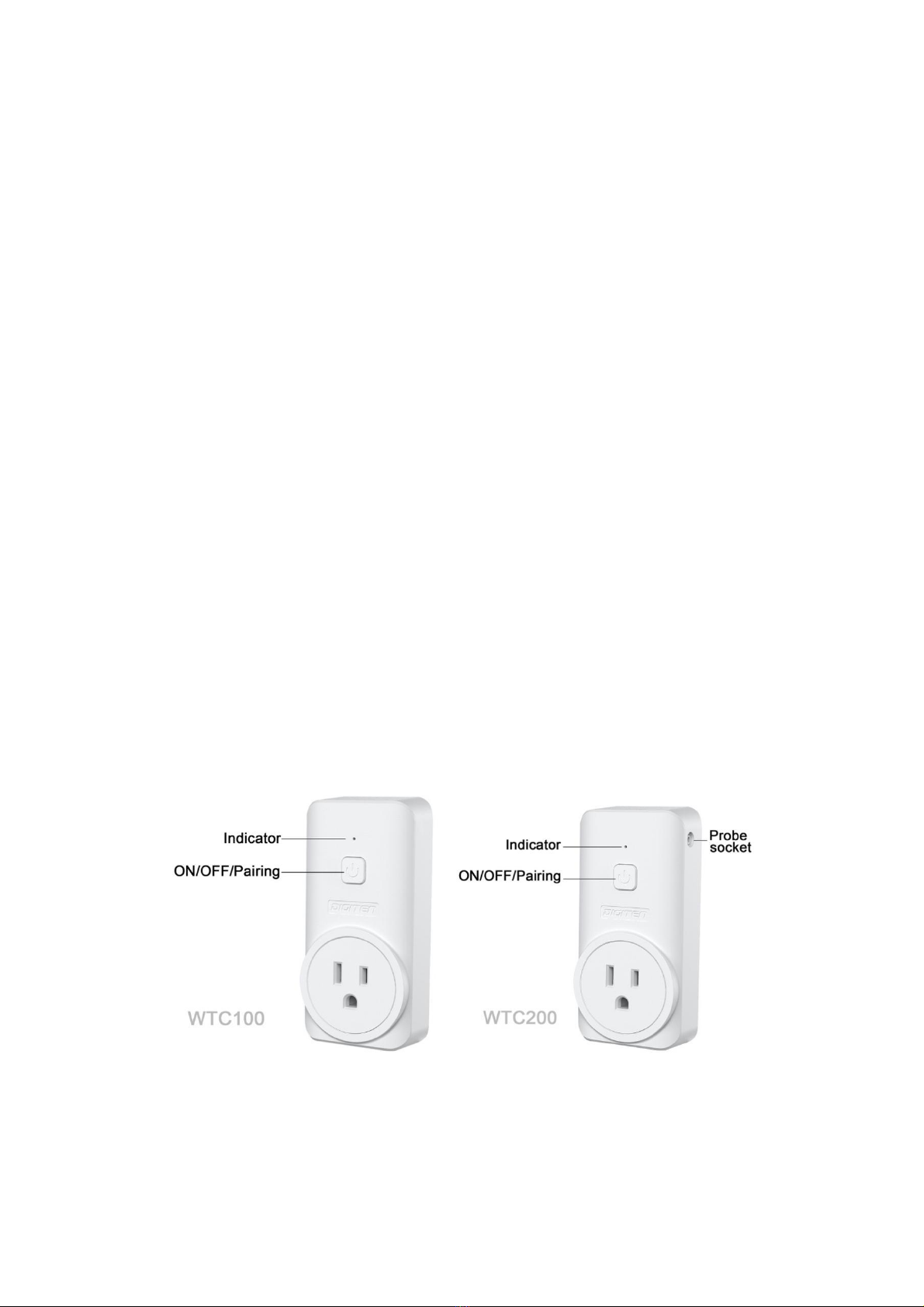
1. Press and hold button on the receiver until the LED flashes, then
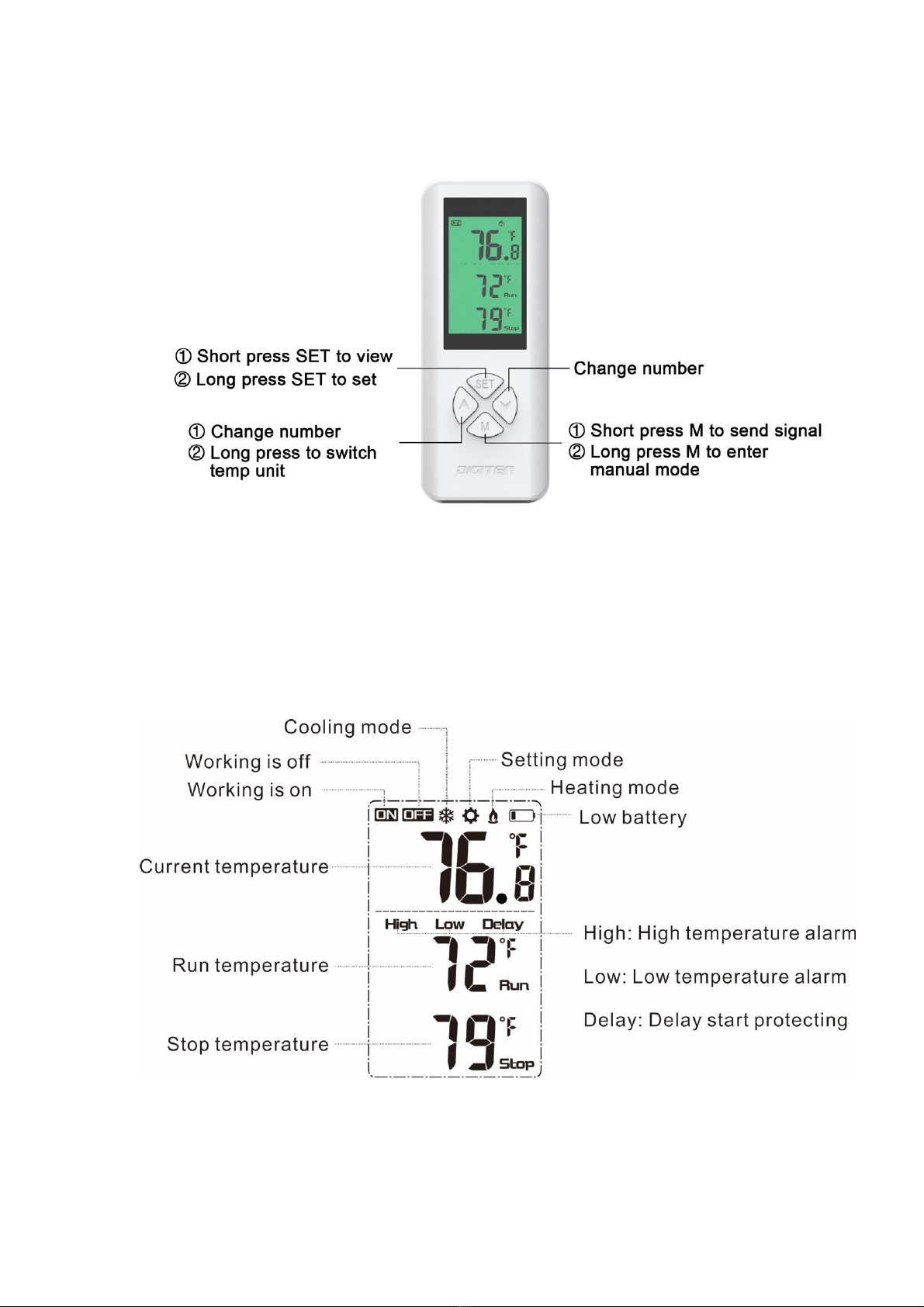
press Mbutton on the remote control to pair the receiver.
2. Press and hold button on the receiver until the LED flashes 5 times,
then flash 2 times quickly before release the button. All remotes will be
unpaired. If you re-pair the remote, please repeat the step 1.
Note:One remote can control multiple receivers (Only WTC100).
Change the temperature unit
Press the button for 3 seconds to switch the temperature units.
Set the temperature RUN value higher than the STOP value, the controller is in
cooling mode, and the LCD displays the COOLING symbol .
1. When the CURRENT temperature is higher than the RUN value, the
cooling operation starts, the relay outputs, the LCD displays , and the
green light on the receiver turns on. When the CURRENT value drops
below the STOP value, the cooling operation stops, and the LCD displays
. The green light on the receiver turns off.
2. When the CURRENT temperature value is lower than the RUN value, the
cooling operation stops, the relay has no output, the LCD displays ,
the green light on the receiver turns off. When the CURRENT value rises
to the RUN value, the cooling operation starts, the LCD displays , the
green light on the receiver turns on.
Set the temperature value RUN<STOP, the controller is in heating mode, and
the LCD displays the HEATING symbol .
1. When the CURRENT temperature is lower than the RUN value, the