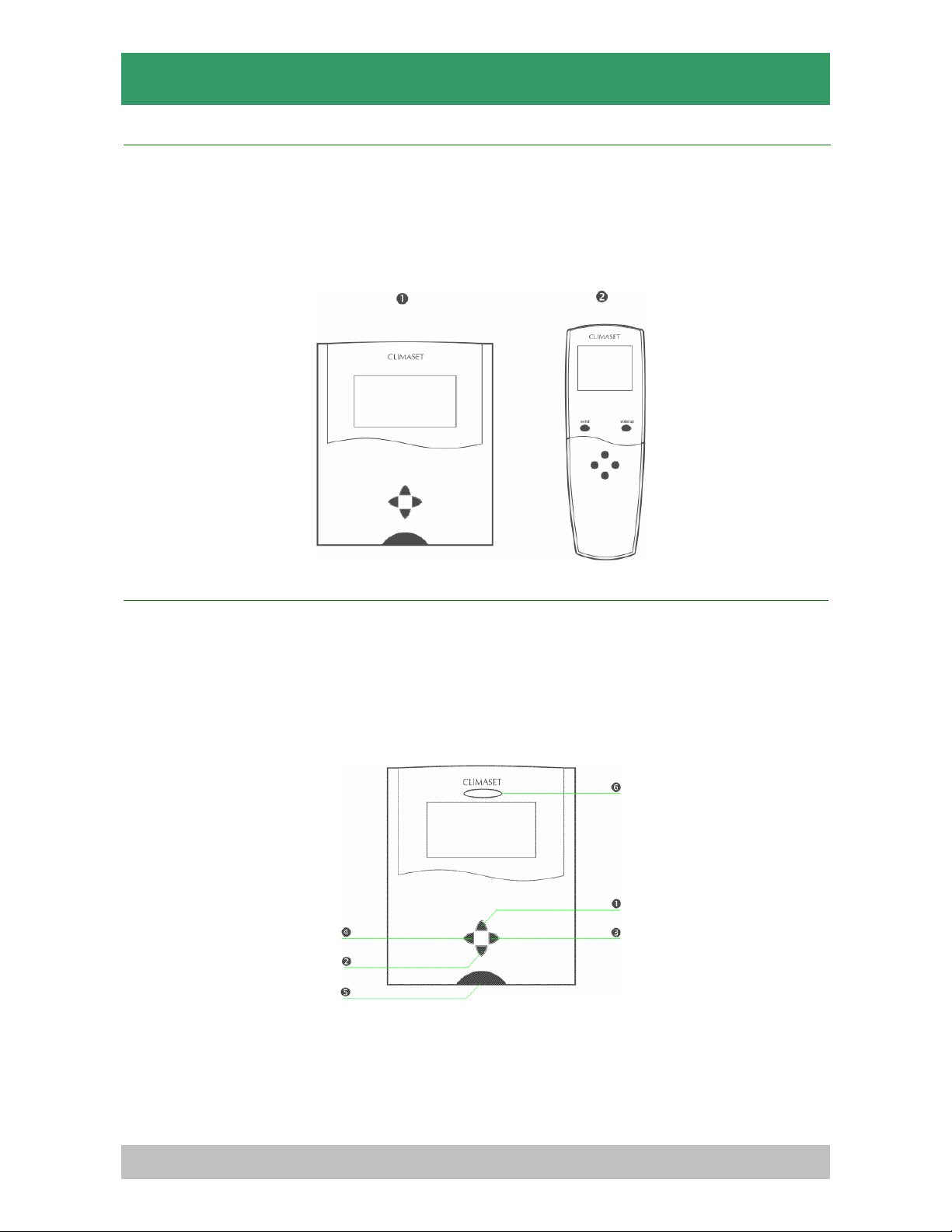
CLIMASET
7
Notice: Not setting this field correctly may cause your air conditioner not to start working.
pEnglish / Local (Menu item 3)
It indicates language of the items of the status bar. If "English" is selected, all menu functions will appear in
English. If local is selected, all menu functions of the status bar will appear in your local language.
qAdjust hour (Menu item 4)
Use "Right" key to increase the current time hour or "Left" key to decrease it.
Note: It is necessary to adjust the current time correctly to ensure proper function of the program. Setting the
time incorrectly, while program is enabled will cause the air conditioner to malfunction.
rAdjust minute (Menu item 5)
Use "Right" key to increase the current time minute or "Left" key to decrease it.
Note: It is important to set the current time correctly while the schedule program is enabled. Not setting the
current time correctly will cause the device malfunction.
sAdjust day (Menu item 6)
Press "Right" or "Left" key to adjust the current day.
Note: Not to adjust the current day while the program is enabled causes the device malfunction.
tEnable/Disable program (Menu item 7)
It indicates that if the program is effective or not. Use "Right" key to enable or "Left" key to disable it. Using
program schedule you can define two sets of air conditioner device off period including sleep and leave time.
You may preserve a significant amount of energy and enjoy silence during sleep time due to absence of air
conditioner device noises, by enabling the program schedule.
uSchedule settings (Menu item 8)
Pressing either "Right" or "Left" key, leads you to schedule settings screen. Find more description about it in
the next section.
2.4. To set the schedule program
Schedule program is the fundamental advantage of FP compared to SDT series. Enabling the schedule
program the air conditioner shuts down automatically when it's presence is no longer necessary and it
restarts again at the preset time. FP series are provided with four time periods for each day, including wake
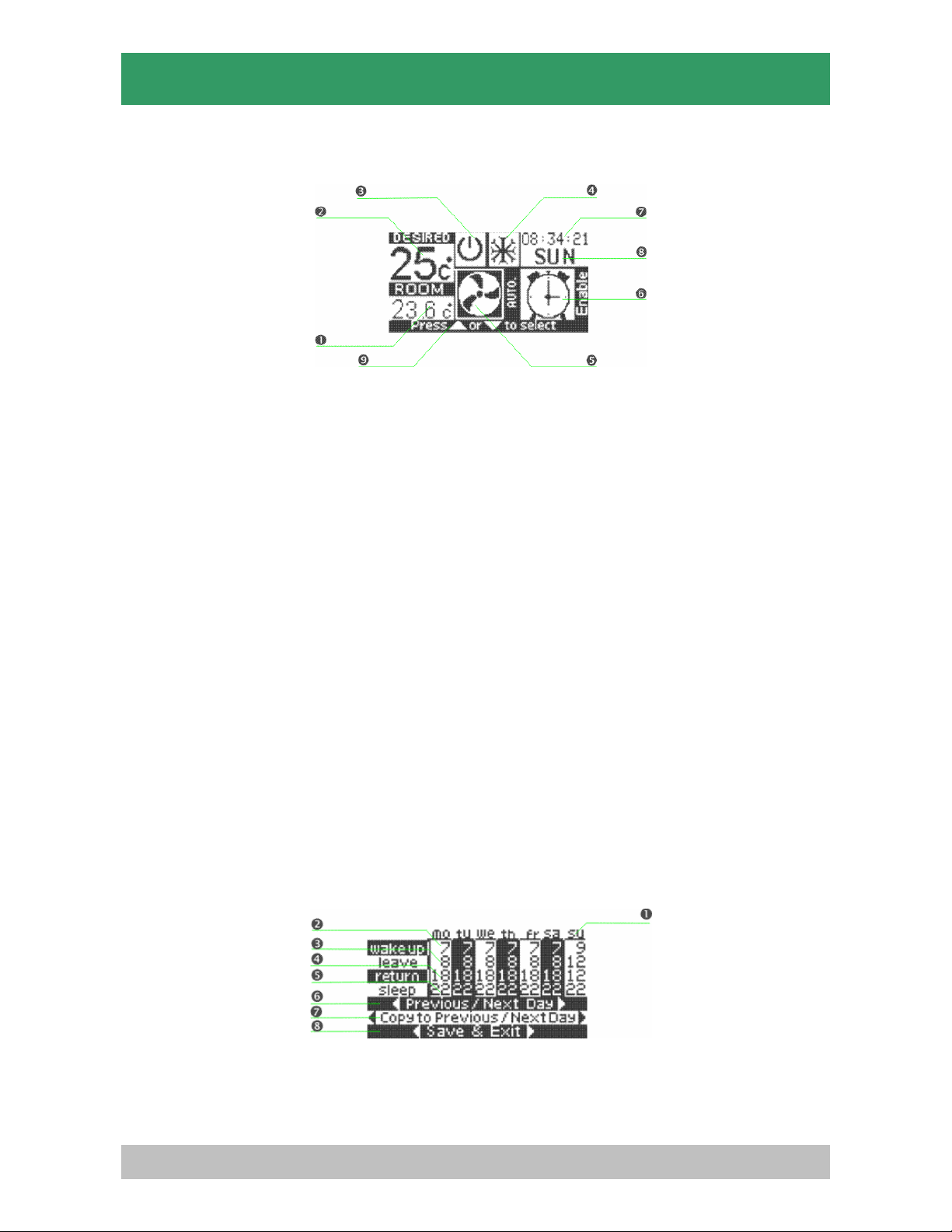
up, leave, return and sleep periods. The schedule settings screen consists of two main sections, the upper
part is the schedule itself, the last three rows of the screen contributes the command section.
2.4.1. Schedule section
The blinking cursor indicates the time period and the day. You may adjust the schedule time in hours by
pressing "Right" or "Left" key. Each row title indicates the related time period and the column title indicates
the related day. The FP series is provided with four time periods listed and described as below:
nWake up: It indicates the start time in hours of the air conditioner unit. The air conditioner shuts down
automatically at the previous day sleep time setting. It restarts again at this time. You may increase the wake
up time till the "Leave" time by pressing the "Right" key or decrease it till the midnight (0 o'clock by pressing
the "Left" key.
Note: "Up" key is not functional while you are at wake up setting.
Note: You may enter "Leave" setting by pressing the "Down" key.
Note: When you enter the program schedule settings the "Wake up" program for Monday will be selected
automatically and the related cell starts to blink accordingly.