Connection
Before connecting to amplifier or other equipment, turn down all volume controls to avoid loud noises which may
cause damage to other equipment. Always switch amplifier power on last in line with volume levels down.
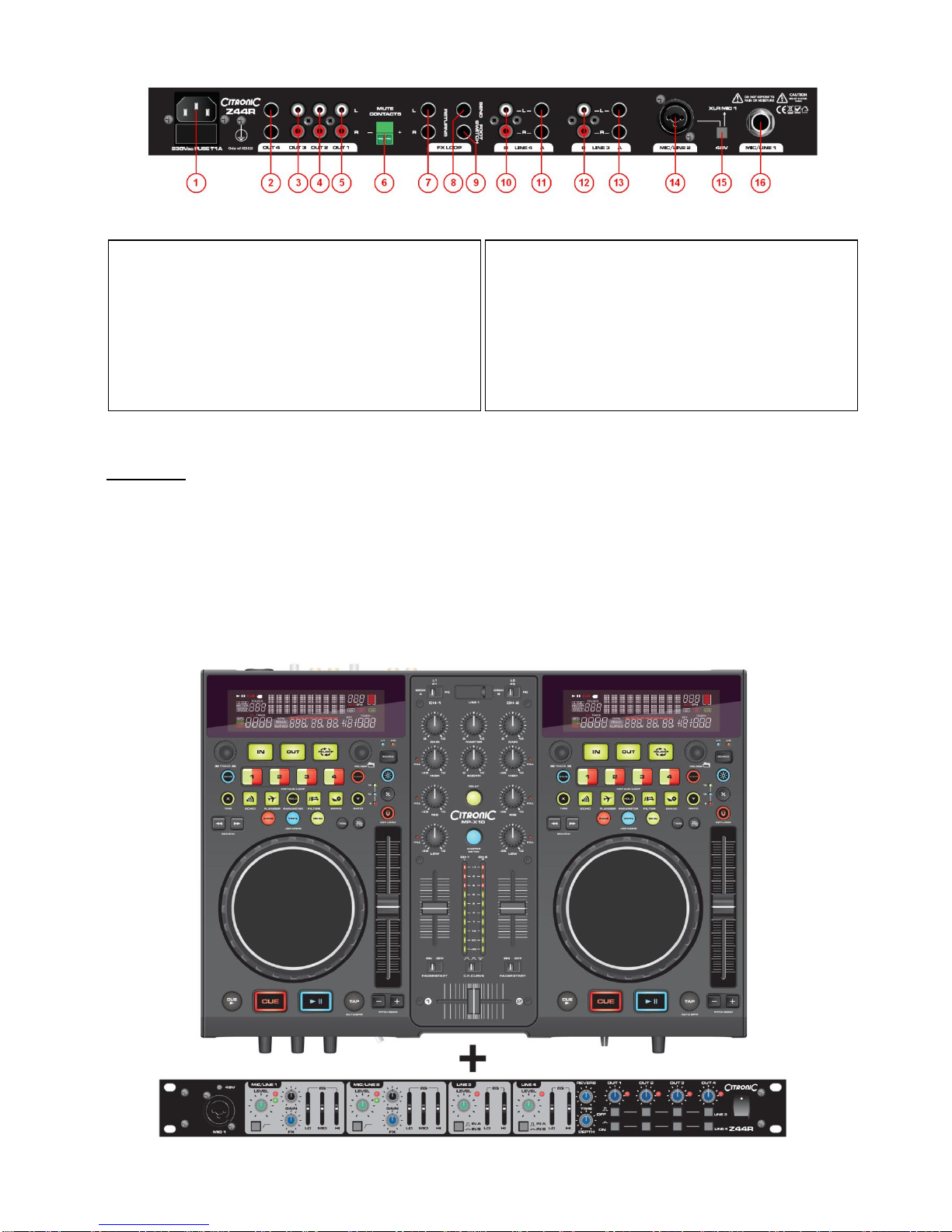
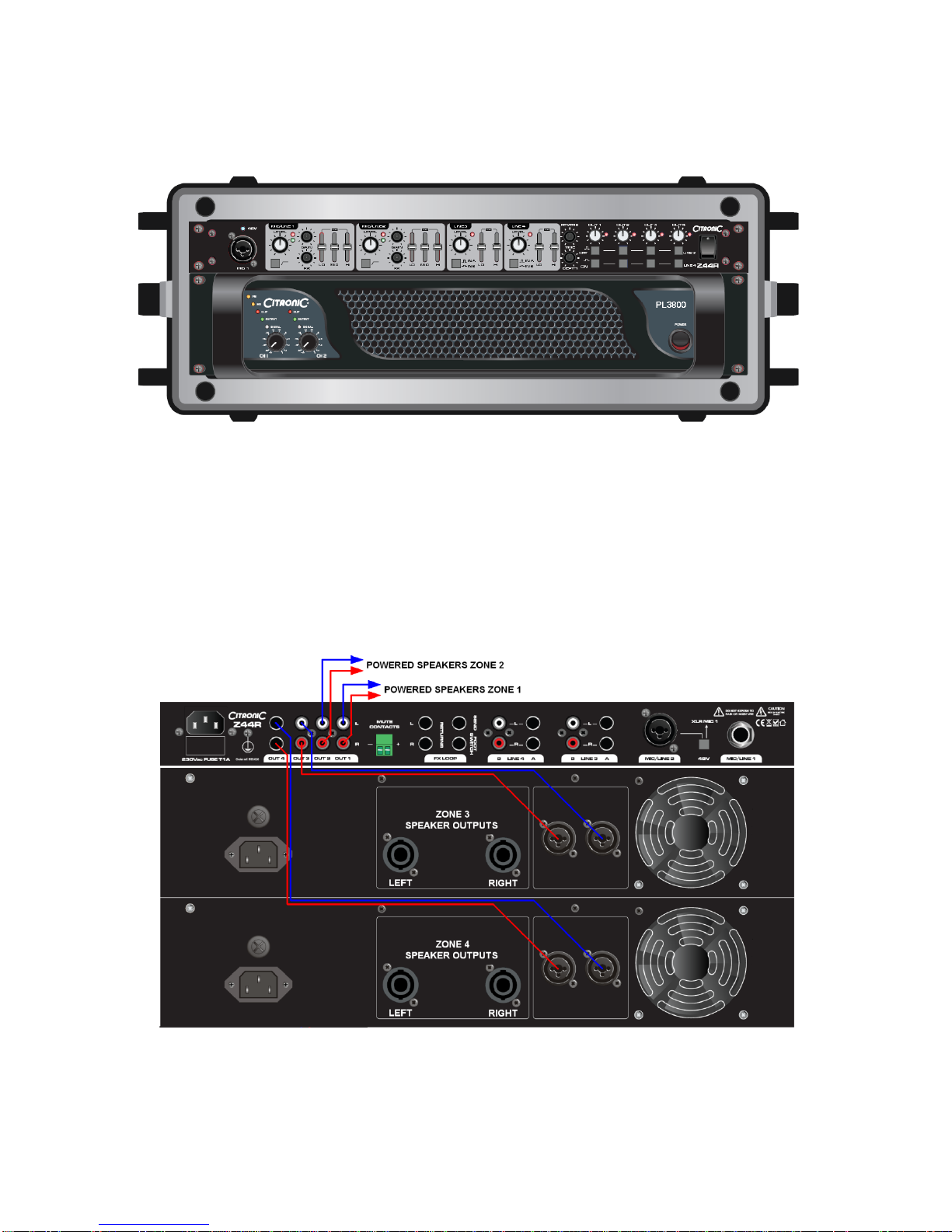
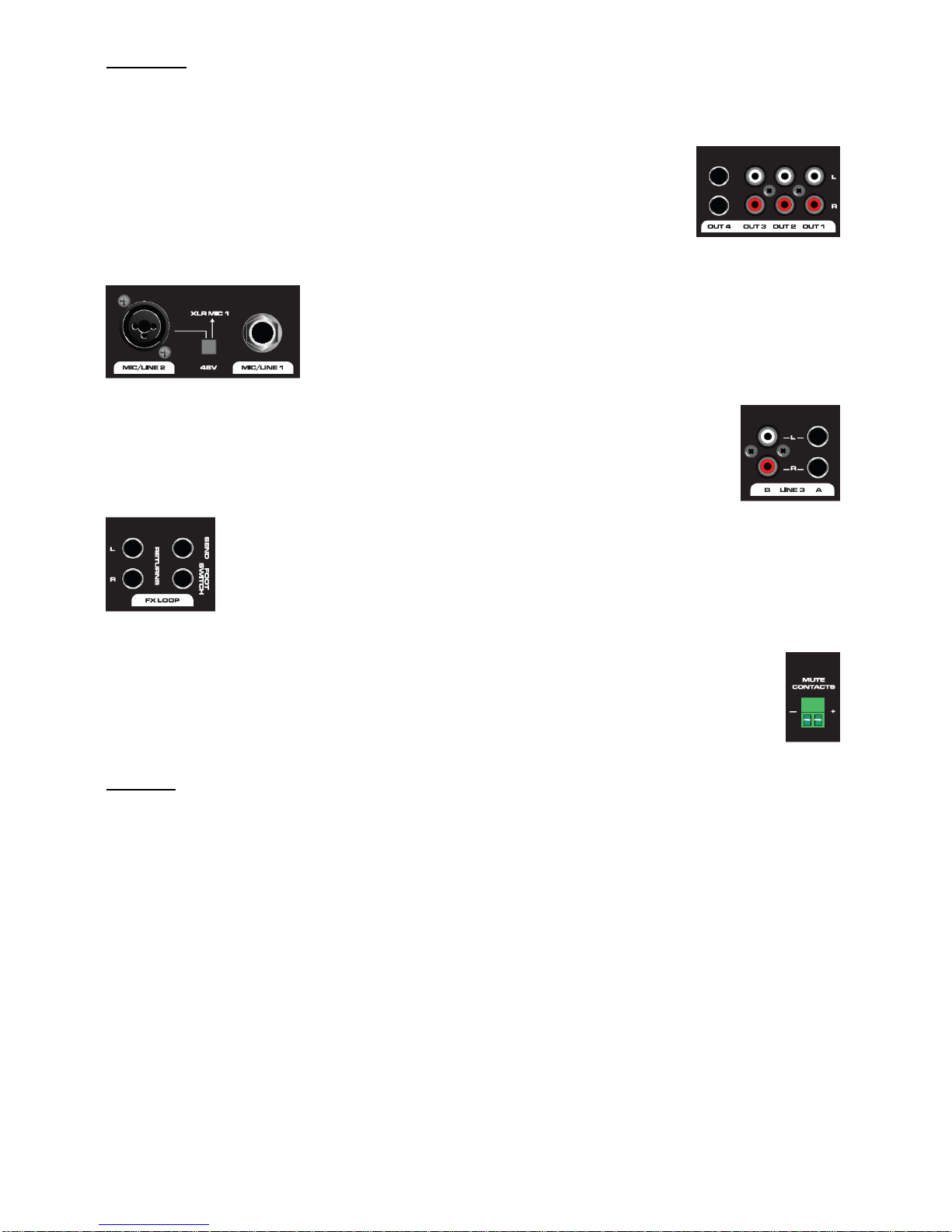
Use good quality 6.3mm jack signal leads to connect OUT 4 outputs from the mixer to
the amplifier or powered speaker(s). Further zones or outputs can be served by
connecting OUT 1, 2 and 3 to other amplifiers or active speakers using good quality RCA
leads.
Connect microphones, DI boxes and other balanced low impedance audio inputs to
the MIC/LINE combo inputs using good quality XLR leads. Alternatively, connect
high impedance and line level signals to the combo inputs using 6.3mm jack leads.
(+ additional rear jack input for MIC/LINE 1). If phantom power is to be used for
condenser mics, press “+48V” switch and connect using balanced XLR cables.
Connect stereo line level sources to the LINE 3 and LINE 4 channels via the Left + Right Jack
or RCA connections on the rear panel. These can be switched between, offering a selection of
2 sources for either channel.
If the internal DSP reverb effect is to be operated remotely, connect a latching foot switch to the
rear panel F/S jack. Alternatively, this can switch the feed from an external unit, which should be
connected via the FX LOOP. To do this, connect a jack lead from the SEND to the external effect
unit and its left & right outputs to RETURN L+R.
In an installation scenario, building regulations may require the sound system to be muted if the fire
alarm is triggered. The green MUTE contacts on the rear panel will kill all channels except MIC 1 if the
contacts are shorted. This can be patched in to the venue fire alarm panel to kill all music in the event
of a fire, leaving the main microphone active for emergency announcements.
Operation
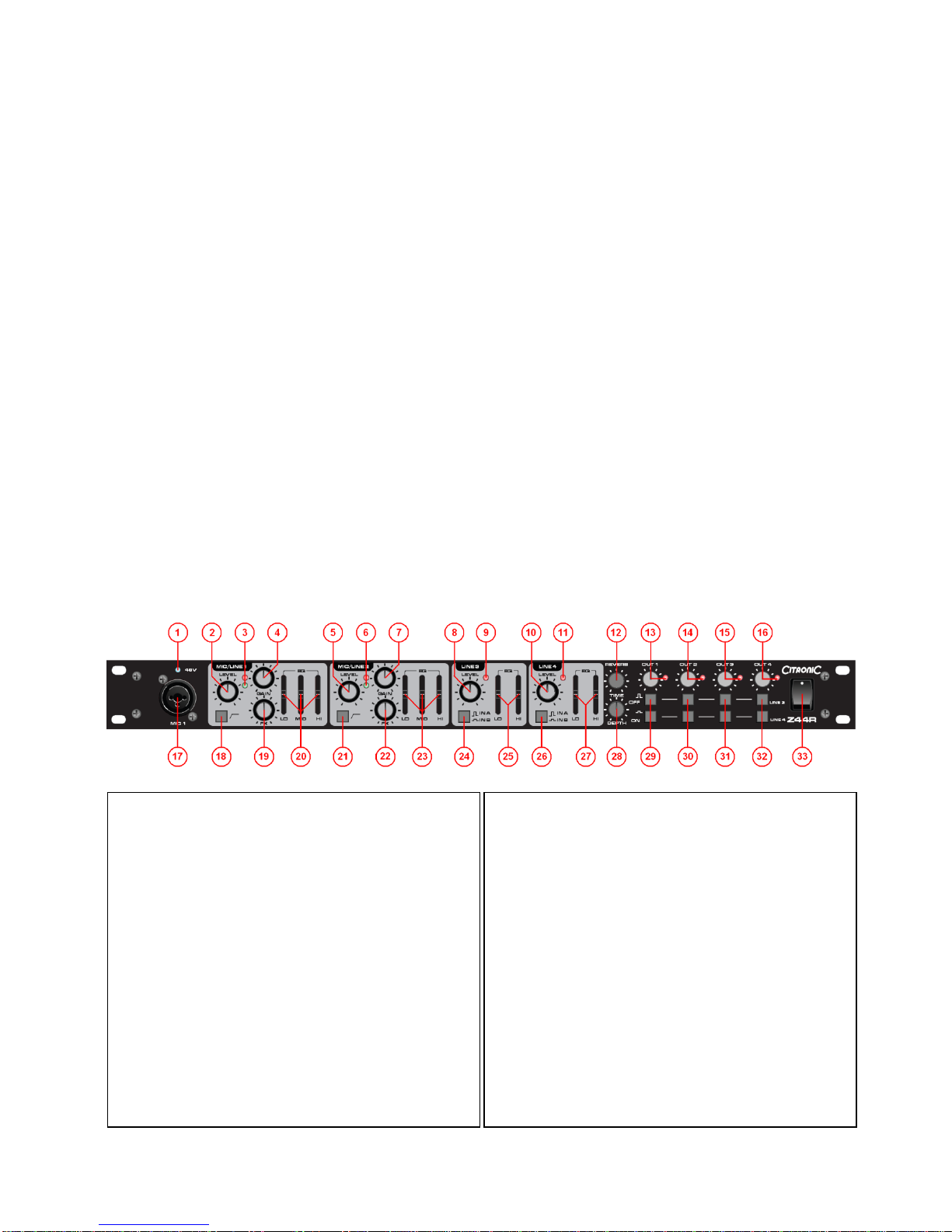
1. MIC/LINE channels 1 and 2
Turn all MIC level and LINE LEVEL controls to minimum (2, 5, 8 & 10)
Set LO, MID and HI (20 & 23)controls to the centre position and turn FX down (19 & 22)
Switch on the power on the right side of the front panel. (33)
Check each microphone input, gradually increasing GAIN (4 & 7) until the red Peak LED flashes (3 & 6)
and then back off the GAIN until only the green Signal LED lights up
Gradually turn up the OUT volume controls (13, 14, 15 & 16) part way
Increase the MIC/LINE 1 and 2 LEVEL controls (2 & 5) to the desired level, taking care to avoid distortion or
feedback from the microphones.
Adjust LO, MID and HI controls to set the desired bass, middle and treble content for each MIC/LINE input
If effects are to be used, temporarily unplug the foot switch (if used) and increase the DEPTH control (28)
on the front panel. Gradually turn up the FX control(s) (19 22) for the relevant MIC channel(s) and adjust
the TIME (12) control to set the desired length of reverb effect. Plug the footswitch back in and use to switch
the effect in/out.
For some microphones, it can be beneficial to “roll-off” the very low frequencies caused by handling and
vibration to the microphone body. If required, press in the Lo-cut Rumble Filter switch (18 & 21) on the
microphone channel to reduce this type of noise.