
CHCNAV NX510 Pro Manuel utilisateur

Make your work more efficient
CHCNAV NX510 Pro
Installation Guide
Revision 1.0
June 01, 2018
Precision Agriculture | August 2021

CHCNAV NX510 PRO INSTALLATION GUIDE | 2021-08 P a g e | 2
Table of Content
Preface ............................................................................................................................3
Copyright & Trademarks.................................................................................................... 3
Safety Warnings................................................................................................................. 3
FCC Interference Statement .............................................................................................. 3
CE Interference Statement ................................................................................................ 3
1. Pre-installation Preparation.......................................................................................4
1.1 Introduction to the product package........................................................................... 4
1.2 Vehicle inspection before installation ......................................................................... 8
2. Hardware Installation................................................................................................9
2.1 Steering wheel mount ................................................................................................. 9
2.1.1 Steering wheel removal.................................................................................... 9
2.2.1 Steering wheel installation ............................................................................. 11
2.2 Controller Installation................................................................................................ 14
2.3 Display installation..................................................................................................... 15
2.4 GA-Sensor angle sensor installation.......................................................................... 16
2.5 Camera installation.................................................................................................... 16
3. Wiring..................................................................................................................... 17
3.1 Wiring harness and connection method ................................................................... 17
3.1.1 Wiring connection .......................................................................................... 17
3.2 Wiring Precautions .................................................................................................... 19
3.3 Electrical connection method and precautions......................................................... 19

CHCNAV NX510 PRO INSTALLATION GUIDE | 2021-08 P a g e | 3
Preface
Copyright & Trademarks
Copyright 2016-2021 - CHCNAV | Shanghai Huace Navigation Technology Ltd. All rights
reserved.
Trademarks - The CHC Navigation, CHCNAV are trademarks of Shanghai Huace Navigation
Technology Limited. All other products and brand names mentioned in this publication are
trademarks of their respective holders.
Safety Warnings
The Global Navigation Satellite System (GNSS) is operated by governments and public entities,
which are solely responsible for the accuracy and maintenance of the GNSS network. Accuracy
can also be affected by poor satellite geometry and obstructions, such as buildings and heavy
canopy.
FCC Interference Statement
This equipment has been designed to comply with the limits for a Class B digital device,
pursuant to part 15 of the FCC Rules in the Portable Mode. These limits are designed to provide
reasonable protection against harmful interference in a residential installation.
Operation is subject to the following two conditions: (1) this device may not cause harmful
interference and (2) this device must accept any interference received, including interference
that may cause undesired operation.
CE Interference Statement
Declaration of Conformity: Hereby, Shanghai Huace Navigation Technology Ltd. declares that
this NX510 Pro is in compliance with the essential requirements and other relevant provisions
of Directive 2014/53/EU. A copy of the Declaration of conformity can be obtained from
Shanghai Huace Navigation Technology Ltd.
CHCNAV NX510 PRO INSTALLATION GUIDE | 2021-08 P a g e | 4
1. Pre-installation Preparation
1.1 Introduction to the product package
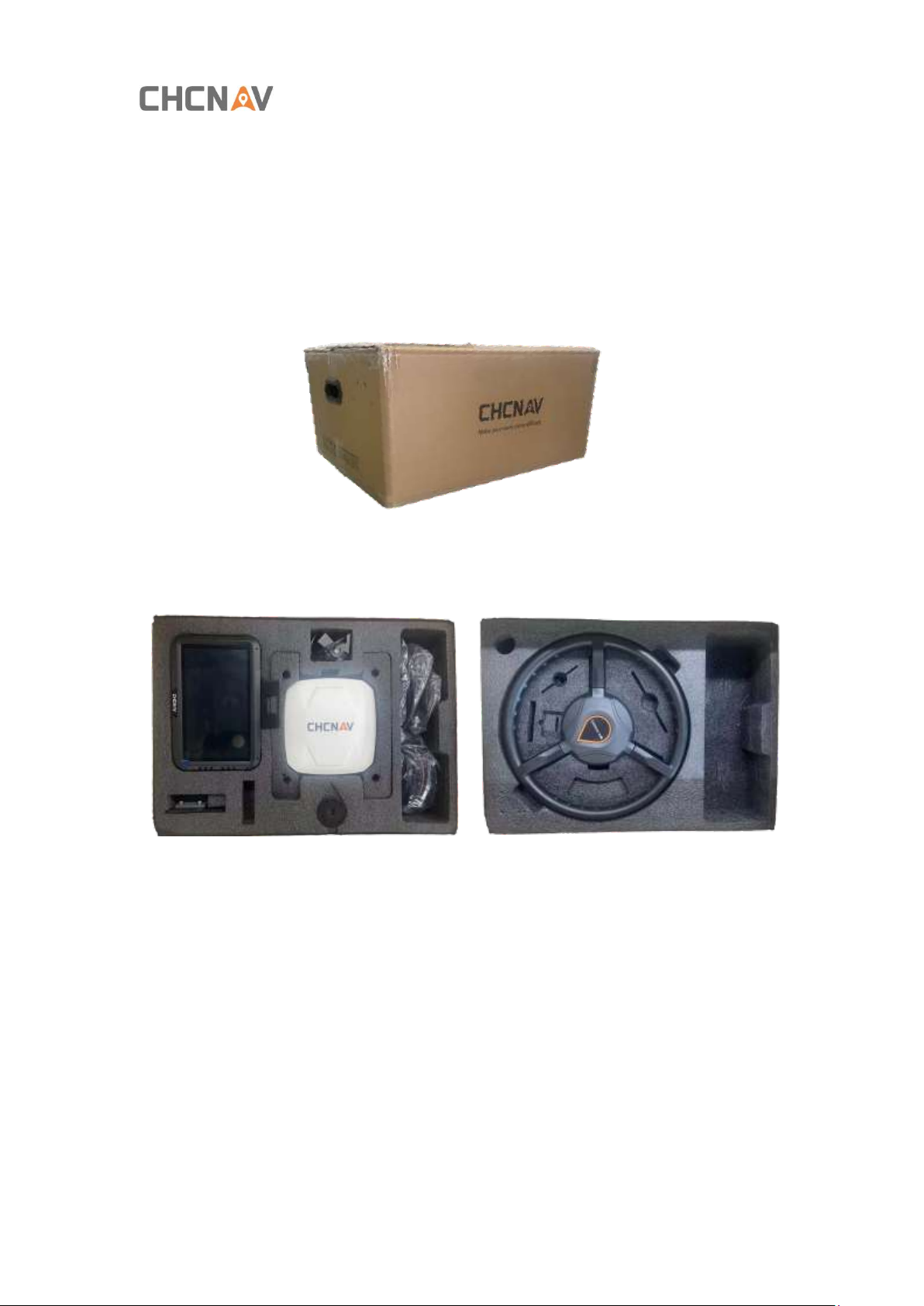
The NX510 Pro autosteering system is delivered in one box.
NX510 Pro Autosteering System Product Package
First layer
Second layer

CHCNAV NX510 PRO INSTALLATION GUIDE | 2021-08 P a g e | 5
(1) NX510 PRO Autosteering System Product Package
Device name
Quantity
Image
CES electrical steering
wheel
1
Universal holder
1
T-type holder
1
T-frame fixing splint
2
Fixed screw pack
1

CHCNAV NX510 PRO INSTALLATION GUIDE | 2021-08 P a g e | 6
Device name
Quantity
Image
PA-3
Controller
1
CB-A10 Tablet
Display
1 display with 1
fixed bracket
GA-Sensor angle
sensor
1
Black Cable Tie
50
Rear camera
1
GASensor Angle
Sensor Cable 3.0
1
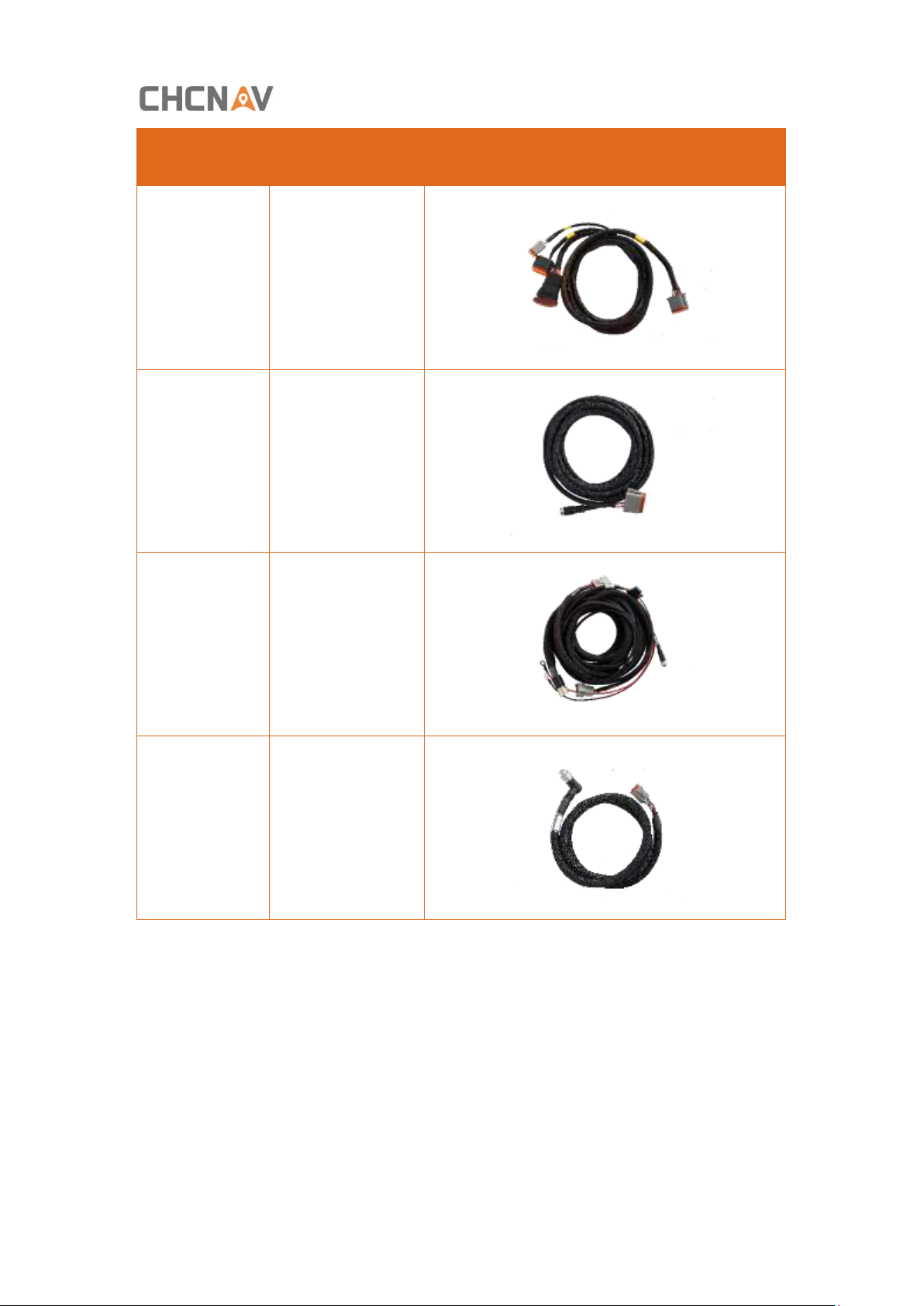
CHCNAV NX510 PRO INSTALLATION GUIDE | 2021-08 P a g e | 7
Device name
Quantity
Image
Tablet Console
Cable V510-A
1
Camera Cable
1
Main
CableV510-A
1
Motor Steering
Wheel Cable
V510
1

CHCNAV NX510 PRO INSTALLATION GUIDE | 2021-08 P a g e | 8
1.2 Vehicle inspection before installation
(1) Steering system inspection
▪Whether it will deviate automatically
▪Are there any problems with front wheel eccentric wear and excessive front wheel
clearance?
▪Whether the front wheel swings automatically
▪Steering wheel steering weight (requires check of oil pump, steering cylinder, steering
machine, etc.): a. The steering wheel is heavy when the vehicle is traveling and stopped. b.
The steering is heavy when the vehicle is stopped and not heavy when traveling.
▪Excessive steering wheel bearing clearance
▪Front wheel vibration
(2) Power supply problems: Check the battery for cracks in the case, dry cracks in the sealant,
and electrode corrosion.
If you find the above problems, please contact the owner of the tractor directly to repair the
tractor or replace the battery. If the owner requires the tractor to be installed first and then
repair the tractor, you need to clarify the risks to the local businessperson in charge;

CHCNAV NX510 PRO INSTALLATION GUIDE | 2021-08 P a g e | 9
2. Hardware Installation
2.1 Steering wheel mount
2.1.1 Steering wheel removal
(1) Remove the protective cover of the original steering wheel
(2) Stabilize the steering wheel, use the sleeve tool to loosen the original tractor spline screws,
and remove the original tractor spline screws;
(3) Pull out the steering wheel forcefully. If it does not move, tap the steering wheel spline
shaft to loosen it. Be careful when hitting to avoid damage to the steering wheel of the original
tractor;
(4) After removing the steering wheel, be sure to store it for future use;

CHCNAV NX510 PRO INSTALLATION GUIDE | 2021-08 P a g e | 10
(5) After inserting the sleeve into the spline, turn to see if it can be tightly engaged. Observe
from the top to see if the fixing screw can reveal the proper length. If not, you need to replace
the sleeve.
Note:
▪Three grips and other special tools can be used to remove down the steering wheel if it
cannot be removed by yourself.
▪If the steering wheel cannot be removed down can use three grips and other special tools;
▪You can do steering wheel cutting if it cannot be removed but must be careful not to
damage the original spline (The premise is to get permission from the owner).
Autres manuels pour NX510 Pro
1
Table des matières
Autres manuels CHCNAV Système de pilotage automatique


