
CEStronics Omega Flex RF-NET Manuel

OMEGA FLEX RF-NET Access Point
Fitting and
Operating Instructions
Translated fitting and
operating instructions
version 1.2, 11/2014

Contents
OMEGA FLEX
RF-NET Access Point
Page 2 of 34
1Contents
2Notes on the layout ............................................... 3
3Preface .................................................................. 4
3.1 Remarks.........................................................4
3.2 Manufacturer and Service .................................4
3.3 Target group ...................................................5
4For your safety................................................. 6
4.1 Explanation of the safety notes ..........................6
4.2 Intended use...................................................7
4.3 CE Declarations of Conformity ...........................8
4.4 Basic safety instructions ...................................9
5Introduction ........................................................ 11
5.1 Description ................................................... 11
5.2 Components of a wireless system..................... 13
5.3 OMEGA system components ............................ 14
5.4 Scope of delivery ........................................... 15
5.5 Unpacking the Access Point ............................. 16
5.6 Connections .................................................. 16
5.7 RF ranges ..................................................... 17
6Fitting the Access Point ....................................... 19
7Care..................................................................... 26
8Maintenance ........................................................ 26
9Spare Parts.......................................................... 26
10 Trouble shooting ................................................. 27
11 Disposal............................................................... 30
12 Technical data ..................................................... 31
13 Glossary .............................................................. 32
14 Notes on the manufacturer's warranty ................ 33

Notes on the layout
OMEGA FLEX
RF-NET Access Point
Page 3 of 34
2Notes on the layout
In these Fitting and Operating Instructions, various elements
are highlighted with defined layout features:
Additional information on the efficient use of the
Access Point
Reference to additional information
The electronic components of the Access Point may
be damaged for static charge.
Notes on the correct disposal
Steps in a sequence of actions. Tips with this
symbol require you to perform an action

Preface
OMEGA FLEX
RF-NET Access Point
Page 4 of 34
3Preface
These Fitting and Operating Instructions will help you fit and
use the RF-NET Access Point (Access Point) as intended, safely,
and advantageously.
Any person, who fits, operates, or disposes of this Access Point
must have read and understood the entire contents of these
Fitting and Operating Instructions.
These Fitting and Operating Instructions should be kept within
reach at all times as long as the Access Point is used.
These Fitting and Operating Instructions should be handed over
to the end users.
Be sure to use the most recent version of these
Fitting and Operating Instructions. Updated
versions are available free of charge at
www.ces.eu.
3.1 Remarks
These fitting and operating instructions are only valid for:
CEStronics RF-NET Access Point
3.2 Manufacturer and Service
The manufacturer from the Access Point is:
CEStronicsGmbH
Friedrichstr. 243
42551 Velbert
Tel: +49 (0) 2051-204-0
Fax: +49 (0) 2051-204-105
www.ces.eu
For support in case of service please contact your CEStronics
partner.

Preface
OMEGA FLEX
RF-NET Access Point
Page 5 of 34
3.3 Target group
These Fitting and Operating Instructions are intended for
trained fitting staff, maintenance staff and operators.
As regards the use of these Operating Instructions, it is
assumed that the necessary technical knowledge on how to use
the product as intended is available.
The necessary product training is provided by your professional
CEStronics partner. If this has not yet taken place, please
contact your professional CEStronics partner to obtain training
on the product.
NOTICE
Unintended condition of your system
possible!
If you are not fully familiar with the various
possibilities of your system, it may perform
unexpected functions.
If you program the OMEGA FLEX system, you
must be clearly aware of the consequences of
your programming to prevent undesired
results.
If there are functions of the OMEGA FLEX
system you do not understand, contact your
professional CEStronics partner to obtain
further information.
Always satisfy yourself that your programming
produces the desired result.

For your safety
OMEGA FLEX
RF-NET Access Point
Page 6 of 34
4For your safety
4.1 Explanation of the safety notes
These Fitting and Operating Instructions include safety notes of
the following types:
NOTICE
These notes warn against possible property
or environmental damage.
CAUTION
CAUTION notes warn against hazards that
may result in slight or medium injuries.

For your safety
OMEGA FLEX
RF-NET Access Point
Page 7 of 34
4.2 Intended use
The Access Point serves to transmit data between locking
devices and the control centre of your OMEGA-system.
Between the Access Point and the locking devices, data are
transmitted via 868 MHz radio signals. The connection of the
Access Point to the master computer is wired.
The OMEGA FLEX Access Point must not be changed without
our written consent.
It is exclusively intended and may only be used for that
purpose.
Any other use is considered to be improper and may result in
property damage or even personal injury.
CEStronics GmbH does not accept any liability for any damage
resulting from improper use.
For your safety
OMEGA FLEX
RF-NET Access Point
Page 8 of 34
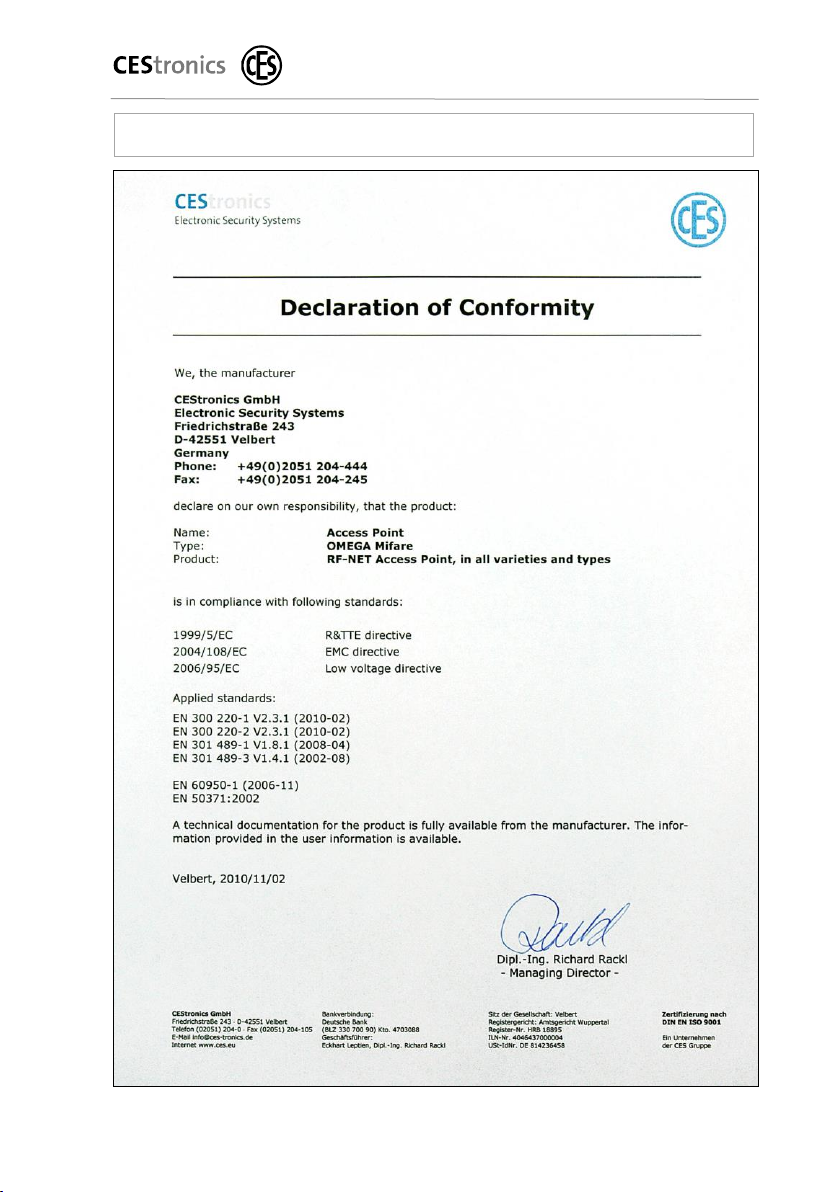
4.3 CE Declarations of Conformity

For your safety
OMEGA FLEX
RF-NET Access Point
Page 9 of 34
4.4 Basic safety instructions
Observe all warnings and notes in these Fitting and Operating
Instructions. Always keep these Fitting and Operating
Instructions near the Access Point.
To prevent danger to life and limb, the following safety
instructions must be observed:
4.4.1 Danger of explosion
Live parts of the Access Point may cause an explosion. Do not
use the Access Point in potentially explosive atmospheres.
4.4.2 Danger of suffocation
Never allow children to play with packaging material and/or
plastic bags. There is a risk that children pull them over their
head and suffocate.
4.4.3 Danger of poisoning
Always keep the Access Point out of the reach of children.
There is a risk that children swallow small parts such as
screws.
4.4.4 Danger of property damage
Always have repairs performed by properly qualified
personnel.
Only use accessories and spare parts recommended by
CEStronics.
Only use the proper tools to open the Access Point.
Do not drop the Access Point on the floor, on hard surfaces
or on hard objects.
Use surge arresters to avoid damage to your Access Point
through overvoltage, for example by lightning.
Protect the electronic components of the Access Point
against water and other liquids.

For your safety
OMEGA FLEX
RF-NET Access Point
Page 10 of 34
The Access Point contains highly sensitive electronic parts
that may be damaged or destroyed through static charges.
Do not disassemble the Access Point in rooms with built up
static charge.
Ensure potential equalization when working on the Access
Point to remove any static charge.
Do not use the Access Point in corrosive atmospheres
(chlorine, ammonia, lime water).
Only use the Access Point in rooms in which the humidity
does not exceed 95 %.
Do not use the Access Point in rooms with a high level of
dust formation.
Do not use the Access Point near sources of heat.
Do not expose the Access Point to temperatures below 0 °C
or above +40 °C.
4.4.5 Danger of malfunctions
Do not cover the housing of the Access Point with any
metallic material.
Satisfy yourself when installing the Access Point that both
the Access Point and all other system components are in
perfect working order. Malfunctions of the Access Point and
other system components may compromise the functioning
of the entire system.
If necessary, use uninterrupted power supply (UPS) systems
to ensure an uninterrupted operation of your locking
system.
Table des matières
Autres manuels CEStronics Point d'accès sans fil


Manuels Point d'accès sans fil populaires d'autres marques

D-Link
D-Link DWL-2100AP - AirPlus Xtreme G Manuel utilisateur

Ubiquiti
Ubiquiti NanoStation NSM2 Manuel utilisateur

Cisco
Cisco Aironet 1550 Series Manuel utilisateur

Aruba
Aruba IAP-335 Manuel utilisateur

Advantek Networks
Advantek Networks AWN-AP-54MR Manuel utilisateur

IP-COM
IP-COM AP355 Manuel utilisateur


