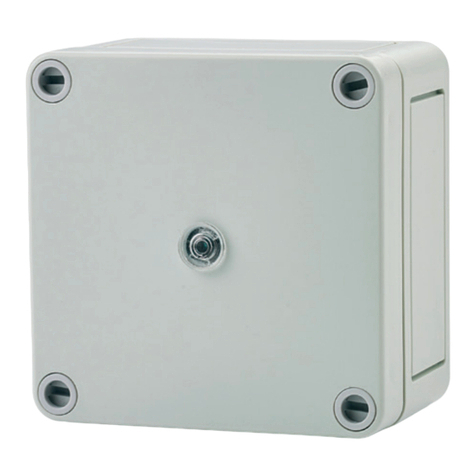
C.P. Electronics EBR-MS-S2-2S-B Manuel utilisateur

EBR-MS-S2-2S, -2SM, -4SM, -8SM
Scene selection switch
The EBR-MS-S2 provides advanced scene setting functions for the RAPID Lighting Control System.
When used in conjunction with RAPID dimming LCMs and suitable dimming luminaires, complex
dimming can be achieved to suit applications from conference rooms to individual offices. This
product provides for the selection of scenes and the programming of LCMs to provide set dimming
levels.
This device should be installed by a qualified electrician in accordance with the latest
edition of the IEE wiring regulations.
Ref WD846 issue 2
INSTALLATION
Key
1. brown
2. brown/white
3. green
4. white/blue
5. blue
6. white/green
7. orange
8. white/orange

OPERATING
To select a scene press the requisite button. Default light levels:
Scene
-2S -2SM -4SM -8SM
#1 100% 100% 100% 100%
#2 50% 75% 75%
#3 50% 50%
#4 25% 25%
#5 100%
#6 75%
#7 50%
#8 25%
Default levels are stored in the LCM and not the
scene selection switch. These levels are for the
pluggable RAPID modular LCM range and may vary
dependent on the connected device.
To raise the light level (doesn't apply to 2-button
models)
To lower the light level (doesn't apply to 2-button
models)
To turn the lights off
(Scene 0 - reserved as the “off” scene, but can be
programmed to leave a background lighting effect.)

PROGRAMMING (EBR-MS-S2-4SM & 8SM ONLY)
1Enter programming mode by pressing
the following sequence of buttons within
5 seconds.
2Choose the scene number to program. 3Choose the circuit ID this applies to (do
this even if the circuit ID is the same as the
scene number).
à
à
à
à
All LEDs will flash to indicate the scene
plate is in programming mode.
To confirm the selection press : To confirm the selection press :
If you need to use numbers that can't be
entered with your switch (e.g. "10") you must
use the RAPID Front End application or
UNLCDHS programming handset.
4Set the required light level for this
circuit
5Repeat steps and 4 for all circuits
required.
To cancel the current values and revert
back to the stored setting, press:
à
6To store the scene setting repeat step 1
above.
If no keys are pressed for more than 5
minutes, you automatically exit
programming mode and no changes are
saved.

TECHNICAL DATA
Supply voltage DC 12V
Terminal capacity 1.5mm²
Humidity 5 to 95% non-condensing
Operational temp. ºC -10 to 35
Material (casing) Flame retardant ABS and PC/ABS
Compliance EMC-2014/30/EU; LVD-2014/35/EU
PART NUMBERS
1 Scene 2 Scene 4 Scene 8 Scene
1
EBR-MS-S2-2S-B EBR-MS-S2-2SM-B EBR-MS-S2-4SM-B EBR-MS-S2-8SM-B
PLA-S-S2-1S-SS (stainless steel)
PLA-S-S2-1S-PB (polished brass)
PLA-S-S2-1S-W (white)
PLA-S-S2-4S-SS (stainless steel)
PLA-S-S2-4S-PB (polished brass)
PLA-S-S2-4S-W (white)
PLA-S-S2-4SM-SS (stainless steel)
PLA-S-S2-4SM-PB (polished brass)
PLA-S-MS-S2-4SM-W (white)
PLA-S-S2-8SM-SS (stainless steel)
PLA-S-S2-8SM-PB (polished brass)
PLA-S-S2-8SM-W (white)
CP Electronics - a business unit of
Legrand Electric Limited
Brent Crescent, London NW10 7XR UK
Tel: +44 (0)333 900 0671
Fax: +44 (0)333 900 0674
www.cpelectronics.co.uk
enquiry@cpelectronics.co.uk
Due to our policy of continual product improvement, CPElectronics reserves the right to alter the specification of this product without prior notice.
Ref WD846 issue 2
Ce manuel convient aux modèles suivants
3
Table des matières
Autres manuels C.P. Electronics Changer