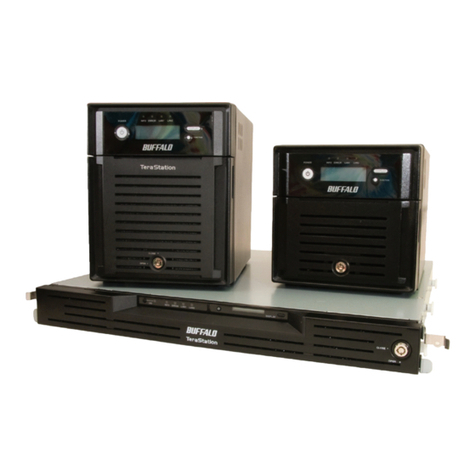
Buffalo TeraStation 7000 Manuel utilisateur

TeraStation 7000
User Manual
Americas: www.buffaloamericas.com
Europe: www.buffalo-technology.com
Asia Pacific: www.buffalo-asia.com
35012398-08
2015.03

1
Contents
Chapter 1 Getting Started .............................................8
Diagrams...........................................................................................8
Installation........................................................................................9
Turning the TeraStation On and Off............................................. 12
Changing the Administrator Password ....................................... 13
Creating a Recovery Drive ............................................................ 15
Chapter 2 Configuration ............................................. 16
Opening Settings .......................................................................... 16
Chapter 3 Access Restrictions..................................... 18
Configuring Access Restrictions for Users and Groups.............. 18
Adding a Shared Folder...........................................................................18
Adding Users ............................................................................................20
Adding Groups.........................................................................................21
Access Restrictions...................................................................................22
Active Directory ............................................................................ 24
NT Domain ..................................................................................... 26
User Authentication with an External SMB Server..................... 28
Chapter 4 Managing Storage...................................... 31
RAID Arrays.................................................................................... 31
Working with RAID Arrays............................................................ 32
Using JBOD...............................................................................................32

2
Changing RAID Mode ..............................................................................33
Configuring a Hot Spare..........................................................................34
RMM (RAID Mode Manager)....................................................................35
RAID Scanning..........................................................................................37
Adding an External Hard Drive .................................................... 37
Dismounting Drives ...................................................................... 38
Checking Drives ............................................................................ 39
S.M.A.R.T. ....................................................................................... 40
Formatting Drives ......................................................................... 41
Encrypting Drives.......................................................................... 42
Media Cartridges........................................................................... 42
Erase Data on the TeraStation Completely.................................. 43
Disk Quotas ................................................................................... 44
Quotas for Users.......................................................................................44
Quotas for Groups ...................................................................................45
Size Limits.................................................................................................45
Using the TeraStation as an iSCSI Device .................................... 47
Introduction .............................................................................................47
Creating and Expanding Volumes ..........................................................51
Disconnecting Volumes...........................................................................52
Setting Access Restrictions .....................................................................53
Hard Drive Replacement .............................................................. 55
Hard Drive Replacement Examples ........................................................55
Chapter 5 Backup ........................................................ 58
Back Up from the TeraStation ...................................................... 58
Preparing a Backup Destination.............................................................58

3
Configuring a Backup Job .......................................................................59
Replication..................................................................................... 62
Failover .......................................................................................... 64
Ethernet Cable Connection Methods .....................................................64
Usage Restrictions ...................................................................................65
Failover Configuration ............................................................................65
Additional Settings..................................................................................66
When the Main TeraStation Fails ............................................................67
Backing Up Your Mac with Time Machine ................................... 67
Chapter 6 Remote Access............................................ 71
WebAccess ..................................................................................... 71
WebAccess Remote ....................................................................... 73
FTP.................................................................................................. 74
Amazon S3 ..................................................................................... 75
Chapter 7 BitTorrent.................................................... 77
Chapter 8 Multimedia ................................................. 79
DLNA .............................................................................................. 79
Playing Files .............................................................................................80
Connected DLNA-compatible Devices ...................................................80
Streaming to DLNA-compatible Devices ...............................................81
Disabling Playback from Specific Devices .............................................81
iTunes Server ................................................................................. 82

4
Chapter 9 Surveillance Server .................................... 84
Getting Started ............................................................................. 84
Installing Client Tools ..............................................................................84
Connecting Devices to the Network.......................................................85
Enabling Surveillance Cameras ..............................................................85
Enabling the Free License .......................................................................87
Registering Recording Policies ...............................................................88
Checking Recording.................................................................................92
Viewing Saved Video ...............................................................................93
Advanced Usage............................................................................ 93
Export Recorded Data as a MOV Video File ...........................................93
Viewing Video Real-time .........................................................................96
Moving Recorded Video Data to Another TeraStation..........................96
Backing Up Recorded Video to Another TeraStation ............................97
Automatically Delete Old Data when Space is Low...............................98
Changing Where Recorded Video Is Saved ............................................99
Email Notifications.................................................................................100
Client Tools .................................................................................. 100
Camera Policies ......................................................................................100
Live Viewer .............................................................................................101
Data Service Policies..............................................................................102
Vault Admin............................................................................................102
Surveillance Video Manager .................................................................103
Network Activity ....................................................................................104
Mini Vault Stats ......................................................................................104
Activating Additional Licenses .................................................. 104
When the TeraStation is Connected to the Internet............................104
TeraStation Not Connected to the Internet .........................................106
Troubleshooting.......................................................................... 109

5
Chapter 10 Advanced Features ................................ 111
Email Notification ....................................................................... 111
Sleep Mode .................................................................................. 112
Wake-on-LAN .............................................................................. 113
UPS (Uninterruptible Power Supply)......................................... 114
Connecting a Printer................................................................... 115
Setting Up a Printer with Windows 8.1, Windows 8, Windows 7, or
Windows Vista ........................................................................................115
Setting Up a Printer with Windows XP .................................................116
Auto RAID Rebuild ...................................................................... 117
Write Caching .............................................................................. 117
Power Supply Failure .................................................................. 117
IP Routing .................................................................................... 118
NFS Rules ..................................................................................... 119
TeraSearch ................................................................................... 120
Offline Files.................................................................................. 121
DFS ............................................................................................... 123
Accessing from a NFS Client ....................................................... 124
Encrypting Data Transmission ................................................... 126
Encrypting Settings Data ......................................................................126
Encrypting FTP Transfer Data ...............................................................126
SSL Keys ..................................................................................................126
Web Server................................................................................... 127
MySQL Server .............................................................................. 128
SNMP............................................................................................ 129
Saving and Applying Settings.................................................... 130

6
Saving Settings ......................................................................................130
Applying Settings ..................................................................................131
Recovering the TeraStation ........................................................ 131
Creating a Recovery Drive.....................................................................131
Recovering the TeraStation...................................................................132
Logs .............................................................................................. 133
Restoring Factory Defaults......................................................... 134
Updating the Firmware............................................................... 134
Name, Date, Time, and Language .............................................. 134
Beep Alerts .................................................................................. 136
Jumbo Frames ............................................................................. 136
DHCP and IP Address .................................................................. 138
Port Trunking............................................................................... 139
Chapter 11 Utilities.................................................... 141
NAS Navigator2 for Windows..................................................... 141
Mount as Network Drive........................................................................143
Changing the IP Address .......................................................................144
NAS Navigator2 for Mac ............................................................. 144
Mounting as a Network Drive ...............................................................145
Changing the IP Address .......................................................................146
Chapter 12 Appendix ................................................ 147
Replacing the Battery ................................................................. 147
Adding a NIC................................................................................ 147
Adding a USB 3.0 Card ................................................................ 148

7
Errors ........................................................................................... 149
Status ........................................................................................... 150
Default Settings .......................................................................... 152
Specifications .............................................................................. 152
Chapter 13 Regulatory Compliance Information.... 154
For Customers in the United States ........................................... 154
For Customers in Europe ............................................................ 154
For Customers in Korea............................................................... 157
For Customers in Taiwan............................................................. 157
For Customers in China............................................................... 157
For Customers in Russia.............................................................. 157

8
Chapter 1 Getting Started
Diagrams
1 Power Button
On: Press the power button to turn on the TeraStation.
Off: Press the power button twice within 3 seconds to turn off the TeraStation.
2 Reset Button
This resets the TeraStation. Use a toothpick or similar object to hold down this switch for a second, then release
it.
3 Mute Button
This turns off audible alarms, such as the one you get when a power supply fails. Use a toothpick or similar
object to hold down this switch for a second, then release it.
4 Power LED
This LED is on during normal operation. It blinks during boot and shutdown.
5 LAN LED
When any of the 4 LAN ports is connected to a network, this LED is illuminated green. The light to the right of
the LAN port will be illuminated as well.
6 Error LED
If there is an error, the red error LED will light up. If there is a notice, the red error LED will blink.
7 Drive Lock
Push the drive release to the left and swing out the lock to release the drive.
8 USB 2.0 Port
Compatible Buffalo USB hard drives, USB flash drives, digital cameras, and USB UPS connections can be
connected. USB hubs are not supported.
9 Power Connectors

9
Use the included power cables to connect these to a UPS, surge protector, or outlet.
10 Power Status
Glowing green: power is on
Blinking green: power is off
Glowing red: error
Blinking red: power supply fan error
11 UPS Port
Connect to a UPS.
12 LAN Port 1
Use an Ethernet cable to connect this port to your network.
13 LAN Port 2
This second Ethernet port may be used for network redundancy or backup. You may connect a TeraStation
directly to this port for backup.
14 LAN Port 3
This third Ethernet port may be used for network redundancy or backup. You may connect a TeraStation
directly to this port for backup.
15 LAN Port 4
This fourth Ethernet port may be used for network redundancy or backup. You may connect a TeraStation
directly to this port for backup.
16 VGA Port
Connect a display device here.
17 Link LED
Glows orange when the unit is connected to a 1000 Mbps network and green when the unit is connected to a
100 Mbps network.
18 Act LED
This LED shows network activity. It blinks orange when the TeraStation is accessed over the network.
Installation
1 Insert the TeraNavigator CD into your computer. TeraNavigator will launch.
2 Click Begin Installation.
Autres manuels pour TeraStation 7000
2
Table des matières
Autres manuels Buffalo Serveur

Buffalo
Buffalo LPV2-WS11GC Manuel utilisateur

Buffalo
Buffalo WLI-USB-L11G Manuel utilisateur

Buffalo
Buffalo HD-H0.6TGL Manuel utilisateur

Buffalo
Buffalo TeraStation Pro WSS Manuel utilisateur

Buffalo
Buffalo TeraStation HS-DTGL/R5 Manuel utilisateur

Buffalo
Buffalo HS-D1.0TGL Manuel utilisateur

Buffalo
Buffalo Surveillance Server Manuel de service

Buffalo
Buffalo LinkStation HS-D300GL Manuel utilisateur

Buffalo
Buffalo TS-0.6TGL Manuel utilisateur

Buffalo
Buffalo AirStation WZR-RS-G54 Manuel utilisateur