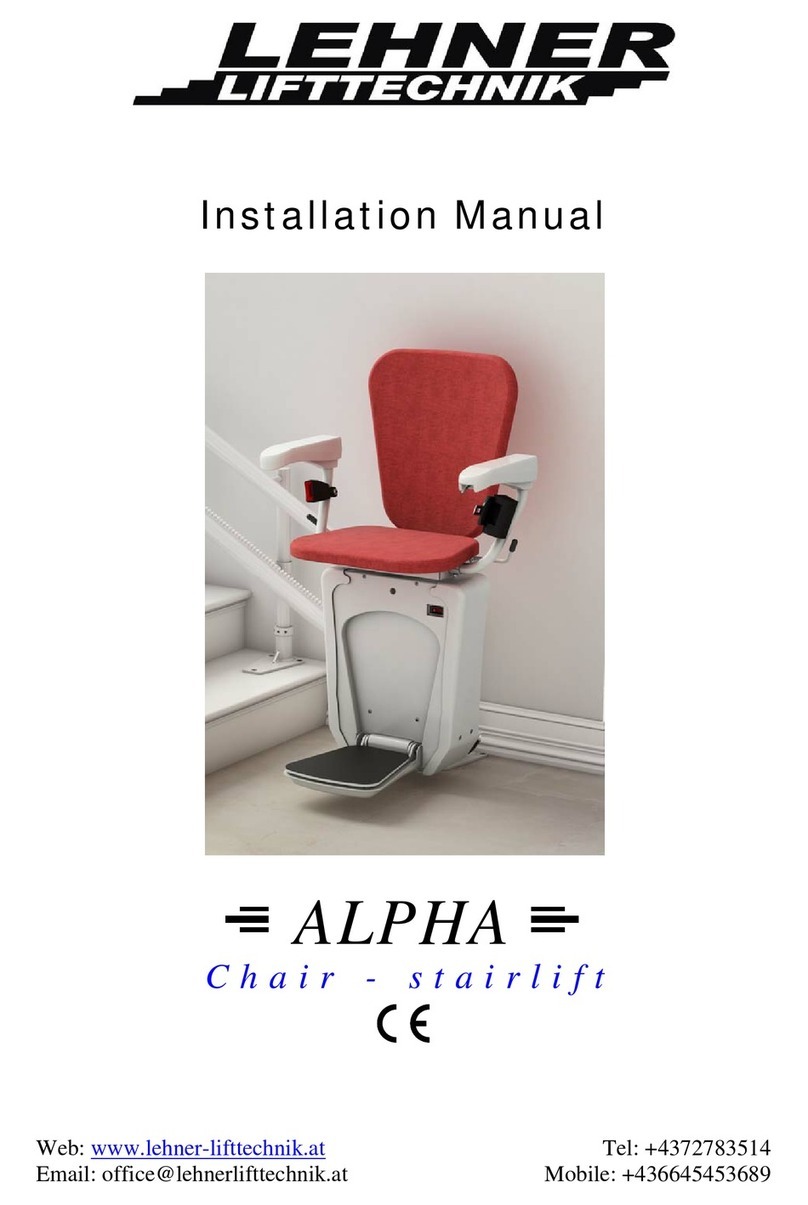
Bruno ELITE SRE-2010 Manuel utilisateur

ELITEINDOOR STAIRLIFT
English
Operator Manual
www.bruno.com

SRE-2010 OPERATOR 09-15-2021 2
PRODUCT REGISTRATION FORM
THANK YOU! We appreciate you purchasing a Bruno stairlift! Your Bruno Elite stairlift is
handcrafted in the USA and made specically for your unique stairs.
Warranty Registration
Complete the warranty registration process by lling out the product registration form in
one of two ways:
• Fill it out online at www.bruno.com/forms/product-registration
• Complete Product Registration Card enclosed with this product and return via mail
Serial Number
Please note the serial number of your stairlift is axed to the stairlift. The serial and model
number is needed for your dealer to le a warranty claim, request parts or to service the
unit. We encourage you to keep this information.
Authorized Bruno Dealer
Bruno stairlifts must be installed and maintained by an authorized Bruno dealer or the
warranty will be null and void.
Table of Contents
Regulatory Information and Specications .......................................................... 3
Safety ............................................................................................................ 4
Circuit Breaker ................................................................................................ 4
Operation .................................................................................................5-10
Standard Swivel Seat ....................................................................................... 6
Optional Power Swivel Seat ............................................................................... 6
Optional Power Footrest ................................................................................... 6
Optional Folding Rail ........................................................................................ 7
Optional Power Folding Rail ............................................................................ 8-9
Diagnostic Codes ............................................................................................10
Charging .......................................................................................................10
Battery Charger .............................................................................................11
Maintenance/Remote Battery Replacement and Interference ................................12
Vacation and Long-Term Storage ......................................................................12
Troubleshooting ..............................................................................................13
Warranty .......................................................................................................14

SRE-2010 OPERATOR 09-15-2021
3
This lift is intended to be installed in accordance with the current edition of:
• EN 81-40:2008 Safety rules for the construction and installation of lifts - Special lifts for the
transport of persons and goods - Part 40: Stairlifts and inclined lifting platforms intended for
persons with impaired mobility
• ASME A18.1:2017 Safety Standard for Platform Lifts and Stairway Chairlifts -
Units with overspeed assembly
• ASME A18.1:2014 Safety Standard for Platform Lifts and Stairway Chairlifts -
Units without overspeed assembly
• CAN/CSA-B613-00 (R2005) - Private Residence Lifts for Persons With Physical
Disabilities
• ASME A17.5/CSA B44.1 - 2014 Elevator and Escalator Electrical Equipment
• NFPA 70: National Electrical Code®
• CSA C22.1 Canadian Electrical Code
Verify applicable local codes with the appropriate regulatory authorities.
Specications
Weight Capacity: 400 lbs. (181 kg)
Control: constant pressure (armrest and two remotes)
Maximum Incline: 45° (specials to 50°)
Seat Swivel: 0, 60 and 90 degrees at the top; (optional) 45 degrees at the bottom
Battery Charger: 24VDC battery charger powered by 120V wall outlet.
4004689 4004689
REGULATORY INFORMATION and SPECIFICATIONS
Armrest
Folding footrest
with obstruction sensors
Swivel
release
Folding seat
in riding position
Armrest
control
switch

SRE-2010 OPERATOR 09-15-2021 4
SAFETY/ CIRCUIT BREAKER
General Safety Tips
• Read and understand operating and safety precautions prior to using the stairlift.
• Clear stairs of objects before operating stairlift.
• Stay aware of surface onto which you are stepping as you get on/o the stairlift.
• Avoid carrying items on the stairlift which could hinder movement of the unit.
• Avoid loose clothing that could interfere with stairlift movement.
• Fasten positioning belt before operating stairlift.
• Ensure seat is locked in the correct riding position.
• Lock the swivel seat in place before getting on/o the stairlift
• Lean toward the upstairs for the smoothest ride if you cannot remain seated upright.
Non-ambulatory users: Carry a cellular or an emergency communication device when
riding the stairlift alone in the house.
Safety Features
Speed: The stairlift is designed to travel down the stairway at a slightly slower speed than
traveling up.
Obstruction sensors: Sensors in the stairlift footrest will stop the carriage if an obstacle is
encountered on the stairs. If this should occur, press the opposite side of the armrest control
switch to run the carriage in the opposite direction. Clear the obstacle and resume travel.
Power outage: Your stairlift is battery powered and will operate for some time during a
power outage, depending on the battery condition, length of stairs and weight of rider. Only in
the event of a prolonged power outage – more than one hour – will it be necessary to turn the
power o (circuit breaker switch on the carriage) and turn o or unplug the charger from the
wall outlet to conserve battery charge.
Power seat option: An overload sensor will prevent the seat from swiveling if a jam is detected.
Power footrest option: An overload sensor will cause the footrest to return to its last position
if a jam is detected.
Power folding rail option: An overload sensor will prevent damage from occurring if an
obstruction or jam is detected in the path of the moving folding rail section. The folding rail
section will stop and briey reverse direction if an obstruction is detected.

SRE-2010 OPERATOR 09-15-2021
5
OPERATION
Bruno’s stairlift features a “soft-start,” preventing the unit from moving abruptly after the arm-
rest control switch is pressed. Press and hold the armrest control to begin the gentle accelera-
tion of the stairlift to operating speed. The stairlift will automatically stop at the upper or lower
end of the rail or when the armrest control is released.
How to Operate Your Bruno Stairlift
• Position yourself in stairlift seat
• Fasten the positioning belt.
• Ensure the seat is in the proper riding position: rider back to the stairway wall
- Raise and hold the seat swivel lever to rotate the seat to the “riding position,” if needed.
- Release the seat swivel lever to secure seat. The stairlift will not operate unless the seat is
locked in the “riding position,” a right angle to the rail.
• Position both feet on the footrest and arms on armrest cushions.
• Key switch units: Turn the key to ON position.
• Press and hold armrest control switch to travel up or down the rail.
• Raise and hold the seat swivel lever at top landing; rotate the seat to desired position.
• Release seat swivel lever and allow seat to lock in position.
• Key switch units: Turn the key to OFF position.
• Unbuckle positioning belt and carefully exit the seat.
• Fold armrests, seat and footrest when not in use, if preferred.
Note: Optional keyed switch units – Turning the armrest key to the OFF position disables both
the arm control switch and the remote controls..
Wireless Remote Operation
You may also move your stairlift by using one of two remote controls included with your Bruno
stairlift.
Note: The remotes are designed to call/send an empty stairlift only.
Wireless Remotes
The SRE-2010 hand-held remote may experience certain types of interference caused by
portable and mobile radio frequency (RF) communications equipment. However, the SRE-2010
uses infrared (IR) communications to minimize the possibility of interference.
Also, receivers are mounted on both sides of the SRE-2010 carriage to minimize interference.
Should interference occur, the unit will stop. This feature has been integrated into the
SRE-2010 to ensure your safety. The direct line between the remote to either of the two (2)
remotes should be clear of obstacles for optimal operation. It may be necessary to reposition
the remotes so that they are aimed at the carriage.
To reduce the possibility of interference:
• Do not allow direct sunlight to shine on the receivers (blinding the receivers on the carriage)
• Replace remote batteries regularly. Depleted or nearly-depleted batteries alter the eective
range of the remote.
• Keep the remote and receiver lens free of dirt and debris.
- Use a non-abrasive cleaner suitable for glass or acrylic surfaces.
- Do not use polishes or cleaning products containing wax. These
products will leave a lm on the lens that will reduce the signal
transmission range.

SRE-2010 OPERATOR 09-15-2021 6
OPERATION: Power swivel seat /power footrest (optional)
Standard Swivel Seat
Swivel Positions: The Elite seat, with standard armrests,
swivels a total of 90 degrees. The seat locks in three
positions: the center “home” position and 60 and 90
degrees at the top landing. (Some installations allow the
chair to swivel 45 degrees to the bottom landing.)
How to Rotate Seat:
• Swivel the seat at the top landing to safely exit away from
the steps.
• Lift the release handle located under the seat (on either side
of the chair). Once the swivel lever is released, the seat will
lock in the closest 60- or 90-degree position.
• Unbuckle and carefully exit the seat
Flip-Up Seat:
• Save space on your stairs when your stairlift is not in use by
ipping up the seat and armrests.
Swivel release
handle
Power Swivel Seat Option
• Release the armrest control once your stairlift has stopped at the top landing.
• Engage the power swivel seat feature by pressing the armrest control again.
(in the same direction you pressed to travel up the stairs).
• Release the armrest control switch once the seat has fully rotated.
• Unbuckle and carefully exit the seat.
Note:
1) The seat will swivel from 0-90 degrees only at the top of the stairway.
2) The remote control may be used to return the rotated power seat back to the ride position.
Power Footrest Option
An optional power footrest makes it easy to fold the stairlift footrest without leaning over.
• Raise the stairlift seat to the “stored” position, and the footrest will automatically fold up.
• Lower the seat, and the footrest will automatically fold down.
• Attempting to manually fold a power footrest option can damage the unit.
Note: If jam occurs when raising/lowering the footrest, clear the jam and move the seat
up/down until the footrest moves again. If normal operation is not restored, please
contact your Bruno dealer for service.
Note: Turning the armrest key to the OFF position disables both the arm control switch and
the remote controls.

SRE-2010 OPERATOR 09-15-2021
7
OPERATION: Manual folding rail (optional)
PINCH POINT!
Make sure the areas above and
below the folding rail are clear
before operating the
folding rail.
Keep children and pets at a safe
distance.
Failure to observe this warning
could result in injury or
damage to equipment.
Optional Manual Folding Rail
Note: Stairlift must be in the mid-travel position or at the top landing position when
folding the rail. Damage to the stairlift will occur if you attempt to fold the rail when the
stairlift is lower than the mid-travel position.
How to fold rail up:
• Use handle to gently pull folding rail section up and toward the top of stairlift rail and
then gently lower it.
How to fold rail down:
• Use folding rail handle to gently pull up and toward the bottom of the rail and low-
er the folding rail section to the ground. Do not allow the folding rail section to drop
down into a lowered position

SRE-2010 OPERATOR 09-15-2021 8
PINCH POINT!
Make sure the areas above and
below the folding rail are clear
before operating the
folding rail.
Keep children and pets at a safe
distance.
Failure to observe this warning
could result in injury or
damage to equipment.
The power folding rail is very similar to the manual folding rail
except it has a motorized actuation built into the rail hinge to
automatically raise and lower the folding section of the rail.
The power folding rail includes a mid-travel stop position.
• If you are above this stop, the rail should always be folded up.
• If you are below this stop the rail should be folded down.
Do not attempt to manually fold the power rail!
Using power from the carriage, fold or unfold the rail:
• By riding the stairlift, or
• By using the remote controls
OPERATION: Power folding rail (optional)
Riding the stairlift:
If you are at the top of the staircase, press the armrest control switch to ride down the rail until
you contact the mid-stop, then release the switch. Look down the staircase to be sure there are no
obstructions to prevent the rail from lowering!
Press the armrest switch again, in the down direction. The folding rail will lower. The stairlift will
not move down until the rail folds down completely and touches the ground. Release the armrest
switch once the rail reaches the ground. Once the rail is folded down, press and hold the armrest
switch again until you reach the bottom of the staircase.
If you are at the bottom of the staircase, ride up until you contact the mid stop, then release the
armrest switch. Look down the staircase to be sure there are no obstructions to prevent the rail from
folding up. Press the armrest switch again, in the up direction. The rail will rise up. The stairlift
will not continue up until the folding rail is completely folded up. When the rail is in its fully up
position, release the UP armrest switch, then press it again to travel the rest of the way up the stair-
case.
Note: You will hear a continuous beep whenever the folding rail is in motion. This is to warn
people nearby of rail operation. In addition, the yellow LED on the control panel ashes.

SRE-2010 OPERATOR 09-15-2021
9
OPERATION: Power folding rail (optional)
Optional Power Folding Rail
Remote operation of power folding rail:
If you are at the bottom of the stairs, use your wireless remote to power the stairlift down the
staircase. The folding rail will not lower until the chair contacts the “mid-travel” stop position.
Once the stairlift has reached the mid-travel position, press the remote DOWN button again to
unfold the rail.
If you want to store the stairlift with the rail folded up, use the remote to send the stairlift to
the “mid-travel” position. Then press the remote UP button again to raise the rail.
Note: Be sure to stand clear of the rail as it unfolds!
Safety features of power folding rail:
To reduce the chance of injury to people, pets and property, the optional power folding rail is
equipped with an obstruction safety system. If the power folding rail detects an obstruction,
the rail will stop and briey reverse direction.
• Press the armrest control switch or remote in opposite direction
• Clear the obstruction
• Press the armrest control switch or remote again, in the desired direction
Disable switch:
The control panel, located on the folding rail, includes a disable switch. Pressing the switch o
prevents the rail from folding up or down. You would use this function if you wanted to keep the
rail folded down for an extended period. Be sure to press the switch to on to allow the rail to
fold and unfold correctly under power.
EMERGENCY ONLY!
Should you need to raise or lower the power folding rail and you are unable to do so using the
armrest up/down control switch or the remote, switch the disable switch to OFF. Manually and
gently, raise or lower the rail at the location marked with * below. Make sure to lift slowly
where indicated below. Lifting the rail in a quick motion may result in damage to the folding rail
gearbox.
DISABLE
SWITCH
PINCH POINT!
Make sure the areas above and
below the folding rail are clear
before operating the
folding rail.
Keep children and pets
at a safe distance.
Failure to observe this warning
could result in injury or
damage to equipment.
*

SRE-2010 OPERATOR 09-15-2021 10
A2 Seat in UP Position (Seat Fold Switch Closed)
A3 Seat Out of Riding Position (Swivel Limit Open)
A7 Seat or Footrest Jammed (Actuator Stalled)
C1 Charging
C2 O Charge (Running)
C4 Parked and Charger Not Detected
C5 Battery Voltage Critical (Charge Immediately)
C6 Battery Voltage Low
L1 Seat Safety Switch Open
L2 Up Limit Switch Open
L3 Down Limit Switch Open
L6 Mid-Rail Park Active
L8 Soft Stop Switch
DIAGNOSTIC CODES (underseat) and CHARGING
Keeping Stairlift Charged
Bruno stairlifts are powered by two 12v batteries
that charge when the lift is parked anywhere on
the rail.
Failure to keep the batteries charged, or allowing
them to fully discharge, will signicantly shorten
battery life.
The power light should always be displayed,
meaning the outlet is giving the charger
power (the light should be on even if the unit
is o). Either a yellow charge light or green
“oat mode” light will be lit indicating the unit is
charging.
Charging
Table des matières
Autres manuels Bruno Monte-escalier

Bruno
Bruno ELITE Manuel utilisateur

Bruno
Bruno ELAN SRE-3050G Manuel utilisateur

Bruno
Bruno ELITE SRE-2010 Manuel utilisateur
Bruno
Bruno SRE-3000 Elan Instructions d'utilisation et d'installation

Bruno
Bruno CRE-2110 Manuel utilisateur

Bruno
Bruno ELAN SRE-3050 Manuel utilisateur

Bruno
Bruno SRE-3000 Elan Manuel utilisateur

Bruno
Bruno ELECTRA-RIDE SRE-1540 Manuel utilisateur

Bruno
Bruno ELAN SRE-3050 Manuel utilisateur

Bruno
Bruno ELECTRA-RIDE II Manuel utilisateur