4
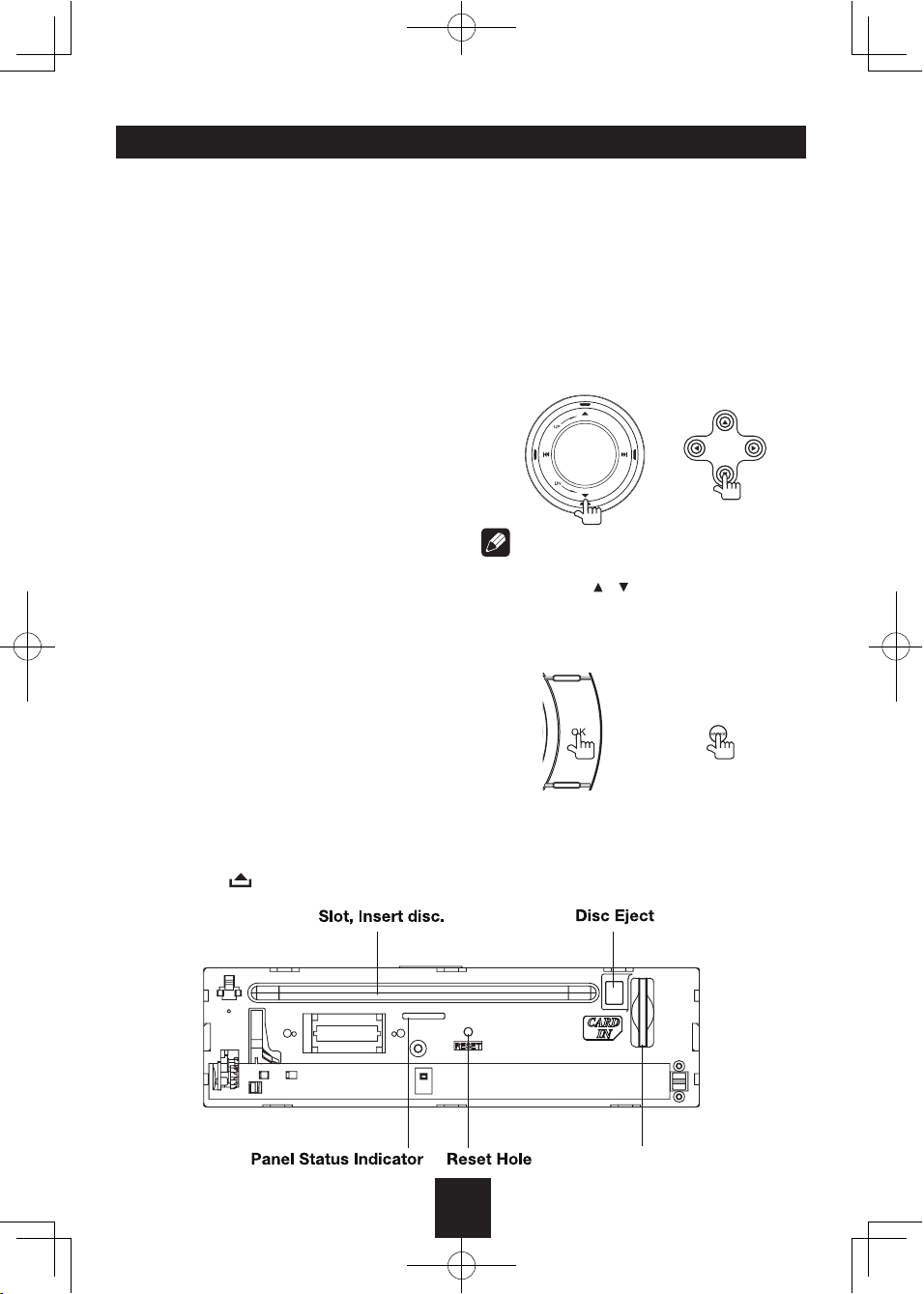
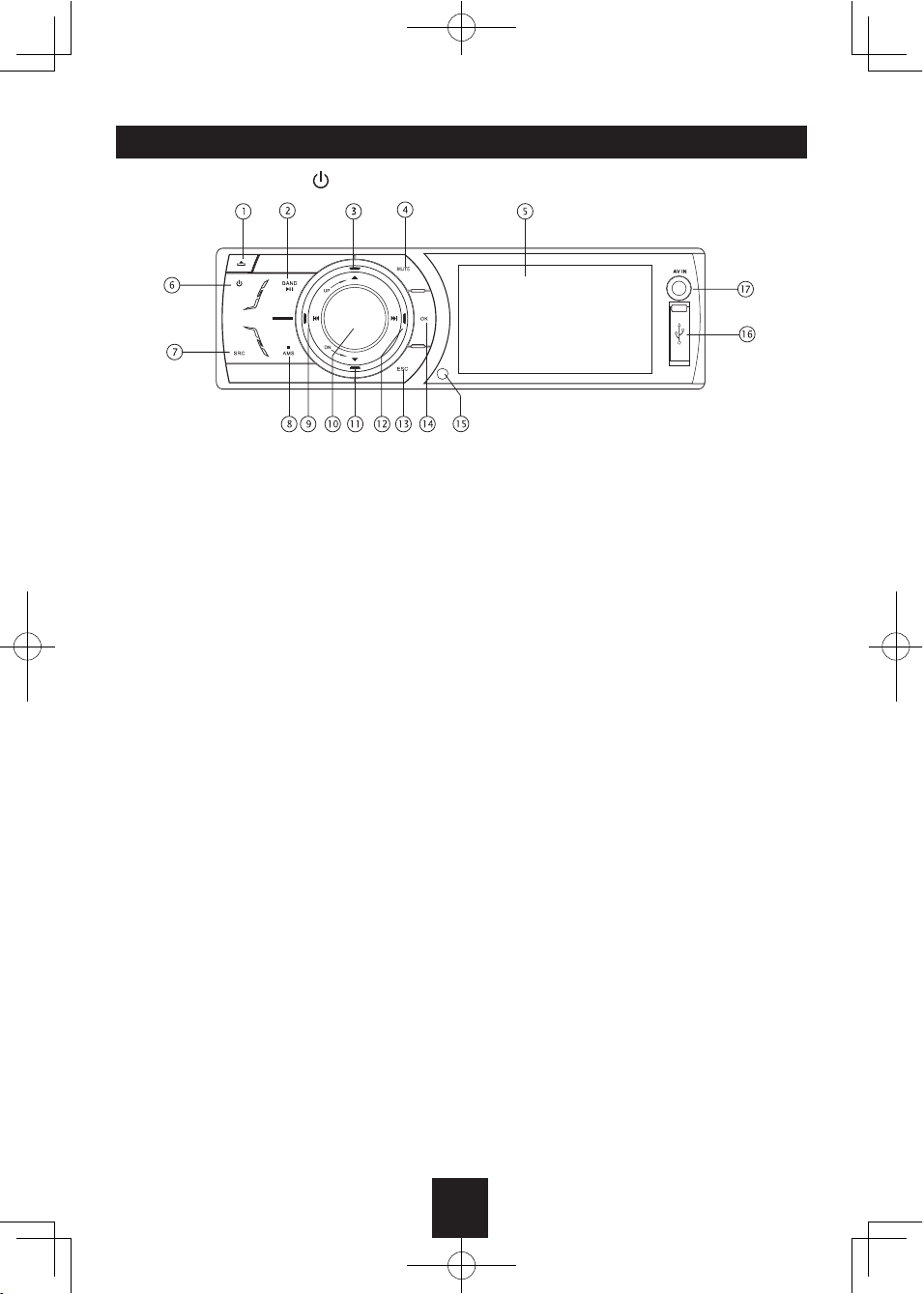
Panel Controls
Power on/off: Press to turn on/off the unit.
1. Panel open
2. - Play/Pause (in DVD, CD and MP3/WMA
modes)
- Band switch: FM1 - FM2 - FM3 - AM1 -
AM2 (in Radio mode)
3. - Press to navigate up among option items
(in DVD, CD and MP3/WMA modes)
- Play the previous preset radio station (in
Radio mode)
4. Mute
5. 3 inch TFT display
6. Power on/off
7. - Short press to select playing mode:
xternal
peripheral devices with RCA audio and
video outputs can be connected with the
unit.)
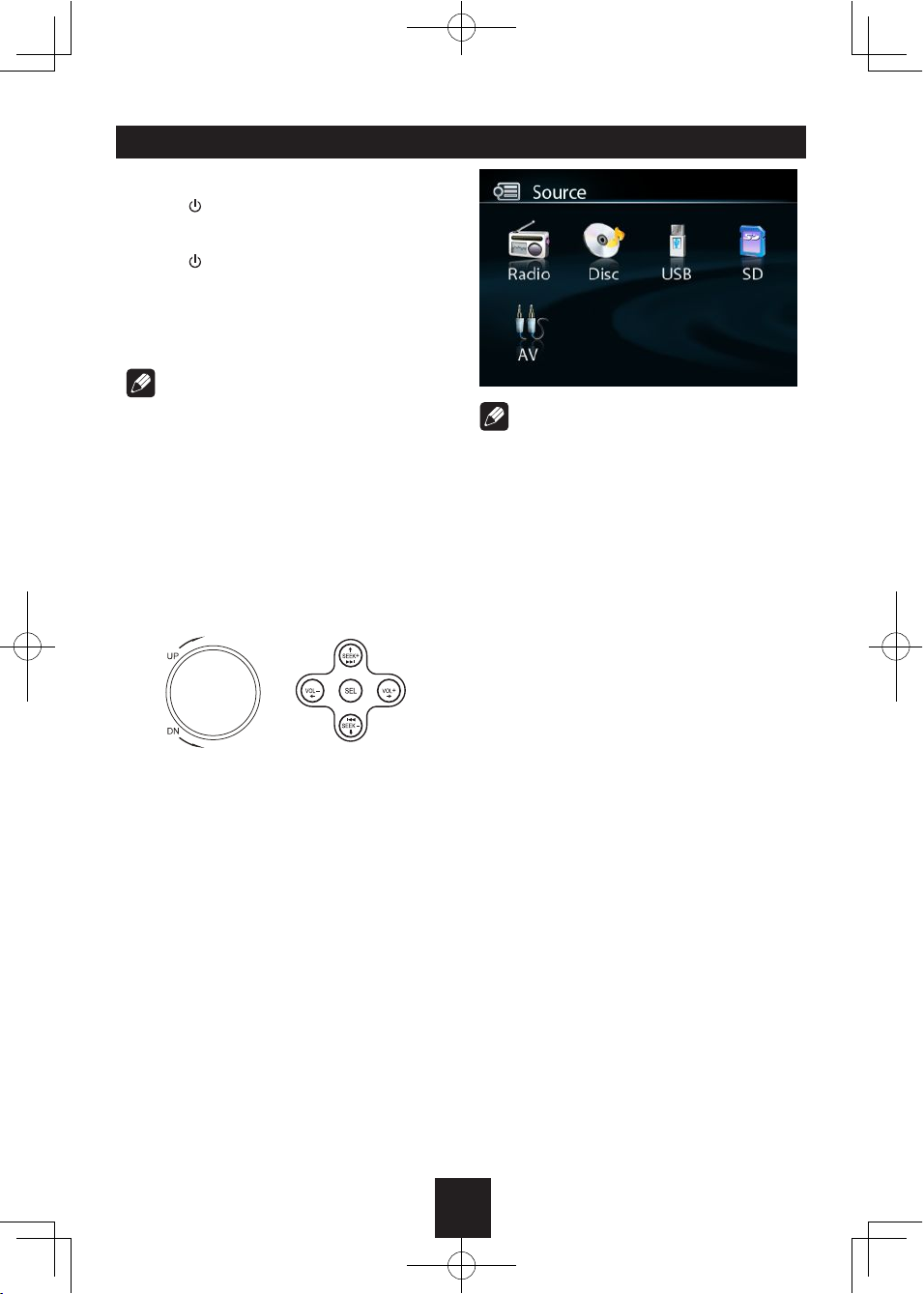
- Long press to return to main source menu
when in any mode, then use navigate
button to select the desired mode, and
press OK
8. - Preset scan (press briefly, in Radio mode)
- Auto preset (press more than 2 seconds,
in Radio mode)
- Stop (in CD, MP3/WMA, and DVD video
mode)
9. - Search the previous station automatically
(press briefly, in Radio mode).
- Search the previous station manually, and
each press to seek step by step (press
more than 2 seconds, in Radio mode).
- Press to search the previous track or
chapter (in CD, MP3/WMA, and DVD
video mode).
- Fast backward by 2, 4, 8, 20 step (press
more than 2 seconds, in CD, MP3/WMA
and DVD video mode).
- Press to navigate left among option items.
10. - Rotate the knob to adjust volume level
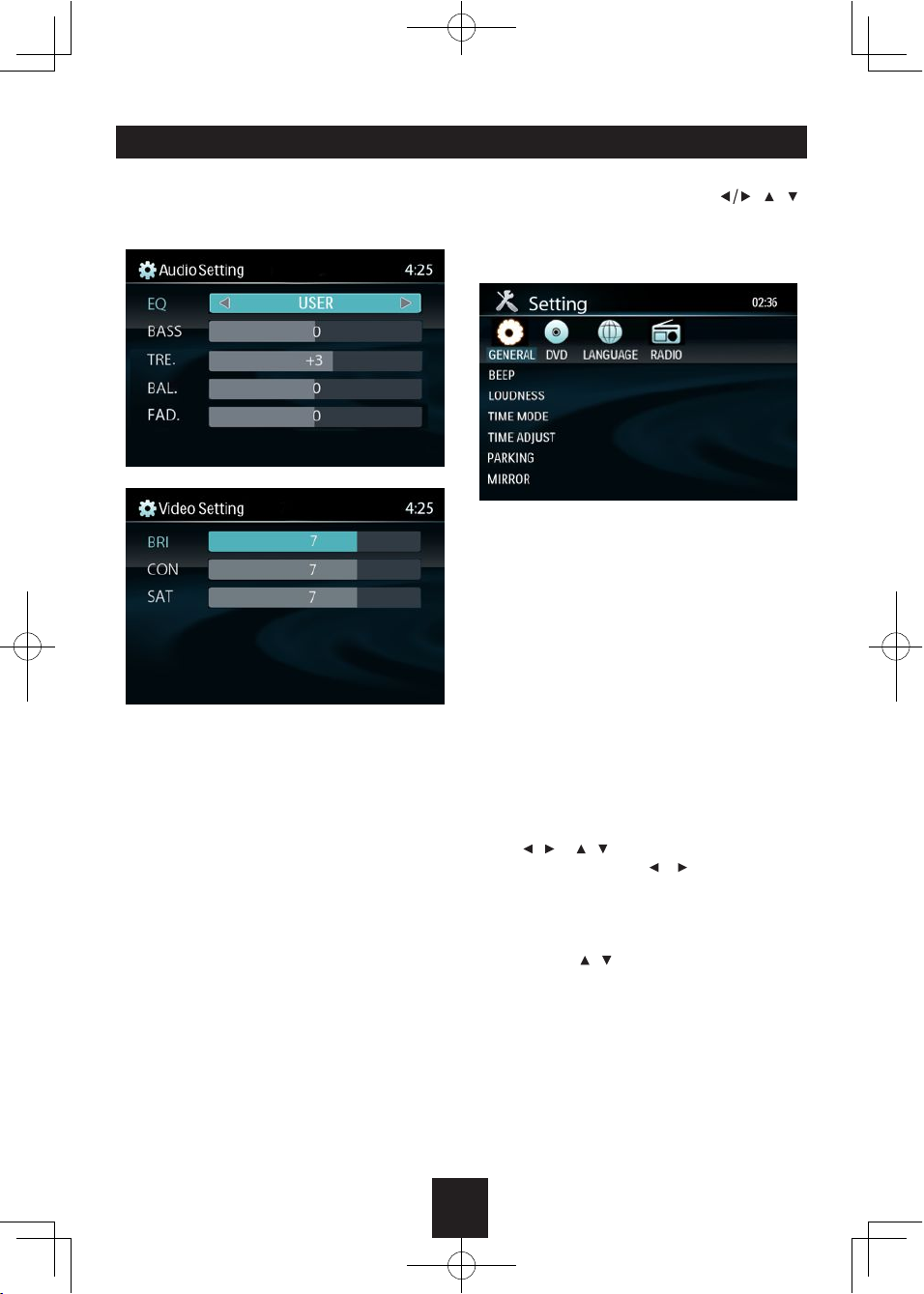
- Press to select Audio/video Setting, and
rotate the knob to adjust level.
- Press more than 2 seconds to Setting
menu.
11. - Press to navigate down among option
items (in DVD, CD and MP3/WMA
modes)
- Play the next preset radio station (in
Radio mode)
12. - Search the next station automatically
(press briefly, in Radio mode).
- Search the next station manually, and
each press to seek step by step (press
more than 2 seconds, in Radio mode).
- Search the next track or chapter (in CD,
MP3/WMA, and DVD video mode).
- Fast forward by 2, 4, 8, 20 step (press
more than 2 seconds, in CD, MP3/WMA
and DVD video mode).
- Press to navigate right among option
items
13. Cancel source select menu and return to
previous menu
14. - Confirm operation
- Stop auto seeking (in Radio mode)
15. Remote sensor
16. USB port
17. AV in